Organize your Deal Room files into folders
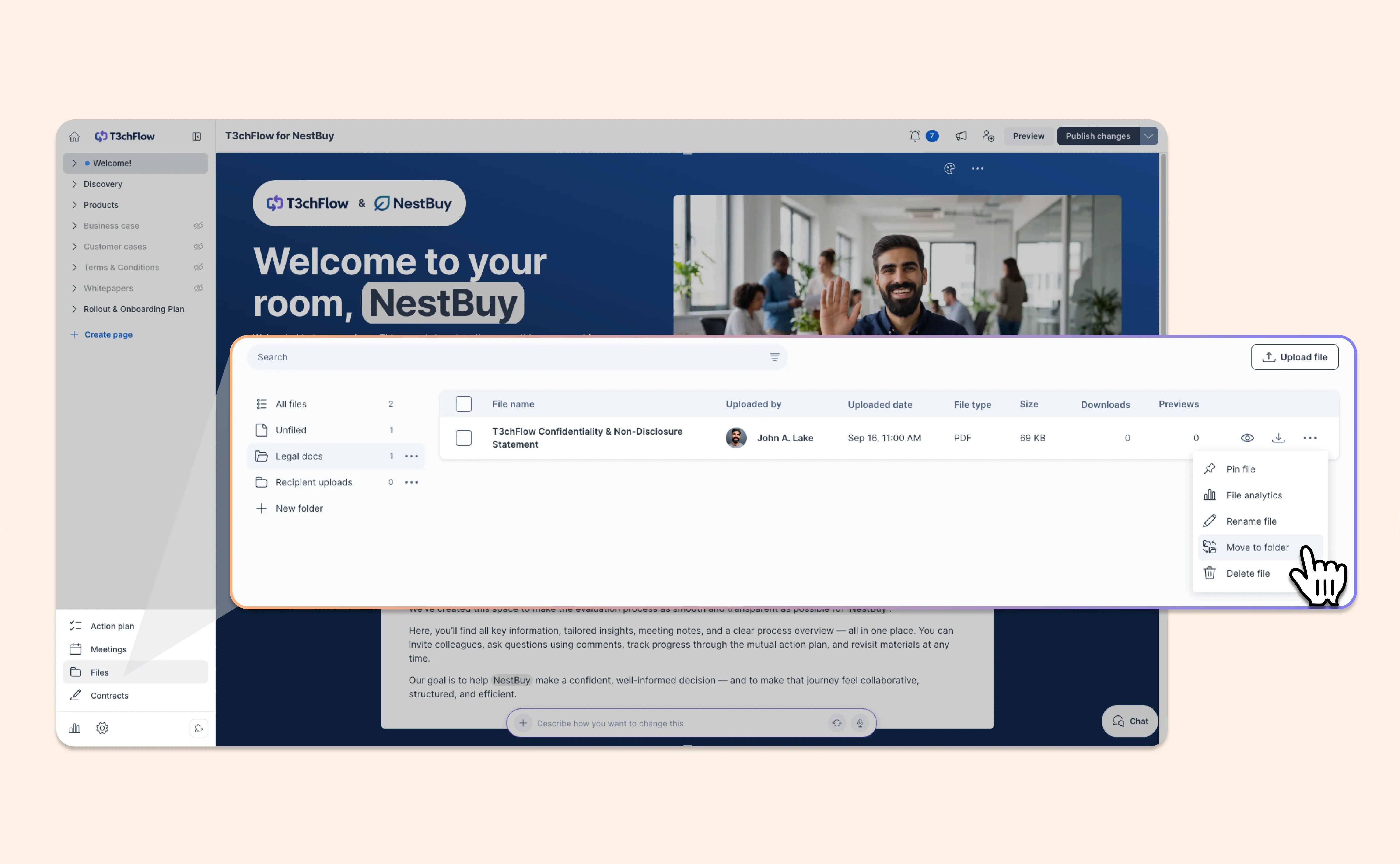
As a deal grows, so does the list of files you share. Now you can group the files in your Deal Rooms and room templates into folders, and your buyers see the same folders in the published room.
- Create your own folders: Add, rename and delete folders, like “Product sheets” or “Security documentation.”
- Upload and move in a few clicks: Choose a folder as you upload, or select several files to move them together.
- Find any file fast: Search looks across every folder and shows where each file lives.
- Built for your buyers too: Buyers can browse your folders, upload into them and move their own files.
- Set it once in your templates: Folders on a template carry over to every room created from it.
Folders are one level, so a folder can’t contain another folder.
A tidier Files tab means a room that’s easier for every stakeholder to find their way around.