If you’re already quoting directly in HubSpot, you may have solved the problem of sending quotes quickly only to run into another when a buyer requests a bundle where one choice affects several other prices. That’s often when teams start exploring CPQ software, although HubSpot’s own offering can make the options a little confusing.
Its CPQ functionality launched in Commerce Hub, now renamed Revenue Hub, while accounts created before September 3, 2025 may still have access to legacy quotes, a separate experience unavailable to new users.
So, which setup makes sense for your deals?
For standard pricing, one signer and supported payments, HubSpot CPQ may be enough. For more complex deals involving multiple buyers, GetAccept adds quoting and unlimited e-signatures in a HubSpot-synced Digital Sales Room. It also shows you what each stakeholder has opened.
What is CPQ in HubSpot?
HubSpot CPQ is HubSpot’s built-in quoting toolset in Revenue Hub for configuring products, pricing them and creating, approving and e-signing quotes inside the CRM. Reps can build quotes from the deal record, pulling in existing line items without retyping them, then send quotes to buyers for review, acceptance and payment. Although it’s part of HubSpot, you’ll need a Revenue Hub Professional or Enterprise subscription to use it.
You’ll also come across CPQ in the context of third-party tools. Teams that outgrow native quoting add an app from the HubSpot marketplace. The two main kinds are dedicated CPQ apps like DealHub and buyer-enablement platforms like GetAccept’s Digital Sales Room, which has quoting built in. HubSpot’s native CPQ offering, meanwhile, followed its acquisition of Cacheflow, a billing and CPQ company, in October 2024.
How is CPQ different from HubSpot's legacy quotes?
HubSpot CPQ offers tiered pricing, price books, contracts and quote rules that aren’t available in legacy quotes. Both quoting experiences can still exist in HubSpot, with access depending on your account settings and the seats assigned to your reps.
There are two important differences to check before switching:
- Seats: Assigning a Revenue Hub seat removes a rep’s access to legacy quotes and templates unless legacy quote creation remains enabled.
- Payment schedules: Legacy quotes support payment schedules, but CPQ quotes don’t, so check whether your team relies on them before making the switch.
What are HubSpot CPQ’s main features?
HubSpot CPQ’s main features are a product library with flat and tiered pricing, AI-drafted quotes, approval workflows, e-signature and online payment collection. Here is what each one does for your reps and approvers:
- Product library: Keeps pricing consistent across your team with flat, volume-based, graduated and stair-step pricing [HubSpot, 2026], plus price books for regional sales teams.
- Quote creation: AI drafts quotes using deal and line item data [HubSpot, 2026]. Reps can create them directly from the Quotes card on a deal record, using branded templates for consistency.
- Approvals: Route quotes to one or multiple approvers. Enterprise routes approvals by properties like discount size or contract length and its quote rules can warn a rep or block publishing.
- Acceptance and payment: Buyers can e-sign, click to accept or print and sign, then pay through HubSpot payments or Stripe. Quotes can include attachments and internal countersignatures.
- Contracts: Automatically create a contract record when a buyer accepts a quote.
- Tracking: See when buyers view, download or print quotes through the quote activity log.
- Ramp pricing: Set prices that increase over time using quote line items, although this isn’t supported with HubSpot payments checkout.
A rep can open a deal, generate a quote with AI, send it for approval and have the buyer sign and pay without leaving HubSpot. Managers can follow quote status and buyer activity alongside the pipeline, while revenue operations keeps templates and pricing rules consistent across the team.
Which HubSpot plan and seats does CPQ need?
To use HubSpot CPQ, you’ll need Revenue Hub Professional or Enterprise, with a dedicated Revenue Hub seat for each rep creating or editing quotes. Costs scale with the number of reps who need a seat.
Here are the current prices, as of October 2026:
- Professional: $85 per seat per month billed annually, or $95 per seat paid monthly on an annual commitment, per HubSpot’s Revenue Hub pricing page.
- Enterprise: $140 per seat per month. It adds property-based advanced approvals and quote rules.
- Sales Hub bundle: new Sales Hub customers pay $57 per seat a month for Professional and $98 for Enterprise, billed annually. The pricing page shows these against crossed-out prices of $95 and $140.
- Payment fees: seat prices exclude them. HubSpot adds a 0.5% platform fee on HubSpot payments and 0.75% on Stripe processing.
The free Revenue Hub plan covers up to two users and leaves CPQ quoting out. Sales Hub teams need a Revenue Hub seat for CPQ as well, because a Sales Hub seat alone doesn’t include the new quotes.
The plans also differ on e-signatures. Professional includes 25 per user a month and Enterprise includes 50.
On rollout, HubSpot’s guide starts with the product library and quoting, then adds billing and payments later. Plan the same order for your team and keep in mind a Super Admin has to turn quote approvals on before any rep can route a quote for sign-off.
When is HubSpot’s native CPQ not enough?
HubSpot’s native CPQ starts to fall short in four areas: complex configuration, high signing volume, unsupported payment setups and multi-stakeholder deals. When it does, reps often turn back to spreadsheets and PDFs.
Check each one against your own sales process:
- Configuration: HubSpot supports flat, volume-based, graduated, stair-step and ramp pricing, along with price books and Enterprise quote rules. But things get trickier when pricing depends on several factors at once, such as region, contract length and seat count, particularly if certain add-ons only apply to specific bundles. Revenue Hub reviewers flag “limited customization” in 19 mentions, with one reviewer citing “limited flexibility for complex pricing” [G2, 2026]. HubSpot’s quote rules can flag issues or prevent publishing, but they won’t calculate complex prices for you.
- Signing: Revenue Hub Professional includes 25 e-signatures per user per month, rising to 50 on Enterprise. That may be plenty for smaller teams, but reps handling large volumes of contracts, particularly around quarter-end, could find themselves paying to increase those limits. It’s worth checking how many signatures each rep typically needs.
- Payments: HubSpot supports HubSpot payments in the US, UK and Canada, or Stripe elsewhere. That can be restrictive if your finance team uses another payment processor. There’s also a limitation for businesses selling physical products, since HubSpot payments doesn’t calculate shipping fees.
- Buyers: HubSpot tracks quote views, downloads and prints, but that doesn’t give reps the visibility they need when a champion shares a quote with finance, IT and legal. Knowing which stakeholders are engaging with a quote, and for how long, can help reps understand where a deal stands and guide next steps. HubSpot’s closing agent, currently in beta, can answer buyer questions about quotes and attachments, but it doesn’t serve the same purpose as individual stakeholder engagement tracking.
Of course, hitting one of these limits doesn’t necessarily mean you need another tool. If your pricing is simple and you rarely exceed your signing allowance, HubSpot may still be a good fit. But when several limitations start creating extra work, it’s time to explore your options.
A useful starting point is to review your last 10 closed deals and see how often these issues came up. That should give you a clearer idea of whether you need an add-on and which type makes the most sense. We’ll look at both options next.
What can you add on top of HubSpot CPQ?
There are two main options for extending HubSpot’s quoting capabilities: dedicated CPQ apps for more complex pricing and product configuration, and buyer-engagement platforms for managing proposals, signatures and deals involving multiple stakeholders.
HubSpot’s CPQ marketplace lists 16 apps, but the right choice depends on where your current setup falls short. If pricing rules or product configurations are becoming difficult to manage, a dedicated CPQ app makes sense. If you’re struggling with signing limits or keeping track of multiple buyers, a buyer-engagement platform may be a better fit.
Whichever you consider, there are three questions you should aim to ask during a demo:
- Does it use HubSpot’s product library and sync updates back to the deal?
- Where do buyers sign and how many signatures are included?
- Who manages the pricing rules once implementation is complete?
|
Dedicated CPQ apps |
Quoting, proposal and buyer-engagement platforms |
|
|
Built for |
Pricing and configuration logic beyond HubSpot’s product library |
Quoting inside the deal, plus committee review and signing in one shared space |
|
Examples in the HubSpot marketplace |
DealHub, Quotivity, QuoteWerks |
GetAccept |
|
Strongest at |
Rule-based configuration and large catalogs |
Quotes built from HubSpot line items, per-stakeholder tracking and unlimited e-signatures. |
|
Fits when |
Pricing rules or catalog size outgrow the native tool |
Several stakeholders review a proposal before it’s signed |
Proposal and buyer-engagement platforms
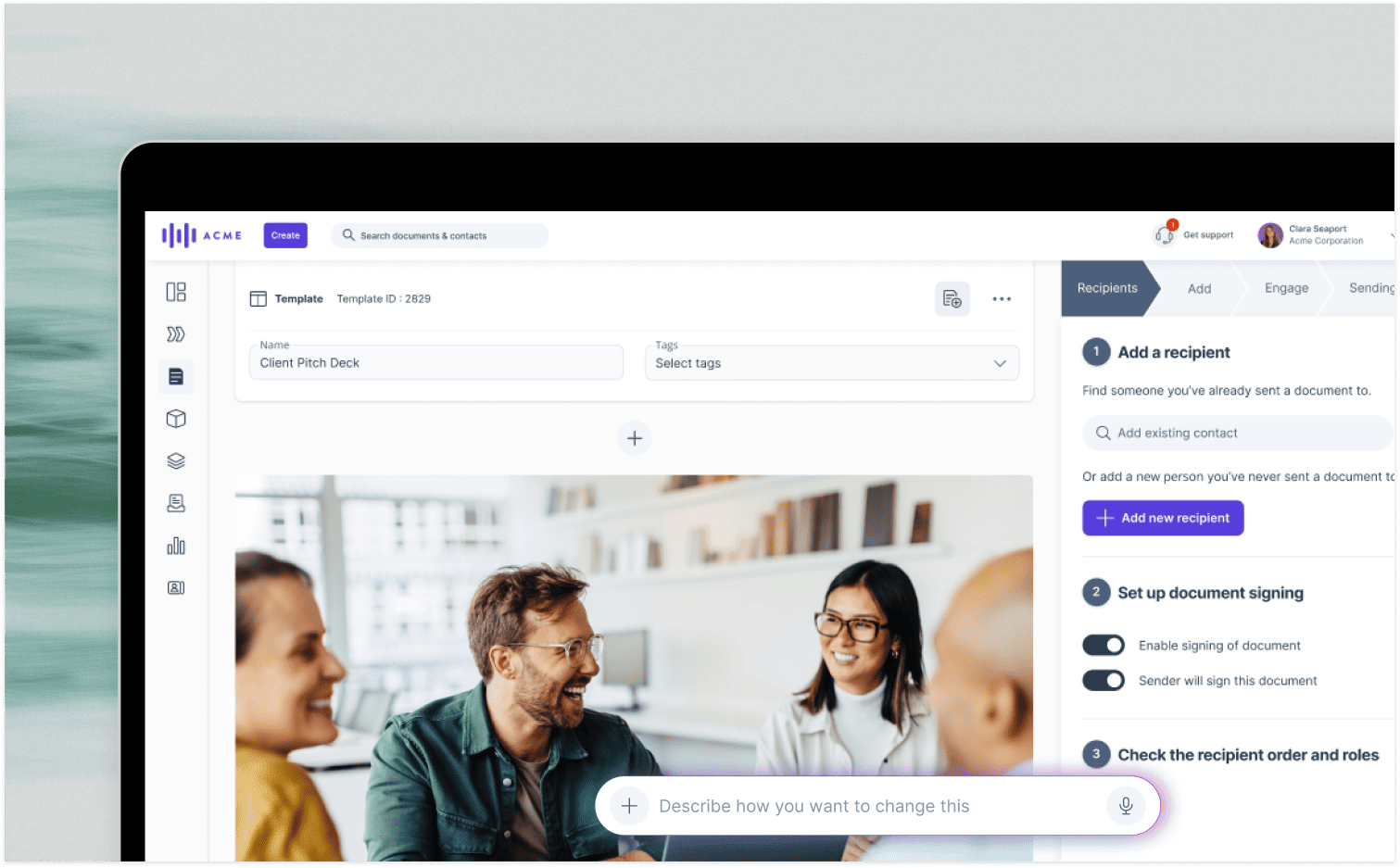
GetAccept’s Digital Sales Room is a shared workspace for a single deal, synced with your HubSpot account. Reps, buyers and the stakeholders they invite meet in it, alongside the quote, proposal content, mutual action plan and contract, and the buyer signs in the same place. Here’s how that works in practice:
- HubSpot integration: GetAccept’s two-way sync means information flows between both platforms. Reps can pull HubSpot deals, contacts and products into proposals, while signed contracts and buyer activity sync back to the CRM. You can even automate deal-stage updates when a contract is signed.
- Quoting: GetAccept builds the pricing table from your HubSpot product library and calculates discounts automatically. Product rules for conditional and grouped line items need no code, so revenue operations sets them up and every rep’s quote follows them.
- Buyer visibility: Reps can see which stakeholders viewed a proposal, what they looked at and for how long. If someone forwards it to another decision-maker, that new viewer is tracked too.
- Unlimited signing: Every GetAccept plan includes unlimited e-signatures, compared with HubSpot’s 25 or 50 per user each month unless you pay to increase the limit.
GetAccept doesn’t appear in the marketplace’s CPQ category, because it’s listed under Proposals and Sales Engagement.
SmartPricing, a GetAccept customer, reports saving more than 10 hours of admin work each week by using GetAccept Automations to connect HubSpot and Chargebee.
These capabilities are particularly useful when proposals need to move between several decision-makers. Our guide to proposal software for HubSpot explores how that wider workflow fits together.
Dedicated CPQ apps
If your main challenge is pricing complexity, dedicated CPQ software is likely the better place to look. These tools handle configuration rules, approvals and product catalogs that go beyond what HubSpot’s native quoting can comfortably manage.
A few options in the HubSpot marketplace are worth considering:
- DealHub: Combines CPQ with contract lifecycle management (CLM) and billing capabilities.
- Quotivity: Designed for B2B manufacturers and businesses with complex pricing, including rules that automatically trigger discounts, approvals and required line items.
- QuoteWerks: Another dedicated quoting option, sitting alongside Quotivity in the marketplace.
As for when to make the switch, you may find that native CPQ is no longer enough once you need rule-based product configuration or carry more than 1,000 stock-keeping units (SKUs) in your catalog [Simple Strat, 2025].
Of course, you don’t necessarily have to choose between the two categories. A dedicated CPQ app can manage complex pricing while a buyer-engagement platform handles the proposal, stakeholder activity and signing process.
The sensible starting point is whichever problem is creating the most friction in your sales process today.
Use GetAccept with HubSpot CPQ, or instead of it
If you’d rather have one tool fewer, GetAccept can build the quote itself. The pricing table comes from your HubSpot line items, discounts and tax are calculated automatically, and prices can be locked once the document is sent. If your catalog needs complex, rule-based configuration, you can pair GetAccept with a dedicated CPQ tool.
The HubSpot integration is included in GetAccept’s Professional and Enterprise plans and available as an add-on for eSign. Professional includes pricing tables and a product library, while full CPQ functionality is available with Enterprise or as a Professional add-on.
GetAccept is also a HubSpot Certified App with 900+ installs [HubSpot App Marketplace, 2026]. You can explore how quoting works inside a Digital Sales Room or book a demo to see how it fits your existing HubSpot setup and sales process.

About the author
Anna AsaievaAnna is Content Manager at GetAccept, with a Master's degree in Journalism and seven years in B2B SaaS across fintech, VC fundraising, and sales. She loves all things organic marketing and tech, and off the clock, you’ll probably find her on the tennis court, practicing Swedish, or exploring Stockholm.



.png)