-1.jpg?width=48&height=48&name=55f40cc2763590699ea313bb5c9f08b5%20(chosen)-1.jpg)

Every sales team has a process. Most of them also have a gap: the distance between how a deal is supposed to go and what actually happens when a rep clicks "Create"
The right room or contract template. The right files. The right contacts. The right expiry date. On paper, these are simple decisions. In practice, they get made differently by every rep, every day. A new hire doesn't know which addendum to attach for enterprise deals. A busy rep forgets to loop in the procurement contact. Someone leaves the expiry date at the default and a high-value proposal sits open for 60 days longer than it should.
The frustrating part? The information to get all of this right already exists. It's sitting in your CRM. It just hasn't been connected to anything that enforces it.
That's what conditional setup does.
 One set of rules. Every deal, done right.
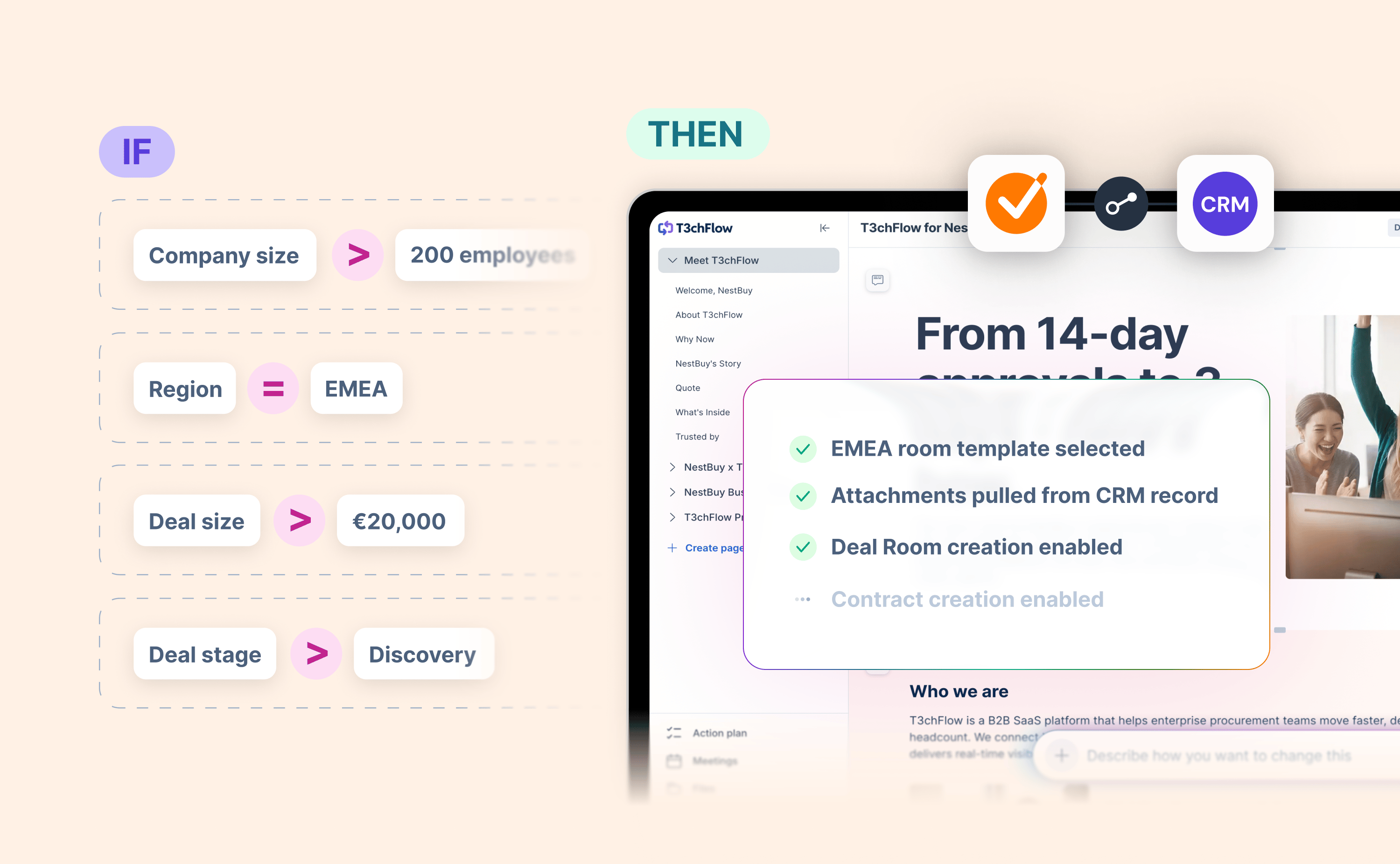
Conditional setup lets admins define automated outcomes based on CRM record data: deal size, account tier, region, product type, whatever fields your team already uses. Once those rules are in place, the integration handles the rest every time a rep creates a document.
Here's what that looks like in practice.
Template selection
A software company sells to two segments: mid-market and enterprise. The mid-market proposal is clean and concise. The enterprise version includes a detailed security appendix and a custom pricing table. With conditional setup, the integration selects the right template automatically based on the account type in the CRM. Reps don't choose. The conditions do.
Create options
A financial services firm uses GetAccept Deal Rooms during discovery, but only sends Contracts at a certain stage in the pipeline. Earlier-stage opportunities should never have a contract created against them. With visibility controls, the option to create a contract simply doesn't appear until the deal reaches the right stage. No policy document needed. No reminders. It's just not available until it should be.
File attachments
An insurance broker needs different supporting documents depending on the product being quoted. Liability policies require one set of regulatory disclosures. Property policies require another. Rather than training reps to remember which folder to pull from, conditional setup pulls the right files automatically from the CRM record – based on the product line already recorded there. The document package is complete before the rep has made a single manual choice.
Contact pre-population
A manufacturing company closes deals that typically involve a procurement contact, a technical evaluator, and a legal signatory. All three are stored in the CRM against the opportunity. With conditional contact mapping, all three are added to the signing flow automatically – mapped to the correct roles in the template – without the rep needing to find and add them individually.
Expiry settings
A SaaS business runs end-of-quarter promotions with pricing that's only valid for 10 days. Standard contracts have a 30-day expiry. With conditional expiry settings, documents created against promotional opportunities automatically expire after 10 days, without the rep having to remember to adjust the setting. No awkward conversations about an offer that's already lapsed.

Consistency without the overhead
Each of these capabilities is useful on its own. Together, they remove nearly every manual configuration step from the room and contract creation process.
The practical impact shows up most clearly in two places. First, onboarding new reps becomes lower-risk. When the workflow is automated, the gap between a first-week rep and a five-year veteran shrinks. Second, managers spend less time auditing deals for process compliance and more time on the conversations that actually move deals forward.
For admins and RevOps teams, it means the CRM data they've spent years structuring is finally doing the work it was always capable of.
Getting started
Conditional setup is available for Salesforce, HubSpot, Microsoft Dynamics 365, Pipedrive, and Upsales. It's configured by admins in the GetAccept Settings inside the CRM, the same area where template conditions were previously managed.
If you're a GetAccept admin and you haven't set up conditional logic yet, this is a good moment to start. Your CRM data is already there. Now it has somewhere to go.
-1.jpg)



.png)