
It's a Tuesday afternoon at a 50-person SaaS company. A rep just got a verbal yes from a mid-market prospect. She pulls up the proposal template from three deals ago, because that's the one she can find, and hand-edits the numbers.
She sends it. Four days later, the buyer writes back: "Is this the version we talked about on the call, or the one your AE sent last week?" Nobody on the sales side actually knows. That deal closed anyway, three weeks late, after two rounds of 'here's the correct version.' The next one didn't.
Ask in any RevOps or sales community, and you'll hear a version of it within a day.
The average business loses close to 9% of contract value a year this way, scattered across roughly 24 different systems that don't talk to each other.
We've spent more than 10 years building tools for exactly this part of the deal cycle, so we're not neutral, but we've also watched this problem from closer than most.
Below ia a sales contract management best practice guide, pulled from real revenue teams who've hit every problem above.
👉 Get Started with GetAccept's Contract Management Software for Free
8 contract management best practices that improve ROI
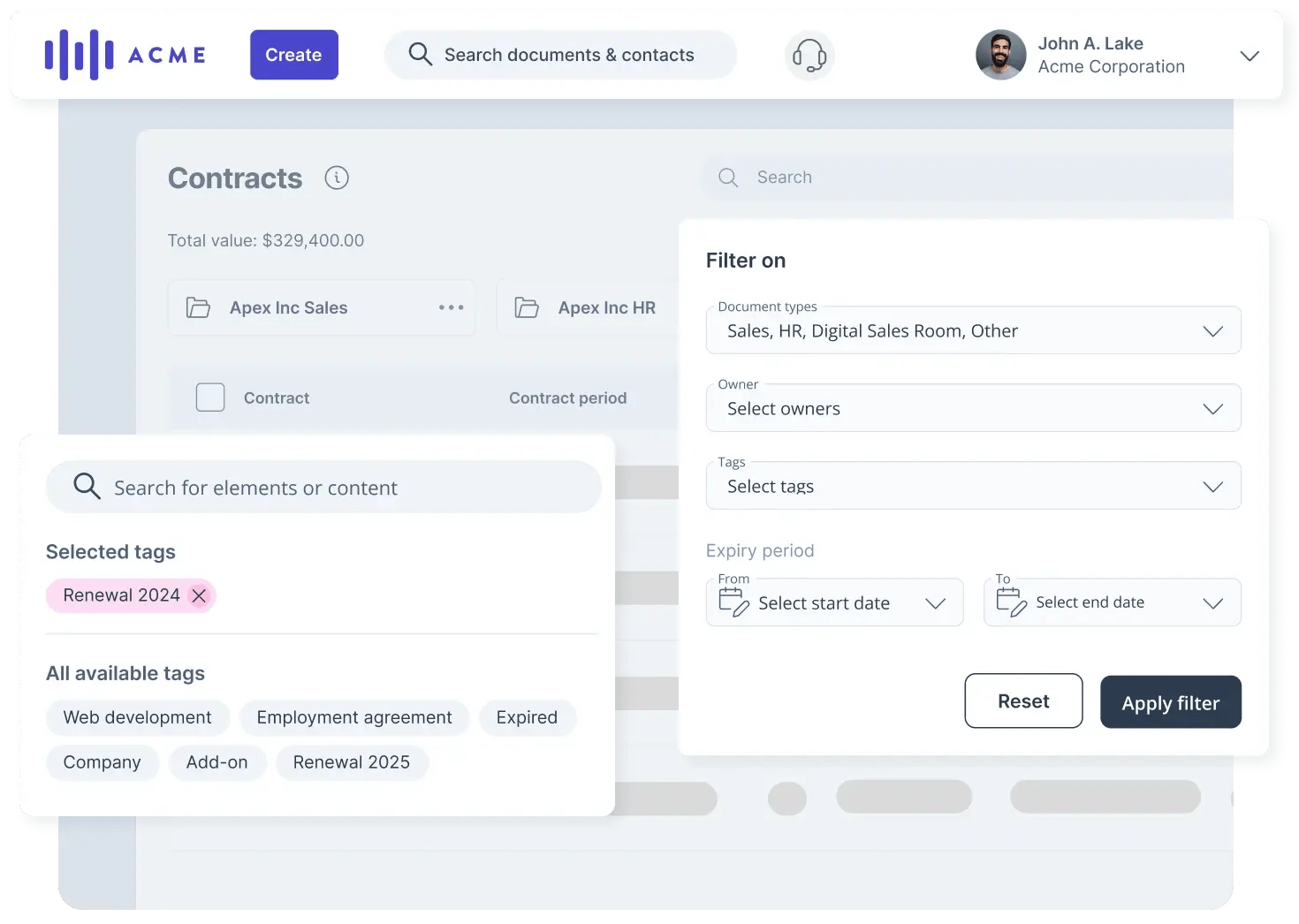
1. Centralize contracts into a single source of truth
Outcome: reduced admin hours, fewer errors, faster contract creation, a centralized contract repository the whole team uses.
If your reps are pulling contracts from a shared drive, their desktop, or last month's email, you don't have a contract process – you have a collection of individual habits.
Every version created outside a central system might contain outdated pricing, wrong terms, or language legal has already revised. Centralizing means picking one place where approved templates live, sent contracts are stored, and signed agreements can be found.
It also solves a smaller, constant annoyance: version confusion. When a contract lives behind one shared link that updates in place, a buyer revisiting it always sees the current version.
How to do it
- Pick one location as the single source of truth, no exceptions.
- Move every template currently in use there, and retire duplicates wherever else they're hiding.
- Restrict edit access to whoever owns template approval, usually RevOps or sales ops.
- Store sent and signed contracts in the same system, behind a link that stays constant even as the document updates.
- Announce the change and hold the line on "no local copies," at least for the first month.
Tools you need
- Basic: A shared drive (Google Drive, SharePoint, Dropbox) with folder permissions and a naming convention.
- Advanced: A digital sales room or contract management platform: GetAccept, PandaDoc, and Proposify are common choices, where templates, sent contracts, and signed agreements live in one system by default. GetAccept keeps sent contracts behind a single link that updates in place, so there's never a second copy floating around.
Hear from the experts
Sunday's contracts span multiple countries, multiple languages, and a product complex enough that building each one from scratch was eating hours nobody had.
After centralizing templates, contract creation dropped to under five minutes, a 97% reduction in time spent on template maintenance. ➡️ Read the full success story.
2. Standardize templates with locked and editable content
Outcome: consistent contracts, fewer approval cycles, reduced legal review time.
Contract template standardization means deciding upfront which parts are fixed and which parts reps can adjust. Your liability language, payment terms, and data protection clauses probably shouldn't change without approval. The client name, deal-specific scope, and project timeline should be editable.
When that distinction is built into the template itself, reps can move fast without going off-script. Legal doesn't need to review every contract from scratch because the parts that matter are already locked.
How to do it
- Audit your most-used contracts. Mark which sections never change versus which are edited on every deal.
- Build one master template with those sections clearly separated, locked versus open.
- Set a naming convention for the buyer-facing document, ideally auto-filled from deal data, separate from the internal template name.
- Map which sections depend on deal attributes (region, industry, deal size) instead of spinning up a new template for each combination.
- Get legal sign-off once on the locked language, so it doesn't need re-review every time it's reused.
Tools you need
- Basic: Word or Google Docs, using protected sections for locked language and a naming convention reps follow manually.
- Advanced: A contract platform with locked content blocks and conditional logic for template selection. In GetAccept, admins lock sections, set the client-facing name once with merge tags, and build show/hide rules based on CRM fields like region or deal size. If a deal changes after the contract's been sent, conditional content updates with it. Rules can be created with AI or built manually.
Hear from the experts
ScaleWise is a UK-based GTM advisory firm, the kind of team whose own proposals are a direct reflection of the advice they sell. After standardizing templates, their proposal-to-close rate climbed 51%, and the team reclaimed 16 hours a month on contract and proposal creation. ➡️ Read the full success story.
3. Define clear approval roles and thresholds
Outcome: fewer stalled deals, faster turnaround, predictable approval timelines.
A missing or informal contract approval workflow is one of the most common reasons deals stall in the final stretch, because no one was sure who needed to sign off - or the approver didn't know it was waiting.
The fix: define upfront who approves what, at what deal size or term length, and what happens if they don't respond in time.
This doesn't require complex workflow software. Just a decision:
|
Deal type |
Approver |
SLA |
|---|---|---|
|
Standard terms, <$15K |
Sales manager |
24 hours |
|
Custom payment terms, $15-150K |
Finance + legal |
48 hours |
|
Multi-year enterprise, >$150K |
VP approval |
72 hours |
Document those thresholds, communicate them, enforce them.
Tools you need
-
Basic: A shared doc or spreadsheet with the thresholds above and an announcement to the team. This is the one practice on this list that's genuinely software-optional.
-
Advanced: Most CRMs support native approval routing based on deal properties, Salesforce Approval Processes or HubSpot workflows, for example, if you want thresholds enforced automatically instead of by habit.
4. Give the deal team real-time visibility during negotiation
Outcome: faster redline resolution, fewer version-control errors, better cross-functional alignment.
Email-based negotiation is a version control nightmare, and the lack of real-time contract collaboration makes it worse. Redlines bounce back and forth as attachments. It's nearly impossible to know which version is current, and who changed what.
Real-time visibility helps you put everyone on the same page. The rep, their manager, RevOps, and legal, when needed, can all see the current contract state without asking:
How to do it
- Move negotiation out of email attachments into one shared, commentable document.
- Give every relevant stakeholder access to that single document, not a forwarded copy.
- Set the norm: comments and redlines go in the document, not a summary email.
- Check the document before replying to any negotiation thread.
Tools you need
- Basic: Google Docs or Word Online, shared via one link, with commenting turned on for every stakeholder.
- Advanced: A contract tool or a digital sales room with buyer-facing commenting and engagement visibility. In GetAccept, you can tie comments to the specific section and see who's viewed what, not just whether the document was opened.

5. Use eSignature to cut time-to-signature
Outcome: faster close, reduced deal drop-off at the signature stage.
PDF-and-email signing workflows add friction at exactly the wrong moment – and digital contracts exist specifically to eliminate it. The buyer gets a link, signs in the browser, and the executed document is stored automatically.
A proper eSignature workflow removes that friction. The buyer gets a link, signs in the browser, and the executed document is stored automatically.
How to do it
- Pick an e-signature tool and connect it to your contract template or process.
- Set the signing order, who signs first, internal vs. external.
- Choose the security level the deal needs, handwritten or typed for routine deals, identity verification for higher-stakes ones.
- Test the buyer's experience before rolling it out, including on mobile.
Tools you need
- Basic: A standalone eSignature tool like DocuSign or Adobe Sign.
- Advanced: eSignature built into the same platform as the contract, with engagement tracking attached. GetAccept provides native eSign supporting handwritten or typed signatures, or identity verification through AES or QES for higher-stakes deals. It means eSignature is built into the same environment where the contract lives.

6. Automate contract-related communications and reminders
Outcome: fewer dropped follow-ups, faster response times, less manual coordination.
A lot of contract delay is caused by things falling through the cracks: a follow-up that didn't go out, a reminder that no one sent, an approval request that got buried.
Manual coordination at scale is unreliable, and without contract workflow automation, the cost shows up in extended cycle times and deals gone cold. Automated notifications and reminders remove the dependency on individual reps remembering to follow:
-
Contract sent → buyer gets confirmation
-
Unopened for two days → buyer gets reminder
-
Approver hasn't responded within SLA → approver gets nudge
How to do it
- Map your contract's stages – sent, opened, signed, approved – and decide which transitions deserve an automatic nudge.
- Set the timing (e.g., two days unopened) and default to email for routine steps.
- Add an escalation trigger. Match the format to the urgency: email for a routine follow-up, a call or a short video for higher-stakes or stalled deals.
- Route engagement data back to the rep as more than an open/unopened flag. Which section someone kept returning to tells you what the actual sticking point is, pricing, a specific clause, so the follow-up addresses that instead of just "checking in."
Tools you need
- Basic: Your CRM's native workflow or sequence tool (Salesforce, HubSpot) for simple, time-based email reminders.
- Advanced: A contract platform with multi-channel reminders and section-level engagement data. In GetAccept, you can set up emails, SMS, and video reminders, triggered automatically by conditions like an unopened document or a pending signature.

7. Track renewals and notice periods after signing
Outcome: higher renewal capture rate, reduced revenue leakage from contracts, fewer unplanned expirations.
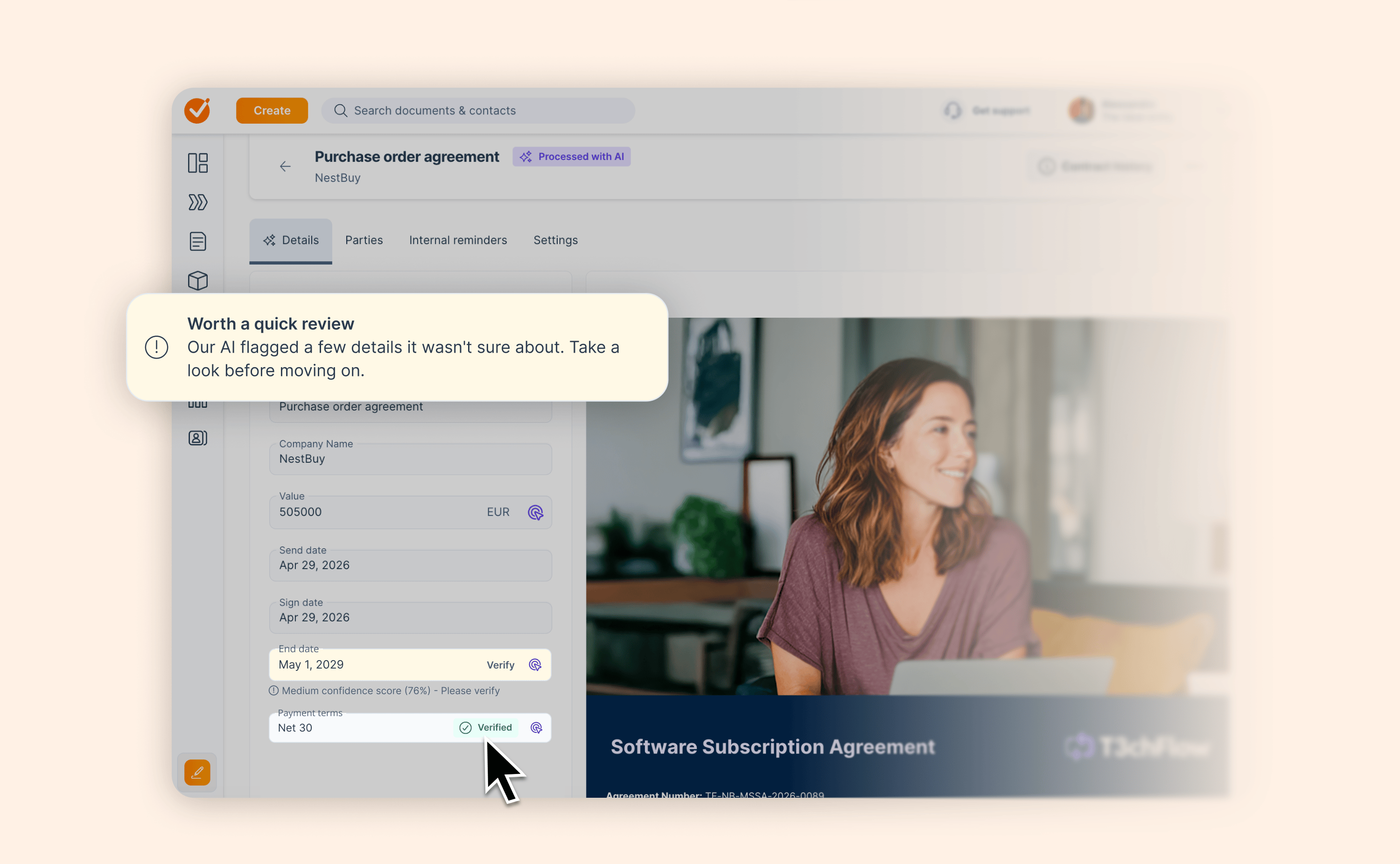
Businesses lose an average of 11% of contract value once deals move into delivery and ongoing management. PDFs don't generate renewal date alerts. They don't surface what's expiring in 60 days. They don't tell you which accounts are up for renewal next quarter unless someone manually reviews every document. This is a visibility problem revenue teams can fix.
How to do it
- Pull every active contract's renewal date, notice period, and auto-renewal status into one place.
- Split that list into two views: renewing and expiring.
- Set alert windows (30, 60, 180 days) and assign an owner to each upcoming date.
- If you're using AI extraction, review the fields it flags as low-confidence before acting on them.
Tools you need
- Basic: A shared spreadsheet or calendar, with renewal dates, notice periods, and an owner assigned to each one.
- Advanced: A contract management tool that extracts dates and terms automatically. For example, GetAccept's AI Contract Management add-on surfaces renewals and expirations separately in a 30/60/180-day dashboard view – with a link straight to the passage in the contract so you're not hunting for it. It also flags low-confidence AI fields for human review.
8. Connect contract data to your CRM
Outcome: less duplicate data entry, better pipeline visibility, cleaner revenue reporting.
If contract data lives separately from CRM, either someone's manually reconciling them, or nobody is, and your pipeline data is wrong.
CRM contract integration allows contract activity – sent, opened, signed, expired – to flow back into the deal record automatically, so:
-
Reps stop duplicating their own work.
-
Managers get pipeline data they can trust.
-
RevOps can report on contract cycle time without pulling data from three tools.
How to do it
- Decide which contract events should update your CRM: sent, opened, signed, expired.
- Set up the connection: native integration where available, a no-code connector if not.
- Map contract fields to CRM fields so activity flows into the deal record automatically.
- Run it for a week before trusting it for reporting.
Tools you'll need
- Basic: A no-code connector like Zapier or Make, linking your e-signature or contract tool to your CRM for basic status updates.
- Advanced: A contract platform with native, two-way CRM integration. GetAccept syncs in both directions: CRM data populates contracts at creation and can update them even after they've been sent, while buyer actions (room visits, signatures, task completions) update CRM fields and trigger workflows automatically.
Hear from the experts
Florence connects UK healthcare facilities with temporary staffing agencies, where contracts need to move correctly as much as quickly. After moving to HubSpot-integrated contract packages, Florence onboarded 160 agencies in six months without losing visibility into contract status.
 ➡️ Read the full success story.
How to know it's working: 3 KPIs for revenue teams
Three contract management KPIs cover most of what revenue teams actually care about:
Contract cycle time is the total time from first draft to signature. It’s a primary KPI across roles because longer cycles usually signal approval delays or heavy negotiation loops that slow revenue realization. If your cycle time is dropping, the process is working. This metric connects to practices 1, 2, and 3.
Renewal capture rate is the percentage of contracts that renew versus those that lapse. It’s a cross-functional KPI that directly affects recurring revenue stability. A low renewal capture rate often means renewals aren't being tracked proactively - they're being discovered after the fact. This is where practice 7 shows its value.
Missed milestone rate covers renewal dates, notice periods, and payment triggers that pass without action. High miss rates drive unplanned expirations, service disruption, and preventable revenue loss. If this rate's high, post-signature visibility is the thing to fix.
Together, these measure time-to-revenue and prevent leakage.
When does this need software?
If your team is small, your deal volume is manageable, and your contracts are relatively consistent, a well-maintained template library and a clear approval policy might be enough.
A contract management platform becomes the right answer when:
✅ Reps are going off-template because the template is hard to find or hard to use;
✅ Approval chains are inconsistent because they're not enforced anywhere;
✅ Renewal dates are tracked in a spreadsheet that no one updates;
✅ Contract status isn't visible in your CRM.
At that point, the process can't scale without a system to enforce it.