The call went well and your rep’s ready to send a quote. Except there’s still pricing to pull from a spreadsheet, line items to copy from the CRM and a discount to enter manually before everything gets packaged into a PDF and emailed over.
Although CRM quoting tools can help keep things under control, they have their limits when product rules or branding requirements get more complex.
AI quoting software solves this by pulling directly from your product and pricing library, meeting transcripts or CRM data to assemble the completed quote automatically using AI. That takes much of the manual work out of preparing quotes, so what’s left to decide is which tool fits your B2B team.
What is AI quoting software?
AI quoting software uses your company’s own products and prices to create priced quotes automatically with the help of AI. Handy, especially when you’d rather be selling than copying line items between tabs.
How is AI quoting software different from traditional CPQ?
Traditional Configure-Price-Quote (CPQ) applies pricing rules after a rep has picked the products. AI quoting adds the step before that, choosing the products from a prompt or a meeting transcript.
Say a buyer asks for 40 seats, onboarding and premium support during a call. Normally, your rep would need to sift through the notes, find the right products and enter everything manually.
AI quoting can turn that conversation into the relevant line items, ready for the pricing rules and approvals to do their job. For reps spending too much time translating conversations into quotes, this takes a sizable chunk of admin off their plate and increases sales rep productivity.
Two approaches to AI quoting software
Exactly how that works depends on what you’re selling. Contractors, for example, might use tools like QuoteIQ or Jobber to prepare job estimates from photos and notes. For B2B sales teams, though, the choice usually comes down to two approaches, with the main difference being how quotes are created and managed:
- Proposal-based quoting: the quote is built into a branded document that buyers can review and sign. Tools like GetAccept, PandaDoc and Qwilr take this approach, keeping pricing, terms and signatures together.
- Configure-Price-Quote (CPQ): This approach uses pricing rules and discount approvals to calculate the final price. GetAccept's CPQ software builds quotes from a product library inside the document buyers sign, while Salesforce offers CPQ within its CRM. It’s particularly useful when you’re juggling large catalogs and complicated discounts.
Both approaches connect to your CRM, so the real question is which will do the best job of keeping your pricing and signatures in sync.
How does AI quoting software work?
AI quoting software builds a quote in four steps, from a prompt or a transcript to a quote that goes out for signature:
- The rep gives the AI a prompt or meeting transcript.
- The AI finds matching products in the product library.
- It builds a pricing table using the library’s prices and any discounts the rep specifies.
- The rep reviews the quote, makes any adjustments and sends it for signature.
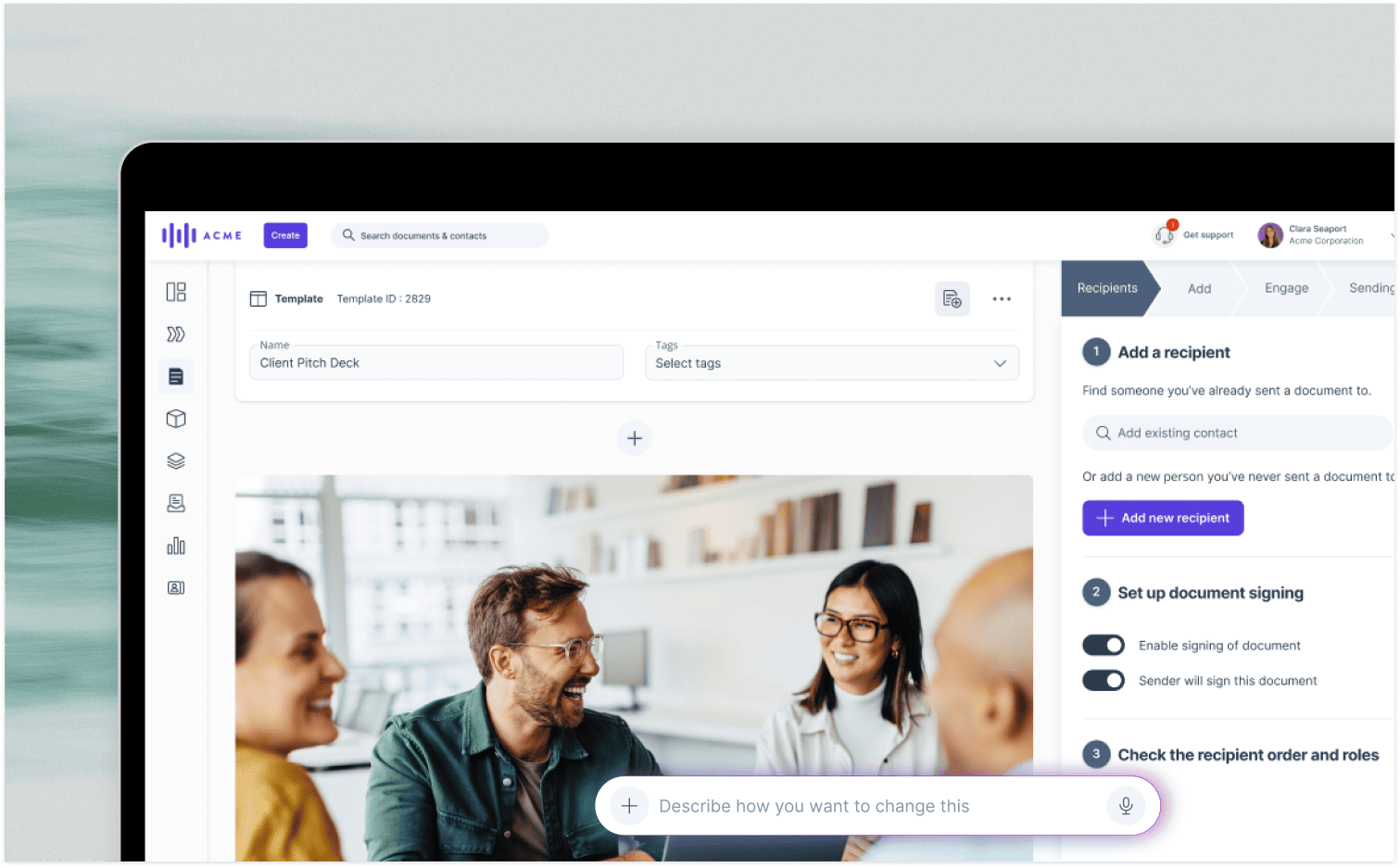
This is precisely how GetAccept works. A rep can ask GetAccept’s AI to build a pricing table from a prompt or meeting transcript, and it’ll find the relevant products in the Product Library.
So, if a buyer discussed three products on a call, there’s no need to go looking them up individually. And because the AI only suggests products already in the library, there’s no risk of it inventing an item or price. Once it’s done, reps can still adjust quantities and totals before sending.
What data does AI quoting software need?
AI quoting software needs a complete, up-to-date product library, because it can only quote what’s in it. That means getting product names, descriptions and pricing in order before putting the AI to work. And remember, changes to the library only affect future quotes, not documents you’ve already sent.
Can ChatGPT make a quote?
Yes, although there’s a difference between drafting a quote and managing the quoting process.
Free AI tools, including ChatGPT’s free version, can turn your notes and prices into a presentable draft. But without a connection to your product catalog, CRM or e-signature workflow, you’re still responsible for checking every price and filing the signed document.
What are the benefits of AI quoting over manual quotes?
AI quoting has two main benefits. Quotes go out faster, because the rep starts from a draft. Every rep also quotes the same prices, because they all come from one library.
What should AI quoting software include?
A good quoting tool should give you confidence in two things: that the prices your reps send match your product library, and that signed quotes make their way back into your CRM without anyone having to chase them.
Plenty of vendors will tell you they can handle both. The best way to find out is to ask them to demonstrate the following seven capabilities using one of your actual deals, then score each tool against the same criteria.
- CRM and catalog sync: Products and prices should flow directly from your CRM’s product library into the quote. Once signed, the quote should also be able to mark the deal won in HubSpot or Salesforce.
- Pricing and discounts: Nobody wants to recalculate a quote every time something changes. GetAccept calculates prices and discounts automatically once products are added.
- Approvals: If a rep offers a discount above an agreed threshold, the quote should need a manager’s approval before reaching the buyer.
- AI drafting: AI is useful for getting a quote together quickly, provided it sticks to what you actually sell. GetAccept AI only suggests products from your library, preventing invented items or prices from appearing in drafts.
- Editing after sending: Buyers change their minds, and quotes sometimes need tweaking. GetAccept lets reps make edits even after sending, right up until the quote is signed.
- Buyer tracking: Reps can track buyers and see which sections each stakeholder has read and for how long, so they know who’s looked at the quote before following up.
- E-signature: Buyers should be able to sign without leaving the quote. GetAccept provides ESIGN Act, UETA and eIDAS compliant e-signatures, with the option to mark the CRM deal won once everything’s signed.
Can AI quoting software handle follow-ups and turn quotes into invoices?
AI quoting software can handle follow-ups, with billing tools taking over for invoices after the quote is signed. For example, GetAccept sends automatic reminders when a quote hasn’t been opened or signed. You decide when the first reminder goes out and how frequently to follow up, and the reminders stop once the quote is signed or expires.
Invoicing is a different matter. That’s typically handled by your billing system after signature, so you’ll want to check whether it can retrieve the signed quote from your CRM.
When comparing tools, pay particular attention to CRM sync and AI drafting. These are what help keep your quotes accurate and your deal records up to date. And if you’re looking at the bigger picture, our guide to the quote-to-cash process explains what happens after the signature.
How the main B2B AI quoting tools compare
So, which tools are worth considering?
Broadly speaking, you’ve got two routes: software that builds quotes into proposals your buyers can review and sign, or quoting tools that work directly inside your CRM.
Both have their merits. The right choice depends on how your team puts quotes together, how complicated your pricing gets and what needs to happen once a buyer is ready to sign./p>
The prices below are published list prices as of October 2026.
Quoting inside proposals
- GetAccept: GetAccept is a Digital Sales Room platform with proposals, quotes and e-signature built in. Its AI can build pricing tables using your product library or a meeting transcript, with CPQ working directly inside the document your buyer signs. The Professional plan at $49 per user a month gives teams access to HubSpot integration and a product library of up to three items, with full CPQ available as an add-on for more advanced quoting needs. Alternatively, Enterprise includes full CPQ as standard, alongside an unlimited product library, native Salesforce integration, and integrations with Microsoft Dynamics and SuperOffice. To explore how this works in practice, take a look at automated quoting from your CRM.
- PandaDoc: Builds quotes into document-based proposals. Starter begins at $19 per seat a month, although you’ll need Business at $49 per seat, billed annually, for pricing tables. CPQ is a paid add-on to Enterprise, which has custom pricing.
- Qwilr: Takes a web-page approach to proposals, complete with an interactive quote block. AI drafting and Salesforce integration are available on Scale at $75 per user a month, billed annually with a 10-user minimum.
- Proposify: Offers interactive quoting and a product catalog through Build, starting at $39 per user a month, billed annually.
For a more detailed breakdown of these platforms, see our best proposal software guide.
Quoting inside your CRM
- HubSpot: Native quotes pull line items from the deal record and require Revenue Hub Professional or Enterprise. GetAccept’s HubSpot integration is available from Professional, adding branded quote documents, tracking and e-signatures to the process.
- Salesforce: Revenue Cloud Growth provides CPQ directly inside Salesforce, starting at $150 per user a month with annual billing.
GetAccept’s two-way integration pulls Salesforce data into documents and updates opportunity status in real time. You can also apply approval rules and discount thresholds, use QuoteGen to extend Salesforce CPQ and product data, and automatically mark deals won when buyers sign.
Native Salesforce sync is included with Enterprise or available as a Professional add-on, along with integrations for teams working in other popular CRMs.
Can AI quoting software integrate with my existing CRM and ERP?
GetAccept integrates natively with Salesforce and HubSpot, and also integrates with Microsoft Dynamics, Pipedrive and SuperOffice.
For an ERP, you’ll need to ask each vendor what it supports before you shortlist it
|
Tool |
Where the quote lives |
Where prices come from |
Starting price |
|
GetAccept |
A branded document the buyer signs |
Product library, plus HubSpot and Salesforce product data |
$49 per user a month (Professional, minimum 5 users, up to 3 library products) |
|
PandaDoc |
A document the buyer signs |
Pricing tables, with CRM data through integrations |
$19 per seat a month (Starter) |
|
Qwilr |
A web-page proposal |
Quote block, with CRM data through integrations |
$35 per user a month (Starter) |
|
Proposify |
A proposal with interactive quoting |
Product catalog |
$39 per user a month (Build) |
|
HubSpot |
A quote on the HubSpot deal |
HubSpot product library and deal line items |
Revenue Hub Professional or Enterprise |
|
Salesforce |
A quote inside Salesforce |
Salesforce catalog and pricing rules |
$150 per user a month (Revenue Cloud Growth) |
GetAccept is the best fit for B2B teams already working in Salesforce, HubSpot or other popular CRMs. It brings CRM-based pricing and the document your buyer signs into the same process, so you can spend less time moving information around and more time getting deals over the line.
How to choose AI quoting software
Finding the right AI quoting software comes down to how complicated your pricing is and which CRM you use to manage it.
- Catalog complexity: If you’re working with fixed prices and standard discounts, a platform like GetAccept is the best fit. But if you’re juggling hundreds of custom pricing rules, you’ll likely need a CRM-side engine like Salesforce’s, which GetAccept connects to through QuoteGen. Start by looking at how many pricing rules you actually maintain and who’s responsible for them.
- Your CRM: You’ll want quotes and deal records to stay in sync, so check whether the integration works both ways and which plan includes it. GetAccept includes HubSpot sync on Professional, while Salesforce is an add-on at that level and included on Enterprise. It’s also worth checking whether signed quotes automatically update the deal.
How much does AI quoting software cost?
Most B2B quoting tools charge per user, per month, with annual billing. As of October 2026, expect to pay around $35-$49 per user for proposal platforms with quoting features, including Qwilr Starter, GetAccept Professional and PandaDoc Business. Salesforce’s CRM-native CPQ starts at $150.
Watch out for seat minimums, too. GetAccept Professional requires five users, while, for example, Qwilr Scale requires 10. That can make quite a difference to the final bill.
How long does it take to set up?
Setup depends mostly on how complete your product library is, because AI can only work with the information you give it. A tidy catalog, accurate pricing and someone responsible for keeping everything current will make the rollout considerably smoother.
How long does it take to set up?
See the software handle your own products and pricing before you commit:
- Ask for a demo built around your CRM and your catalog.
- Check that the AI-built pricing table matches your real prices.
- Change a price in the CRM and see what happens to a quote that’s already out.
See GetAccept build a quote from your products
Imagine your next quote going out with accurate CRM pricing, all the relevant product information and a signature field ready for the buyer – relieving you of the need to copy figures between tabs or piece together another PDF.
That’s the kind of workflow GetAccept is designed to support.
UK go-to-market advisory firm ScaleWise, for example, reports saving 16 hours a month on proposal creation and increasing its proposal-to-close rate by 51%. The company, which has 51–250 employees, built a master template and reusable asset library in GetAccept, freeing its founders to spend more time on discovery calls.
Want to see how it could work for your team?
Book a demo and we’ll show you GetAccept building a quote using your CRM and product catalog. Just bring along a recent quote and your price list, and we’ll take it from there.

About the author
Anna AsaievaAnna is Content Manager at GetAccept, with a Master's degree in Journalism and seven years in B2B SaaS across fintech, VC fundraising, and sales. She loves all things organic marketing and tech, and off the clock, you’ll probably find her on the tennis court, practicing Swedish, or exploring Stockholm.