The contract is signed. The AE posts the win in Slack. Then the CSM opens a CRM note, a recording link and a half-finished deck, and books a kickoff call to ask the customer why they bought.
That call is a second discovery. And the customer notices.
This guide is for customer success and RevOps teams who inherit new customers without the story behind the deal. It covers why the handover breaks, how digital sales rooms help fix it, six practices for running it in one, a nine-field template you can copy, and where each tool fits.
TL;DR
- A sales to CS handoff moves a newly signed customer, and the context behind the deal, from sales to the team that onboards them.
- Handoffs break because context sits in the CRM, call recordings, email threads and one rep’s memory, and buyers link that gap to slower onboarding and churn risk.
- A digital sales room such as GetAccept carries that context forward and turns the handoff into a mutual action plan.
- The nine-field template below shows what must travel: goals, scope, stakeholders, go-live date, risks.
- A digital sales room works next to your CRM and onboarding software, not instead of it.
What is a sales to customer success handoff?
A sales to customer success handoff is the transfer of a newly signed customer from sales to the team that onboards them. It includes everything learned and promised during the sale. Teams also call it a sales to CS handoff, or a sales to implementation handoff when a delivery team takes over.
The handoff and customer onboarding stand or fall together. Without a good handoff, customer onboarding starts from zero. Without a plan to hand off into, even a perfect handoff has nowhere to go.
Why onboarding breaks at the handover
Onboarding breaks at the handover for five structural reasons. One buyer called their sales-to-onboarding journey “quite a clunky process.” Their list, plus what other teams told us, adds up to these five:
- Context lives in too many places. Discovery notes sit in the CRM, the real conversation in a recording, stakeholder threads in email or Slack. One buyer’s CS team pulled summaries from one system and notes from another.
- Sales enters the same details twice. Each retyping drops something, so thin notes reach onboarding.
- Scope and budget drift. What sales discussed and what onboarding configured stop matching. One buyer said customers “fail trial because it was nowhere near what the salesperson discussed with them.”
- Stakeholders surface late. Onboarding keeps finding people and requirements that discovery never captured.
- The handoff depends on who was in the room. One buyer’s handoff worked because the project manager sat in most sales conversations. They expected it to need “a little bit of work” at scale, once that person wasn’t in every meeting.
Each gap sends CS back to the customer with questions already answered. Onboarding becomes an extension of qualification instead of the execution of an agreed plan.
D
Does poor handoff contribute to customer churn risk?
It does, especially when it delays first value, reduces stakeholder engagement, or widens the gap between what was sold and what gets implemented.
One buyer-side customer success lead described the mechanism to us: you “lose a little bit of the traction that happened during the sales process” when it’s time to implement. Their team reported a churn problem of 25 to 35% per quarter, alongside inconsistent onboarding. It doesn’t prove the handoff alone caused it, but its contribution is obvious.
Not every deal has this problem. A CRM note and a kickoff call work for a simple deal: one rep, one CSM, nothing promised off the record. If three people hold all the context, a shared doc is enough. In more complex enterprise deals where ownership changes hands, a digital sales room earns its place.
Can you use a digital sales room for the sales handoff?
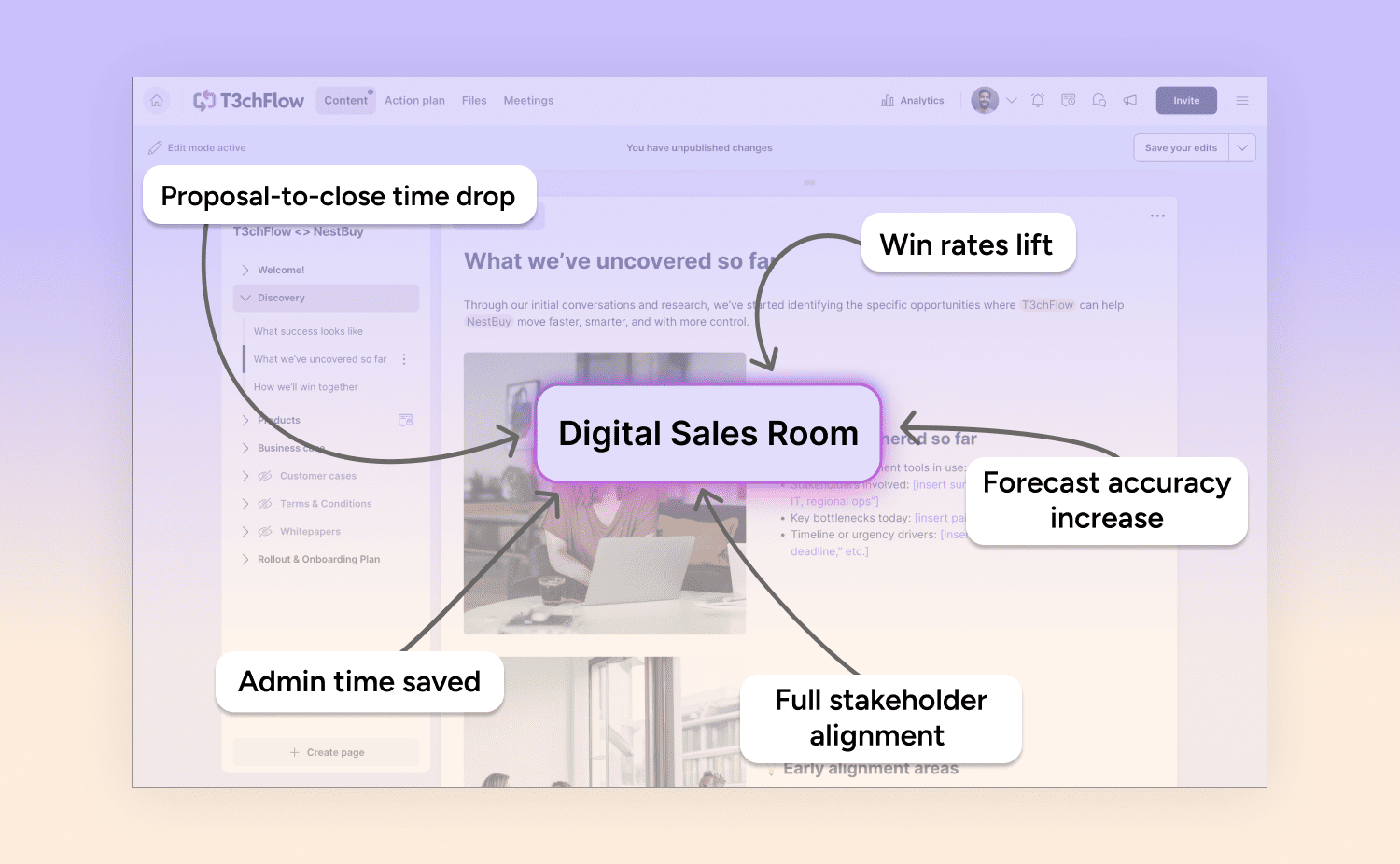
Yes. A digital sales room (DSR), or a deal room, is a shared, branded space for one deal. It holds all the deal’s context and conversations behind one link and stays open after signature. In GetAccept’s AI Digital Sales Room, the room that held the proposal and the contract becomes the room that holds onboarding.
For the handoff, the room holds:
- the goals and success criteria agreed during the sale
- meeting summaries and recordings, so CS sees what the customer said
- the contract and the commitments inside it
- a mutual action plan with steps owned by your team and by the customer
- the stakeholder list, including people added after the sale
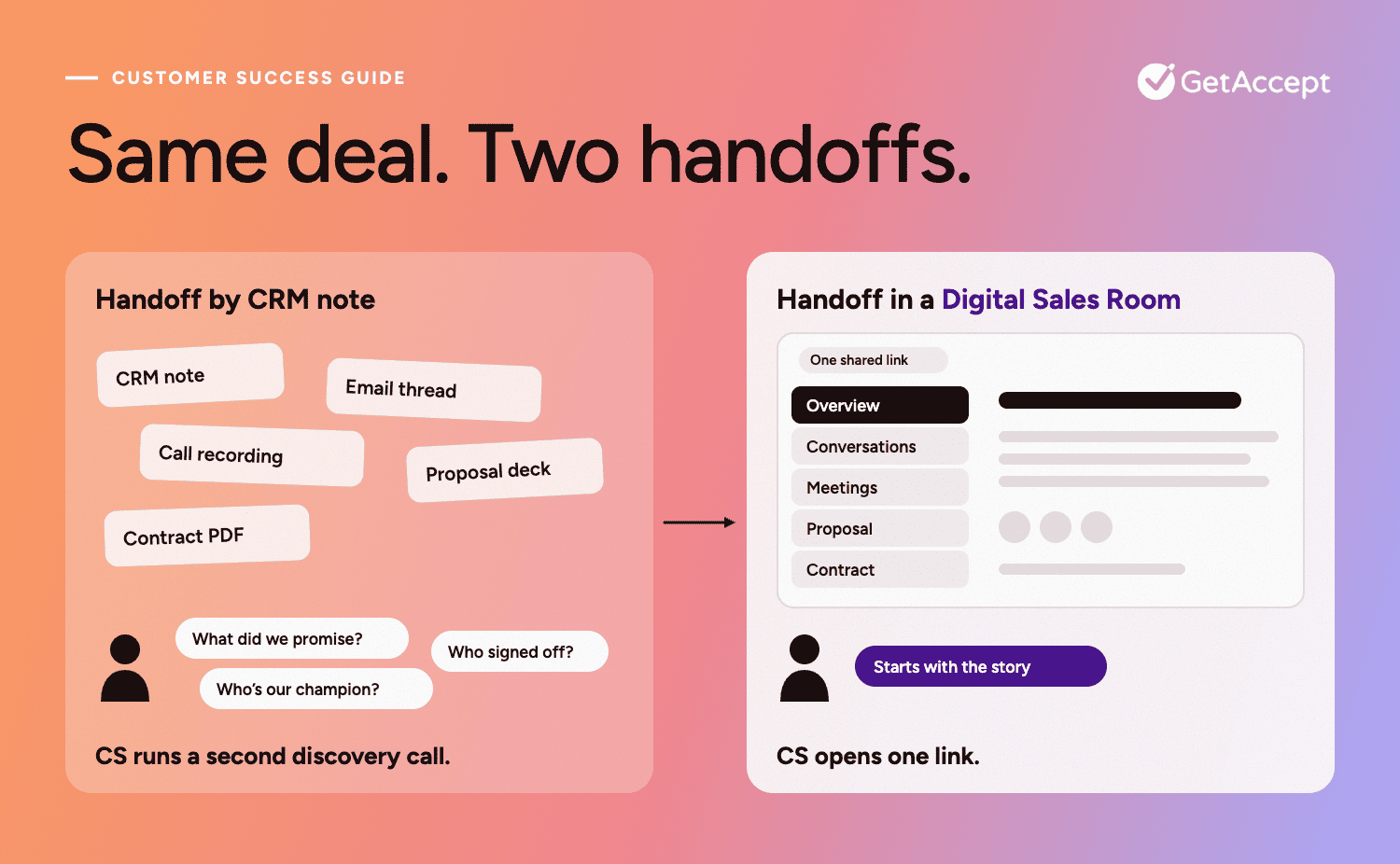 Each participant opens the room from a personal link without login, and you can add a password where security requires one. That matters in onboarding, because the people doing the work (admins, IT, end users) are rarely the people who signed.
➡️ New to deal rooms? Read what a digital sales room is, or see the product.
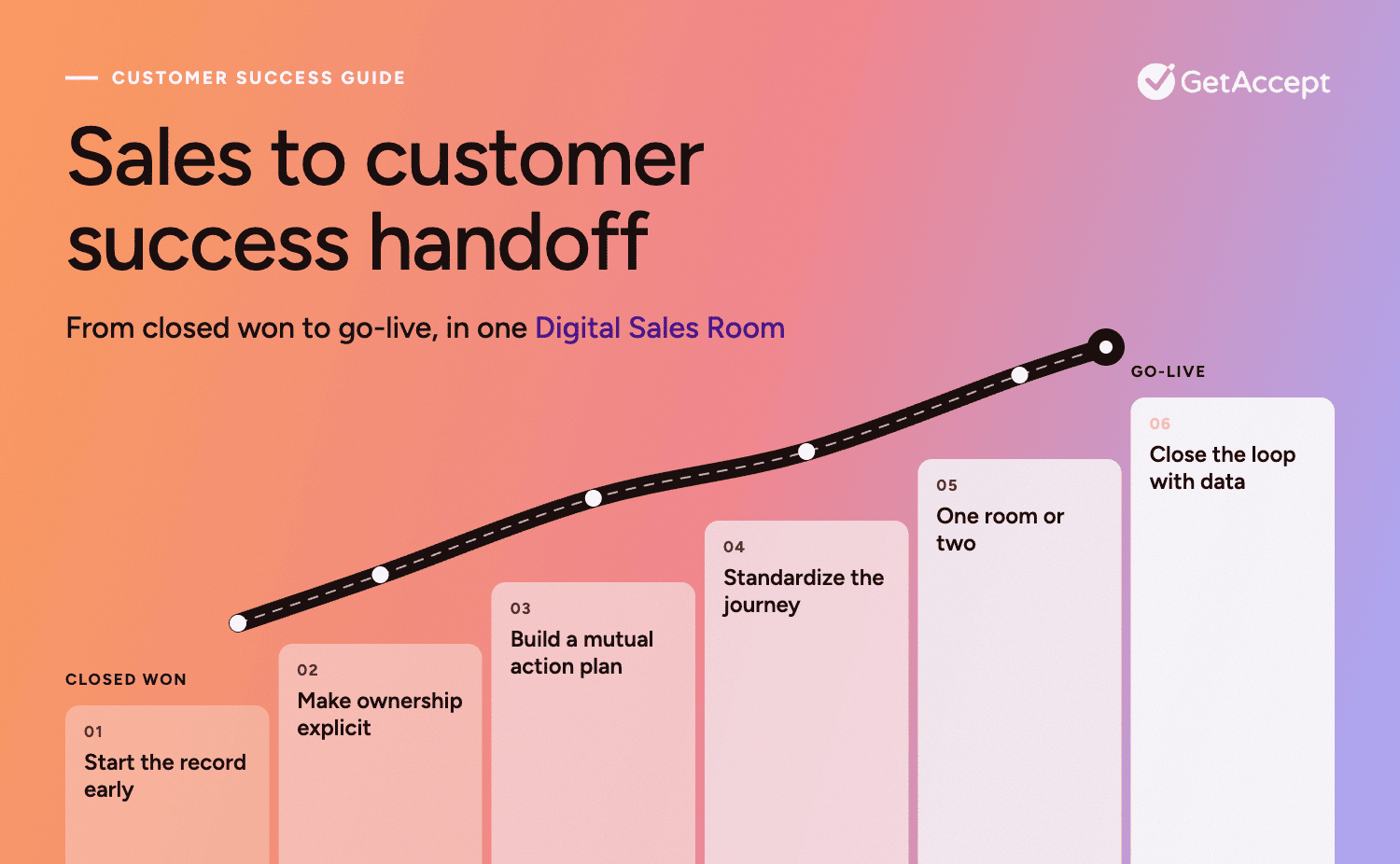
6 steps for running the handoff in a digital sales room
1. Start the record before the deal closes
The best handoff starts in evaluation, not at signature. Create the room then and let it collect what the deal produces: meeting summaries, the stakeholder list, shared files and open questions.
In GetAccept, you can add meetings from Gong, Salesloft, Zoom, Microsoft Teams, Fathom and others, or paste a transcript and have AI draft the summary and next steps. A meeting stays a draft, visible only to internal collaborators, until you press “Show to participants.”
Add your CSM as a collaborator early. They’ll be notified of new participants, task completions and file uploads.
2. Make ownership transfer explicit
Don’t send CS a link and hope. Change the room owner to the CSM, tell them, and write the handoff inside the room using the template below.
Skip this, and the customer pays for it. One buyer described “cross wires” and customers who didn’t know what stage they were in. “It was painful … we lost a couple of customers through it.”
In GetAccept, you can add the AE as a collaborator so they stay reachable through the first weeks.
Let the CSM read the summaries, recordings and open tasks before kickoff, so the customer never repeats their story. A welcome video from the CSM makes the transition feel like a person arriving.
3. Turn the handoff into a mutual action plan
A summary tells CS what happened. A mutual action plan tells everyone what happens next, who does it and by when.
Build onboarding as milestones:
-
Kickoff
-
Prerequisites
-
Configuration
-
Training
-
Go-live
Give each task an owner on either side and a due date. In a room template, deadlines are set as days after publishing, so every new room calculates its own dates.
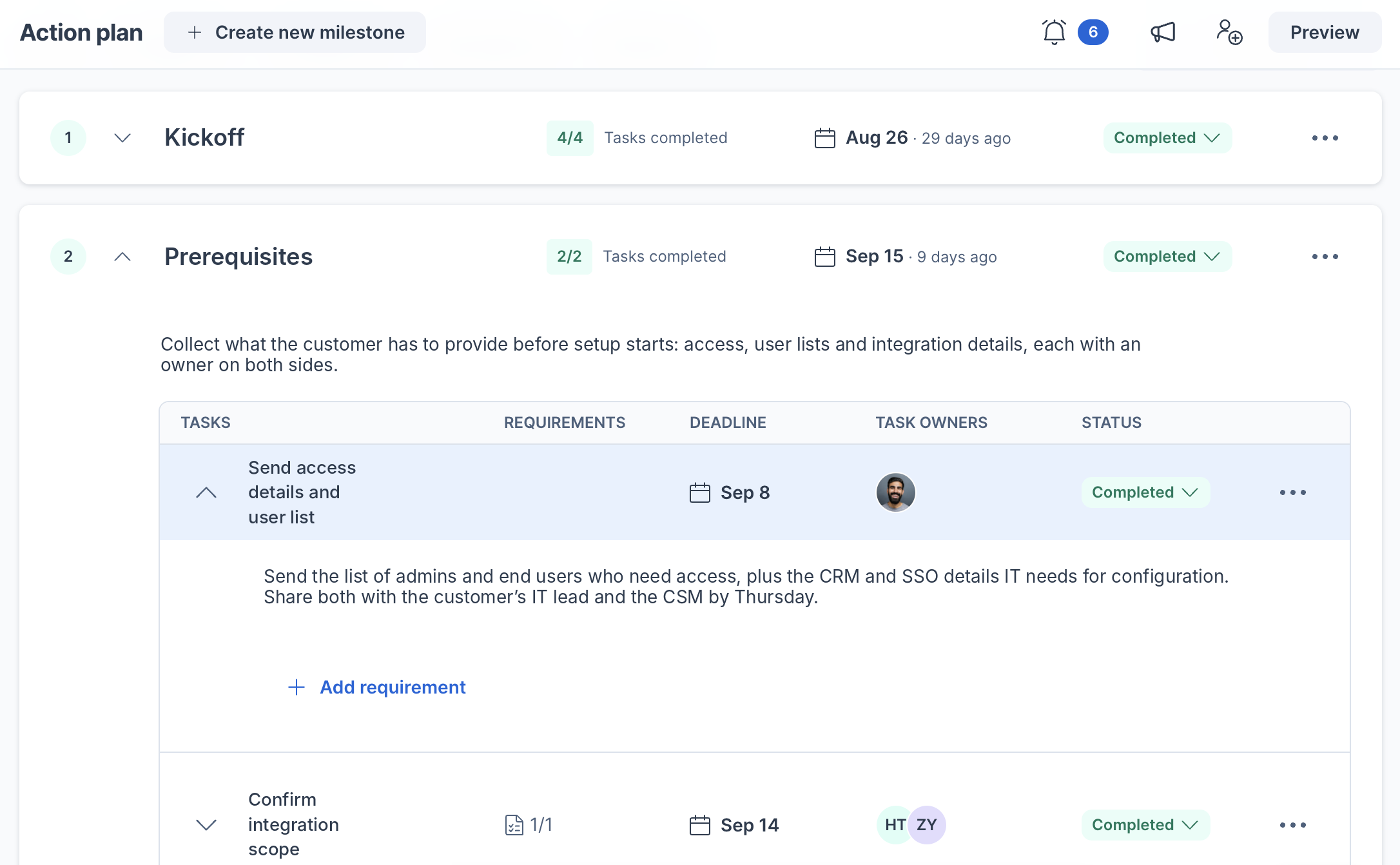
Task requirements do the chasing. Attach a file upload, free text, date, number or dropdown to a task, and the customer must complete it before marking it done. A date requirement can capture the target go-live date.
A Revenue Operations leader at a software company described the goal like this:
“We would like to use the room to introduce customers to the materials they need to successfully complete the migration and make the transition as guided and as smooth as possible.”
4. Standardize the journey, not the customer
One template for every customer fails predictably: the small customer drowns in enterprise steps, and the enterprise customer gets a checklist built for someone smaller.
Build a few templates by segment or complexity, and let reps personalize inside them. In GetAccept, deal room types and stages group templates by motion: new business, existing business and onboarding come as defaults.
A customer-side participant at a software company on why setup should follow the customer’s process:
“If I know the best way to set it up, that would help a lot. Then I can connect that to what we need to build, not just create something on our end that isn’t possible on yours.”
5. Choose one room or two, especially in enterprise handoffs
Keep one room when the people stay the same. In GetAccept, you can change a room’s type at any time, so the sales room can become the onboarding room.
Create a separate onboarding room when the team, audience or permissions differ: technical users who never saw the proposal, or a security team that needs documents but not pricing.
Enterprise sales onboarding handoff best practices come down to three moves:
- Invite each stakeholder with a personal link, and add a password where security requires one.
- Put security questionnaires, data-processing agreements and SSO details in the plan as customer-owned tasks, due before kickoff.
- Prepare the onboarding room as a draft, which only your team can see, so CS can finish setup before anyone is invited.
6. Close the loop with data, then pilot
A handoff you can’t observe drifts back to email. Room analytics show who opened the plan, who completed tasks and who hasn’t shown up.
GetAccept room analytics include the timeline, content analytics, meetings, and participant engagement score, and only your team sees them. Event-based CRM sync can write progress back, for example, updating a CRM field when an action plan milestone completes.
Start with a pilot: two or three CSMs, one segment, the next batch of closed-won deals. Count three things:
- Days from signature to kickoff.
- The share of customer-owned tasks finished by their due date.
- Kickoff questions that sales already had answers to.
Sales to customer success handoff template
Use this post-sales handoff template as a SaaS handoff checklist. The third column shows where each field lives in a GetAccept deal room.
|
Field |
What CS needs |
Where it lives in the room |
|---|---|---|
|
1. Business goal |
Why they bought, in their words |
Problem section, meeting summaries |
|
2. Use cases and success criteria |
The result they’ll judge you on at day 90 |
Required field on the Onboarding room type |
|
3. Scope, budget, promises |
What was agreed, including verbal commitments |
Contract in the room, meeting summaries |
|
4. Stakeholders and roles |
Who signs, configures, uses and can block |
Participant list, Timeline |
|
5. Go-live date |
The target date and what drives it |
Date requirement on a mutual action plan task |
|
6. Dependencies and risks |
Security review, integrations, data migration, customer-side people |
Action plan tasks with owners |
|
7. Contract terms |
Term, renewal date, special conditions |
Contract in the room |
|
8. Relationship notes |
Champion, sensitivities, past bad experiences |
Meetings tab, drafts visible only to your team |
|
9. First 30 days |
A named owner and the first customer action |
Room owner, first action plan milestone |
Fill fields 1 to 3 before closed-won, not after.
Sales to customer success handoff tools: What handles which job
Sales to customer success handoff tools do three different jobs. Work out which job is failing first.
- CRM (Salesforce, HubSpot). The system of record. A room feeds it through sync.
- Onboarding or project-management software (for example Rocketlane or OnRamp). Resource scheduling and delivery tracking. Heavy configuration across several internal teams calls for one.
- A digital sales room. The shared workspace where buyer context, the action plan and customer-facing content travel from sales into onboarding.
The GetAccept AI Digital Sales Room suits revenue teams that sell through a CRM and want the deal room, contract and onboarding plan connected. If onboarding is mostly internal delivery work, start with an onboarding platform and use a room for the customer-facing layer.
The handoff is the first test of the relationship
The handoff is where a customer finds out whether the people who sold to them talk to the people who serve them. Carry the context forward and the kickoff becomes confirmation. Make CS rebuild it, and onboarding opens with a second discovery.
Start small. Copy the nine-field template, run your next closed-won deal through a room and count the questions CS didn’t have to ask.