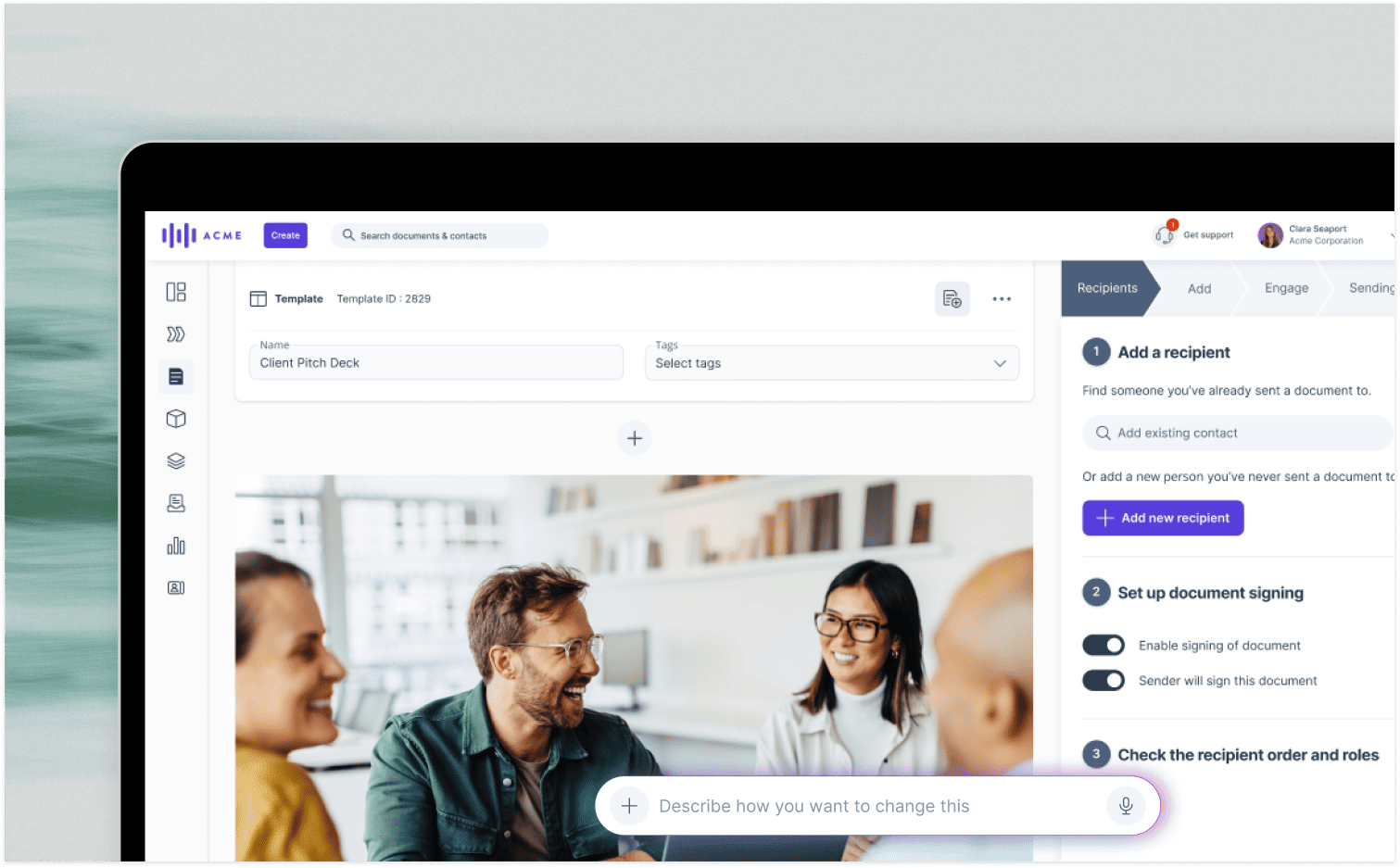
AI can draft a fairly convincing proposal in minutes. But speed isn’t the only thing that matters. The harder questions are how accurate that draft is, whether you can trust it and what happens once it’s sent.
74% of B2B buyer teams show unhealthy conflict during the decision-making process. And with buying groups spanning five to 16 people across as many as four functions, your proposal has quite a crowd to win over [Gartner, 2025].
While your customer’s legal department may want to scrutinize the terms, their technical team is seeking reassurance about how your product actually works. Meanwhile, your sales rep is trying to keep the whole conversation moving while making sure everyone has the information they need to make a decision.
What is AI proposal software?
AI proposal software drafts sales proposals from your notes, meeting transcripts or CRM data, and most tools also help to track engagement and get the document signed. Sales teams use AI proposal software to win deals, while bid teams use RFP platforms to answer structured questionnaires from approved content.
GetAccept’s proposal software uses AI to draft business cases and call recaps from meeting transcripts and buyer details, with tracking and e-signature built in. Buyers can review and sign proposals in a Digital Sales Room, which creates one shared space for the whole deal.
Other AI proposal tools you’ll come across include PandaDoc, Qwilr, Proposify and Better Proposals, and each approaches the job a little differently.
Some tools only draft the document. Others also track who reads it and collect the signature, so the choice depends on how much of the process you need covered.
For a closer look at individual vendors, head to our proposal software guide.
Can ChatGPT write a proposal?
Yes, ChatGPT can draft a proposal, but it doesn’t follow that document through the rest of the sales process to show who reads it or collect a signature. Whichever tool writes the draft, have a person set out the price, scope and terms, and check every number and name before the proposal goes out.
There’s also the question of what you’re feeding it. Building a useful proposal often means sharing buyer details, meeting notes and other sensitive information. When you paste that kind of context into a public AI tool it’s leaving your own systems and putting deal data at risk. Check the provider's data terms first, including whether it can use your inputs to train its models.
GetAccept AI, for example, uses the meeting transcripts, seller information and buyer details already in GetAccept’s knowledge base, and sends none of it to outside AI providers. It runs on on a tuned version of Anthropic's Claude, hosted in our own EU-based infrastructure. So reps can draft from deal context without pasting it into a public AI tool.
What to look for in AI proposal software
AI proposal software should cover seven essentials: AI drafting from deal context, a content library, CRM integration, buyer self-service, stakeholder tracking, e-signature and data security.
- AI drafting from deal context: the first draft should draw on meeting transcripts, previous conversations, and your content library so reps edit a version built on the deal’s details.
- Content library: approved case studies, pricing tables and boilerplate should be in one place, so reps don’t have to rely on memory or hunting through old files. The AI should draft from that library too, which keeps prices and claims in the draft current.
- CRM integration: deal details should sync into the proposal, with signed proposals and updated information syncing back to the CRM without manually being re-entered.
- Buyer self-service: stakeholders should be able to find answers without waiting for a rep to respond. 67% of B2B buyers prefer a rep-free experience, so the proposal itself has to answer the questions buyers are likely to raise [Gartner, 2026].
- Stakeholder tracking: you should be able to see who opened the proposal and which sections they spent time reading. Per-person tracking matters more than a single “viewed” flag when five people are reading.
- E-signature: buyers should be able to sign in the same place they review the proposal, without creating an account. Check that the signature meets the ESIGN Act and UETA in the US or eIDAS in the EU, so the signed proposal holds up.
- Data security: check where the AI runs and whether your client data could be used to train a public model outside your control.
AI proposal software broadly falls into three types, and they differ on what happens after the draft.
|
Type |
Starts from |
Ends at |
Tracks readers |
Best for |
|
AI writing tools (QuillBot, Venngage) |
A prompt |
A draft |
No, you track elsewhere |
One-off drafts with a single signer |
|
Proposal software (GetAccept, PandaDoc, Proposify, Qwilr, Better Proposals) |
Templates, and in some tools notes, transcripts or CRM data |
A signed proposal |
Yes |
Sales teams, including multi-stakeholder deals |
|
RFP platforms (Responsive, AutogenAI, QorusDocs) |
A questionnaire plus approved content |
A submitted bid response |
How the 3 types of AI proposal software compare
- AI writing tools only draft. Most standalone free generators, including QuillBot and Venngage, fall into this category. They help create the document, and you send, track and sign it in other tools.
- Proposal software takes things further, with platforms like PandaDoc, Proposify, Qwilr, and Better Proposals offering templates, CRM integrations, e-signatures, and document tracking. GetAccept also lets you see exactly what each stakeholder reads, while its Salesforce and HubSpot integrations pull customer, deal, and pricing details into proposals. Document activity, signing status, and relevant deal updates then sync back to your CRM – and the AI runs on GetAccept’s own servers.
- Request for proposal (RFP) platforms draft bid responses using a company's own approved content and are designed specifically for bid and proposal teams. Responsive, AutogenAI and QorusDocs are examples.
For the broader checklist, see 10 essential proposal software features.
Let’s see how AI features compare in these proposal tools:
GetAccept’s can put together a first proposal draft using meeting transcripts, seller information, buyer details, and material from your company’s knowledge base. That helps keep proposals consistent with approved content.
PandaDoc’s AI Assistant works with your existing document templates to help draft agreements faster. It’s primarily geared toward making template-based document creation easier, rather than pulling together highly tailored proposals from a wider library of internal resources.
With Proposify, you can paste in notes from a sales call and use AI to turn them into a first draft. The AI side is fairly straightforward, with much of the platform’s functionality centered on managing proposal approvals, tracking engagement, and handling e-signatures.
Qwilr’s Smart Proposal Engine and AI Prefill use what’s known about a deal, along with rules you’ve set, to choose relevant content from your approved materials. That can include case studies that fit the buyer’s situation. It’s a more structured approach to AI-assisted proposal creation, particularly for teams producing interactive, web-based proposals.
Better Proposals doesn’t currently make native AI drafting a central part of its offering. Instead, it suggests using something like ChatGPT to get your initial copy together before moving it into a proposal template. From there, you can handle the formatting, see how recipients engage with the proposal, and collect e-signatures.
Choosing the best AI proposal software for you
Choose AI proposal software by who has to read, question and sign your proposal.
If it’s a straightforward proposal with one signer, you may only need a writing tool or proposal software. If you’re tackling a formal bid or RFP, you’ll probably want a dedicated RFP platform built around approved content. Once several stakeholders need to review and sign, pick proposal software that tracks each reader and keeps questions and signatures in one place.
Before you commit, trial any tool on one of your live deals. Consider:
- How good is the first draft? Run the same meeting transcript through every tool on your shortlist and count what each one got wrong or invented. Check every price, name and claim against your records, and whether the tool drew on your content library or wrote its own wording.
- What can buyers actually see and do when your rep isn’t there to guide them? Send the proposal to two colleagues, asking one to review it from a legal perspective and the other from a technical perspective, and see what they can find without asking you.
- And once everyone signs, does the proposal (and all that useful deal data) automatically sync back into your CRM?
GetAccept is AI proposal software for B2B sales teams whose proposals go to several decision-makers. SalesScreen, for example, doubled its win rate from 13% to 26% after rolling out GetAccept. GetAccept offers a free trial with no credit card needed, and GetAccept AI starts on the Professional plan at $49 per user a month (billed annually).
So, see how your next proposal works when the whole buying committee gets involved by booking a demo.

About the author
Anna AsaievaAnna is Content Manager at GetAccept, with a Master's degree in Journalism and seven years in B2B SaaS across fintech, VC fundraising, and sales. She loves all things organic marketing and tech, and off the clock, you’ll probably find her on the tennis court, practicing Swedish, or exploring Stockholm.