
Quick summary
The main Proposify alternatives are GetAccept, PandaDoc, Qwilr and Better Proposals. GetAccept is the best fit for B2B sales teams that need a proposal tool with e-signatures, buyer tracking and CRM integration.
Here are the four Proposify alternatives at a glance:
| Tool | Primary focus | G2 rating | Starting price |
|---|---|---|---|
| GetAccept | Sales teams that need proposals, e-sign, and buyer engagement in one place | 4.6 | $25/user/month |
| PandaDoc | Teams wanting a free entry point with broad document automation | 4.7 | $19/user/month |
| Qwilr | Sales teams that want interactive, web-based proposals instead of PDFs | 4.6 | $35/user/month |
| Better Proposals | Freelancers and small teams needing proposals with built-in payment collection | 4.3 | $13/user/month |
Looking for a Proposify alternative?
Proposify is proposal software for creating polished documents, getting signatures and tracking whether someone opened your proposal. Many sales teams have built their proposal workflow around it.
This guide covers the best Proposify alternatives - evaluated on CRM integration depth, buyer engagement visibility, e-signature capability, ease of use, and pricing transparency. Whether you're a two-person team or scaling a 30-rep sales org, there's a tool on this list that fits.
Try GetAccept free for 14 days
Why trust us?
We built GetAccept specifically for B2B sales teams dealing with complex, multi-stakeholder deals. That means we've spent years thinking about what makes a proposal tool actually useful - not just for creating documents, but for closing deals. We've talked to thousands of sales reps, managers, and RevOps leaders about where their current tools fall short, and we've built our product around those gaps.
This comparison draws on real G2 user reviews, published pricing data, and hands-on knowledge of how these tools perform in live sales workflows. We're not neutral – GetAccept is on this list, and we think it's the strongest option for many B2B sales teams. We've written this guide to help you compare each tool on what it does and what it costs.
Why consider Proposify alternatives?
Sales teams look for Proposify alternatives mainly over document-only workflows, per-seat pricing at scale and CRM integration depth.
1. It starts and stops at the document
Proposify is built around the proposal itself. It doesn't give buyers a collaborative space where they can review supporting materials, ask questions, share content with colleagues, or track their own progress through the evaluation (like a digital sales room does). Once you send the document, the experience for the buyer is pretty static. In a world where buying committees want to self-serve and collaborate internally, that's a real gap.
2. Pricing gets expensive at scale
Proposify's per-seat pricing model can become a sticking point as teams grow. Users on G2 have flagged that costs scale quickly once you're adding reps, and the feature set at mid-tier pricing doesn't always justify the spend compared to alternatives that bundle more into a single plan. Proposify's published plans start at $29 per user per month for Basic and $49 for Team, with per-send overage fees of $0.50 on Basic and $0.30 on Team. GetAccept has no per-send fees.
3. CRM integration depth
Proposify integrates with Salesforce and HubSpot, but the depth of that integration matters. When your CRM is the source of truth, a shallow integration creates data gaps that hurt forecasting and reporting.
4 best Proposify alternatives for proposals compared by pricing, features, and reviews
The four alternatives below differ most on CRM integration, buyer engagement tracking, e-signatures and price.
| Tool | Core Strength | Why choose over Proposify | Primary focus | G2 rating | Starting price |
|---|---|---|---|---|---|
| GetAccept | Digital Sales Rooms + proposals + e-sign in one platform | Full buyer engagement visibility, not just document opens | B2B sales teams closing multi-stakeholder deals | 4.6 | $25/user/month |
| PandaDoc | Document automation and eSignature | Free plan, broader document workflows, unlimited seats on free tier | SMBs needing affordable document management | 4.7 | $19/user/month |
| Qwilr | Interactive, web-based proposals | More engaging buyer experience than static PDFs | Agencies and sales teams sending visual proposals | 4.6 | $35/user/month |
| Better Proposals | Proposals with built-in payment collection | Legally binding signatures plus payment in one flow | Freelancers and small sales teams | 4.3 | $13/user/month |
1. GetAccept
Best for: B2B sales teams that want proposals, e-signatures, buyer engagement tracking, and CRM automation in one platform.
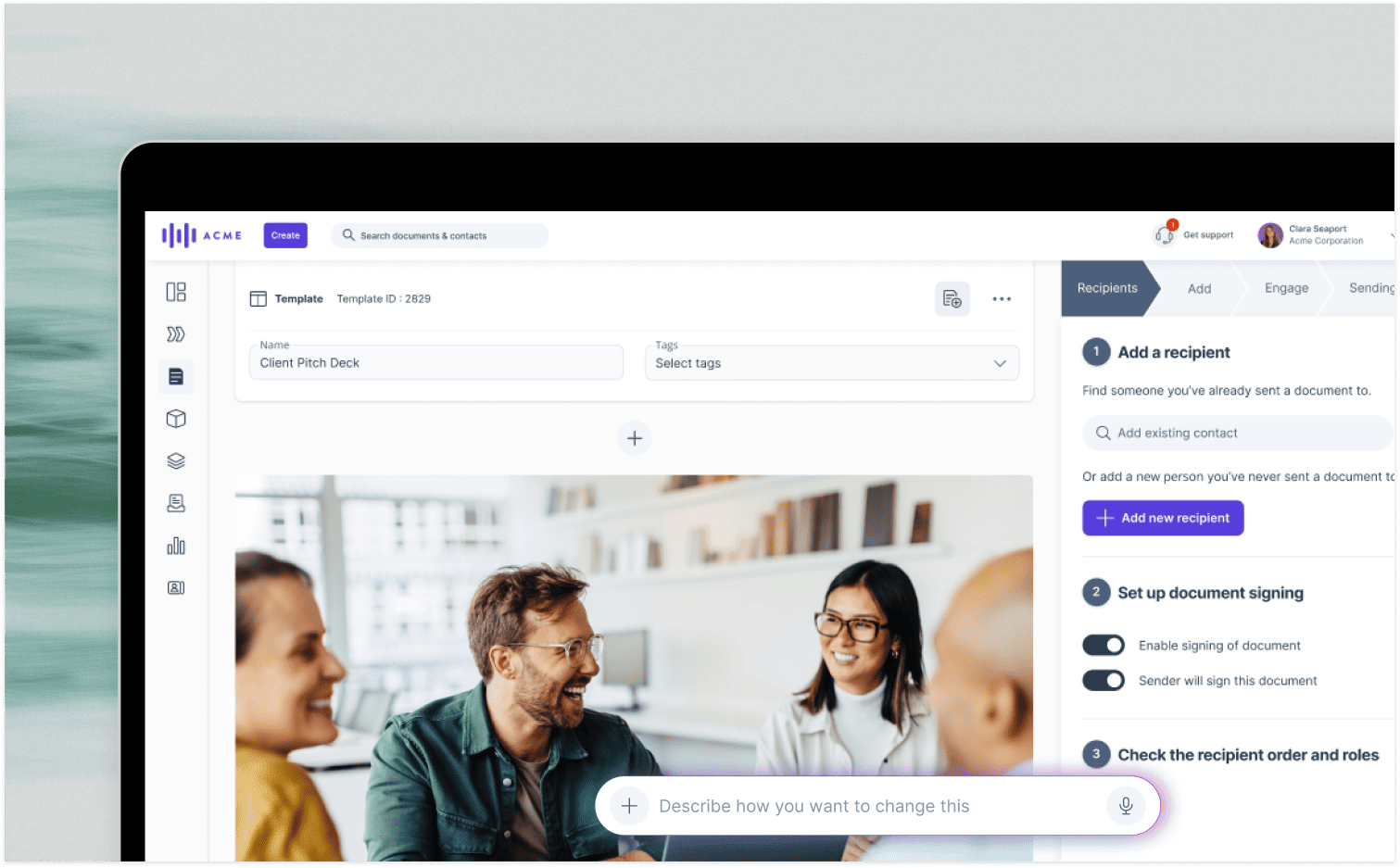
Built specifically for B2B sales, GetAccept goes well beyond proposal creation. Our Digital Sales Room software gives every deal its own shared workspace where buyers can access proposals, supporting materials, pricing, and contracts in one place, while sellers get real-time visibility into exactly who's engaging and what they care about. It's the difference between sending a document and running a deal.
GetAcept wins:
- If you're tired of sending proposals into a black hole and waiting for replies
- If you're selling to buying committees and need to know who's actually involved
- If your CRM data is always incomplete because activity isn't logging automatically
- If your team spends too much time creating content from scratch instead of selling
Where Proposify sends a proposal as a web page, GetAccept gives teams the flexibility to send proposals as standalone documents or share them within a Digital Sales Room. That branded web link also holds supporting materials, pricing and contracts.
Key features
- Digital Sales Rooms that centralize proposals, meeting notes, supporting materials, and buyer communication in a single branded link
- Proposal and contract creation with a built-in tool for e-signatures, including online signing and last-minute contract editing
- Stakeholder-level engagement analytics showing who opened what, which sections they read, and how long they spent — not just "someone viewed your document"
- Native two-way CRM integrations with Salesforce, HubSpot, Dynamics, Pipedrive, SuperOffice, and other popular CRMs
- AI-assisted content creation that draws on CRM data, meeting transcripts, and deal context to build personalized proposals faster
- Mutual Action Plans (MAPs) with milestones and CRM sync to keep both sides aligned on next steps
Advantages
- G2 reviewers consistently praise how easy GetAccept is to get running: teams describe the setup as straightforward and the learning curve as low.
- Strong proposal and deal-room workflows: reviewers highlight the ability to create, send, follow up on proposals, manage contract edits, and keep everything centralized in one place
- Engagement visibility that actually changes follow-up behavior: reviewers note being able to see when recipients open documents, how long they spend, and which sections they view
- Helpful integrations with Salesforce, HubSpot, and API-based automation, plus responsive support
Where GetAccept fits best
GetAccept fits B2B sales teams that sell to buying committees, where buyer engagement tracking and CRM integration matter as much as the proposal itself.
What our customers say
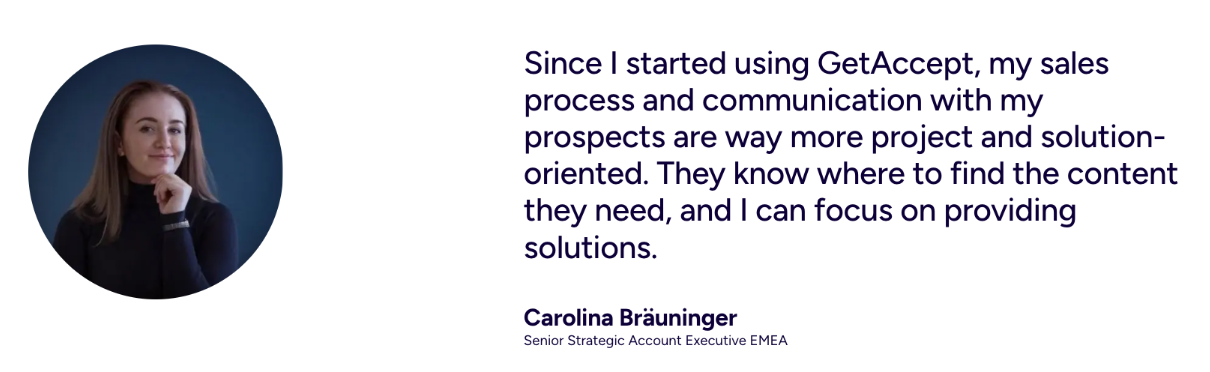
Dealfront's newly formed Enterprise Sales team needed to cut repetitive admin work and integrate cleanly with Salesforce, their system of record, after finding it time-consuming to track what had already been shared with each buyer.
Senior Strategic Account Executive Carolina Bräuninger centralized proposals, contracts, and supporting content in one shared space, so buyers always knew where to look and sellers stopped duplicating effort.
Sales cycles dropped from 150 days to 50 days in several cases, a 67% reduction, alongside a 75% drop in time spent exchanging information with prospects.
Pricing
- E-Sign: $25/user/month - unlimited legally binding e-signatures, document editing, basic branding, engagement video, automated reminders and templates
- Professional: $49/user/month - everything in E-Sign plus advanced branding, full template editor, pricing table and product library, premium CRM integrations, and buyer engagement tracking insights
- Enterprise: Custom pricing - contract management tools, robust CPQ rules, unlimited product library, SSO, advanced integrations, HR and payment integrations, and API access.
2. PandaDoc
PandaDoc is a document automation platform that handles proposals, quotes, contracts and e-signatures in one system. It's built for teams that move documents through a workflow, with use cases beyond sales that include HR, legal and marketing.
Key features
- Free plan with unlimited seats, allowing teams to evaluate document workflows before committing to a paid tier
- Proposal and contract templates with branding, variables, and reusable content blocks
- Built-in eSignature for collecting approvals on proposals, contracts, and quotes
- Document activity tracking showing opens and engagement at the document level
- CRM integrations with Salesforce and HubSpot for syncing document activity to contact and deal records
- Advanced approval workflows and in-document form fields for complex document processes
Pros
- The free plan has unlimited seats, so teams can test the platform without a credit card or a time-limited trial
- Broad use case coverage beyond sales — useful for companies that want one document tool across departments
Cons
- PandaDoc is primarily a document tool - it doesn't offer Digital Sales Rooms, Mutual Action Plans, or stakeholder-level engagement tracking for complex deals
- Enterprise pricing is custom and not publicly listed, which makes total cost harder to predict at scale
- CRM integration is available but users report it as more document-centric than sales-workflow-centric — it syncs documents, not deal activity
Pricing
- Starter: $19/user/month with annual billing
- Business: $49/user/month
- Enterprise: Custom pricing
Primary focus: document and workflow automation across sales, HR and legal.
3. Qwilr
Qwilr takes a different approach to proposals - instead of sending a PDF or a static document, you send a web page. Every proposal is an interactive, branded URL that buyers can view in their browser, complete with embedded videos, dynamic pricing blocks, and accept-and-sign functionality. It's suited to teams whose proposals are a key part of their buyer experience.
Key features
- Interactive, web-based proposals that open in a browser instead of downloading as a PDF - no file attachments required
- Embedded video blocks for adding product demos, personalized intros, or testimonials directly into the proposal
- Dynamic pricing tables that let buyers configure options and see totals update in real time
- Accept-and-sign functionality built into the proposal page so buyers can approve and sign without leaving the document
- Proposal analytics showing views, time spent, and section engagement
- Free trial available for teams evaluating the platform before committing
Pros
- Qwilr's web-based format replaces the static PDF with an interactive page
- Embedded video and pricing content helps sales teams present complex offers more clearly in a single link
Cons
- Qwilr is focused on the proposal document itself: it doesn't offer Digital Sales Rooms, Mutual Action Plans, or deep CRM workflow automation for managing the full deal cycle
- The web-based format, while visually strong, may not suit all buyers some procurement teams and enterprise buyers still expect or require PDF deliverables
Pricing
- Business: $35/user/month billed annually
- Growth: $55/user/month billed annually (5 user minimum)
- Scale: $75/user/month billed annually (10 user minimum)
- Free trial available
Primary focus: creating interactive, visually engaging proposals and quotes as an alternative to static PDFs, with the proposal itself positioned as a key part of the buyer experience.
4. Better Proposals
Designed with freelancers and small sales teams in mind, Better Proposals combines proposal creation, digital signatures, and payment collection in a single workflow. It's one of the few tools at this price point that lets you go from sending a proposal to collecting payment without leaving the platform which can be a time-saver for teams closing smaller deals quickly.
Key features
- Interactive pricing tables for building configurable, quote-style proposals where buyers can select options and see totals update
- Legally binding digital signatures for approving proposals electronically
- Payment integrations that allow buyers to pay directly from within the accepted proposal
- Content library for saving and reusing proposal sections, pricing blocks, and standard terms
- Notifications and analytics for tracking when proposals are opened, viewed, and signed
Pros
- Interactive pricing tables and payment integrations make it one of the more complete tools at the lower end of the price range for teams that need to collect payment quickly
- A content library and notifications support faster proposal creation and more timely follow-up
Cons
- Pricing information across sources is inconsistent - published tiers vary depending on where you look, which can make it harder to confirm the current plan structure before signing up
- Better Proposals is purpose-built for proposals and payment - it doesn't offer Digital Sales Rooms, buyer engagement at the stakeholder level, CRM workflow automation, or deal collaboration features for complex B2B sales
- No confirmed free plan - a free trial is mentioned but ongoing free access is not verified in current sources
Pricing
- Starter: $13/user/month
- Premium: $21/user/month
- Enterprise: $42/user/month
Primary focus: proposal and document creation, with built-in digital signatures, interactive pricing, and payment collection within the same workflow.
Choosing the right Proposify alternative
GetAccept is the best Proposify alternative for B2B sales teams that need more than a proposal.
If Proposify's limitation is the proposal experience itself (static PDFs, no interactivity, no video), Qwilr gives you a more engaging buyer-facing format.
If the issue is cost and you need something with a free starting point and broad document coverage, PandaDoc fits that need.
For freelancers and small teams where speed-to-payment matters, Better Proposals bundles proposals, signatures and payment collection in one workflow.
But if the real problem is that your deals are getting stuck after the proposal goes out, with buyers going quiet, no visibility into who's involved, CRM data that's always out of date - then a proposal tool alone isn't going to fix it.
That's where GetAccept is different. It's not just a better way to send proposals. It's a complete deal experience with several products in one: Digital Sales Room software, stakeholder-level engagement tracking, Mutual Action Plan software, e-signature tools, and CRM automation - all in one place.
Here's a quick guide to help you self-select:
- You need a free plan to get started: PandaDoc
- You want interactive, web-based proposals instead of PDFs: Qwilr
- You need proposals with built-in payment collection: Better Proposals
- You're selling to buying committees and need full deal visibility: GetAccept
- You need CRM-native deal workflows with proposals, e-sign, and engagement tracking: GetAccept
- You want document automation across HR, legal, and sales in one tool: PandaDoc