
Quick summary
PandaDoc alternatives split into proposal software, deal platforms and simpler e-signature tools. GetAccept is the alternative for B2B sales teams that need deeper buyer engagement, CRM integration and a sales-specific workflow.
Here are the top 5 PandaDoc alternatives at a glance:
| Tool | Primary focus | G2 rating | Starting price |
|---|---|---|---|
| GetAccept | B2B sales teams needing proposals, deal rooms, and e-signatures in one platform | 4.6 | $25/user/month |
| Proposify | Sales teams and agencies needing interactive pricing and approval workflows | 4.6 | $29/user/month |
| Qwilr | Teams that want interactive web-based proposals instead of static PDFs | 4.6 | $35/user/month |
| Better Proposals | Freelancers and small sales teams | 4.3 | $13/user/month |
| DealHub.io | Mid-market and enterprise teams needing CPQ + proposals | 4.7 | Not publicly listed |
Looking for a PandaDoc alternative?
PandaDoc is a document automation platform built for creating documents across the whole organization.
But PandaDoc is built around documents - not deals. If you're an Account Executive managing a five-stakeholder buying committee, you need more than nice looking documents. You need to track buyer activity at a detailed level, create and update personalized content as the deal progresses, and remove as much manual work as possible so you can focus on what you do best - selling.
PandaDoc doesn't give you that level of visibility. Its CRM integrations are more document-centric than deal-centric, and it doesn't offer the kind of buyer collaboration tools that help complex B2B deals move forward.
Why trust us?
We're GetAccept - a Digital Sales Rooms platform built specifically for B2B sales teams. We co-created the Digital Sales Room category with G2 in 2021, and we've spent years talking to sales reps, sales leaders, and RevOps about what actually breaks down between the first meeting and signed contract. We know this space from the inside.
We come up against PandaDoc often in sales processes, and we know where teams outgrow it.
This list is based on these conversations, real feature research, published pricing, and G2 review data. We've included tools that genuinely serve use cases where GetAccept isn't the right fit.
What is PandaDoc?
PandaDoc is a document automation platform founded in 2014. Its core use case is creating, managing, tracking, and e-signing business documents - primarily proposals, quotes, and contracts. It serves a broad range of teams including sales, marketing, legal, and HR, and it integrates with major CRMs like Salesforce and HubSpot.
It's particularly capable for teams that need advanced document workflows, large template libraries, and in-document redlining for legal and procurement-heavy processes.
Key features
- Proposal and contract creation with a large library of customizable templates
- Built-in e-signatures for legally binding document approvals
- CPQ and interactive pricing tables within documents
- Basic document analytics tracking opens and engagement
- CRM integrations with Salesforce, HubSpot, and others
- In-document redlining and contract collaboration tools for legal review workflows
Why consider PandaDoc alternatives?
Depending on your team's needs, a few specific limitations push sales teams to look elsewhere.
1. It's built around documents, not deals
PandaDoc's core strength is document creation and automation. But closing a complex B2B deal requires more than a well-formatted proposal. You need to understand who's involved in the decision, what content is resonating with which stakeholders, and where the deal is getting stuck. PandaDoc tracks document activity - opens, views - but it doesn't give you deal-level visibility into your buying committee. For sales teams managing multi-stakeholder opportunities, that quickly becomes an issue.
2. No native Mutual Action Plans
Mutual Action Plans (MAPs) have become a standard for keeping complex deals on track. They create shared accountability between buyer and seller, with milestones, owners, and timelines that both sides can see. PandaDoc doesn't offer a dedicated MAP feature. If your sales process relies on structured deal progression and collaborative close plans, you'll need to bolt that on separately - or find a platform that includes it natively.
3. CRM integration depth is document-centric
PandaDoc integrates with Salesforce and HubSpot, but the integration is primarily focused on document workflows - like generating documents from CRM data and syncing signed contracts. It's not built to support deal progression, stakeholder management, or bidirectional engagement data flowing back into your CRM. Teams that want their proposal and e-signature activity to actively inform pipeline management and forecasting will find PandaDoc's CRM depth falls short.
4. Questions about data storage and AI
There's also no public disclosure about the underlying model provider or where AI data is processed and stored - a concern for teams in regulated industries or those with data residency requirements.
5 best PandaDoc alternatives for proposals and e-signatures in
The five tools below are proposal, e-signature and deal platforms: GetAccept, Proposify, Qwilr, Better Proposals and DealHub.
| Tool | Core strength | Primary focus | G2 Rating | Starting Price |
|---|---|---|---|---|
| GetAccept | Digital Sales Rooms + proposals + e-signatures | B2B sales teams with complex, multi-stakeholder deals | 4.6 | $25/user/month |
| Proposify | Interactive proposals with pricing tables | Sales teams and agencies needing structured proposals | 4.6 | $29/user/month |
| Qwilr | Web-based interactive proposals | Teams wanting visually engaging, web-based proposals | 4.6 | $35/user/month |
| Better Proposals | Fast, simple proposals with e-signatures | Freelancers and small sales teams | 4.3 | $13/user/month |
| DealHub.io | Quote-to-revenue platform with CPQ | Mid-market and enterprise teams needing CPQ + proposals | 4.7 | Not publicly listed |
1. GetAccept
Best for: B2B sales teams managing complex, multi-stakeholder deals who need proposals, e-signatures, and buyer collaboration in one platform.
Built specifically for revenue teams, GetAccept combines Digital Sales Rooms, proposal creation, e-signatures, and buyer engagement analytics into one connected platform. Where PandaDoc focuses on document workflows, GetAccept focuses on deal execution - giving reps the tools needed to control the deal from first meeting to signed contract.
Key features
- Digital Sales Rooms that give every buyer a single branded destination for all deal content - demos, decks, case studies, proposals, contracts, and more
- Proposal creation and sending with CRM-prefilled data and customizable templates
- E-signatures with signing order control, deadline setting, and automatic CRM sync on completion
- Stakeholder-level engagement analytics showing which buyer viewed which content, how long they spent, and when they were most active
- Native Mutual Action Plans with milestones, ownership, and bidirectional CRM sync
- AI that draws on CRM data, meeting transcripts, and room content to generate personalized proposals and follow-ups - hosted on private EU-based models
What GetAccept offers over PandaDoc
- Deal-level buyer engagement: GetAccept shows you exactly who on the buying committee is engaging with your content and what they're spending time on. PandaDoc tracks documents - GetAccept tracks stakeholders.
- Native Mutual Action Plans: GetAccept includes MAPs with CRM sync built in. PandaDoc has no dedicated MAP feature.
- CRM integrations built for deal progression: GetAccept's Salesforce and HubSpot integrations are bidirectional and built around sales workflows - not just document generation. Buyer engagement data flows back into your CRM automatically.
- AI with deal context: GetAccept's AI understands the full state of a deal - CRM data, meeting notes, room activity - and uses private EU-hosted models. PandaDoc's AI features are largely in closed beta with no public data residency guarantees.
Advantages
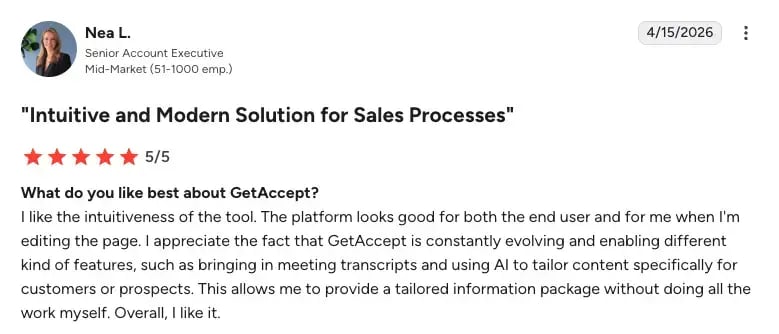
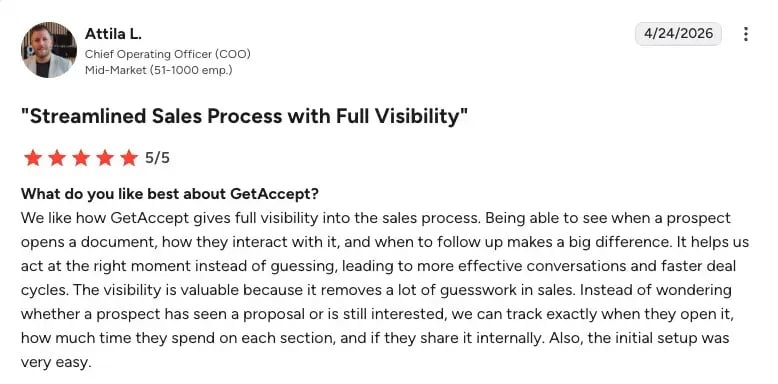
Recent reviews from G2 consistently highlight two things: the consolidation of the sales process into a single workspace, and the visibility it creates once a proposal is sent.
Rather than coordinating across scattered PDFs and email threads, sales teams can bring materials, summaries, videos, and pricing together in one interactive environment for buyers to navigate at their own pace [G2, 2026].
What users find equally valuable is what happens after the send. GetAccept gives teams precise insight into when a prospect opens a proposal, how long they spend on each section, and whether it has been shared with other stakeholders internally - removing the guesswork that typically surrounds follow-up timing [G2, 2026].
Where GetAccept fits best
GetAccept fits B2B sales teams running multi-stakeholder deals, where buyer engagement, CRM-native workflow and deal visibility matter more than document-level customization.
Pricing
- eSign: $25 per user/month - unlimited legally binding e-signatures, in-browser document editing, basic branding, automated reminders and templates
- Professional: $49 per user/month - everything in eSign plus Digital Sales Rooms, advanced branding, full template editor, pricing table and product library, premium CRM integrations (Salesforce, HubSpot, Dynamics, Pipedrive, SuperOffice), and buyer engagement insights
- Enterprise: Custom pricing - contract management, robust CPQ rules, unlimited product library, SSO, advanced integrations, HR and payment integrations, and API access
2. Proposify
Primary focus: Structured proposal creation, with interactive quoting and approval workflows for teams that want more control over the proposal process.
Proposify is a dedicated proposal platform built around the document creation and closing workflow. Its standout feature is interactive pricing tables that let buyers adjust quantities, add optional line items, and see real-time price changes - which can make the proposal itself a more engaging part of the sales conversation. It's a focused tool for teams that want professional proposals with clear pricing and built-in e-signatures, without needing a broader deal management platform.
Key features
- Interactive pricing tables that allow buyers to adjust quantities, select add-ons, and see real-time pricing changes within the proposal
- Optional line items for presenting upsells and upgrades without overwhelming the buyer
- Drag-and-drop proposal builder for assembling structured, client-facing documents
- E-signature collection built into the proposal workflow
- Premium onboarding and implementation support for teams that need extra help getting started
- Public pricing with monthly, quarterly, and annual billing options
Pros
G2 reviews frequently highlight Proposify's template library and the speed it creates in the proposal process. Rather than building proposals from scratch, teams can select a template, populate the relevant details and have a client-ready document within minutes. For teams sending high volumes of proposals, this is consistently cited as a meaningful time saving [G2, 2025]
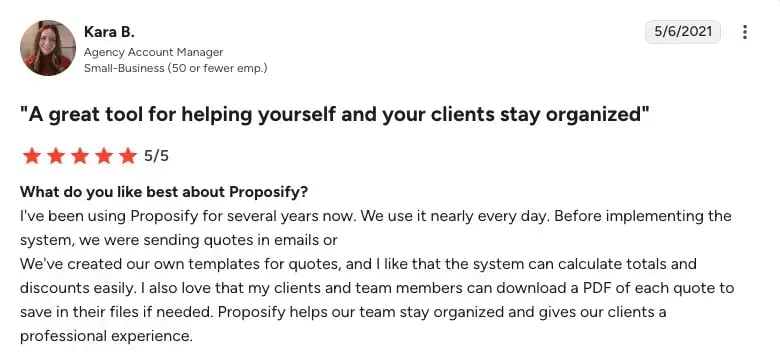
Users also appreciate the organisational clarity Proposify brings to the quoting process. The ability to calculate totals and discounts automatically, combined with the option for clients to download a PDF copy for their own records, gives both sides of a deal a clean, professional reference point - especially for agencies [G2, 2021].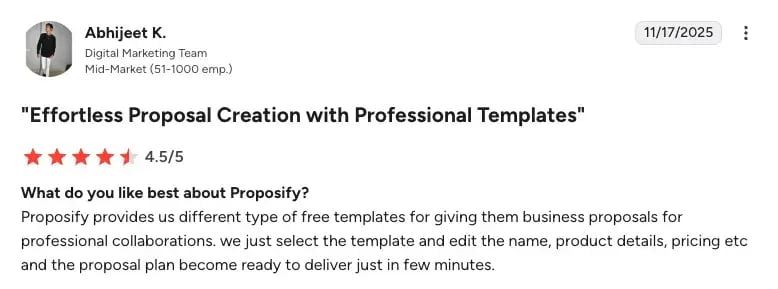
Cons
The most consistently reported friction with Proposify centres on the editing experience. Users across multiple reviews describe the editor as non-intuitive, with formatting behaviour that can be difficult to predict and functions that don't always work as expected.
Pricing
- Basic: $29 per user/month - up to 10 document sends, up to 3 templates, e-signatures, and document tracking
- Team: $49 per user/month - unlimited document sending, up to 10 templates, document analytics, CRM integrations and automations, and custom fields and variables
- Business: Custom pricing - everything in Team plus unlimited templates, user roles and permissions, Single Sign-On, API access, multiple workspaces, and onboarding support
3. Qwilr
Primary focus: Creating interactive, visually polished web-based proposals, with proposal software that includes e-signature capabilities.
Qwilr takes a different approach to proposals - instead of sending a PDF or a document, you send a link to a live web page. The result is a more visually engaging proposal experience that can include interactive elements, embedded content, and real-time pricing. For teams that feel their proposals get lost in email attachments or look flat compared to the buying experience they're trying to create, Qwilr offers a cool format.
Key features
- Interactive, web-based proposals delivered as a live link rather than a static file or PDF
- Proposal software built around the sales document experience, not generic document creation
- Business plan with publicly listed pricing for straightforward evaluation
- Enterprise plan for larger teams using Salesforce
- Free trial available to evaluate the platform before committing
Pros
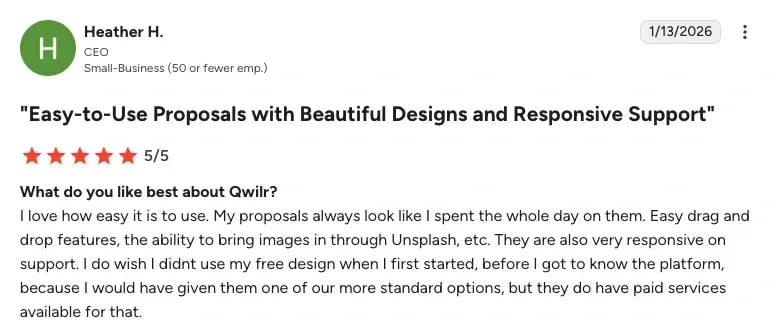
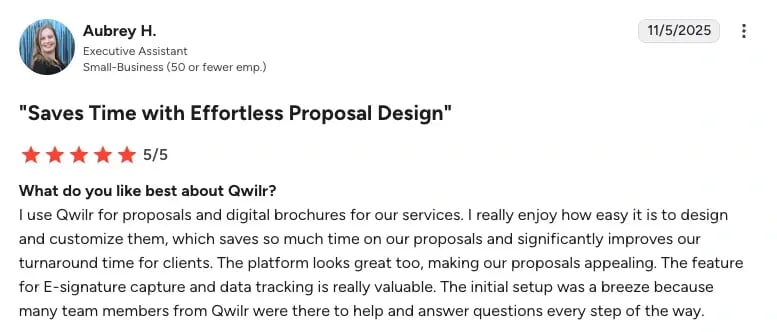
Users consistently highlight the quality of Qwilr's design output. With drag-and-drop editing and built-in access to image libraries such as Unsplash, teams report being able to create visually polished proposals in significantly less time than previous methods [G2, 2026].
For smaller teams without dedicated design resources, this is a frequently cited advantage - proposals that look professionally crafted without requiring a full day's work [G2, 2025].
Cons
Integration reliability is also an area of concern according to reviews. Users report specific issues with HubSpot and QuickBooks connectivity, and the absence of real-time Salesforce syncing is mentioned as a meaningful limitation. For organisations where CRM integration is a core requirement rather than a nice-to-have, these gaps are worth evaluating.
Pricing
- Business: $35 per user/month - content editor, e-signatures, payments via QwilrPay, pricing and quotes, page analytics, notifications, and HubSpot, Pipedrive, and Zoho CRM integrations
- Enterprise: $59 per user/month (billed annually, 10 user minimum) - everything in Business plus a dedicated account manager, custom branding, team permissions, identity verification, domain-restricted access, template-level settings, and Salesforce CRM integration
4. Better Proposals
Best for: Fast, professional proposal creation, with legally binding e-signatures and straightforward deal-closing workflows.
Better Proposals does exactly what the name suggests - it helps you send better proposals, quickly. It's one of the more accessible tools in this space, with a low starting price, a clean interface, and features that cover the core proposal workflow: build, send, track, sign, and get paid. If you're a freelancer or a small team that doesn't need a full deal management platform, Better Proposals suits that profile
Key features
- Legally binding digital signatures for collecting approvals directly within proposals
- Interactive pricing tables for building quote-driven proposals with line items
- Payment integrations for collecting payment as part of the proposal close workflow
- Content library for storing and reusing approved proposal sections and blocks
- Proposal notifications and analytics for tracking when proposals are opened and engaged with
Pros
Several G2 reviews praise the ease of use of Better Proposals, enabling quick creation and seamless integration into their workflow. [G2, 2025].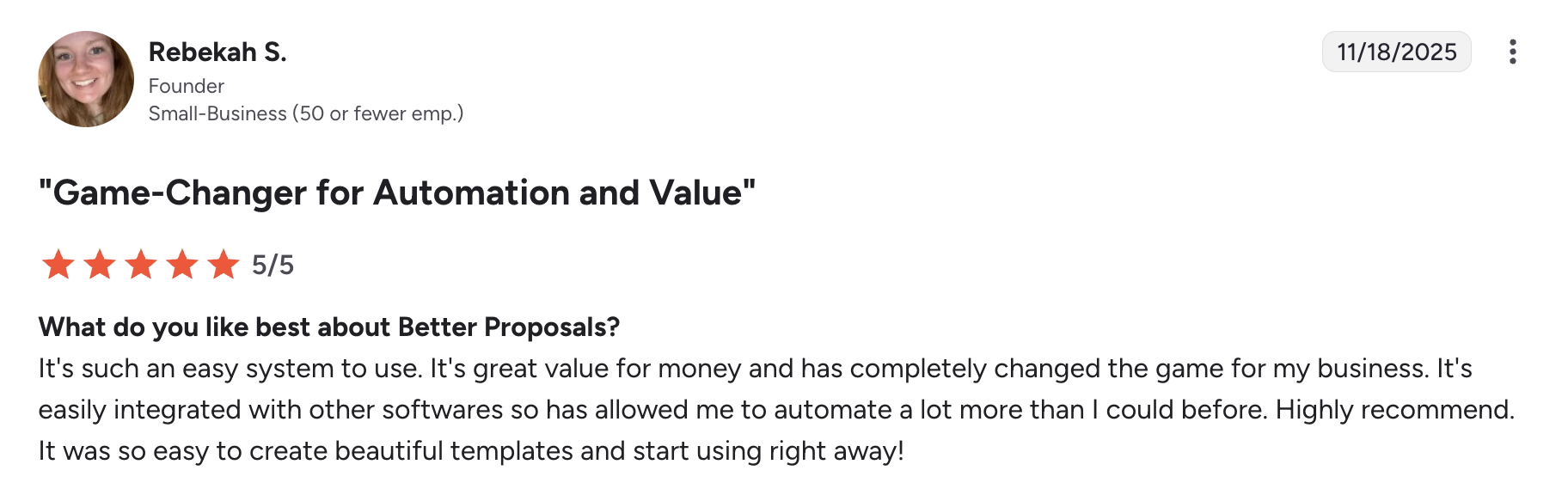
Cons
Recent reviews mention that Better Proposals is lacking when it comes to formatting and sharing proposals outside of their standard formats. Additionally, the fact that users can't add several pricing tables to one proposal is a point of friction [G2, 2026].
Pricing
- Starter: $13/month
- Premium: $21/month
- Enterprise: $42/month
5. DealHub
Primary focus: Quote-to-revenue processes for mid-market and enterprise sales teams, with configurable deal workflows that extend beyond document creation and sending
DealHub positions itself as a quote-to-revenue platform rather than a standalone proposal tool. Where most tools on this list focus on creating and sending proposals, DealHub connects the proposal stage to a broader deal workflow - including CPQ, contract management system, and e-signatures - in a more unified process. It's built for sales organizations that need configurability and deal-stage control.
Key features
- Proposal generation for creating customer-facing quotes and proposals within a connected sales workflow
- Electronic signature support for closing deals after proposal approval
- Quote-to-revenue workflow capabilities that connect proposal creation with downstream deal processes
- CPQ functionality for configuring pricing and product options within the deal workflow
Pros
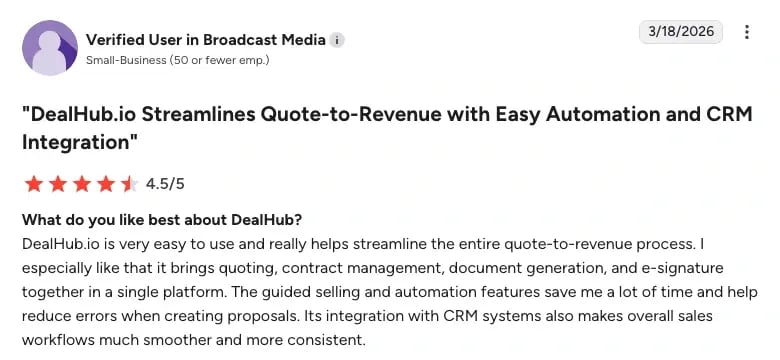
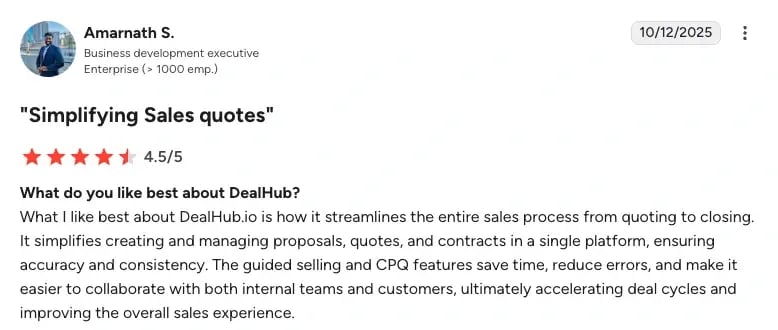
Bringing quoting, contract management, document generation, and e-signatures together in one place is frequently cited as a meaningful operational improvement - reducing the inconsistency and manual effort that comes with managing these steps across separate tools [G2, 2026].
The guided selling and CPQ features receive particular praise for the accuracy and time savings they introduce. Users report that automated workflows reduce errors in proposal and quote creation, and that the structured selling experience makes it easier to maintain consistency across both internal teams and customer-facing interactions. For enterprise teams handling high volumes of complex quotes, this combination of automation and accuracy is noted as a direct contributor to faster deal cycles and a more professional overall sales experience [G2, 2025].
Cons
The most prominently flagged concern with DealHub is the learning curve. Onboarding and advanced feature navigation are the most consistently reported friction points, particularly for new team members. For organisations without dedicated RevOps resource to manage implementation, this adds meaningful time and cost before the platform delivers value. DealHub is built for mid-market and enterprise teams with complex pricing, so teams that only need simple proposals and e-signatures may not use most of it.
Pricing
Pricing is not publicly listed on DealHub's website, and they do not offer a free trial.
Choosing the right PandaDoc alternative
The right tool depends on what's actually breaking down in your current workflow. Here's a fast way to match your situation to the right option:
- If you're managing complex B2B deals with multiple stakeholders and need visibility into buyer engagement, a native MAP, and deep CRM integration - GetAccept is built for exactly this.
- If you're a sales team or agency that needs interactive pricing tables and structured proposal approval workflows - Proposify is worth evaluating.
- If well-designed and beautiful proposals is important and you want a more engaging, web-based format - Qwilr solves that specific problem.
- If you're a freelancer or small business that just needs to send professional proposals, collect signatures, and get paid - Better Proposals is the most accessible option on this list.
- If you're in mid-market or enterprise and need proposals connected to a full CPQ and quote-to-revenue workflow - DealHub.io is worth a conversation.
One thing worth keeping in mind: most of the tools on this list solve part of the proposal and e-signature problem. They help you create and send better documents. But for B2B sales teams where deals involve multiple stakeholders, extended timelines, and real buying committee complexity, the gap between "proposal sent" and "deal closed" is where most opportunities are won or lost. That's the gap GetAccept is specifically built to close - with buyer engagement data, deal collaboration, and CRM integration that goes beyond document tracking.
If that resonates, the best way to see it in action is to try it yourself.