What we've been building

The latest features, improvements, and fixes shipped by the GetAccept team.

April 2026

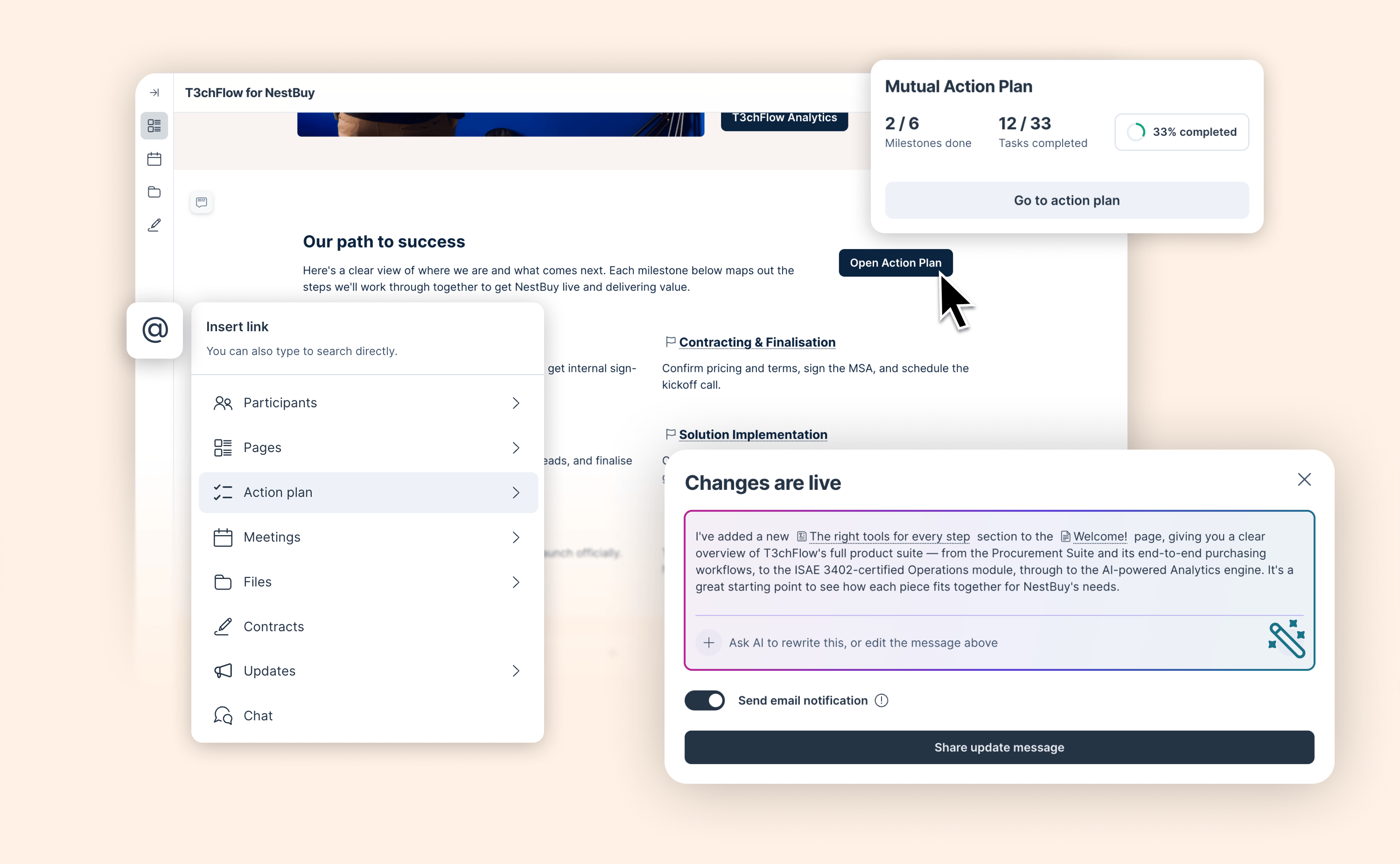
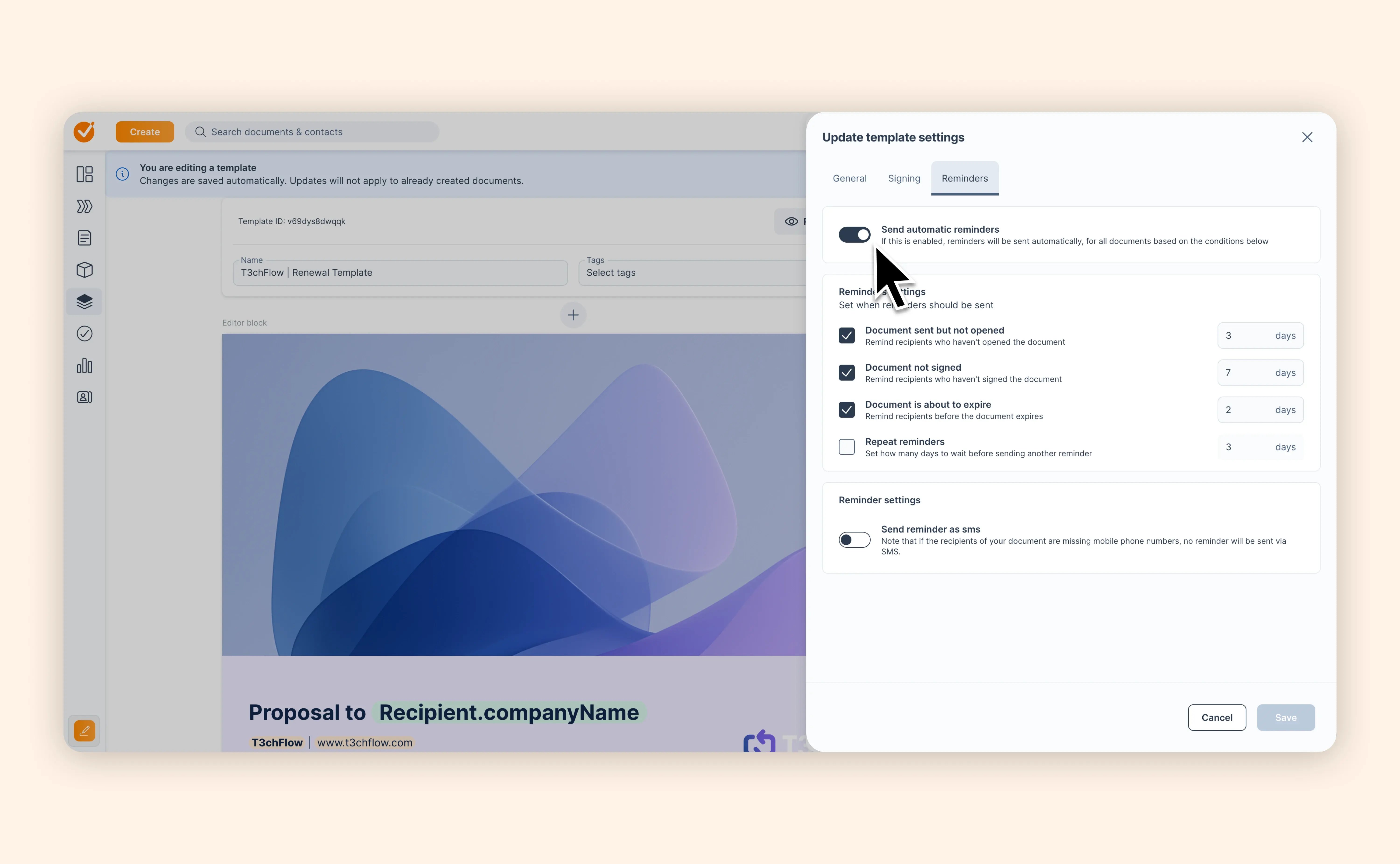
Workflows: structure your Deal Rooms your way

Workflows: structure your Deal Rooms your way

Your sales process isn’t one-size-fits-all. Now your Deal Rooms don’t have to be either.

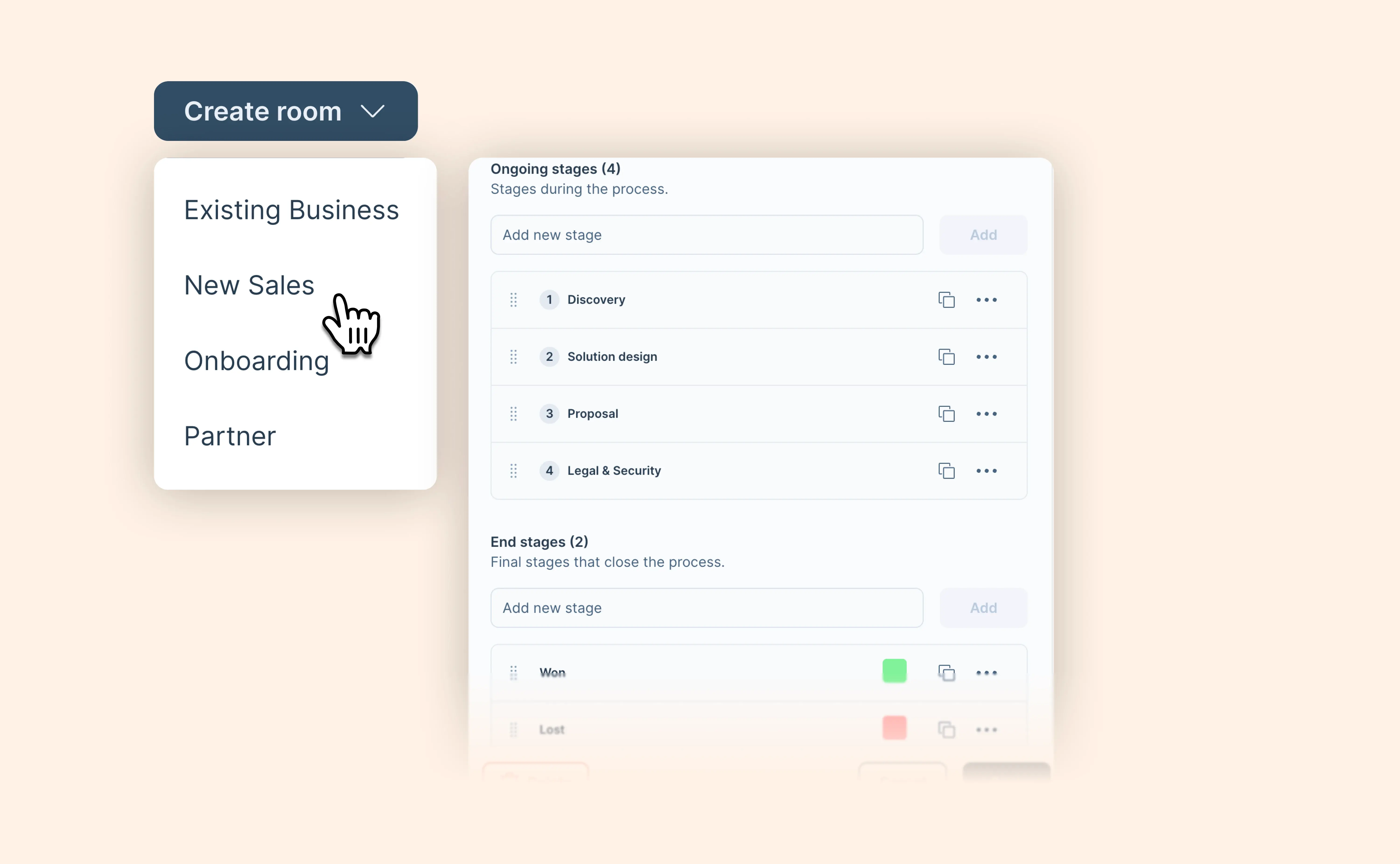
With Workflows, you can define how different deals should run in GetAccept. Create room types for scenarios like new business or renewals, and assign the stages each deal should go through—from first touch to closed won or lost.

Here’s what you can do:

  • Create room types to reflect different deal processes
  • Define stages for each type, including end stages like closed won or closed lost
  • Show only relevant templates based on the selected room type
  • Keep things consistent across teams and regions with localization support
  • Capture relevant data for each deal type with structured fields

For reps, this means a simpler experience—only seeing what’s relevant for their deal. For managers, it means more control over how deals are run, without adding extra work.

This is just the beginning. Workflows lay the foundation for more advanced filtering, automation, and insights in the future.

👉 Learn how to set up Workflows in GetAccept

View help article

AI Contract Management now extracts the data that matters to your business

AI Contract Management now extracts the data that matters to your business

Most contract intelligence tools decide which fields are important, extract those ten fields for every customer, and leave everything else on the table.

But every business extracts contract data differently. A logistics company tracking SLA tiers needs different data than a SaaS company tracking indexation percentages. The data that is critical to one business is noise to another.

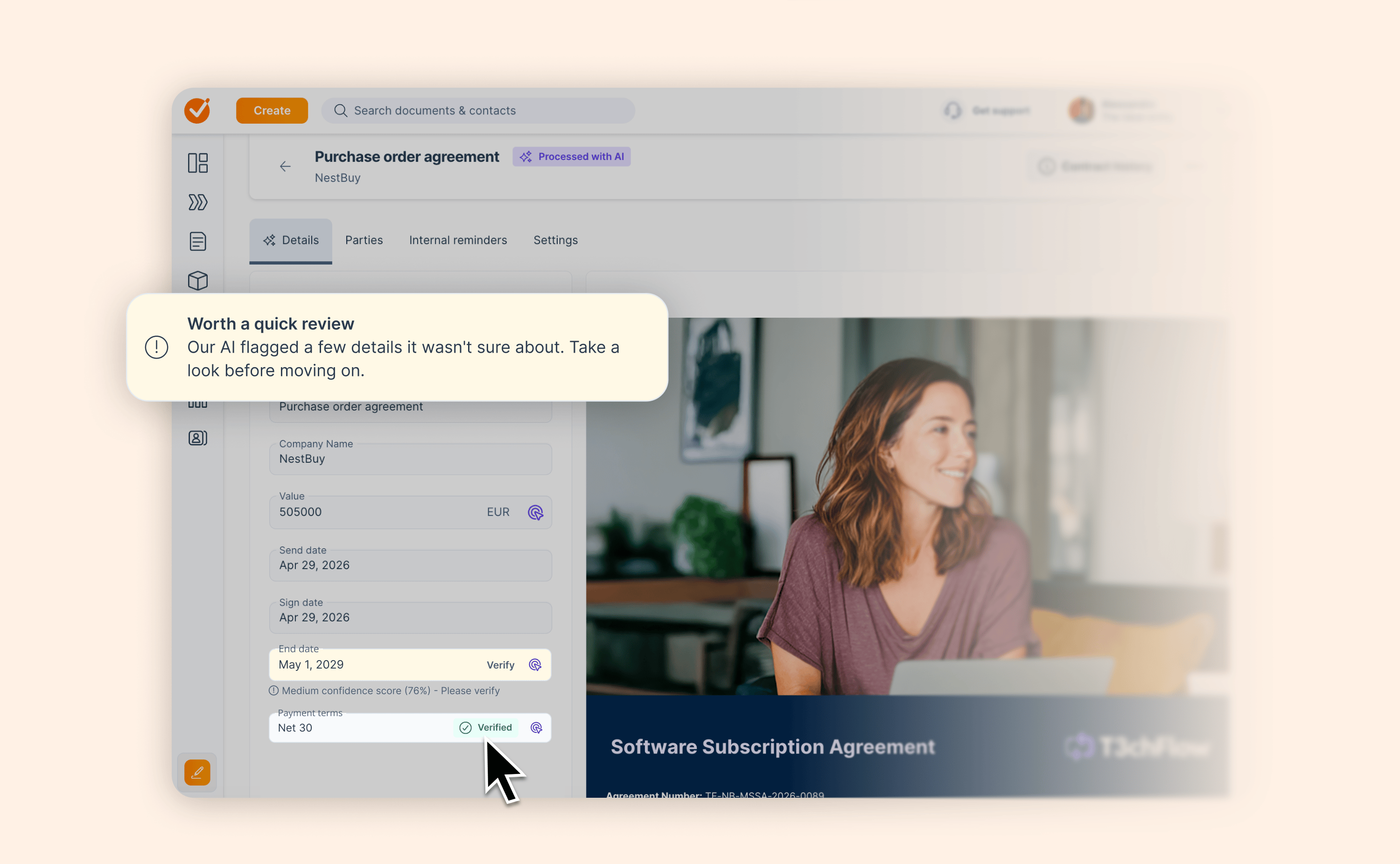
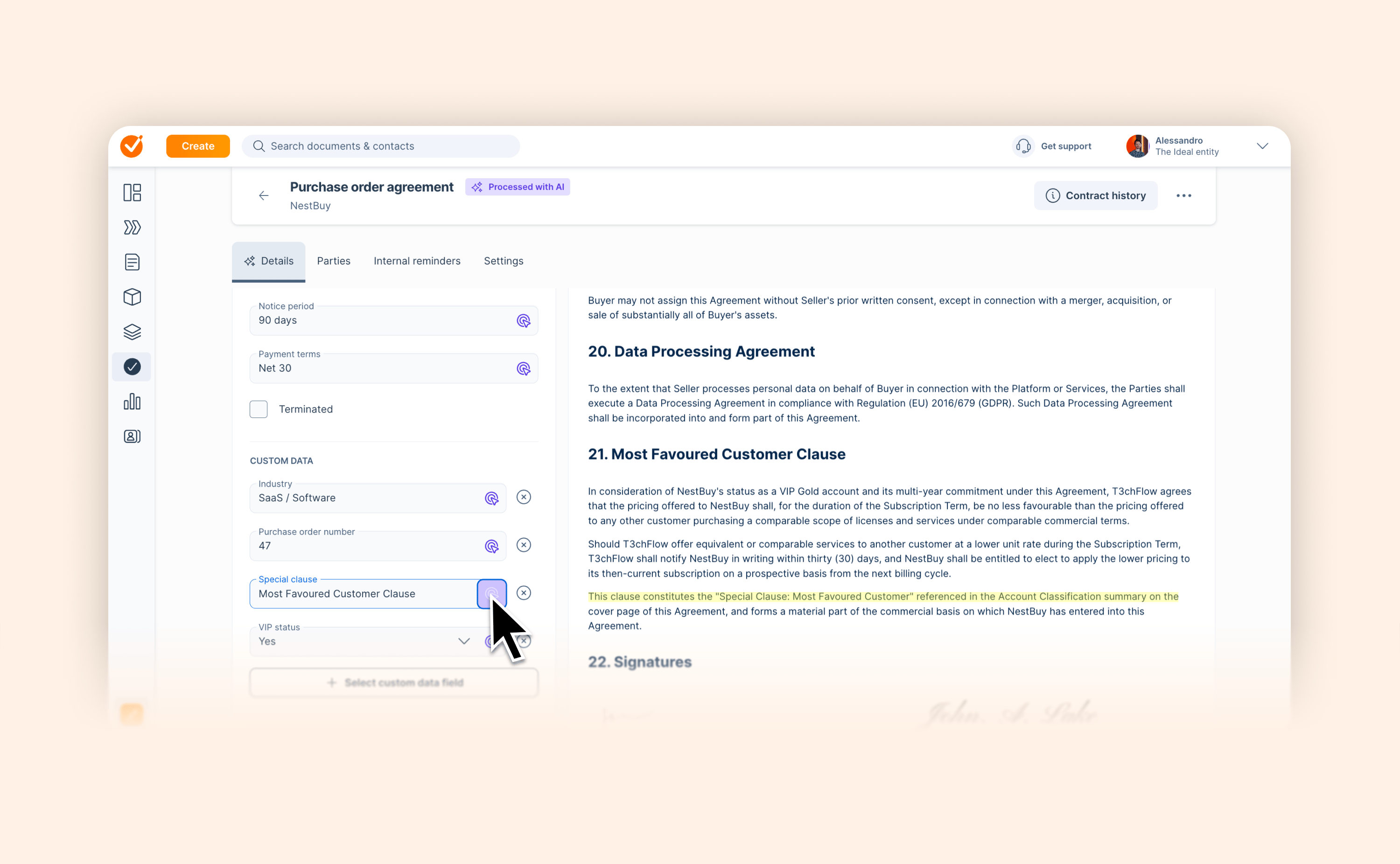
AI Contract Management can now extract the custom data fields you have defined in GetAccept. Industry, region, SLA tiers – you name it. The moment a contract is signed, AI reads the document and fills those fields in automatically.

A few things worth knowing:

  • AI only populates empty fields it never overwrites a value entered manually

  • Extracted values are marked with AI attribution in the contract details view, and appear immediately as filterable properties in the contracts list

  • All custom field types are supported: text, number, yes/no, and set values

For contracts already signed, you can add a custom field and hit reanalyze – AI will then extract the value from the existing document.

This way, the data your business actually needs is extracted from every contract the moment it is signed.

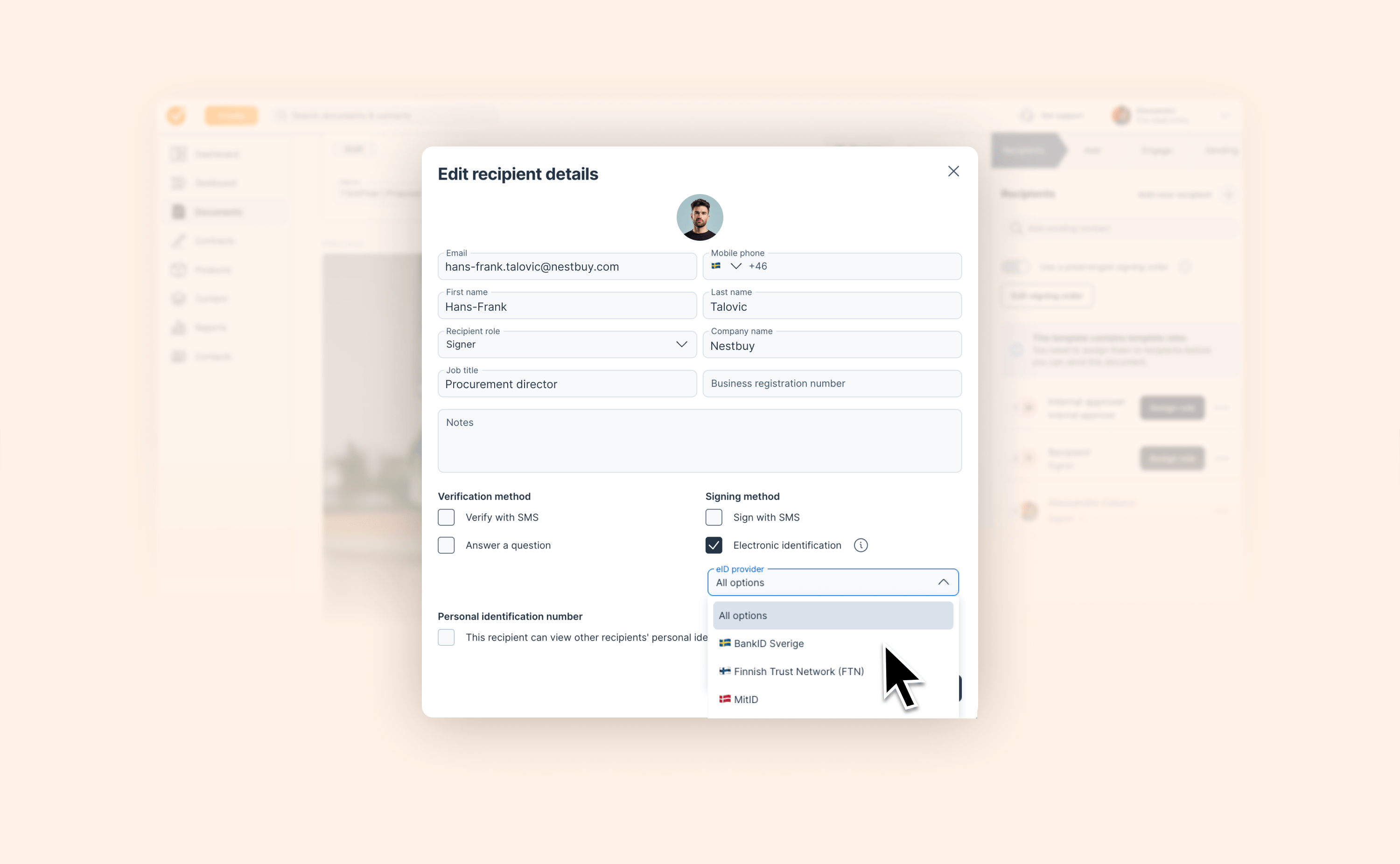
Define structured dropdown fields for your custom data

Define structured dropdown fields for your custom data

Every sales team has that one custom field where half the reps write "Professional," half write "Pro," and one misspells it as "profesional."

It seems minor until you try to build contract logic on top of it.

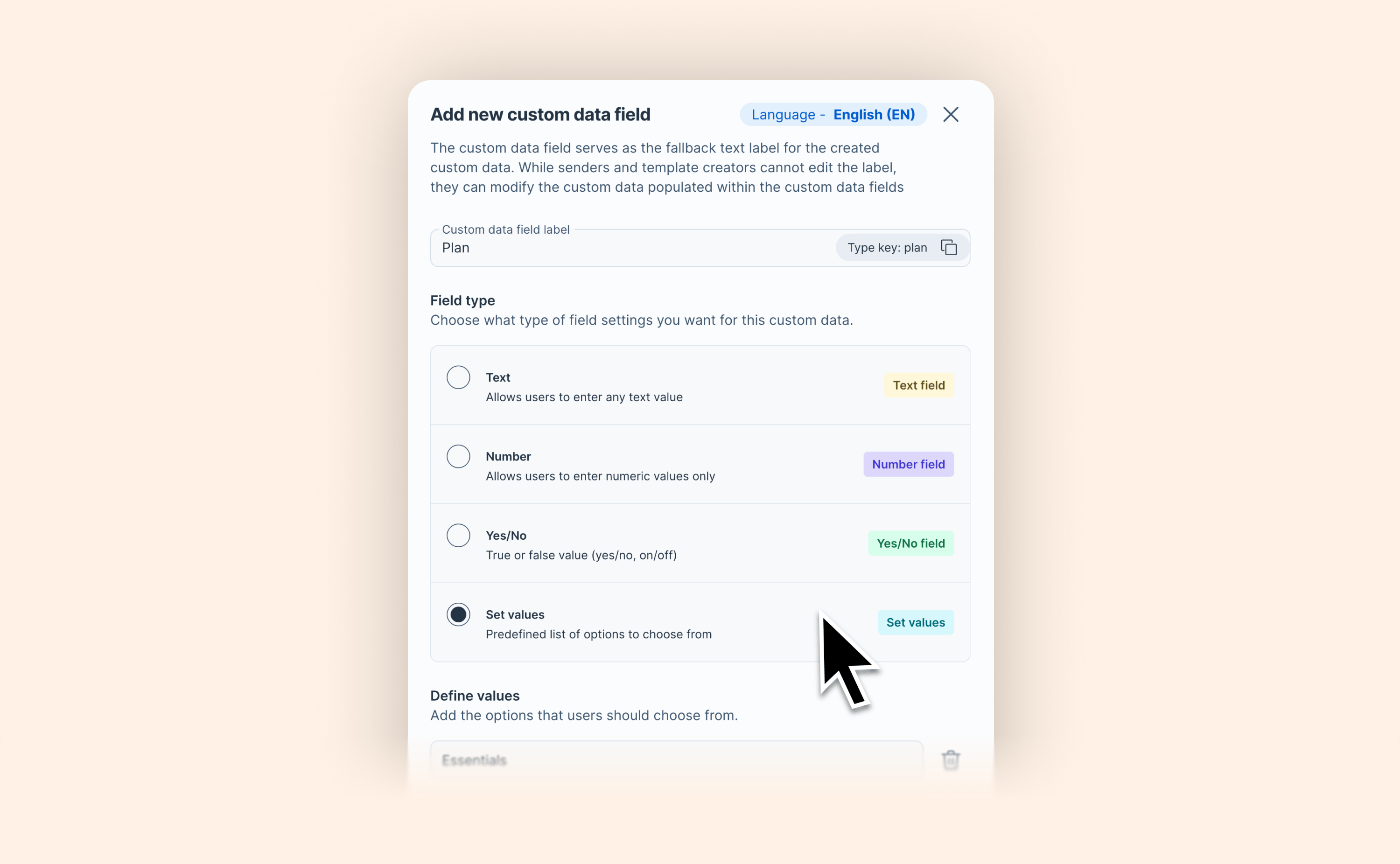
GetAccept now lets you define your own selectable values for custom data fields. Your team picks from a list instead of typing anything they want. Consistent input, reliable conditional content, no CRM dependency.

With Set values, contract templates can serve multiple scenarios from a single document — and your data stays clean, consistent, and ready to drive the dynamic content your deals require.

View help article

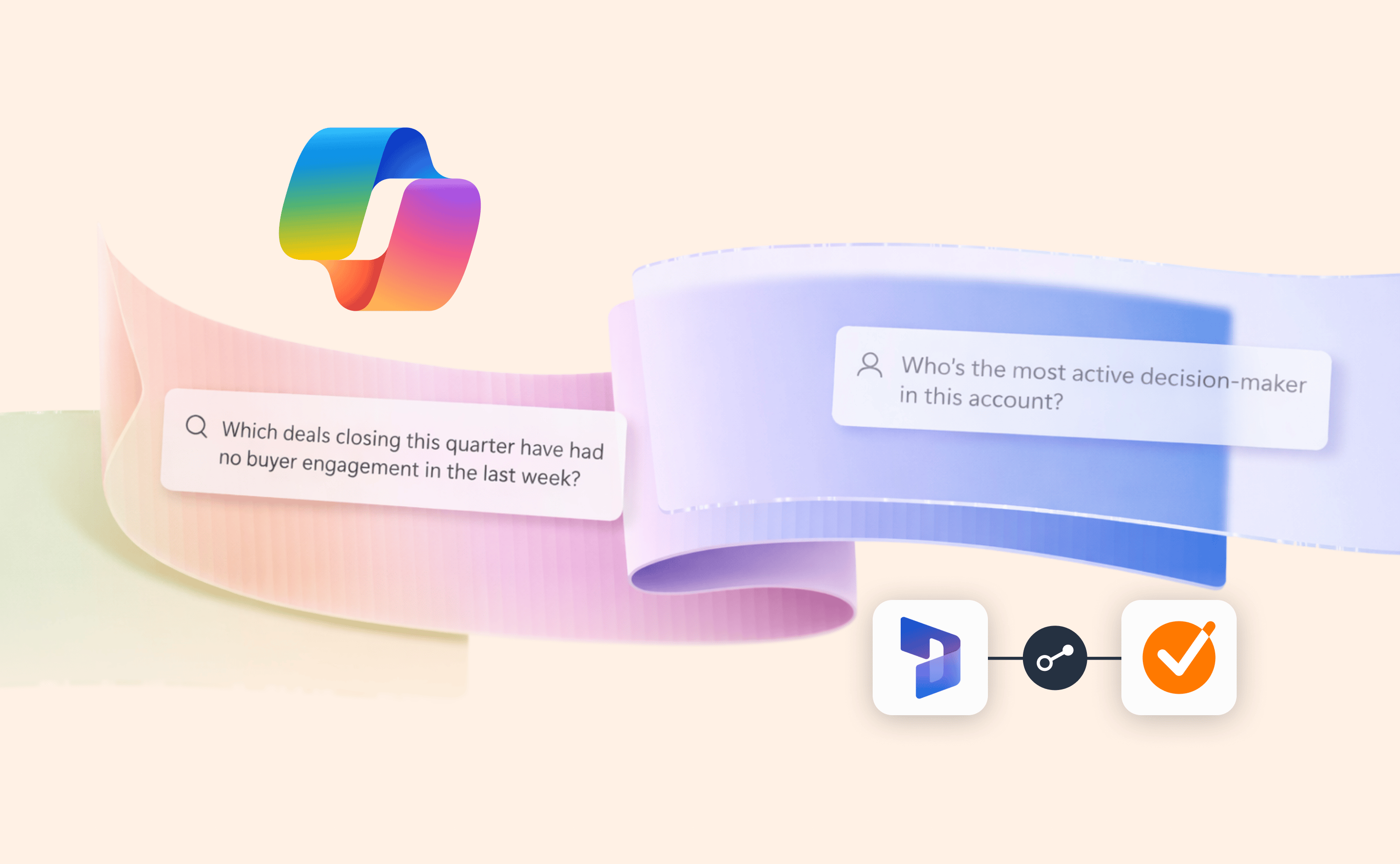
Microsoft Copilot and Power BI reports can now tap into buyer data from GetAccept

Microsoft Copilot and Power BI reports can now tap into buyer data from GetAccept

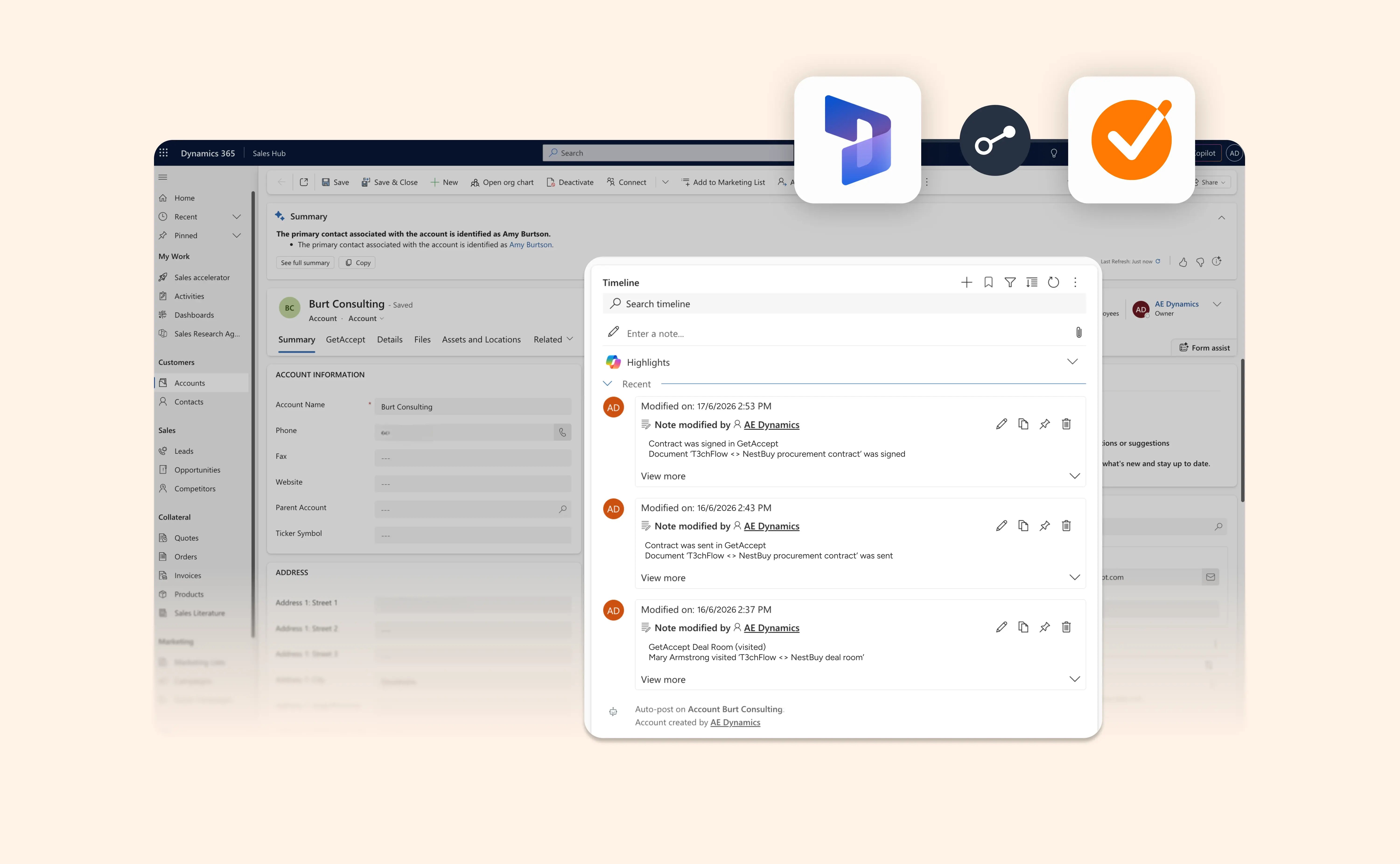
GetAccept can now push buyer engagement data – document views, Deal Room activity, comments, and signing events – directly into custom objects in Microsoft Dynamics 365, enriching Power BI dashboards and feeding Microsoft Copilot with live buyer signals for more accurate AI-powered insights.

Here’s what’s new:

  • Map GetAccept buyer engagement to any custom object in Dynamics 365

  • Build Power BI dashboards enriched with real buyer intent data from GetAccept

  • Feed Microsoft Copilot with live buyer signals for more accurate AI-powered forecasting

For teams using Copilot for Sales, this makes a real difference. Giving reports and AI access to buyer signals transforms good forecasts into reliable ones.

Read blog post

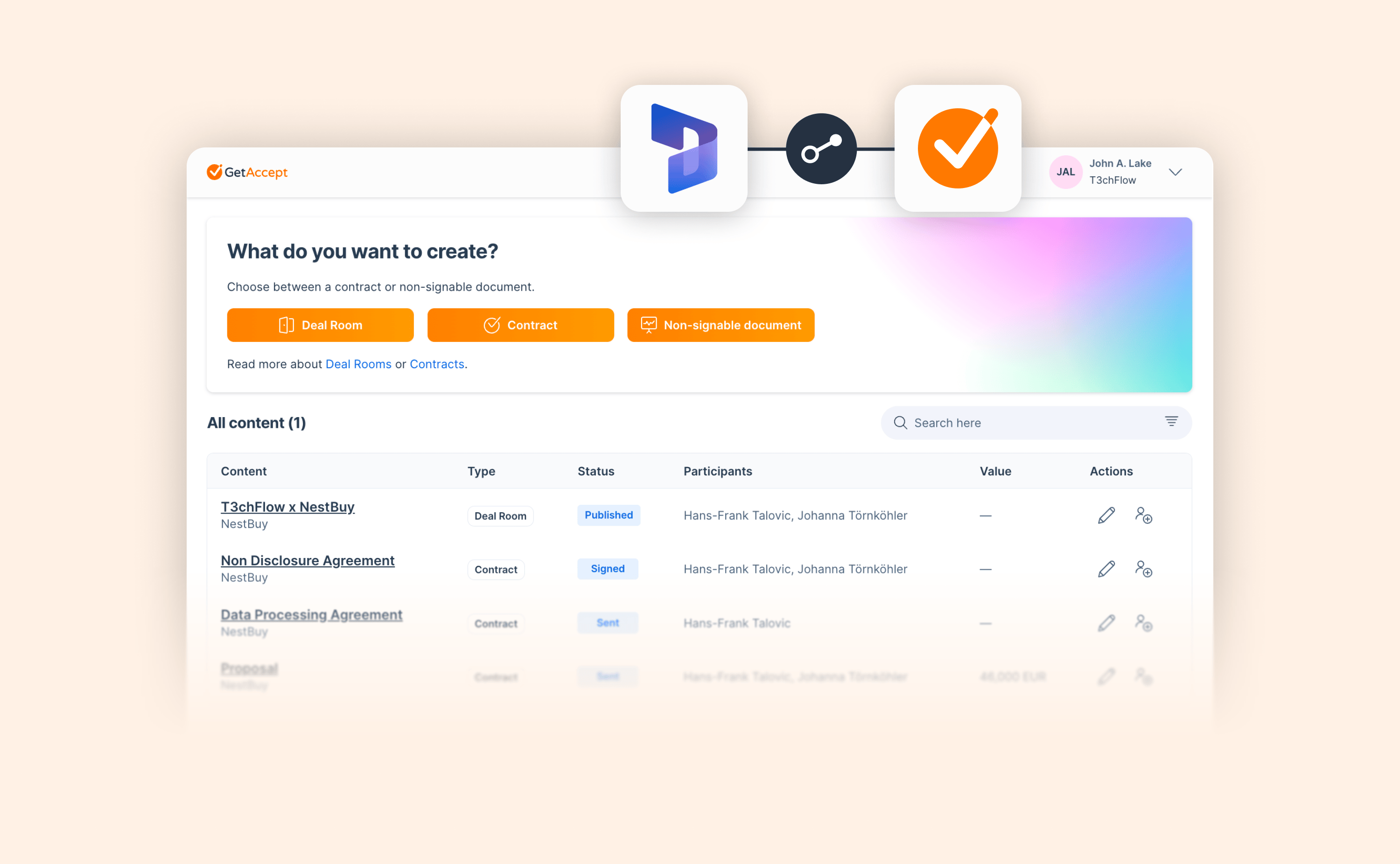
A cleaner view of your GetAccept content inside Microsoft Dynamics 365

A cleaner view of your GetAccept content inside Microsoft Dynamics 365

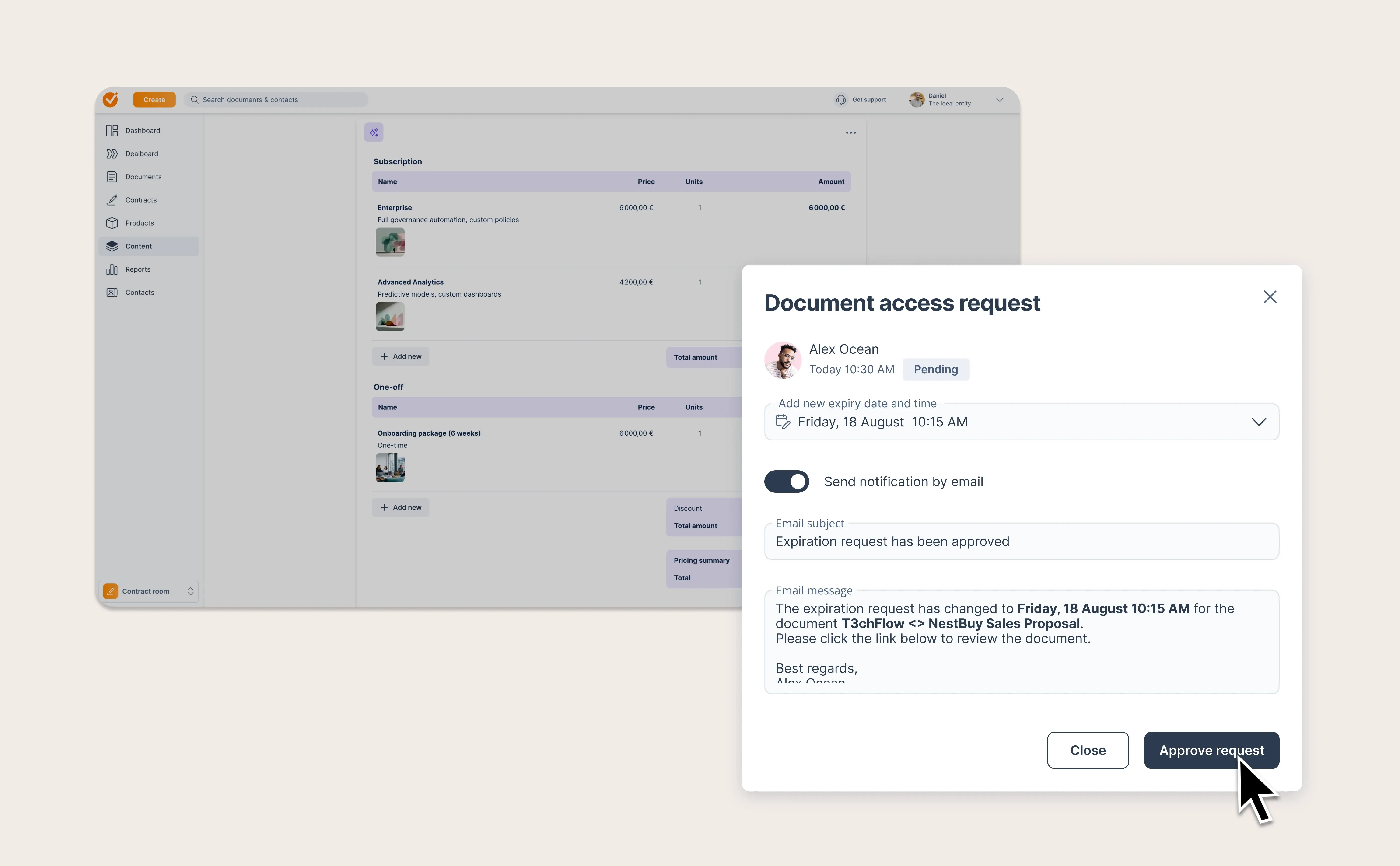
If you work with GetAccept from inside Microsoft Dynamics 365, you will notice the panel has a new look. We have replaced the old card-based layout with a clean list view, making it faster and easier to see your Deal Rooms and contracts without scrolling through stacked tiles.

Note: To access these features, please make sure you are running the latest version of the GetAccept integration. Ask your admin to check for the latest package version, or contact your Customer Success Manager if you need help.

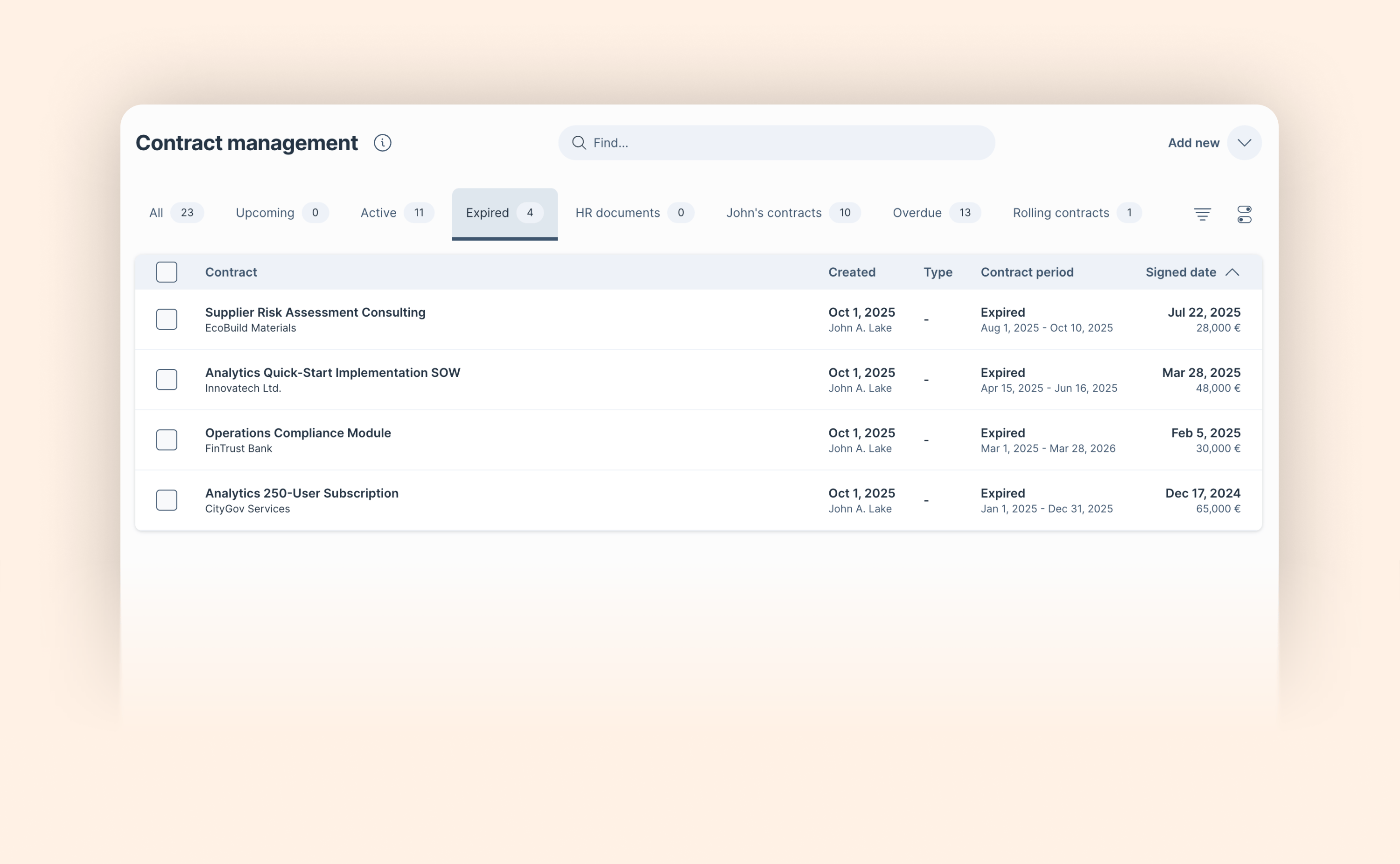
See instantly where every contract stands

See instantly where every contract stands

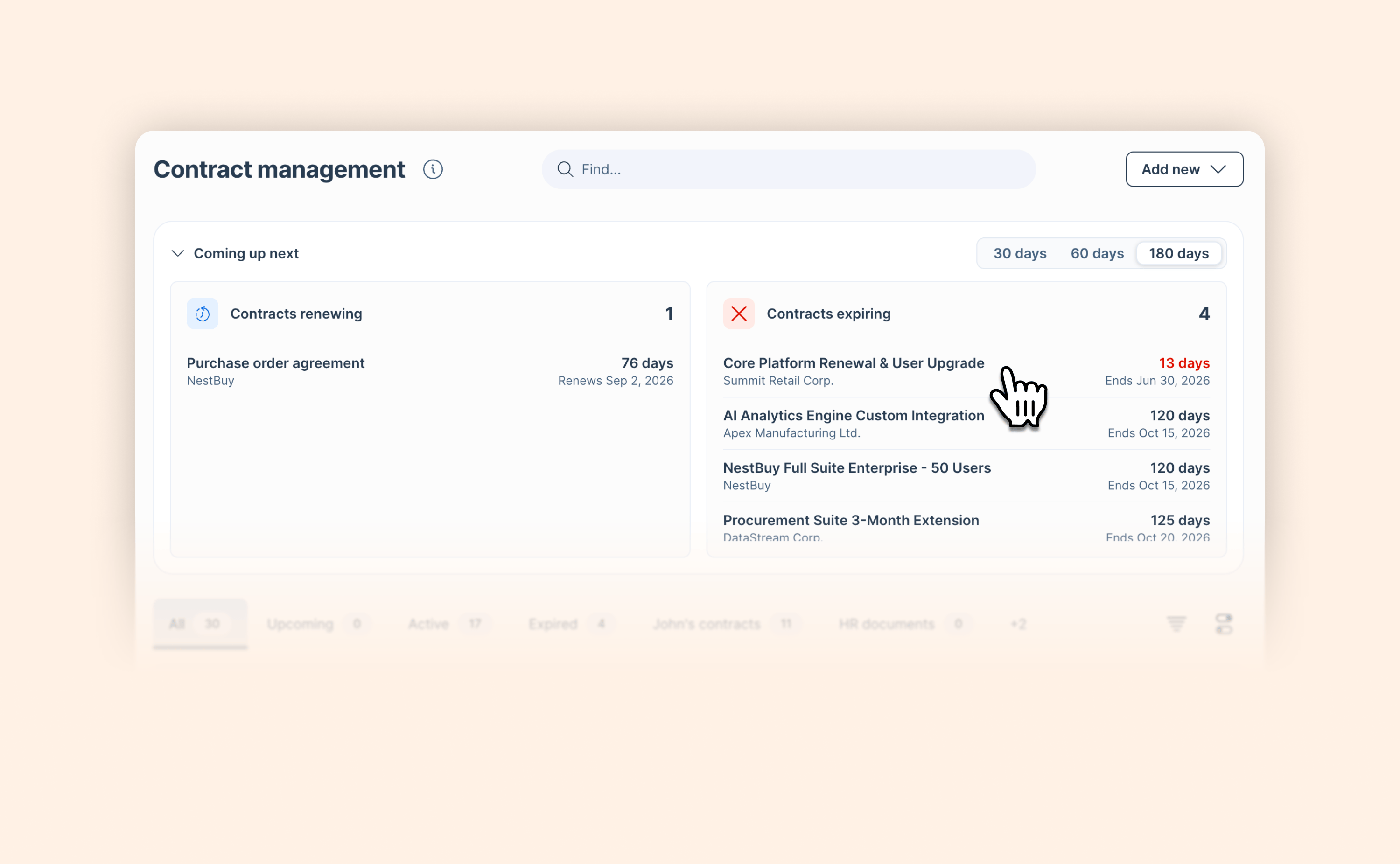
Managing a contract portfolio means constantly needing to know what's active, what's coming up, and what's already run its course. Until now, getting that answer cleanly required creating custom filter views. We've made it much simpler.

Two new default tabs (Upcoming and Expired) join the existing Active tab, each with a counter showing how many contracts are in that state before you even click in.

Whether you're managing renewals, tracking compliance deadlines, or simply keeping a handle on your contract portfolio, you now have the overview you need the moment you open AI Contract Management.

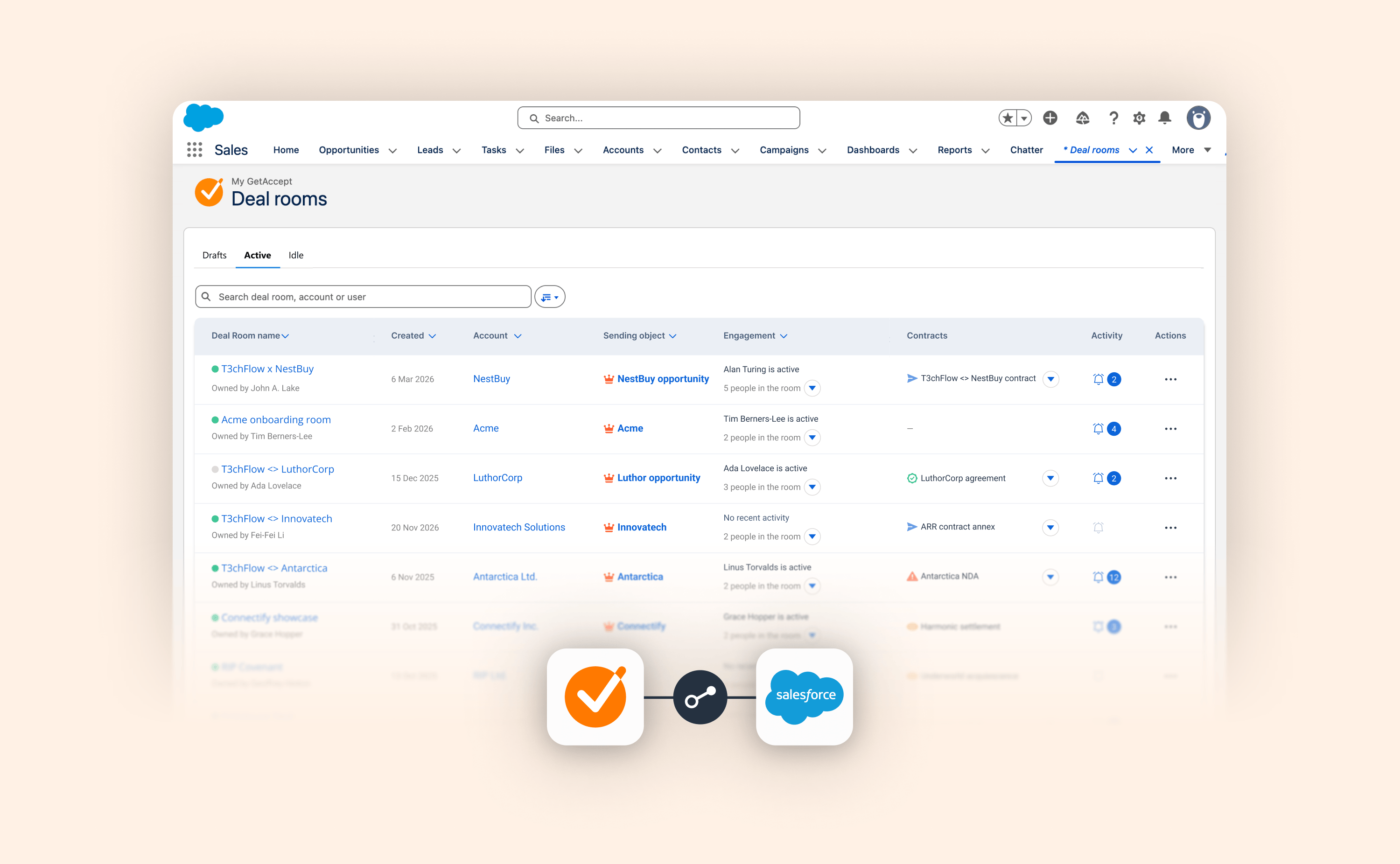
A clearer, more actionable Deal Room overview inside Salesforce

A clearer, more actionable Deal Room overview inside Salesforce

Until today, sales teams using Salesforce as their CRM who wanted to get a clear overview of their Deal Rooms had to hunt for answers.

We’ve redesigned the Salesforce Deal Room list view to close that gap, turning a static list into a live dashboard of your pipeline activity. Here’s everything that’s new:

  • New Drafts, Active, and Idle tabs replace the old Published/Unpublished split, mirroring the core GetAccept app experience and helping you instantly prioritize which deals need a nudge.

  • Instantly identify the last active person and their role, so you know exactly who is engaging with your content.

  • Contract status at a glance: No more drilling into individual rooms to check on a signature. The new Contracts column surfaces the status of connected documents immediately.

  • See the latest buyer actions and notifications per room at a glance. When a deal heats up, click directly through to the Activity tab to see the details.

This update is about more than a cleaner layout. It’s about giving you a genuinely actionable view of your deals where you already work, so you can spend less time toggling and more time closing.

Salesforce conditional setup just got a lot more powerful

Salesforce conditional setup just got a lot more powerful

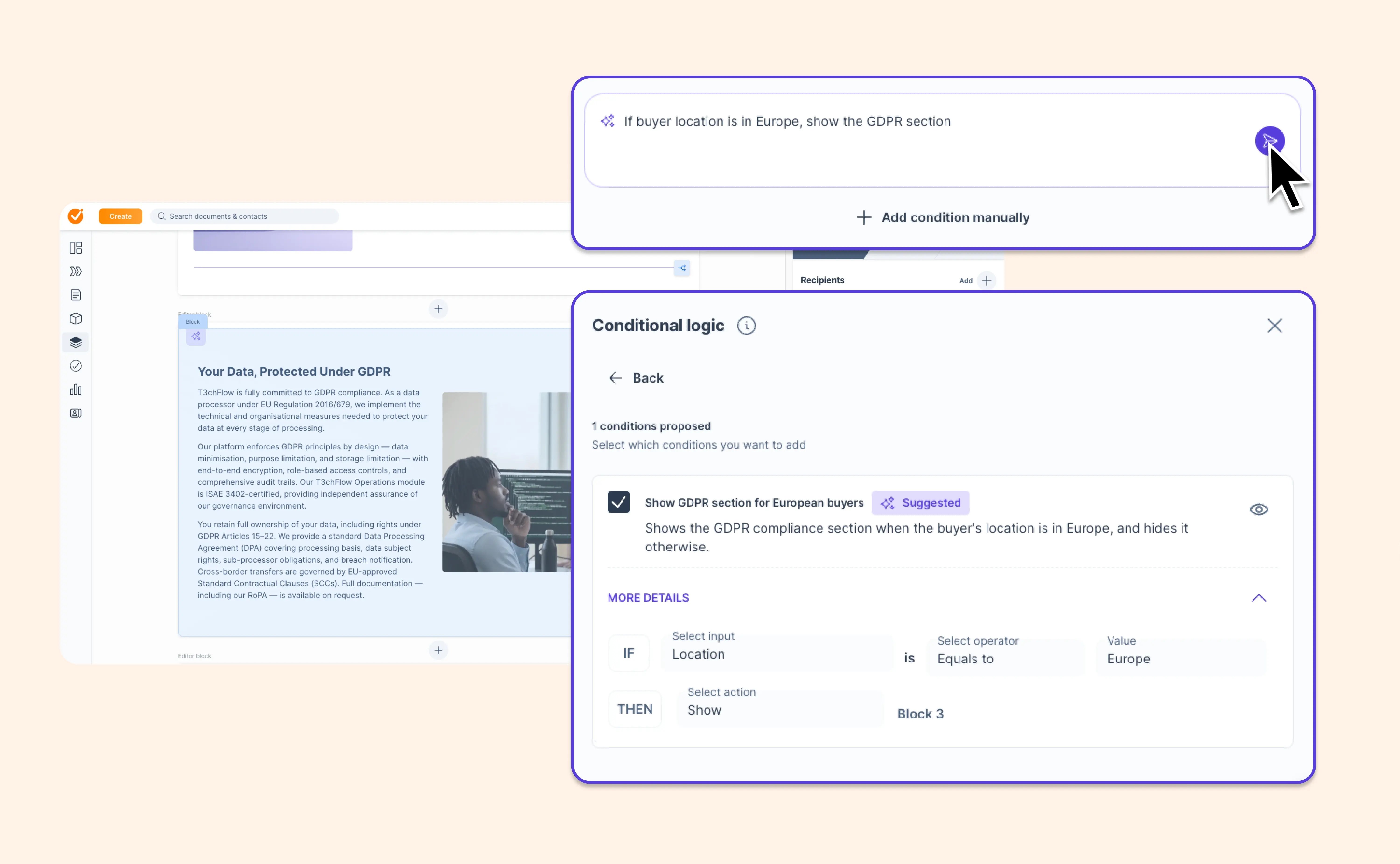
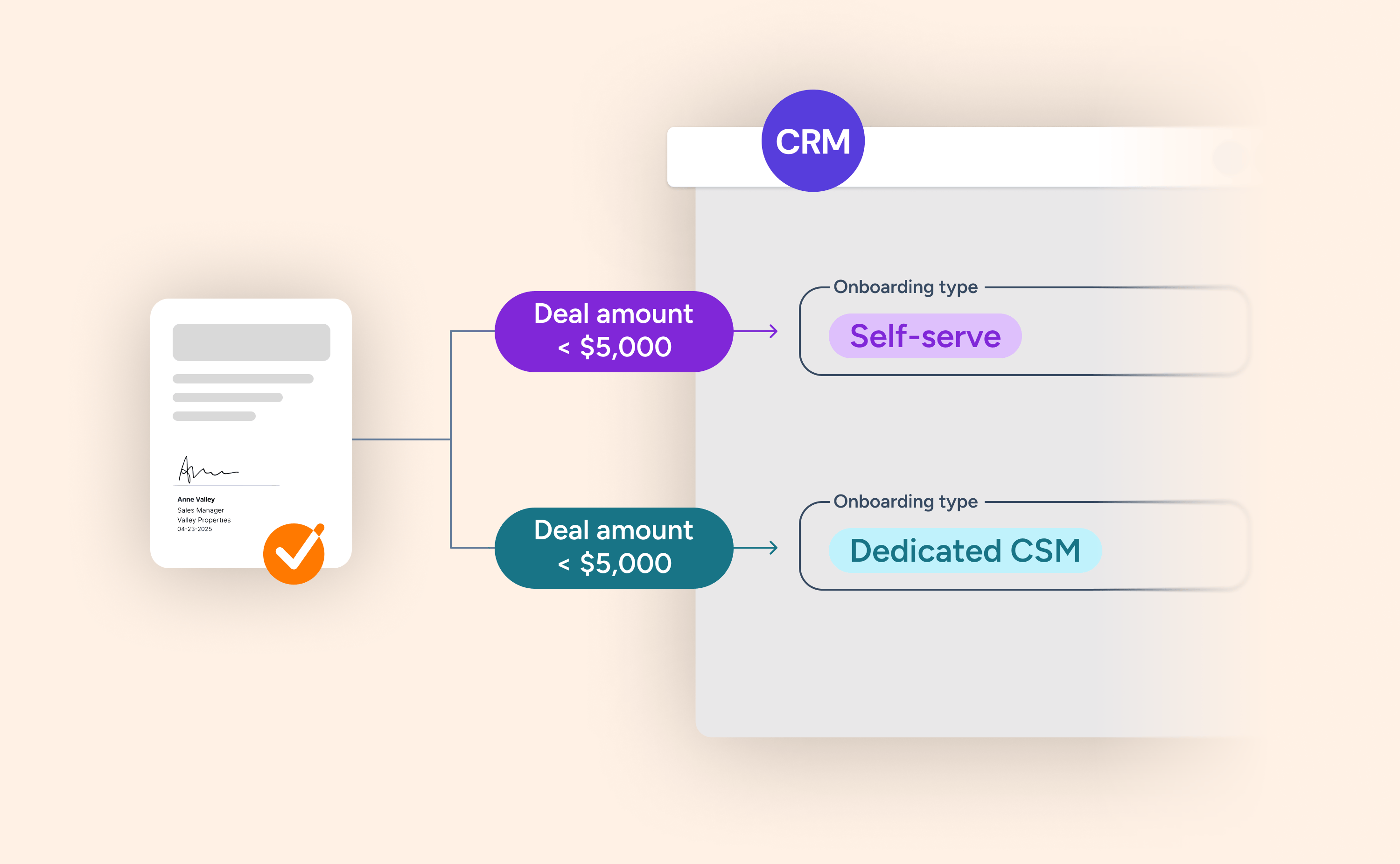
If you've been using conditional template selection in the Salesforce integration, it's worth revisiting your settings. The same logic that let Salesforce data pick the right template can now drive a much wider range of automated outcomes.

Here's what's new:

  • Contact linking: automatically add the right contacts based on Salesforce conditions

  • File attachments: attach or exclude files based on deal type, product category, or any CRM field

  • Approver assignment: route deals to the right approvers based on contract value, discount level, or other conditions

  • Expiry settings: apply different rules per condition

  • Show or hide the option to create Deal Rooms or contracts for specific conditions

Admins configure this once. Reps benefit automatically, every time. And for teams expanding into AI-assisted selling with Agentforce, these conditions act as AI guardrails that keep actions precise and bounded, ensuring the agent always operates within the parameters that make sense for each deal context.
View help article

Your deals just moved into Slack

Your deals just moved into Slack

You and your team already live in Slack. Now your deals do too.

With the new GetAccept integration for Slack, you can connect your Deal Rooms and Contracts directly to Slack and receive real-time updates where your team already works.

What’s new:

  • Install GetAccept as a Slack app and get a clear overview of your active rooms and documents

  • Receive instant notifications when something happens in a Deal Room or Contract

  • Link individual Deal Rooms and Contracts to specific Slack channels to keep everyone aligned

  • Push updates directly into collaborative channels used by both sellers and buyers

  • Jump straight into GetAccept with one click

When a buyer opens a Deal Room, completes a task in the Mutual Action Plan, leaves a comment, or signs a contract, your team sees it immediately in Slack.

This release turns Slack into your deal radar, helping you work smarter and close faster with less tab switching and no more missed signals.

Learn how to install the Slack integration and connect your first deal in the help article.

View help article

Get your AI up to speed in minutes

Get your AI up to speed in minutes

Your AI gets better when it understands your company. Your products. Your tone. Your way of selling.

Now, getting there is faster than ever.

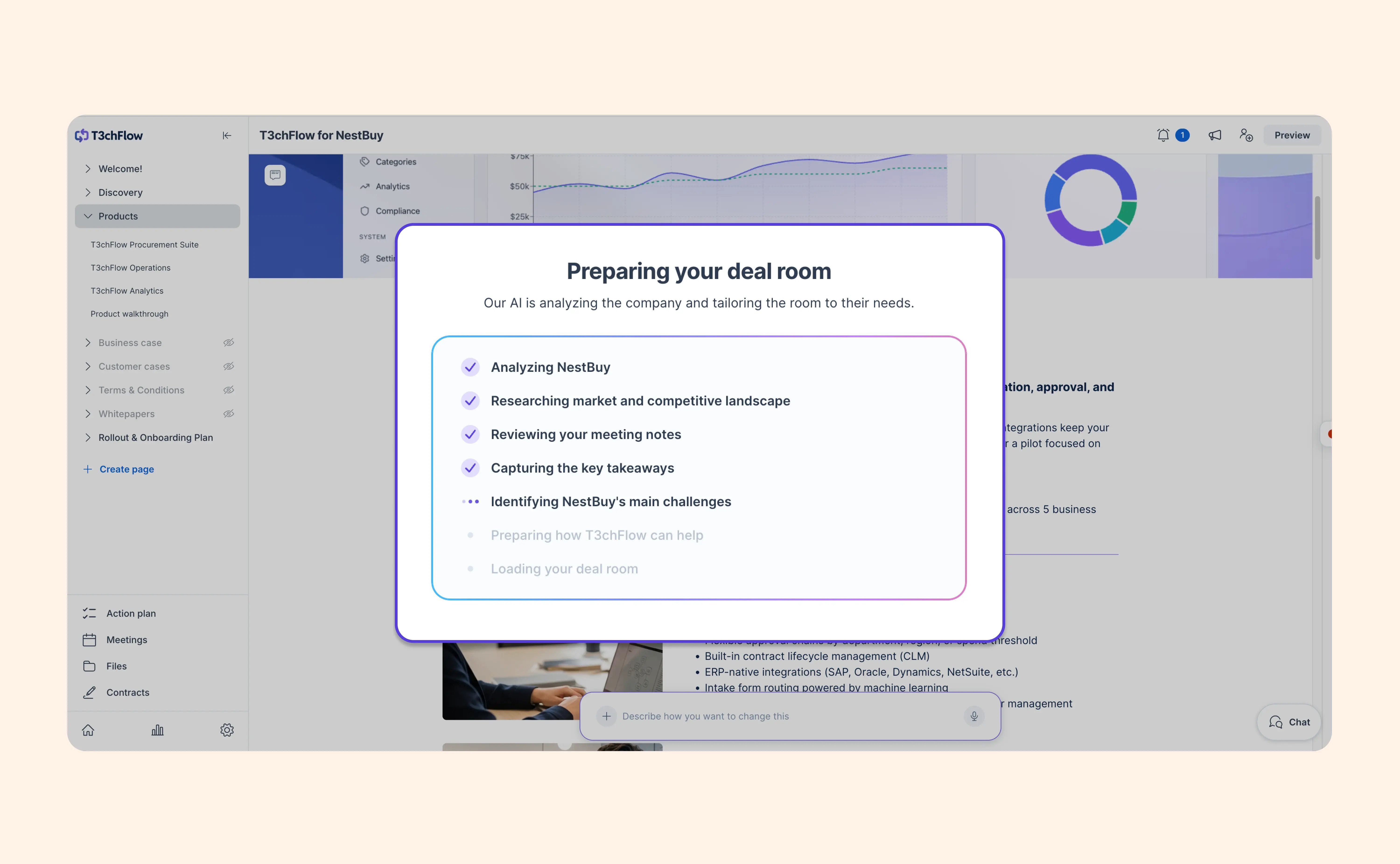
You can generate a knowledge base from your website in one click. We’ll create a solid foundation based on your company’s content, so you can start producing relevant, on-brand AI content right away.

And if you already have great material? Bring it in.

Upload PDFs or documents and let your AI use that content as context when generating Deal Room content, summaries, and business cases.

The result?

  • Content that reflects how you actually talk about your product
  • Outputs that feel consistent across your team
  • Less time shaping AI content — more time moving deals forward

You can keep building on your knowledge base over time, adding more context as your needs evolve. The more your AI understands, the more useful it becomes.


👉 Go to your AI settings or ask your admin to set up your knowledge base and start seeing the difference in your AI output

Learn more

A cleaner layout and improved performance for GetAccept in HubSpot

A cleaner layout and improved performance for GetAccept in HubSpot

We’ve redesigned the modal for the GetAccept integration inside HubSpot deal records, replacing the old layout with a cleaner and more scannable list view.

The goal was to bring the UI closer to the more modern GetAccept core app experience, giving HubSpot users a cleaner way to view associated rooms and contracts from within the CRM. Now, a quick glance tells you everything you need to know.

This redesign brings the HubSpot integration in line with a more intuitive experience, reducing visual clutter so reps can act faster without unnecessary friction.

A signed contract is just the beginning: Introducing AI Contract Management

A signed contract is just the beginning: Introducing AI Contract Management

You’ve put in the work to close the deal. But once it's signed, contracts often get archived and forgotten… Until a deadline slips and an expansion opportunity is missed.

The problem isn’t a lack of data. It’s that key details like renewal dates, notice periods, and payment terms are buried inside PDFs that no one has time to dig through.

We’ve evolved Contract Management in GetAccept from a simple archive into a structured place to manage all your contracts, so you can see what’s active, what’s ending, and what needs your attention. The best news? It’s now included for all customers. If you were using Archive, you’ve been upgraded automatically.

With Contract Management, you can:

  • Store contracts from GetAccept or external sources

  • Add and manage key data like dates and contract value

  • Organize everything with filters and set reminders

If you want to take it a step further, AI Contract Management (available as an add-on) makes this even easier:

  • Automatically extract renewal dates, notice periods, payment terms, and more

  • Search, filter, and act on contract data without opening documents

  • Stay ahead of renewals and avoid missed deadlines

AI reads contracts as they’re signed or uploaded, turning them into structured data from the start. And if you want to verify anything, you can click into a field and see exactly where it came from.

Whether you manage contracts manually or with AI, you now have a way to stay on top of what matters, and act at the right time.

Learn more

Turn meeting notes into deal momentum with Fathom + GetAccept

Turn meeting notes into deal momentum with Fathom + GetAccept

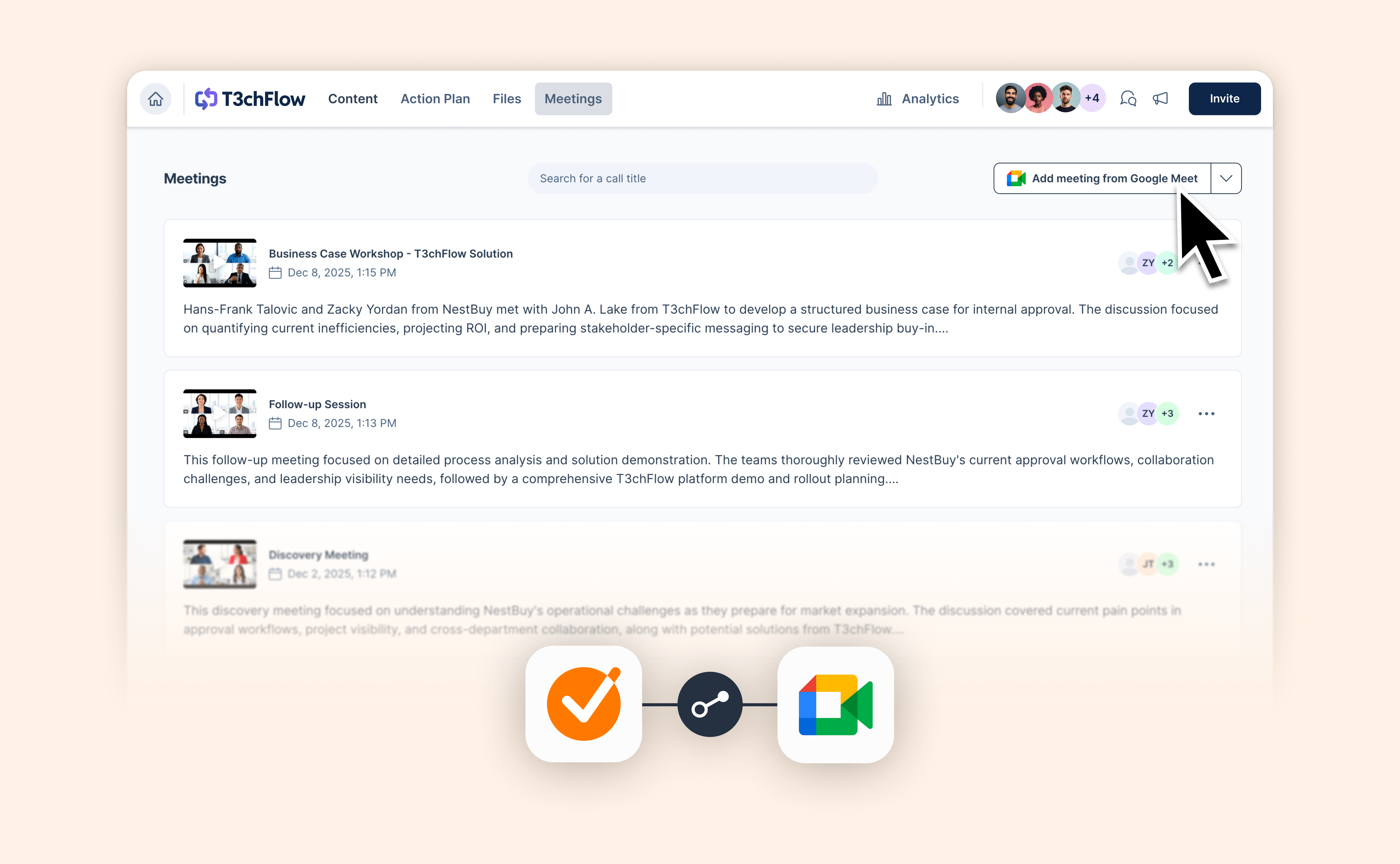
You already use tools like Fathom to capture what happened in your sales calls. Now you can actually act on it.

With our new Fathom integration, meeting transcripts and insights flow straight into GetAccept — ready to power your Deal Rooms, proposals, and follow-ups.

No more rewriting notes. No more lost context.

Here’s what you can do:

  • Bring Fathom transcripts directly into your Deal Room
  • Turn meeting insights into tailored sales content faster
  • Keep deals moving with clear next steps based on what was actually said

Fathom captures the conversation.

GetAccept turns it into action.

Less admin. Faster follow-ups. Better deals.

Read the installation guide here

View help article

March 2026

Bring GetAccept’s buyer data into HubSpot via App Objects for better automations, reporting and AI

Bring GetAccept’s buyer data into HubSpot via App Objects for better automations, reporting and AI

GetAccept’s Deal Room and Contract data now syncs in real time into HubSpot using App Objects.

If you’ve used the integration before, you already had visibility into buyer activity through custom objects. You could see views, interactions, and signatures without leaving HubSpot.

Using App Objects makes GetAccept’s DSR data both more accessible and more useful in HubSpot. For starters, it works across all HubSpot tiers, not just Enterprise, so more teams can access the same level of visibility.

At the same time, the data itself is more meaningful, as you can now see:

  • Number of visits per contact

  • Last visit date to Deal Room

  • Time spent in the Deal Room

  • Participant engagement score

All activity updates continuously in HubSpot as buyers interact, and because the data lives in HubSpot, it can be used for workflows, reporting, and Breeze AI.

View help article

Control your Deal Room pages with AI

Control your Deal Room pages with AI

Building engaging, personalized Deal Rooms is the key to moving sales forward. GetAccept AI works with the context of your deal — your buyer, your conversations, and everything already in your Deal Room. That means the output isn’t generic, it’s specific to what’s actually happening.

Now, you have a faster way to create rooms and adapt them as your deals evolve.

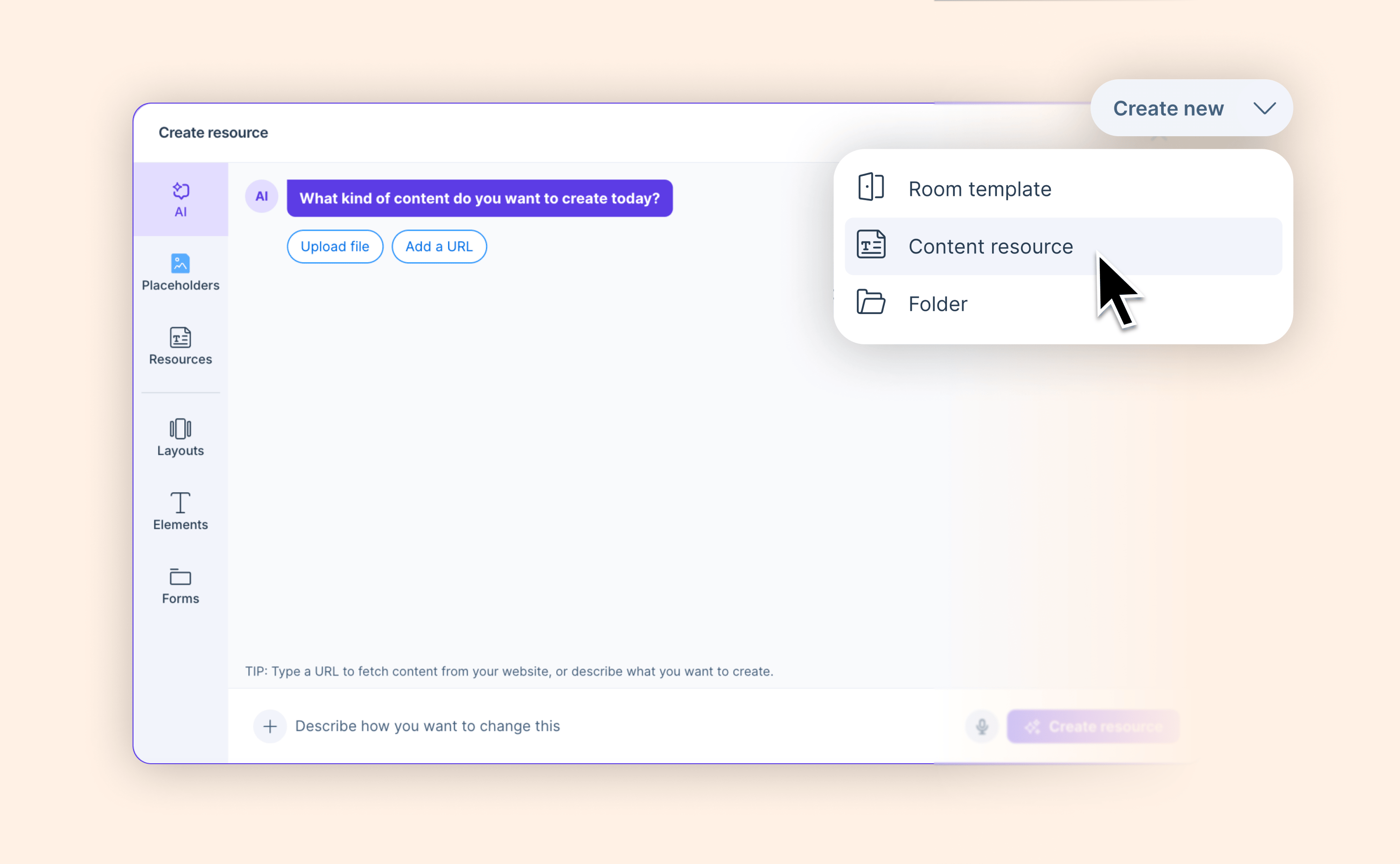
With AI-powered page creation and editing, you can:

  • Create full pages in seconds
  • Rewrite content across an entire page
  • Update specific sections without touching the rest
  • Merge, reorder, or restructure content instantly

Instead of working block by block, you can describe what you want to change, and AI updates the page for you. And because it understands the context of your deal, the output is accurate, personalized and meaningful to you and your buyer.

Whether you’re creating or editing rooms, or building templates and resources for future use, you can now create professional, personalized and engaging deal content in a matter of minutes with no manual work required.


Learn more

Pricing tables are now easier to use and easier to read

Pricing tables are now easier to use and easier to read

Pricing tables are where deals get real. When pricing is easy to understand, deals move forward. When it’s confusing, things slow down.

We’ve introduced a set of improvements designed to make pricing tables clearer for buyers and easier for sellers to work with.

Here’s what’s new:

  • Improved pricing table navigation
    The editor menus for pricing tables have been redesigned with usability in mind, and now include context labels that clearly show what element you’re editing, whether it’s the pricing table or a specific pricing group.

  • Custom discount colors
    Discounts no longer have to appear in red. You can now set the color of discount values to match your branding.

  • Flexible decimal precision
    Price/unit columns can now display up to 10 decimal places, making it easier to represent detailed pricing models such as cost per email, API usage, or energy consumption.

  • Clearer optional product display
    Optional products are now shown in a faded style instead of strikethrough, making it clearer to buyers that the product is optional rather than removed.

  • Faster product selection from your product library
    You can now start typing directly in a product row to search and select items from your product library. This makes it quicker to add products, especially for teams working with larger product catalogs.

Together, these improvements make pricing tables easier to configure, to navigate, and to understand, ensuring your proposals feel clear, intuitive, and aligned with how modern sales teams price their products.

Learn more

Let Salesforce handle your deal data automatically

Let Salesforce handle your deal data automatically

Buyers are already doing the work. They fill in forms. They upload documents. They move the deal forward.

But unless that activity is reflected in Salesforce, your process breaks. Data goes missing, files sit in the wrong place, and someone has to clean it up later.

You can now use Salesforce Flows to automatically sync data and files from your Deal Rooms, so your CRM stays accurate without manual work.

Here’s what’s new:

  • Automatically update Salesforce fields when buyers fill in forms in the Deal Room

  • Automatically download files added to the Deal Room in Salesforce

Instead of relying on reps to keep things updated, your process now runs through Salesforce Flows. Automatically, consistently, and in real time.

Smarter Deal Room naming with dynamic company details

Smarter Deal Room naming with dynamic company details

If you create Deal Rooms regularly, you’ve probably done this:

You select a template called “New Business – EMEA” or “Expansion Room,” create the room, and then remember you need to update the title before sending it to the buyer.

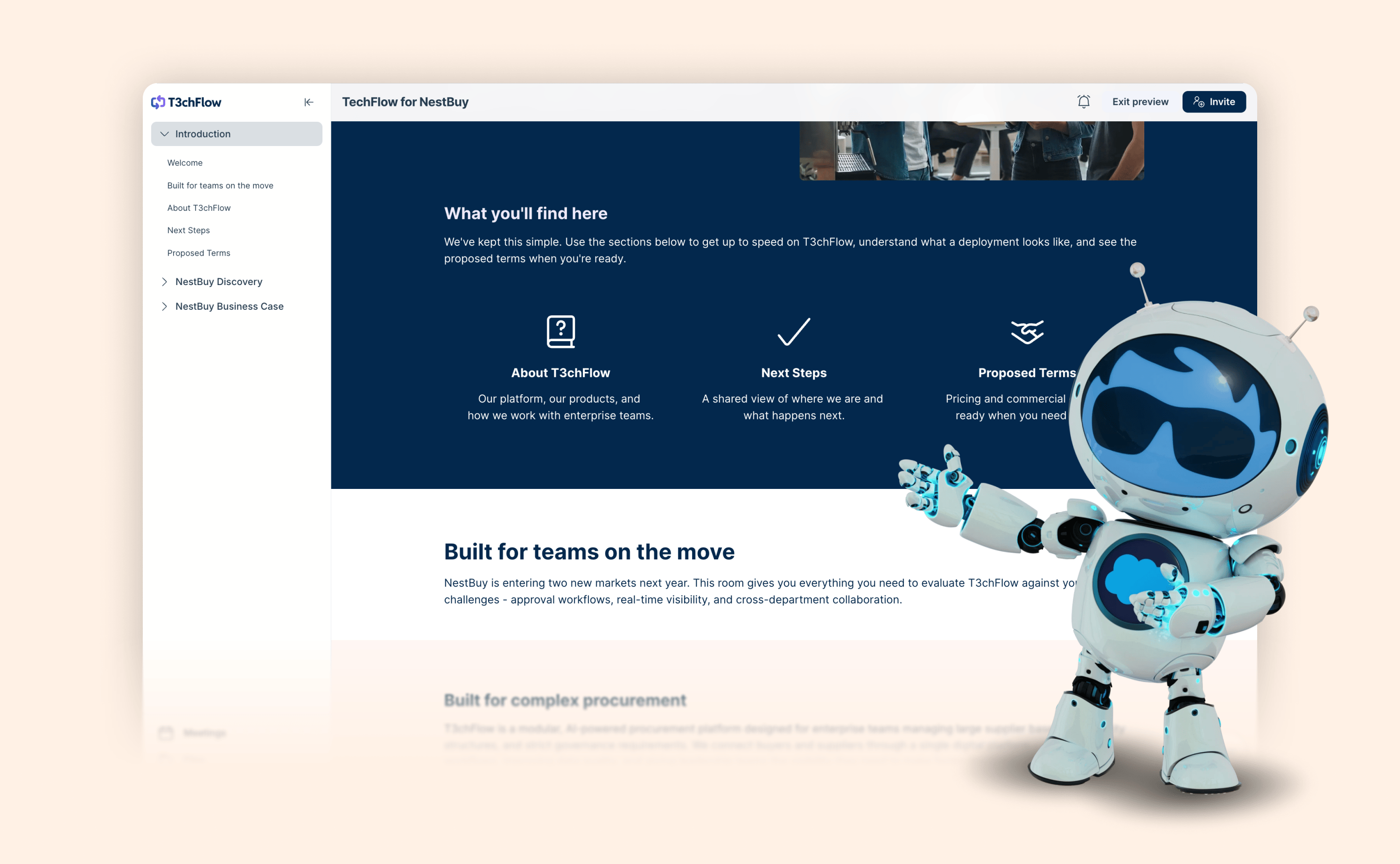
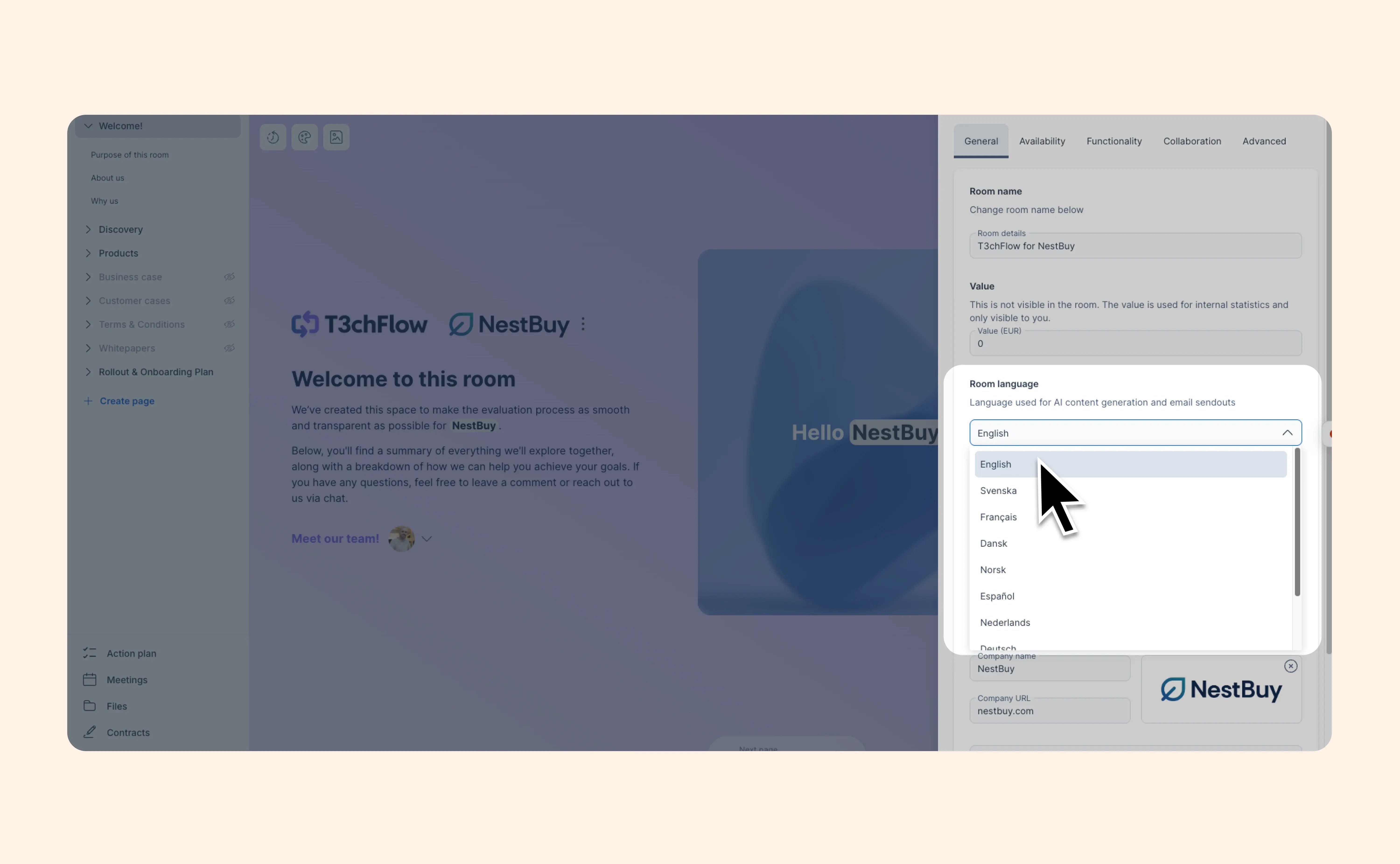
We removed the last manual step. Template admins can set an internal template name and a separate, customer-facing default room name.

And it gets even better: the default room name can also include merge tags, so every time a rep creates a room from that template, it automatically includes the correct company names, such as “T3chFlow for NestBuy”.

Your templates stay organized behind the scenes, while buyers see a clean, professional title.

View help article

Better visibility and organization for your Deal Rooms

Better visibility and organization for your Deal Rooms

We’ve introduced several improvements to help you stay organized and quickly access important information across your Deal Rooms.

The Rooms list now provides clearer visibility into room activity and deal context. Rooms are organized into Drafts, Active, Idle and Deleted, making it easier to keep track of rooms throughout their lifecycle. You can also see room status directly under the room name and view contracts linked to each Deal Room through the new Contracts column. Buyer company logos in the list have also been optimized for better visibility, making it easier to recognize rooms at a glance.

Filtering has also been refined to make it easier to use. The updated filtering experience helps you quickly narrow down your room list and create saved views so you can return to the room lists you use most often. This makes it easier to stay focused on the rooms most relevant to your work. You can also perform bulk actions, allowing you to update ownership, unpublish rooms or delete multiple rooms at once.

We’ve also introduced a new Overview, which provides quick access to key room information and insights before entering a room. From here, you can see important details such as linked contracts, engagement insights and action plan progress, along with shortcut actions like opening a new room, messaging participants or navigating to your CRM.

Together, these updates help you manage your Deal Rooms more efficiently while keeping important information easily accessible.

View help article

Showcase your customers with the new Logo Strip layout

Showcase your customers with the new Logo Strip layout

When buyers evaluate a vendor, one of the first questions they ask is simple: “Who else is using this?”

Customer logos are one of the fastest ways to answer that question and build trust early in the buying process. With the new Logo Strip, you can easily add a row of customer or partner logos directly into your rooms.

What’s new:

  • Add a horizontal strip of logos to your content

  • Upload logos manually or fetch them via Brandfetch

  • Automatically display logos as a static row or scrolling strip

  • Pause scrolling on hover so viewers can explore logos

  • Attach links to each logo (for case studies, testimonials, and more)

The result is a simple way to showcase social proof and guide buyers to the stories behind your customers.

Deal Rooms now available in the GetAccept mobile app

Deal Rooms now available in the GetAccept mobile app

What’s New: Deal Room in the GetAccept mobile app

Deal Room is now available in the GetAccept mobile app for iOS and Android.

This first version is designed to help sales reps react to buyer engagement wherever they are. When a buyer visits your Deal Room or sends a message, you can get notified instantly and respond right away from your phone—without needing to open your laptop.

Why this matters

In sales, timing is everything. When buyers are actively reviewing your Deal Room, they’re engaged and evaluating your solution. Being able to respond in that moment—answering questions, clarifying details or guiding them to the next step—helps keep deals moving forward.

At the same time, engagement insights help you understand buyer intent. Seeing which participants have visited, how much content they’ve viewed and which pages attract the most attention makes it easier to prioritise follow-up and tailor your conversations to what buyers actually care about.

With the mobile app, you can quickly check these signals and respond in real time—whether you’re between meetings, traveling or away from your desk.

What you can do in the mobile app

With Deal Room in the GetAccept mobile app, you can:

  • Publish or unpublish Deal Rooms
    Control when a room is live and accessible to participants.
  • View key engagement analytics
    Quickly understand how buyers are interacting with your room, including:
    • percentage of content viewed
    • which participants have visited
    • latest sessions
    • highly and low engaged participants
    • most and least viewed pages
  • Track activity in the activity feed
    See important engagement events such as room visits and chat activity.
  • Chat with participants in real time
    Send messages to individual participants or groups with instant delivery, typing indicators, text formatting and image support.
  • Receive push notifications for Deal Room activity
    Get alerted when buyers visit your room, send messages or engage with content so you can follow up quickly.
  • Manage participants
    View participant information and remove participants from a room if needed.

Designed for responsiveness

The GetAccept mobile app is built mobile-first, making it easier to stay responsive compared to using a mobile browser. Combined with push notifications, engagement insights and real-time chat, it gives sales teams a simple way to stay connected to their deals and respond quickly when buyers engage.

This is the first step in bringing Deal Room functionality to mobile, and we’ll continue expanding the experience over time.

Install the app now for iOS and Android.

View help article

Videos are now supported in more Deal Room layouts

Videos are now supported in more Deal Room layouts

You can now add videos (in addition to images) inside Media & Text, Column, and Link layouts in your Deal Rooms.

What’s new

  • The Image & Text layout is now called Media & Text

  • Videos are now supported inside Media & Text and Column layouts

  • Link layouts can now display video in addition to a preview image

This makes it easier to combine clear messaging with short demos, walkthroughs, or personalized videos directly in your Deal Room.

February 2026

GetAccept + Agentforce: AI that understands your deals

GetAccept + Agentforce: AI that understands your deals

Salesforce’s Agentforce is redefining how teams work inside their CRM. Instead of clicking through fields and tabs, you ask. It responds. You take action.

With GetAccept for Agentforce, that conversation becomes deal-aware.

You can already create contracts and Deal Rooms using natural language grounded in your real templates, permissions, and admin rules. No hallucinated clauses. No rogue templates. Just structured, trustworthy output based on your actual sales process.

Now, we’ve expanded what the agent can do.

From creation to inspection

You can use natural language not only to create a Deal Room, but to understand what’s happening inside it.

You can now ask Agentforce things like:

“Show my published Deal Rooms from this quarter.”
“List Deal Rooms for Acme Corporation.”
“Summarize this Deal Room’s engagement and MAP progress.”

Instead of switching tabs and digging through pages, you get structured deal intelligence directly in Salesforce, including total value breakdowns, participant engagement, recent meetings, analytics, and task progression.

Why this matters

AI in sales shouldn’t just generate text. It should help you move real deals forward.

Now, inside Salesforce, you can quickly understand:

  • Who’s engaged (and who isn’t)

  • How much time buyers are spending

  • Whether activity is rising or fading

  • What happened in the last meeting

  • If milestones and tasks are progressing

All based on real GetAccept and Salesforce data. That’s what agentic workflows are supposed to look like.

If you’re using Salesforce with Agentforce enabled, install the GetAccept agent and see it in action.

👉 Install the Agent from Salesforce AgentExchange

Learn more

Connect Contracts to Deal Rooms in HubSpot, Microsoft Dynamics 365, Pipedrive and Upsales

Connect Contracts to Deal Rooms in HubSpot, Microsoft Dynamics 365, Pipedrive and Upsales

We’ve recently brought Deal Rooms and Contracts closer together to support creating a more unified experience from opportunity to signature in GetAccept.

And now, you can link one or multiple documents to a Deal Room directly from HubSpot, Microsoft Dynamics, Pipedrive, and Upsales. Once connected in the CRM, documents automatically appear in the Contracts tab inside the GetAccept room, visible to you and to any buyers reviewing or signing.

Inside your CRM, it’s now clear which documents belong to which room, bringing real continuity to your CRM workflow and reinforcing what the Deal Room is meant to be: the single shared space that carries the deal from qualified lead all the way to signature.
Read blog post

January 2026

December 2025

November 2025

October 2025

September 2025

August 2025

July 2025

June 2025

May 2025

April 2025

March 2025

February 2025

January 2025

December 2024

November 2024

October 2024

September 2024

August 2024

July 2024

June 2024

May 2024

April 2024

March 2024

February 2024

January 2024

No updates match your filters.

Explore changelog

Try a feature, category, or keyword. Type at least 3 characters to start searching.

Categories

Recent updates