What we've been building

The latest features, improvements, and fixes shipped by the GetAccept team.

June 2026

Every part of your room is now one button or @-mention away
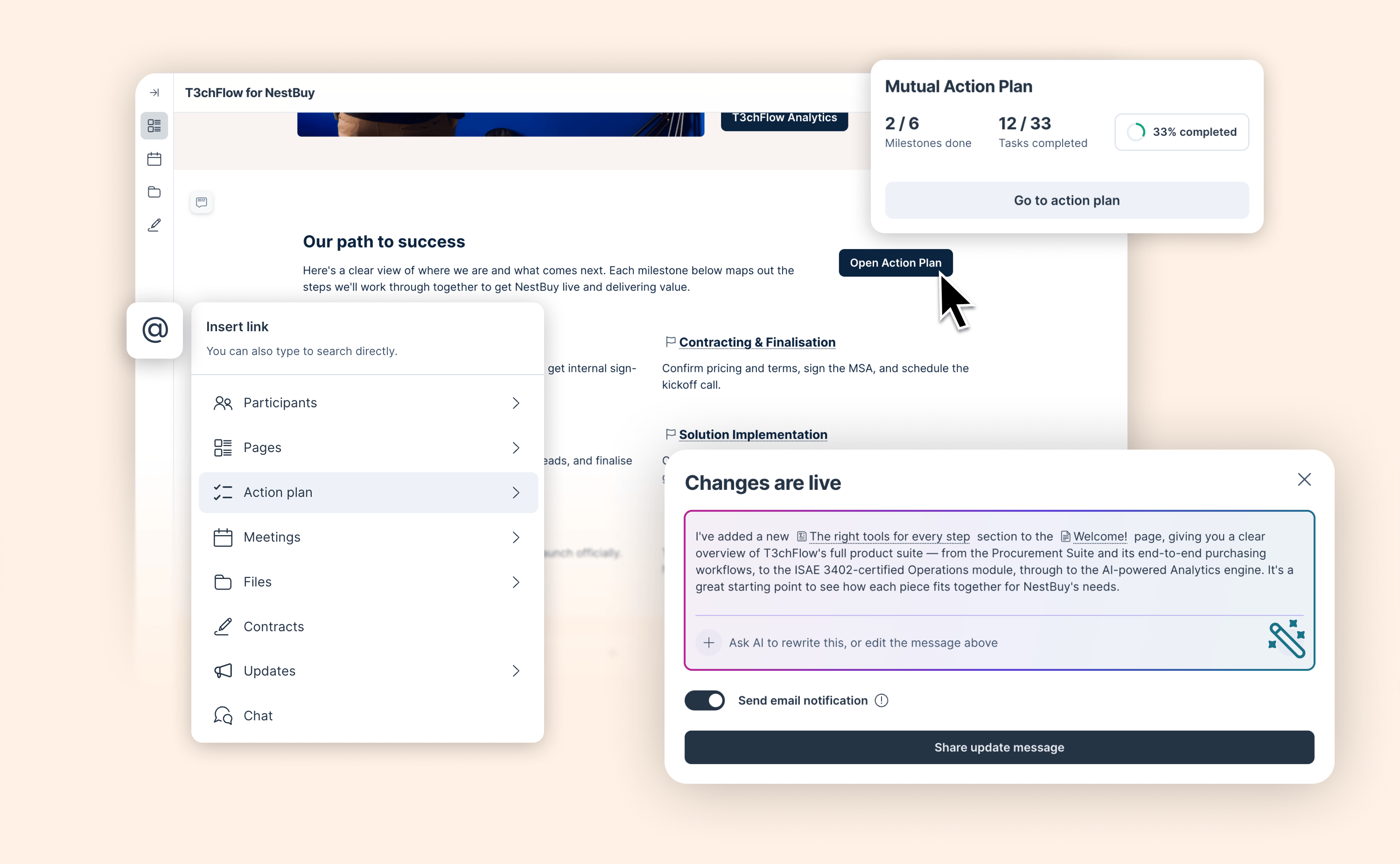
Every part of your room is now one button or @-mention away

Most rooms are built like filing cabinets. Everything is in there. But buyers have to figure out where to look.

You can now link directly to a specific page, section, file, meeting, contract, or action plan item – from anywhere in the room. Add a button in your content, drop an @-mention in the chat, reference a task in a comment. Wherever you're writing, you can point buyers to exactly where they need to go.

  • Link to any part of the room from the link element: pages, sections, the action plan, files, meetings, contracts, updates, and the chat

  • @-mention linking in all text elements, chat messages, comments, and MAP tasks. Simply type ‘@’ to reference any destination inside the room

  • Customize the layout of your link elements with button only or with a text and/or an image

And when you change something in the room, AI can now write the update post for you, with clickable links to the sections that changed.

Available now in early access as part of the AI-native Deal Room experience coming later this year. Admins can activate it from the Upgrade room experience page. Not an admin? Share this help article with yours.
View help article

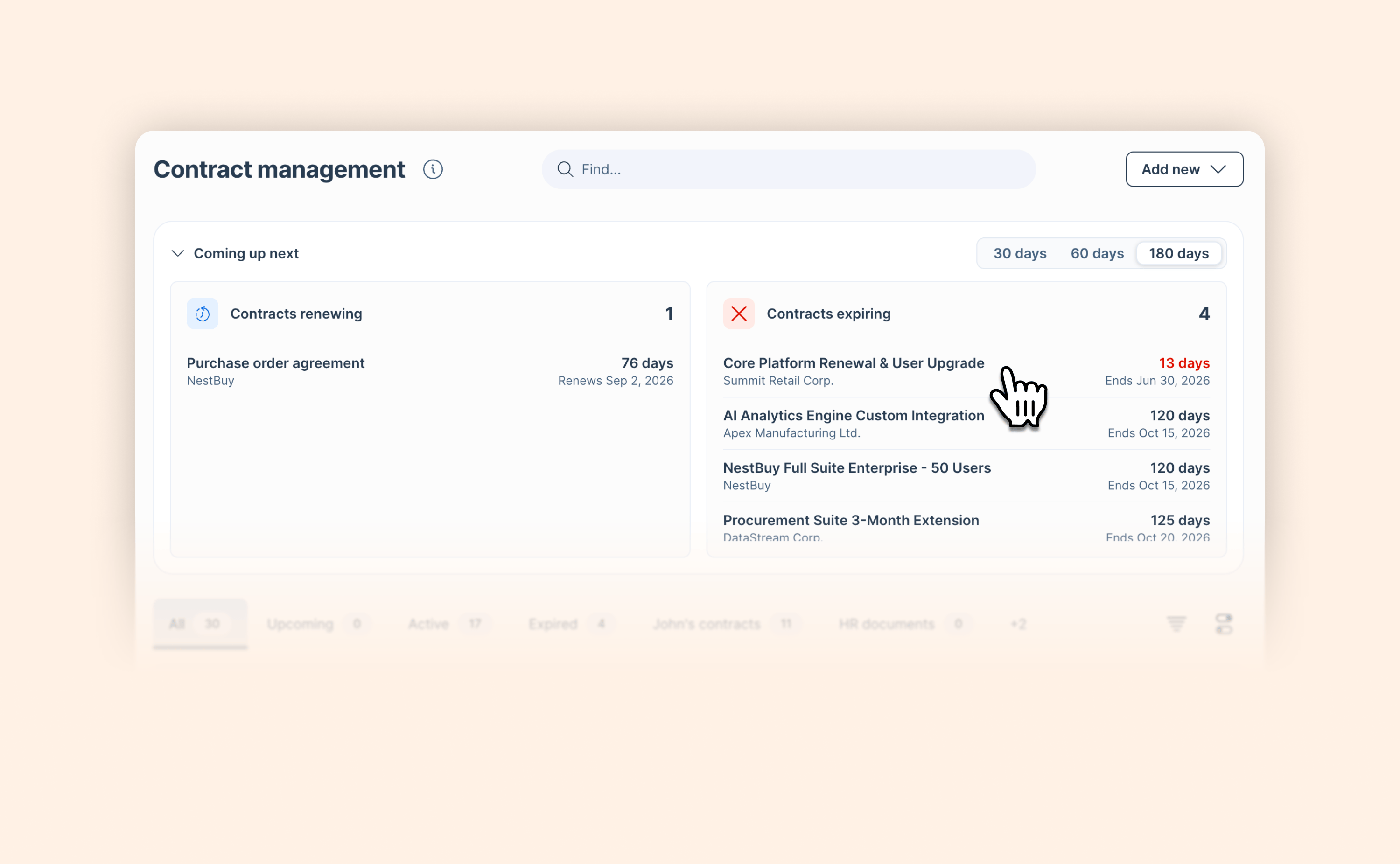
New in AI Contract Management: See what's coming up before it sneaks up on you

New in AI Contract Management: See what's coming up before it sneaks up on you

Staying on top of renewal and expiration dates across your contracts is now easier, with key information that comes to you automatically instead of you having to dig for it.

The new "Coming up next" section in AI Contract Management gives you an at-a-glance view of:

  • Contracts renewing: auto-renewals happening within the next 30, 60, or 180 days

  • Contracts expiring: contracts set to expire within the same window, so you always know what needs attention and when.

AI Contract Management is available as an add-on alongside standard contract management. Reach out to your account manager for a walkthrough.

Learn more

Salesforce Agentforce now reads your entire Deal Room

Salesforce Agentforce now reads your entire Deal Room

Until now, when a rep asked Agentforce about a deal, the AI was working from a partial picture. It knew the CRM record. It could read meeting transcripts and action plan summaries.

With this release, Agentforce has full visibility into everything that happened in the Deal Room – the proposals reviewed, the assets a buyer came back to three times, the action items left untouched for two weeks.

  • GetAccept now exports the full content of a Deal Room to Agentforce: every section, asset, and piece of structured content in the Deal Room is now accessible to Agentforce

  • Complete deal context: meetings, action plan status, shared assets, and buyer engagement data are now available together, giving Agentforce everything it needs to answer deal-related questions accurately

When a rep asks Agentforce about a deal, the AI is now working from the complete buyer picture, not just what's stored in CRM fields or meeting notes.

Read blog post

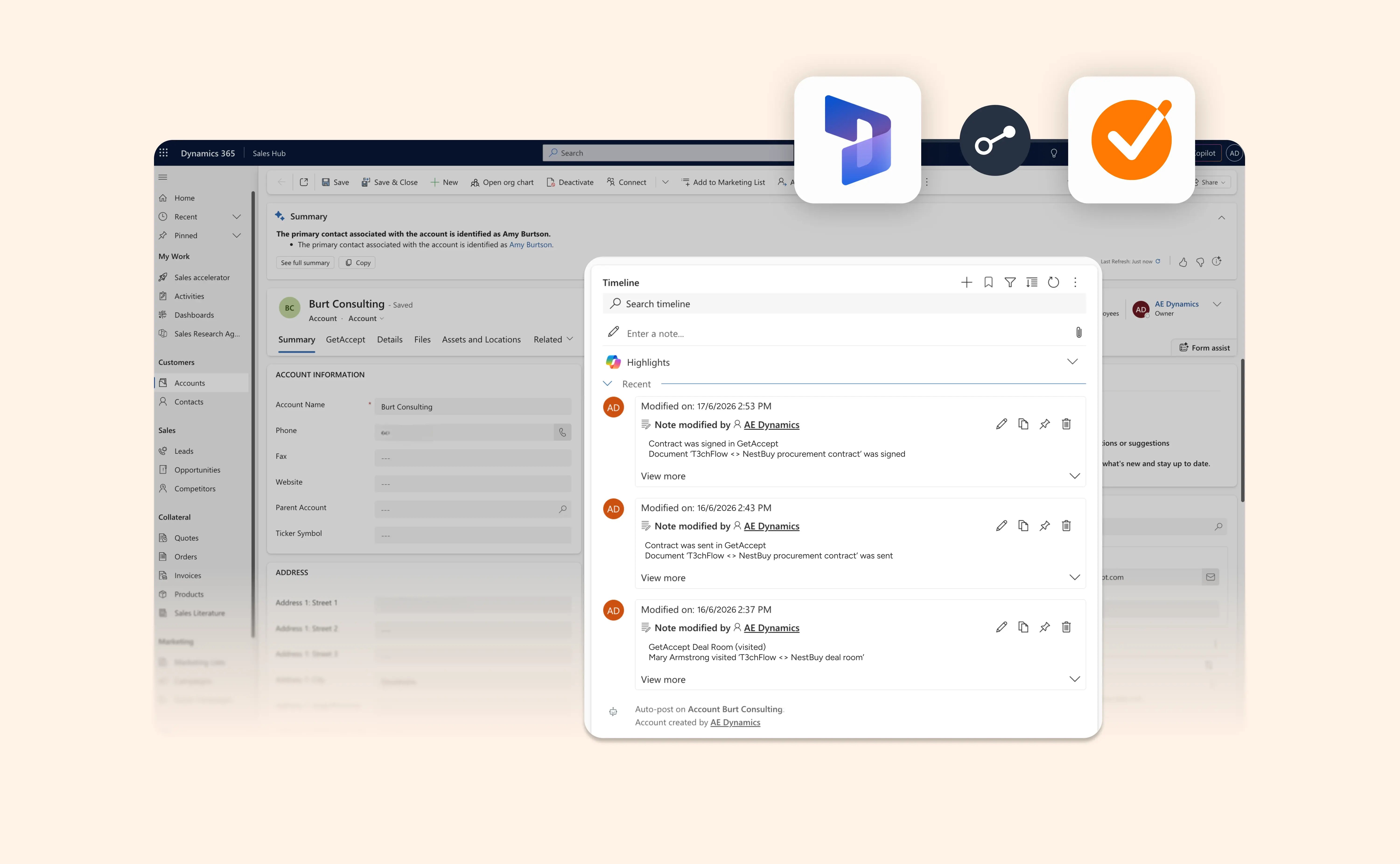
See GetAccept activity in your Microsoft Dynamics 365 timeline

See GetAccept activity in your Microsoft Dynamics 365 timeline

Your CRM should show what’s happening in a deal, not just that a contract exists.

GetAccept activity events can now sync into the Microsoft Dynamics 365 timeline, giving your team a clearer view of buyer and document engagement directly in your CRM.

Admins can choose which contract and Deal Room events should appear in Dynamics.

That means reps and managers can see key activity like documents being sent, viewed, signed, downloaded or commented on, alongside Deal Room activity like visits, uploaded files, conversations and meetings.

Less jumping between systems. More context where your team already works.

Ensure you’re using the latest version of the integration to gain access.

PS: Using Salesforce instead? Activity timeline sync is available there too.

View help article

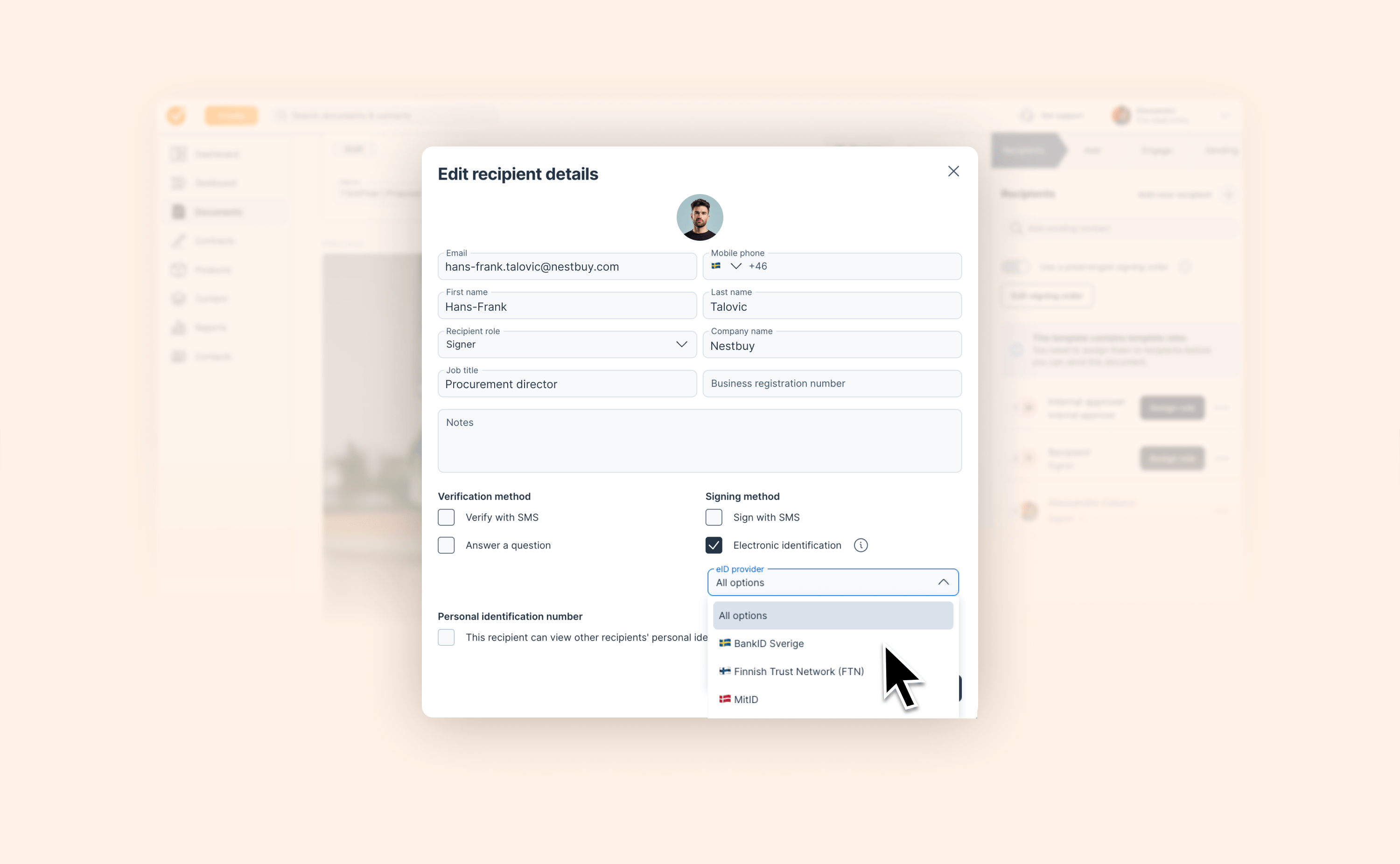
Force Swedish BankID for specific recipients

Force Swedish BankID for specific recipients

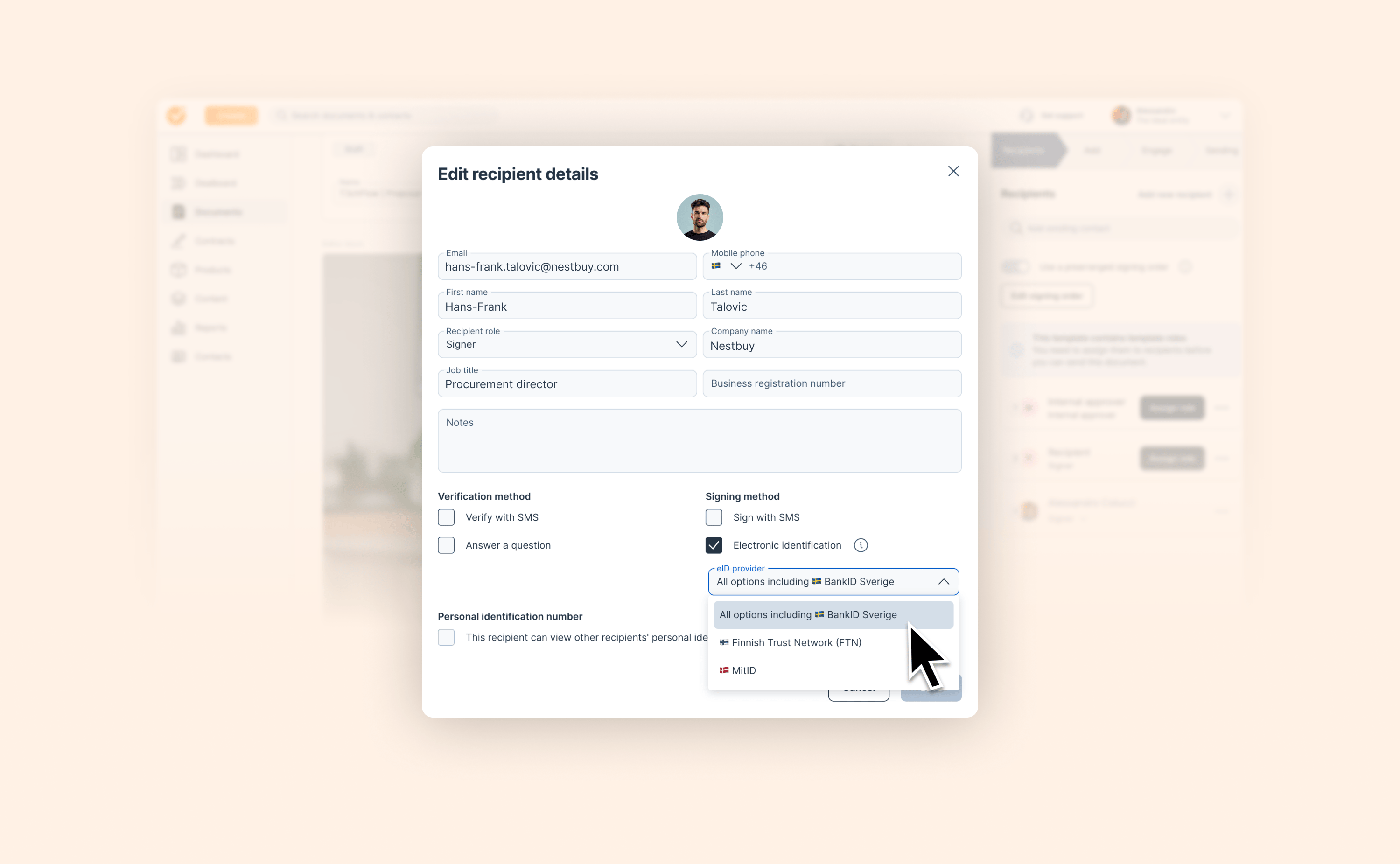
When you send an agreement to a Swedish signer, you've always been able to require electronic identification. Now, you can even select BankID Sverige directly, so the signer goes straight to Swedish BankID without having to choose among different eID methods.

What's included:

  • New BankID Sverige option in the recipient eID picker, alongside All options, Finnish Trust Network (FTN), and MitID

  • Signers on those recipients skip the eID method selection step entirely

  • Available per template role for repeatable workflows

With this, Swedish BankID joins FTN and MitID as a fully forceable option, completing the set for Nordic cross-border deals.

View help article

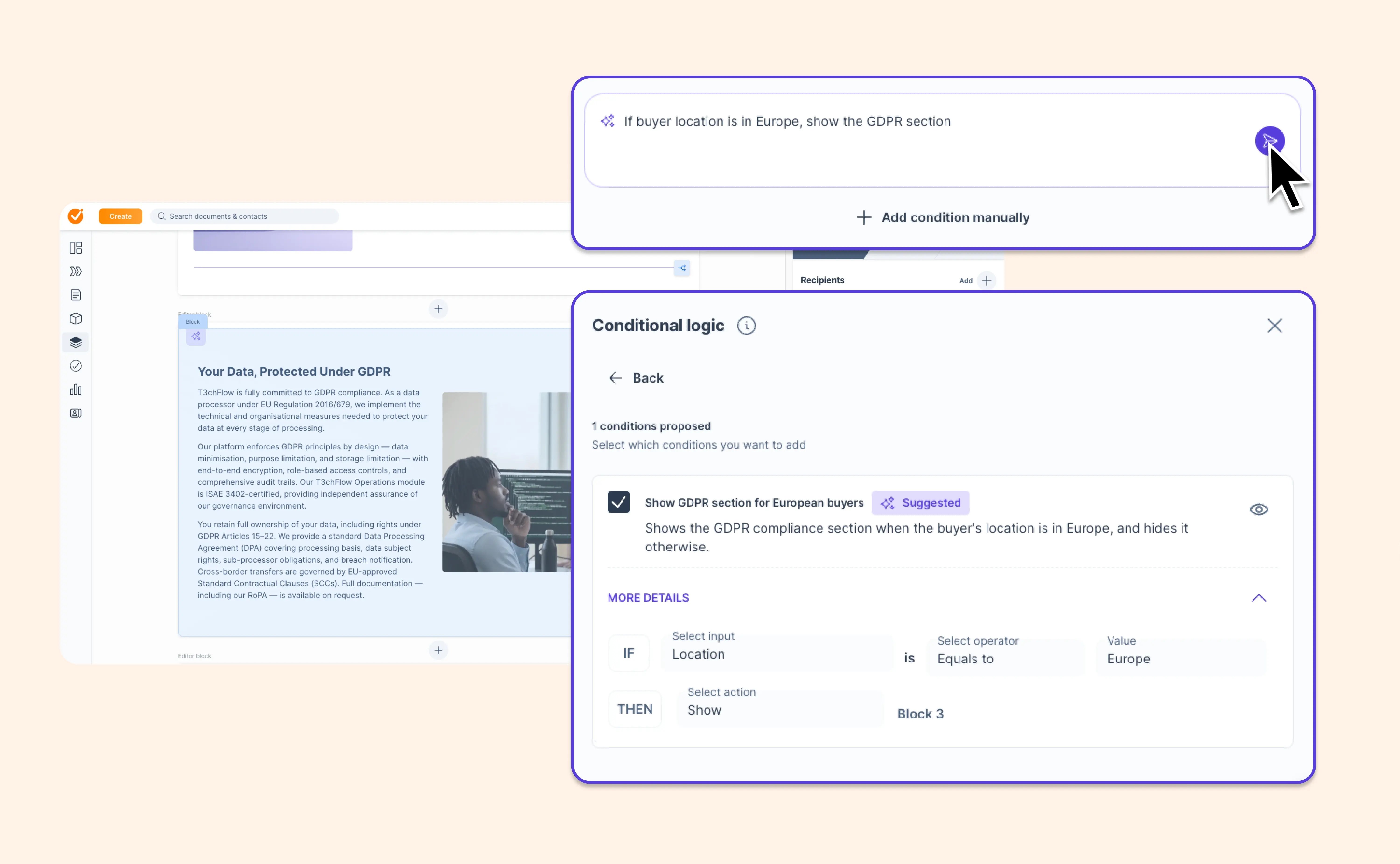
Create smarter contract templates with AI conditional logic

Create smarter contract templates with AI conditional logic

Conditional logic lets you automatically show or hide parts of your digital contracts based on deal data, like including a GDPR clause only when the buyer is based in the EU.

It’s powerful. But building and testing those rules manually can get technical fast.

Now, GetAccept makes it easier to create conditional logic with AI. Just describe what you want in your own words, and GetAccept suggests the rule for you.

For example:

“Show this pricing section only when Product Type equals Enterprise.”

AI turns your instruction into a proposed rule. You review it, accept it and the rule is saved on your template. From there, documents created from that template inherit the rule automatically.

And now you can preview the result before using the template.

Template previews now respect conditional logic, so hidden blocks stay hidden and visible blocks appear as they would in a live document. With the new what-if panel, you can enter example values like deal amount, contact name or custom data and instantly see how the template renders for that scenario.

That means you can:

  • Create conditional rules faster with AI
  • Review and approve every AI suggestion before it’s applied
  • Test different template scenarios without creating test documents
  • Build more relevant documents without duplicating templates

Less manual setup for template builders.
Fewer document edits for sellers.
More relevant content for buyers.

Want to see it in action? Take the interactive tour or check out the help article for more information


View help article

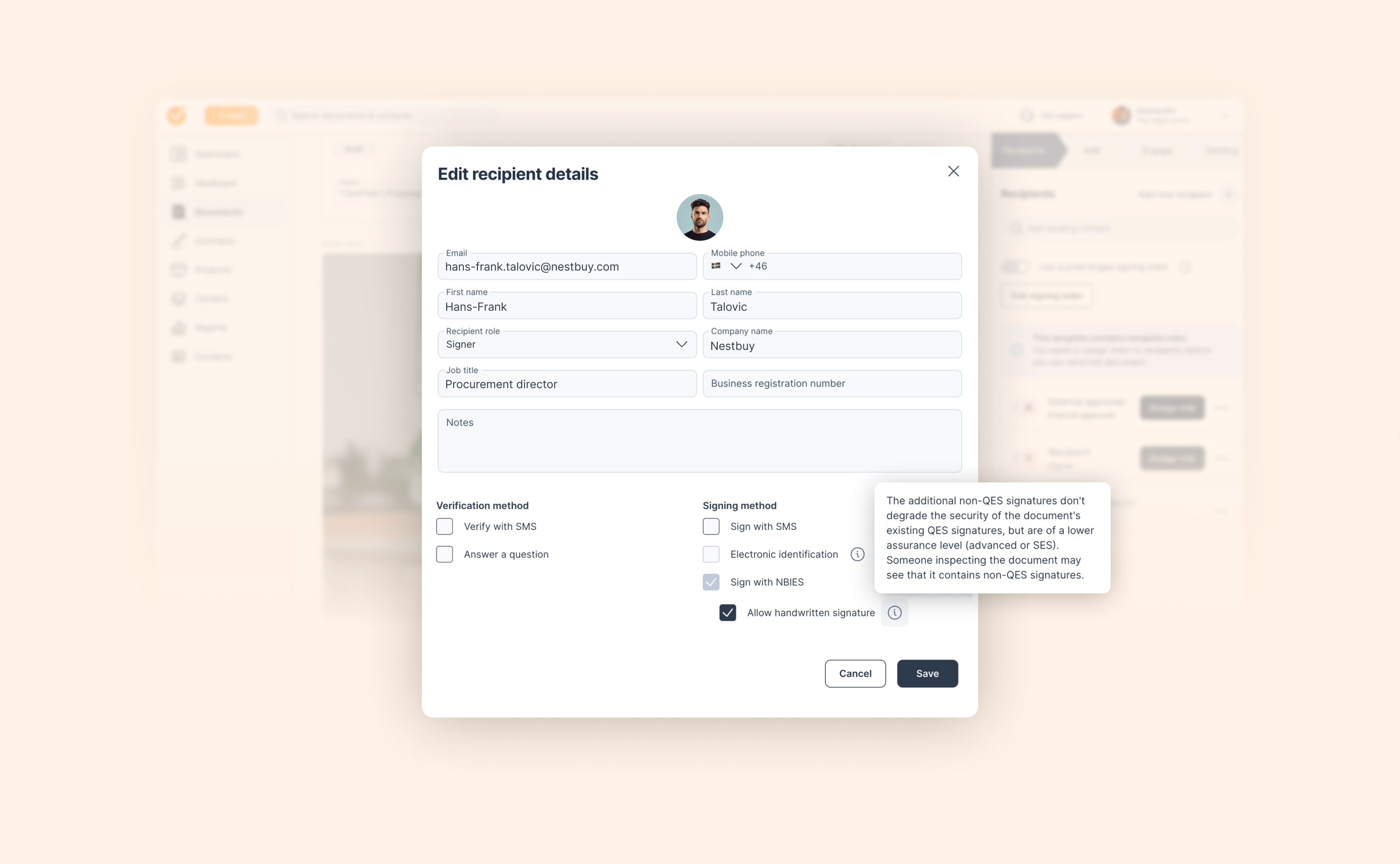
More flexibility for Norwegian BankID (NBIES) signers

More flexibility for Norwegian BankID (NBIES) signers

Managing signing workflows with Norwegian BankID (NBIES) just got more flexible. We know that not every recipient on a document has the same access to eID methods, and until now, that meant limited options when one signer in a QES flow couldn't use BankID.

You can now enable handwritten signatures on a per-recipient basis for NBIES documents:

  • New "Allow handwritten signature" toggle in the Edit recipient details modal

  • Only visible when NBIES is active on the document

  • Per-recipient – configure each signer independently

  • Inline disclaimer in the modal explains the assurance-level difference

This gives teams working with Norwegian eID requirements a way to handle edge cases without removing NBIES from the whole document.

View help article

Choose the language for each Deal Room

Choose the language for each Deal Room

Selling across markets shouldn’t mean juggling entities, translating content manually or reminding AI which language to use every time.

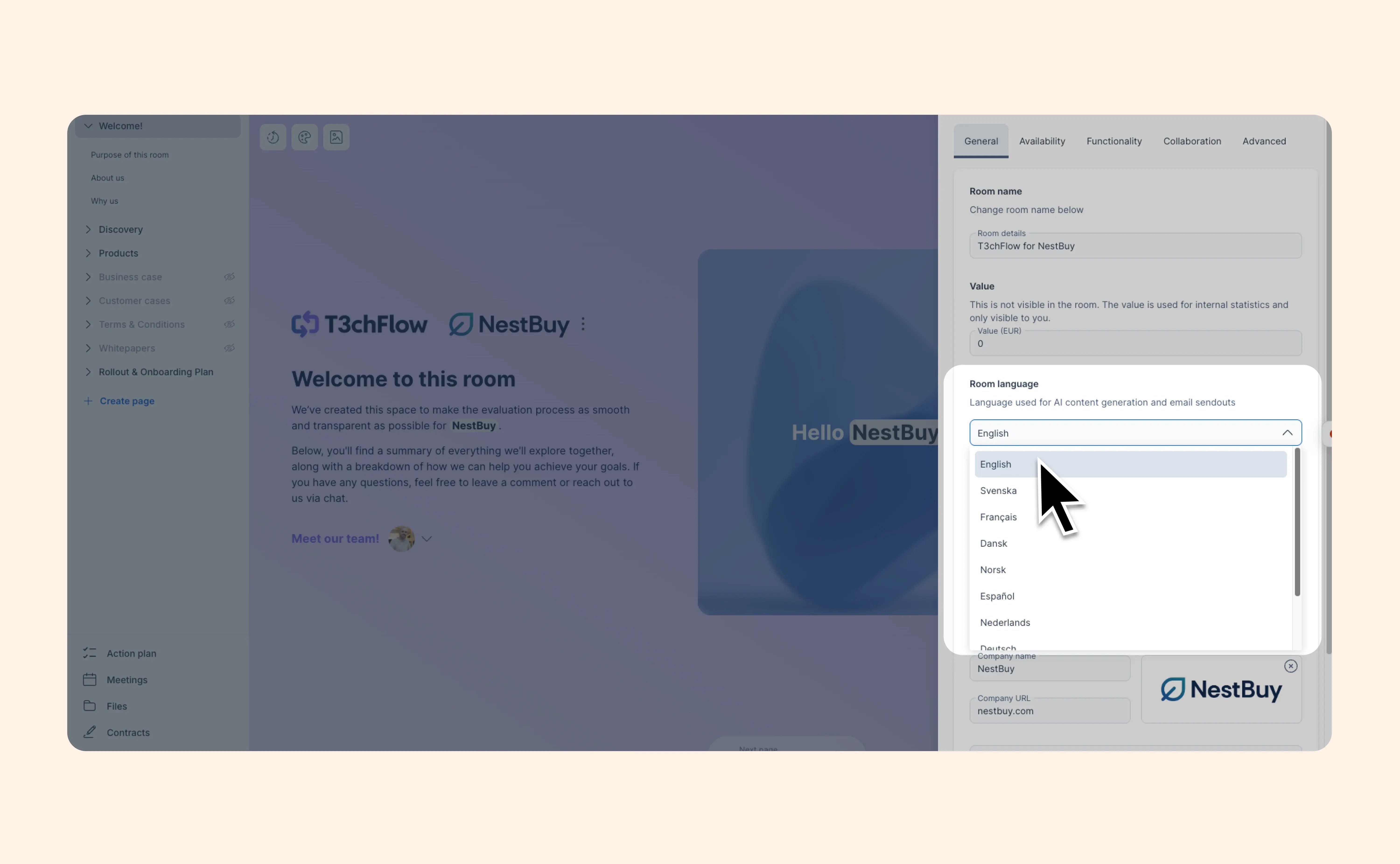
You can now set the language for a Deal Room directly in room settings.

Once selected, GetAccept uses that language for AI-generated content and room-related emails. You can set it on a template, so every room created from that template follows the same language. You can also adjust it manually while building a room.

No language selected? We’ll use your entity language as the default.

This update is available now for all customers with access to Deal Room, including legacy Digital Sales Rooms and the updated AI-native rooms which are now available in early access.

A small setting. A lot less language wrangling.

View help article

Create resources with AI from any URL, file, or prompt – Available in early access

Create resources with AI from any URL, file, or prompt – Available in early access

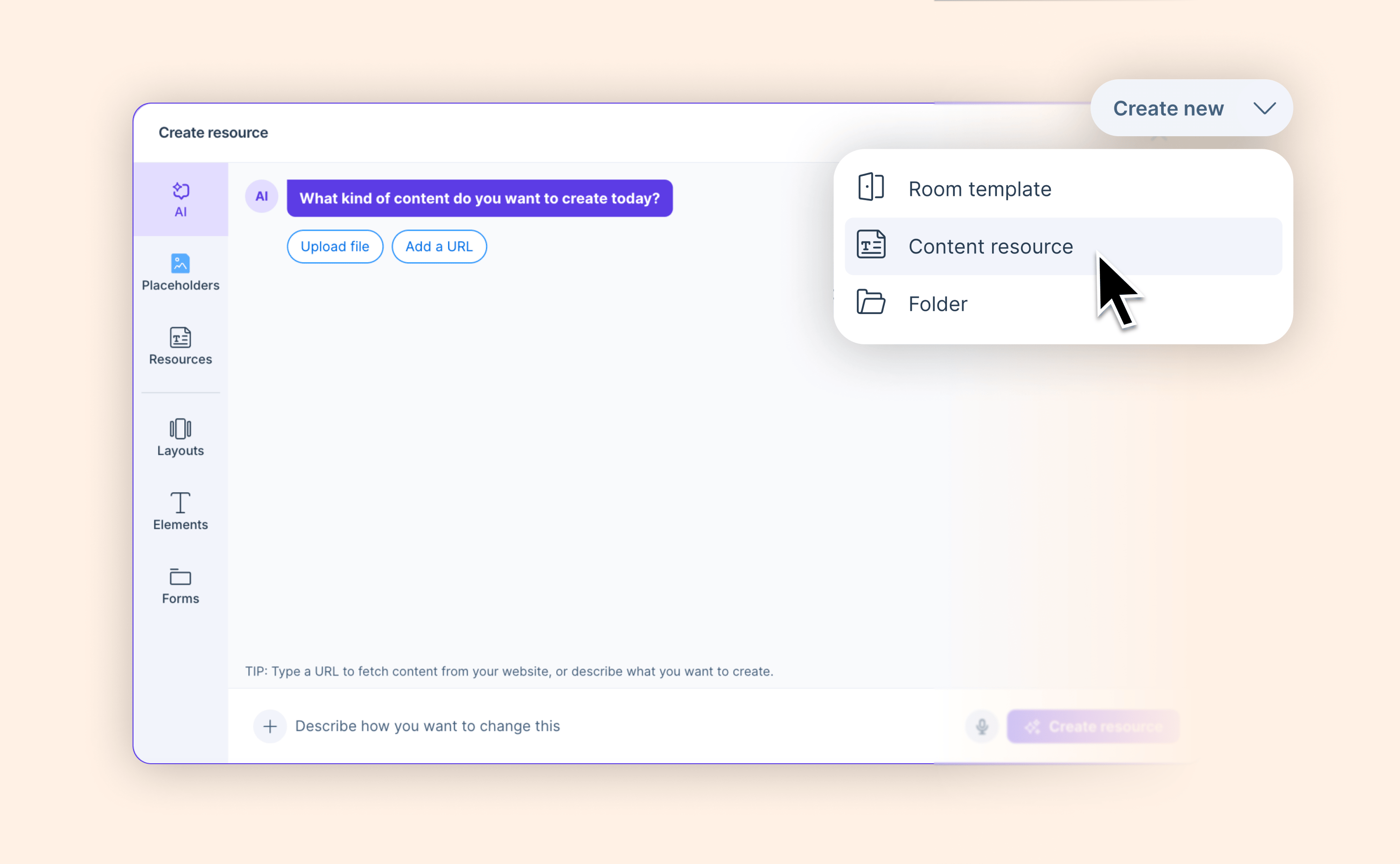
We’re introducing an easier and faster way to create a content resource in GetAccept.

Simply paste a URL, upload a file, describe what you want, or combine any or all of the above. AI generates a structured content page from that input, automatically fetches available images from the URL for you to select from, and handles embed URLs like YouTube natively.

Available now in early access as part of the AI-native Deal Room experience coming later this year. Admins can activate it from the Upgrade room experience page.

Not an admin? Share the help article with your GetAccept admin so they can review what's included in the upcoming DSR experience.

View help article

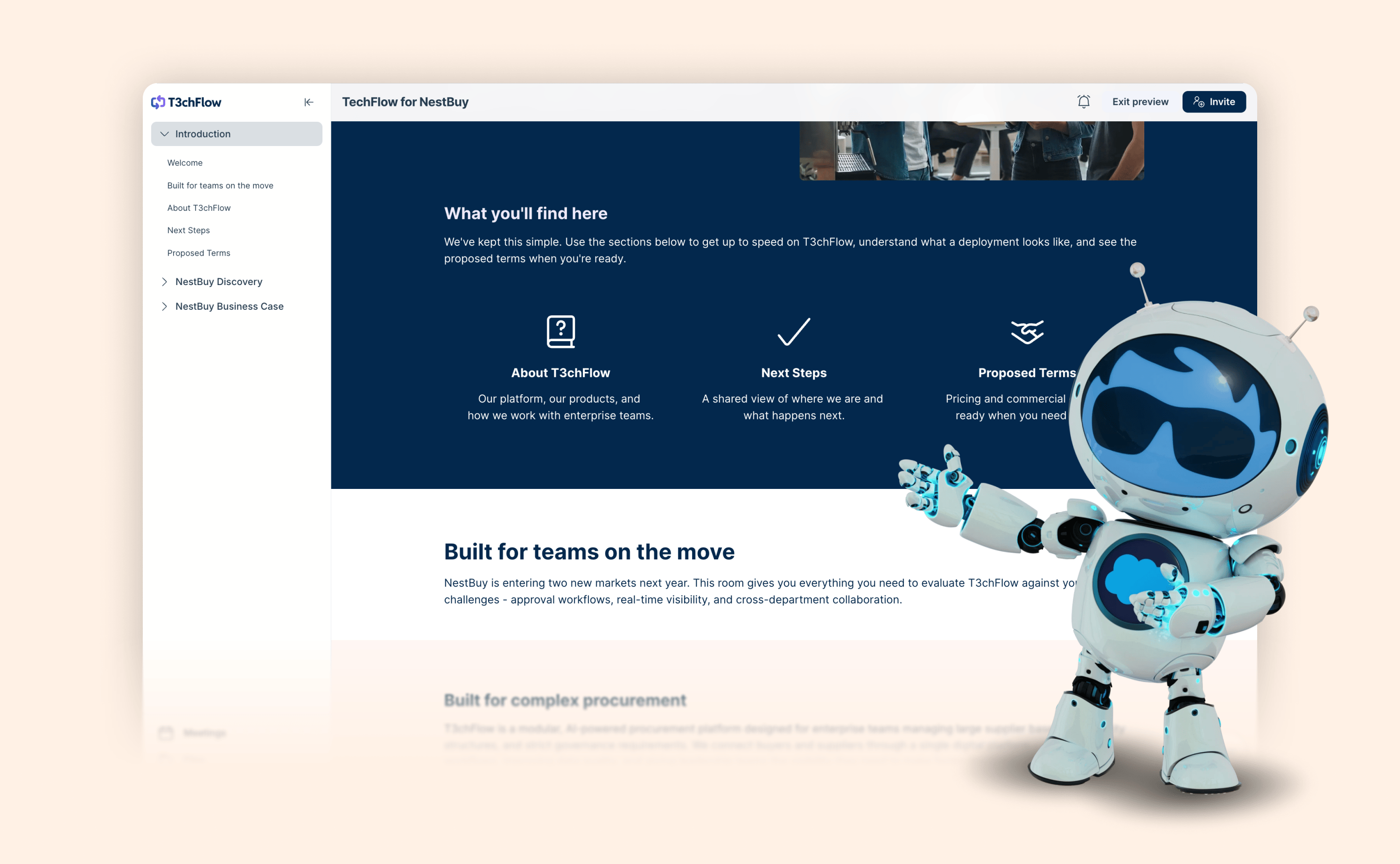
AI-native Deal Rooms are now available in early access

AI-native Deal Rooms are now available in early access

The next chapter of GetAccept Deal Rooms is here.

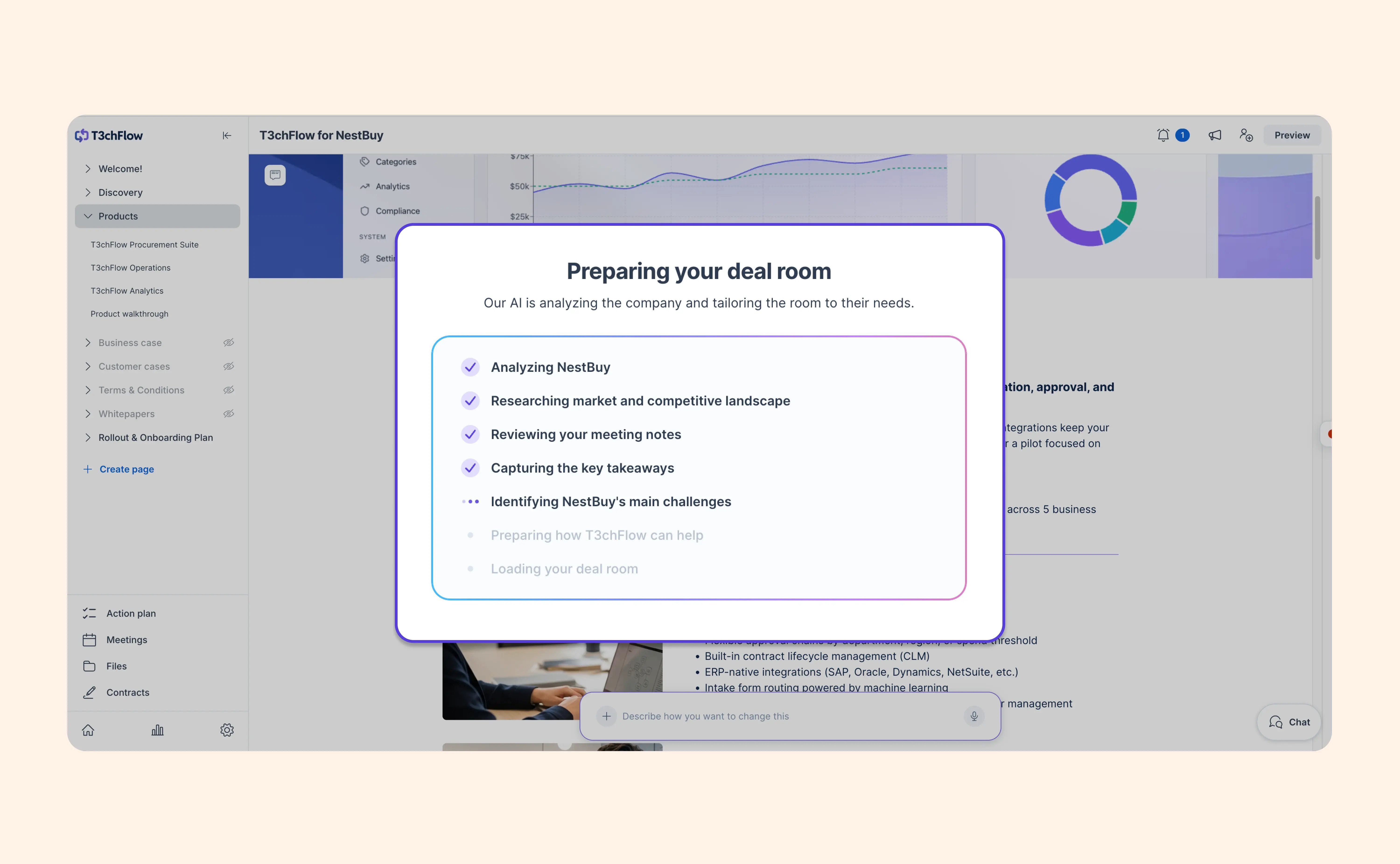
Our new AI-native Deal Room experience is now available in early access, giving admins the chance to explore a more context-driven way to create, edit and manage Digital Sales Rooms ahead of the wider rollout later this year.

With the upgraded experience, you can start from the buyer conversation and let AI help shape the room around the deal.

And as the deal progresses, you can easily add or update content to reflect whatever’s going on in the deal - without needing to spend time editing everything manually.

Here are a few highlights:

  • Create rooms faster using meetings, transcripts, templates and company knowledge
  • Adapt room content as the deal moves forward
  • Edit specific pages, sections, elements or text blocks with AI
  • Create personalized invitations for each buyer based on what they’re most interested in
  • Create and update Mutual Action Plans with AI
  • Create content resources with AI using prompts, URLs, files or written instructions
  • Keep buyer conversations connected through comments and chat

You stay in control of what gets shared. You can still create rooms manually, use templates and decide what gets published.

Admins can now enable early access for their organization from the Upgrade room experience page. They can choose to use the upgraded experience for newly created rooms only, or move all rooms in the organization to the new experience.

Not an admin? Share the help article with your GetAccept admin so they can review what’s included.

Want the full breakdown? Read the help article below.

View help article

Send each signer to the right eID, every time

Send each signer to the right eID, every time

Signing with a national eID should be the easy part of closing a deal, not a moment of doubt. Now you can decide exactly which electronic identification method each recipient uses, so the signing screen only shows what applies to them.

  • Choose a specific eID provider per recipient when Electronic identification is the signing method

  • Pick from BankID Sweden, MitID (Denmark), and BankID Finland (Finnish Trust Network), or keep all options open

  • Set the method per template role so your repeatable workflows stay accurate

This makes cross-border signing cleaner, cuts down on wrong turns at the last step, and helps agreements close without an avoidable detour.

View help article

Send every contract with the right message

Send every contract with the right message

Communication templates help teams pre-define the messages used around a contract.

That can include the email shown when a contract is sent, SMS messages, automatic reminders, signing messages and other key touchpoints in the sendout flow.

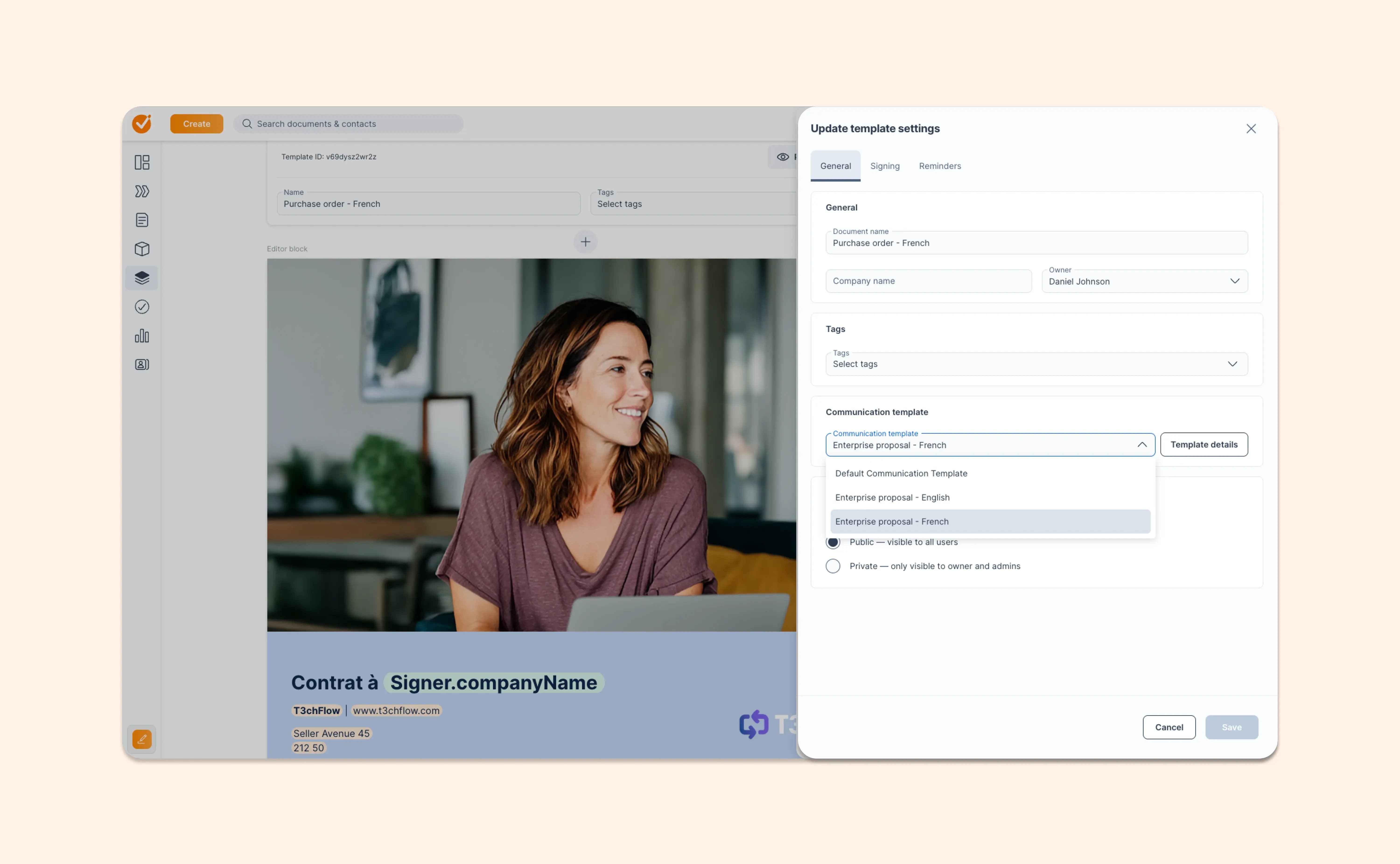
Now, admins can connect those communication templates directly to contract templates in GetAccept.

That means every contract can start with the right message already selected. Use one communication style for Enterprise contracts, another for smaller customers, or connect language-specific messaging to localized templates.

Reps move faster because they don’t have to choose the right message every time. Teams stay more consistent because the preferred communication is already there by default.

With this update, you can:

  • Pre-assign a communication template to a specific contract template
  • Use different communication styles for different document types or customer segments
  • Connect language-specific communication templates to language-specific contract templates
  • Automatically pair the right email, SMS and reminder messaging with the right content
  • Reduce manual setup during sendout
  • Keep customer-facing communication closer to your brand, tone and localization standards
View help article

May 2026

Keep deals moving when documents expire

Keep deals moving when documents expire

Timing happens. A buyer needs one more day to review. A stakeholder opens the proposal after the deadline. A deal is ready to move, but the document has expired.

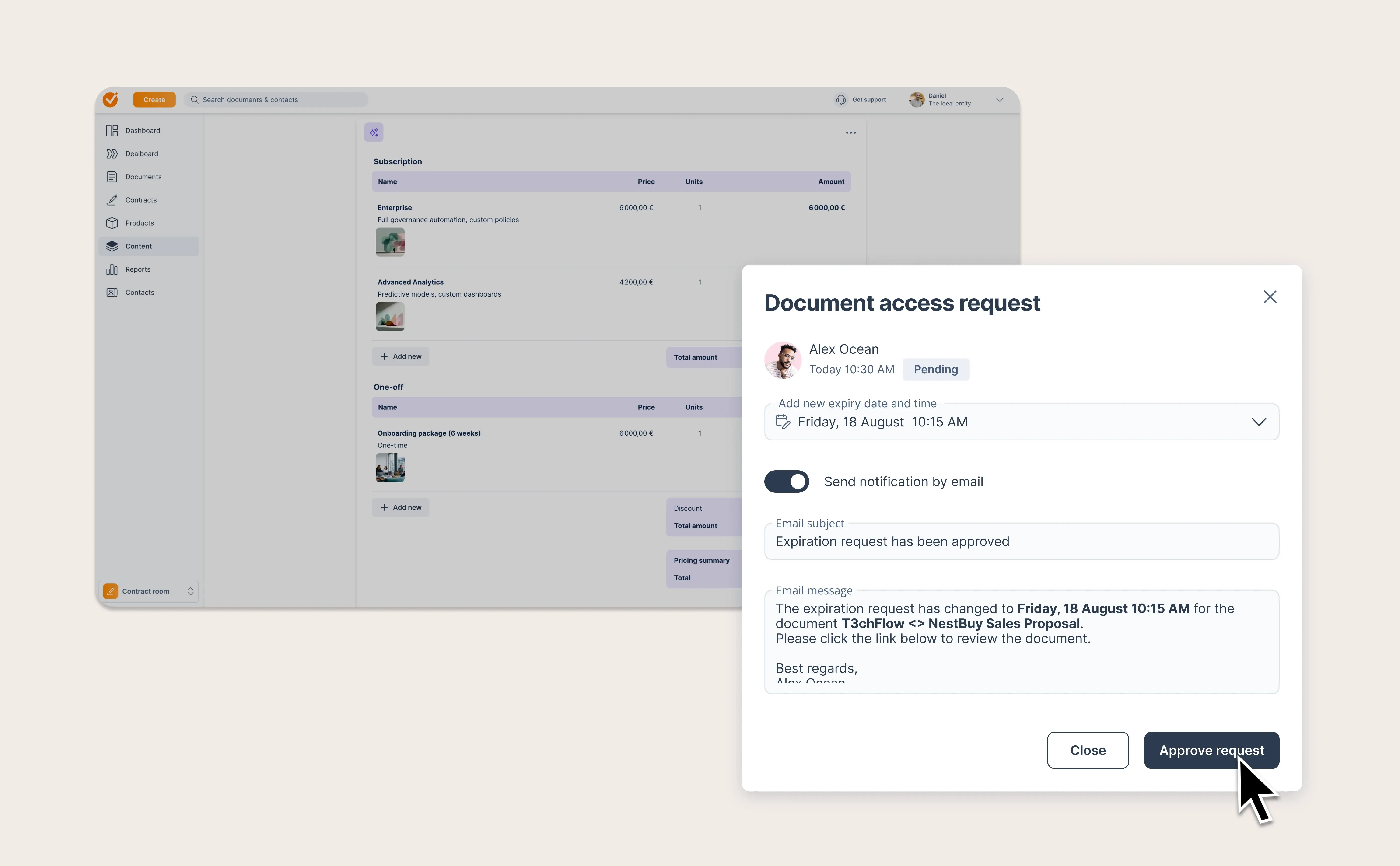
Before, that could turn into a frustrating dead end. Now, recipients can request more time directly from an expired or soon-to-expire document.

When they do, the sender gets notified by email and can approve an updated expiration date from inside the document flow. Recipients also get clearer guidance, so they know what’s happening instead of wondering who to chase.

It’s a smoother experience for buyers and sellers. Less friction at the finish line. Fewer stalled agreements. More deals kept alive when timing gets messy.

AI Contract Management now surfaces confidence scores for every extracted field

AI Contract Management now surfaces confidence scores for every extracted field

Trusting AI shouldn't be all-or-nothing. When GetAccept's AI Contract Management extracts data from your contracts, the AI already knows how certain it is about each field it populates. Now that information is visible to you, so you can focus your review where it actually matters.

Here's what's new:

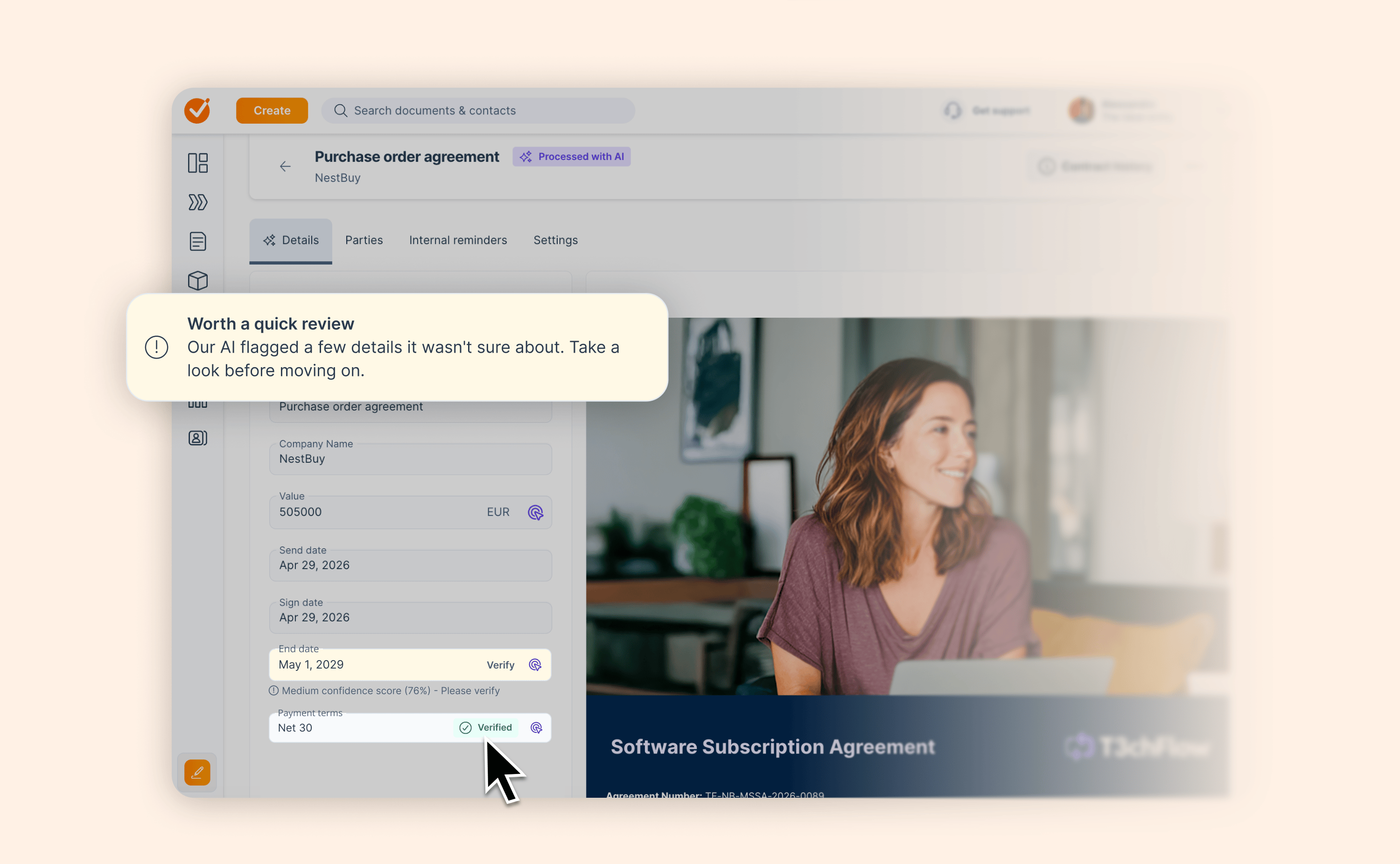
  • Per-field confidence indicators: every AI-extracted value is color-coded to show how certain the extraction is. High-confidence fields are ready to use. Lower-confidence fields are marked for review.

  • Overall contract confidence score: each contract is assigned a score based on its weakest field, so nothing gets missed in high-volume workflows.

  • Review recommendations: contracts that need a second look are flagged automatically.

  • Confidence column in the contract list: sort and triage your entire contract library by data quality without opening individual contracts.

Spend your time on what needs attention, not on contracts the AI already got right.

View help article

More control over how GetAccept updates your CRM

More control over how GetAccept updates your CRM

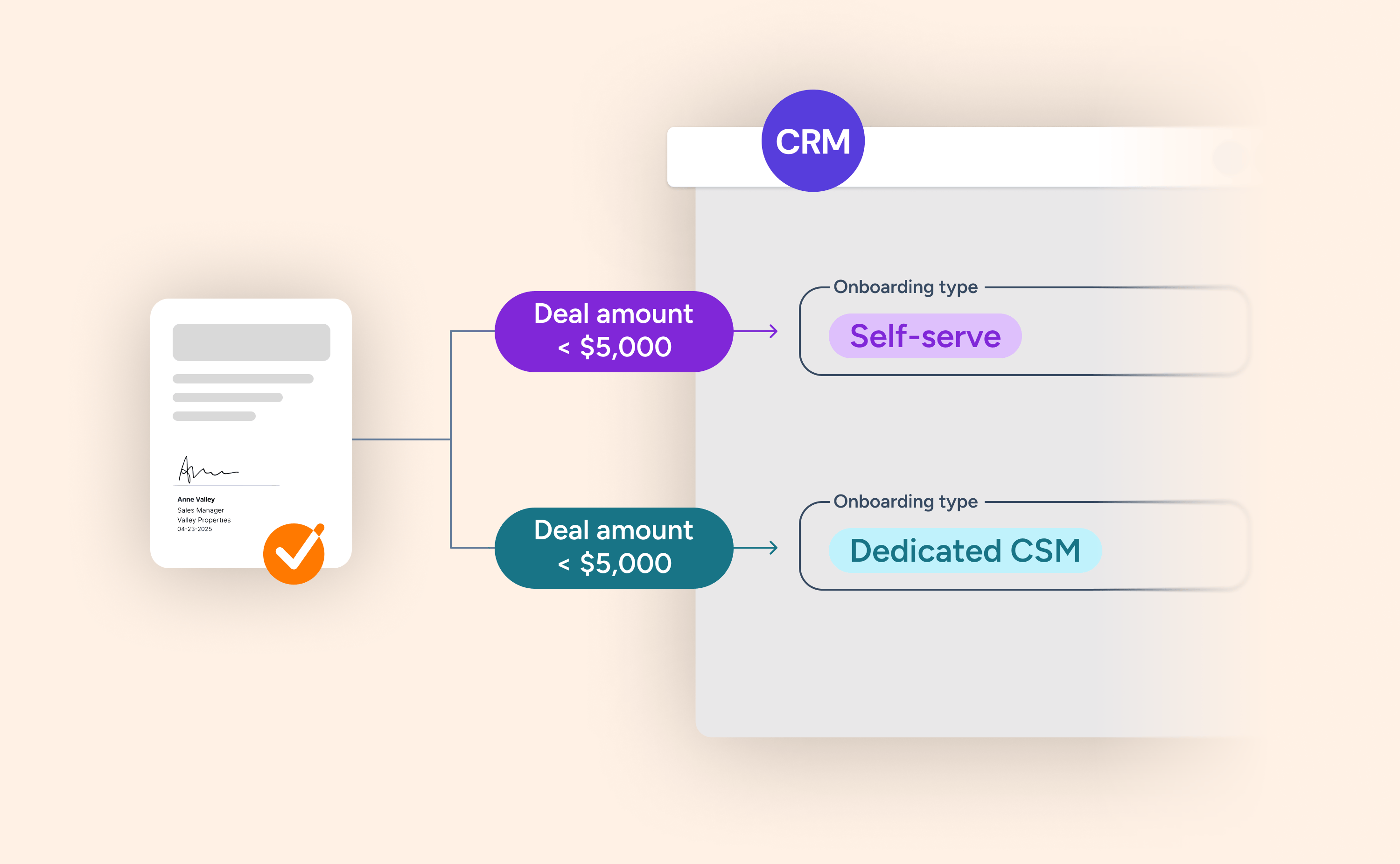
Event-based CRM sync lets sales teams automatically update CRM fields based on what happens in GetAccept – when a contract is signed, a room is opened, or a task in the Mutual Action Plan is completed.

With this release, admins can layer in conditions based on CRM data itself, such as deal stage, deal value, or any CRM field. The CRM field is only updated when both the GetAccept event and the CRM conditions are met.

For example, when a GetAccept contract is signed:

  • IF CRM Stage = "Negotiation" AND Deal amount < $20,000 → set "Onboarding Type" = "Self-serve"
  • IF CRM Stage = "Negotiation" AND Deal amount ≥ $20,000 → set "Onboarding Type" = "Dedicated CSM"

The result: CRM data that updates automatically, with the right value, at the right time.

Available for HubSpot, Pipedrive, Upsales, and Microsoft Dynamics 365.

Check out the blog below to see how you can incorporate Event-based CRM sync to supercharge your work processes.

Read blog post

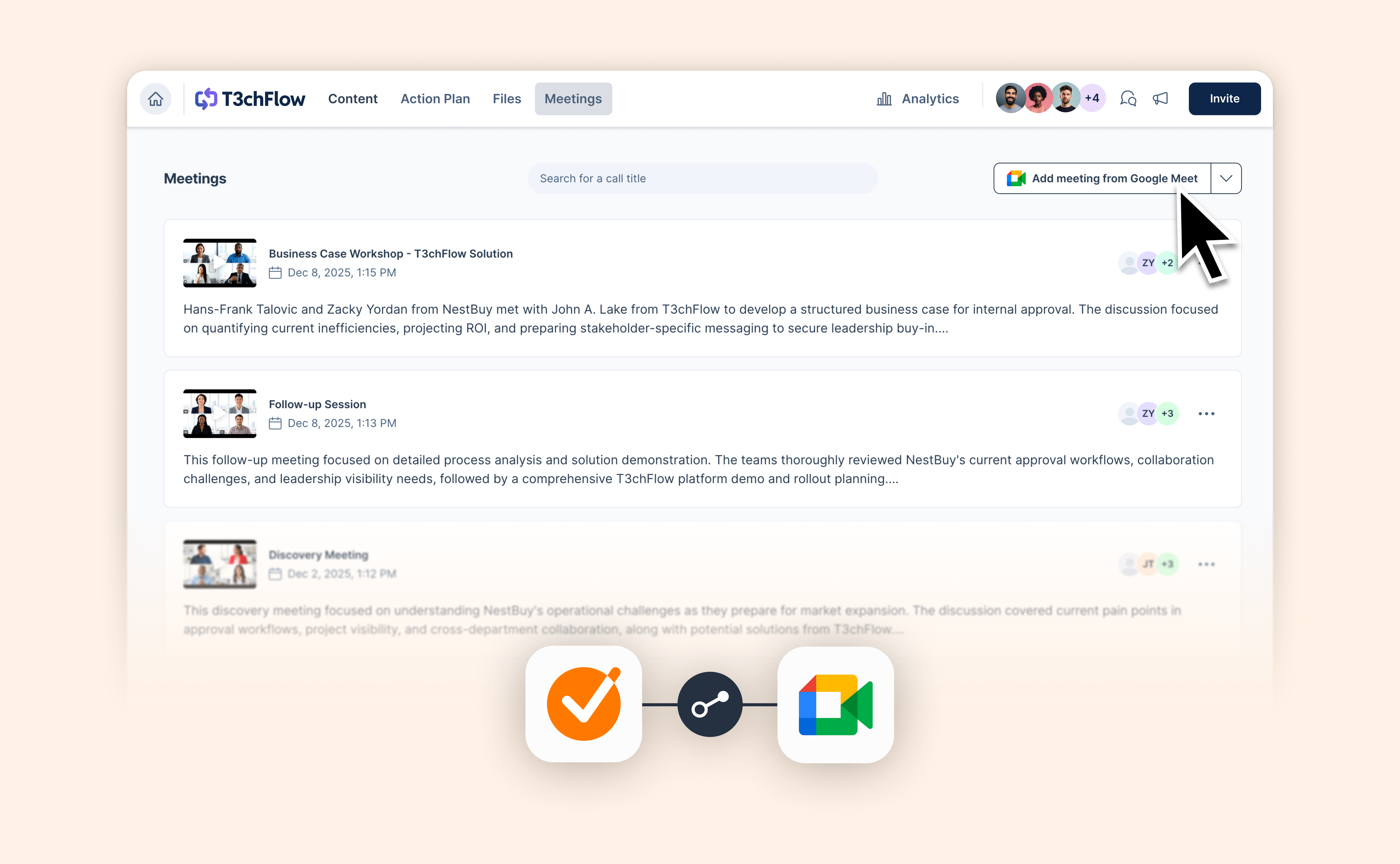
Bring Google Meet transcripts into GetAccept

Bring Google Meet transcripts into GetAccept

If your sales calls happen in Google Meet, you can now bring those conversations straight into GetAccept.

What’s new:

  • Import transcripts directly from Google Meet
  • Instantly generate AI-powered summaries and next steps
  • Keep all meeting insights organized alongside your deal content
  • Use your Google Meet discussions as context for AI-generated room content

It’s another step toward removing busywork from sales, so reps can focus on moving deals forward.

Head to the integrations page to set up the connection.

View help article

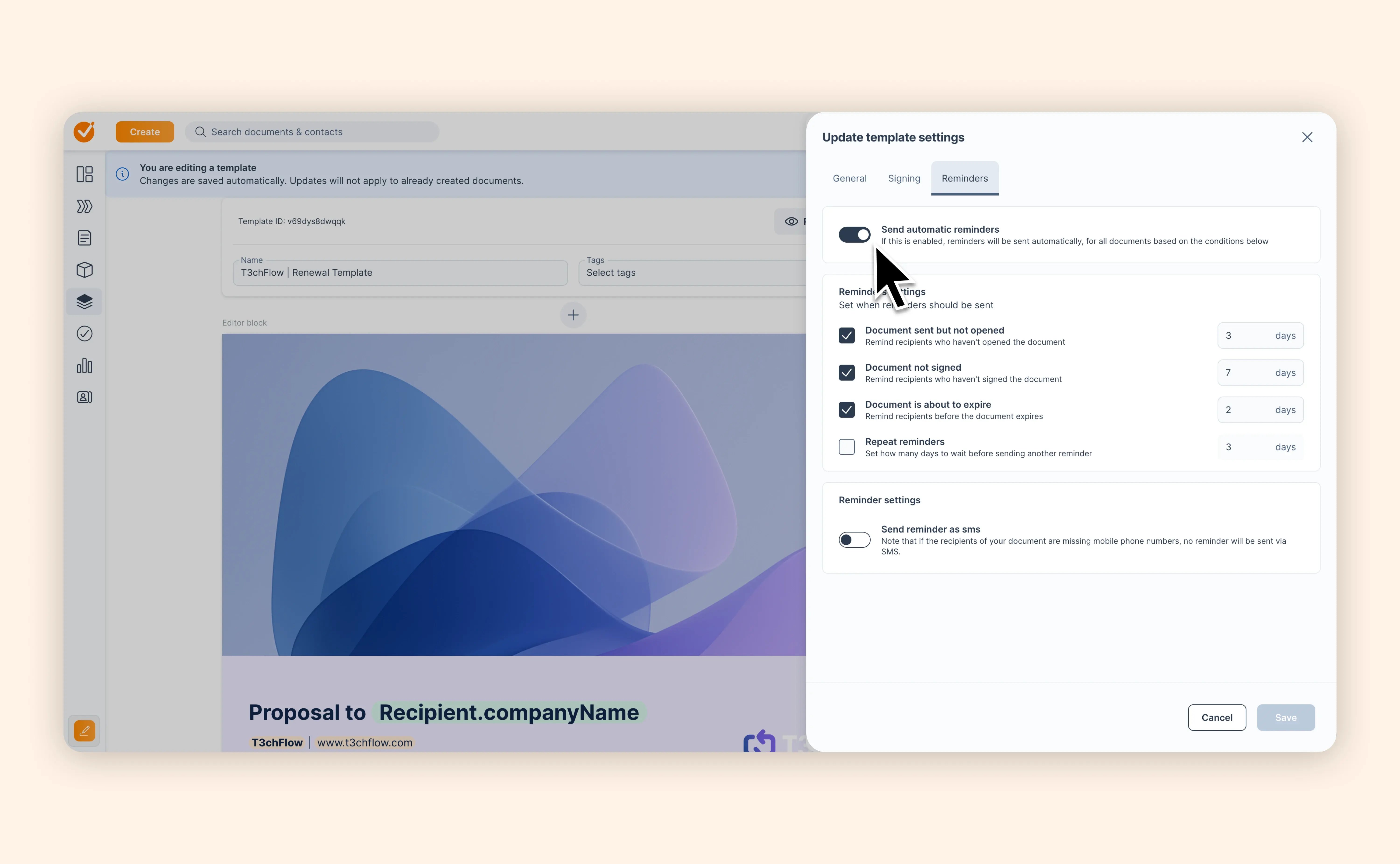
Set the right reminder rhythm for every template

Set the right reminder rhythm for every template

Not every contract needs the same follow-up.

A new business deal might need a faster reminder cadence to keep momentum high. A renewal might need a softer rhythm. A time-sensitive agreement might need reminders sooner, while a standard contract can wait a little longer.

Until now, teams had to rely on entity-level reminder settings as the shared default. That worked, but it wasn’t flexible enough for teams sending different types of contracts and documents from different templates.

Now, you can configure reminder settings at the template level.

That means documents created from a template can inherit the right reminder timing from the start. No extra setup. No “wait, did I update the reminders?” moment.

With template-level reminders, you can:

  • Set reminder behavior directly on a template
  • Let documents inherit reminder settings when created from that template
  • Use different reminder timing for different contract types or sales motions
  • Keep follow-up behavior more consistent across your team
View help article

April 2026

Workflows: structure your Deal Rooms your way

Workflows: structure your Deal Rooms your way

Your sales process isn’t one-size-fits-all. Now your Deal Rooms don’t have to be either.

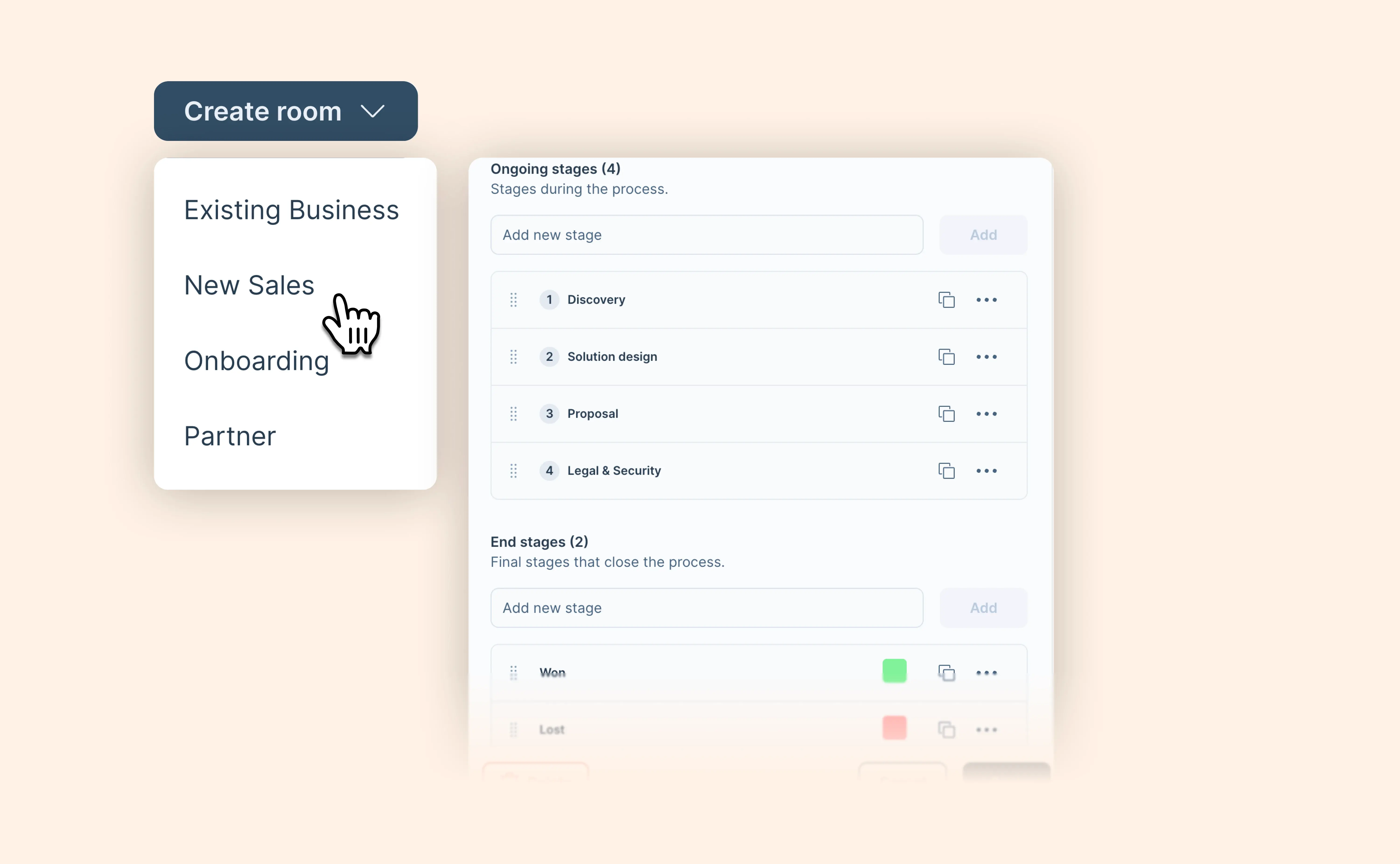
With Workflows, you can define how different deals should run in GetAccept. Create room types for scenarios like new business or renewals, and assign the stages each deal should go through—from first touch to closed won or lost.

Here’s what you can do:

  • Create room types to reflect different deal processes
  • Define stages for each type, including end stages like closed won or closed lost
  • Show only relevant templates based on the selected room type
  • Keep things consistent across teams and regions with localization support
  • Capture relevant data for each deal type with structured fields

For reps, this means a simpler experience—only seeing what’s relevant for their deal. For managers, it means more control over how deals are run, without adding extra work.

This is just the beginning. Workflows lay the foundation for more advanced filtering, automation, and insights in the future.

👉 Learn how to set up Workflows in GetAccept

View help article

AI Contract Management now extracts the data that matters to your business

AI Contract Management now extracts the data that matters to your business

Most contract intelligence tools decide which fields are important, extract those ten fields for every customer, and leave everything else on the table.

But every business extracts contract data differently. A logistics company tracking SLA tiers needs different data than a SaaS company tracking indexation percentages. The data that is critical to one business is noise to another.

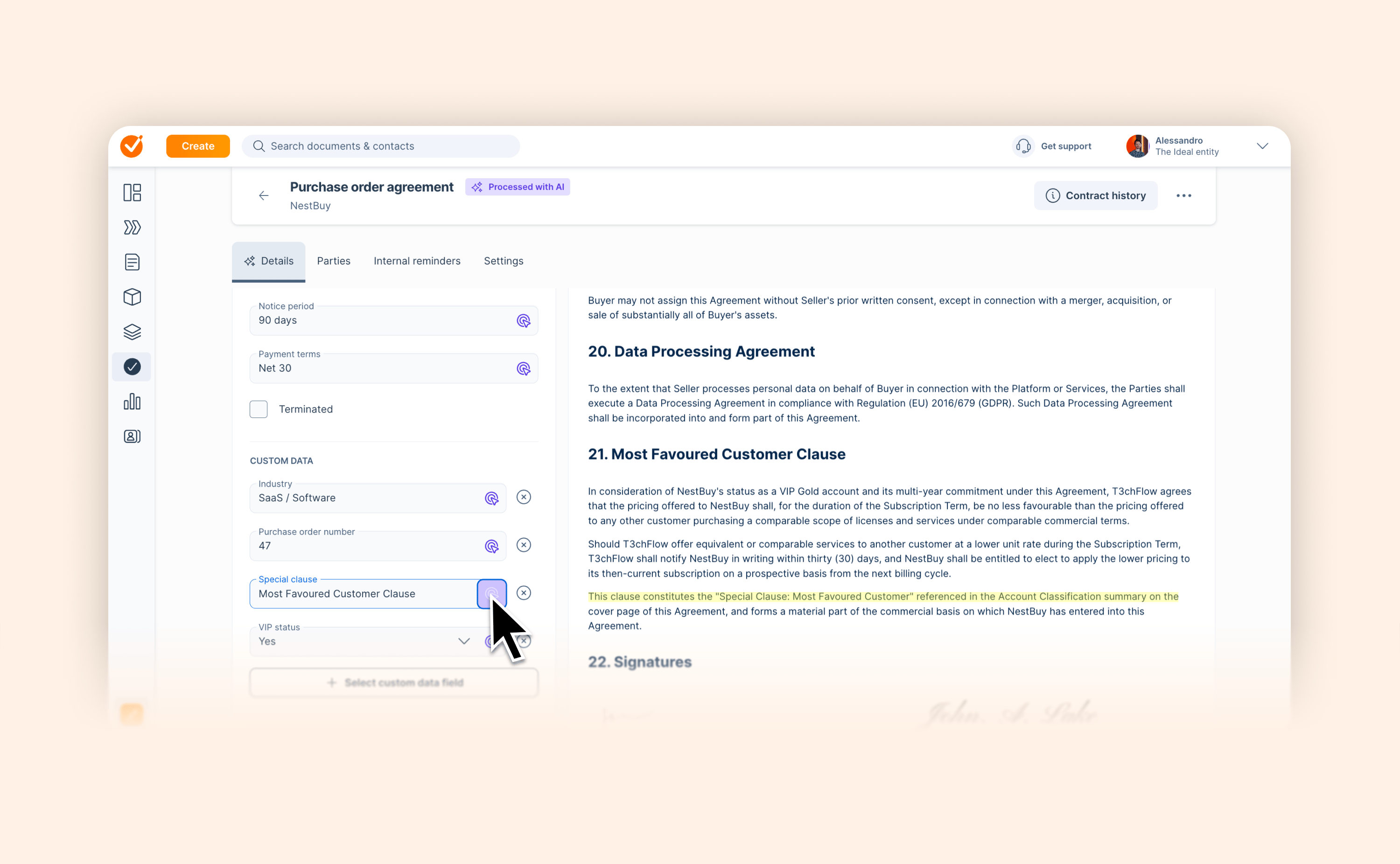
AI Contract Management can now extract the custom data fields you have defined in GetAccept. Industry, region, SLA tiers – you name it. The moment a contract is signed, AI reads the document and fills those fields in automatically.

A few things worth knowing:

  • AI only populates empty fields it never overwrites a value entered manually

  • Extracted values are marked with AI attribution in the contract details view, and appear immediately as filterable properties in the contracts list

  • All custom field types are supported: text, number, yes/no, and set values

For contracts already signed, you can add a custom field and hit reanalyze – AI will then extract the value from the existing document.

This way, the data your business actually needs is extracted from every contract the moment it is signed.

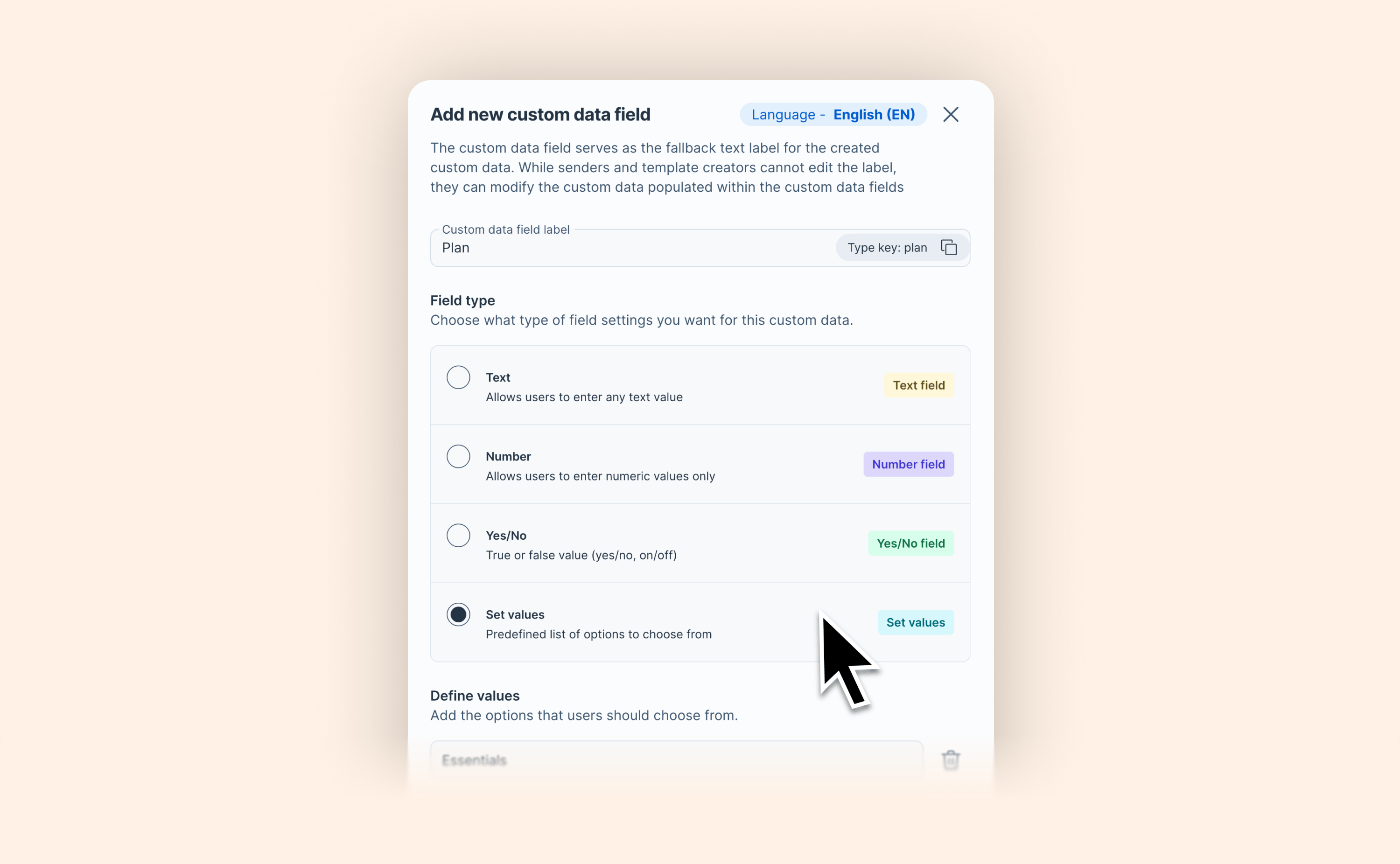
Define structured dropdown fields for your custom data

Define structured dropdown fields for your custom data

Every sales team has that one custom field where half the reps write "Professional," half write "Pro," and one misspells it as "profesional."

It seems minor until you try to build contract logic on top of it.

GetAccept now lets you define your own selectable values for custom data fields. Your team picks from a list instead of typing anything they want. Consistent input, reliable conditional content, no CRM dependency.

With Set values, contract templates can serve multiple scenarios from a single document — and your data stays clean, consistent, and ready to drive the dynamic content your deals require.

View help article

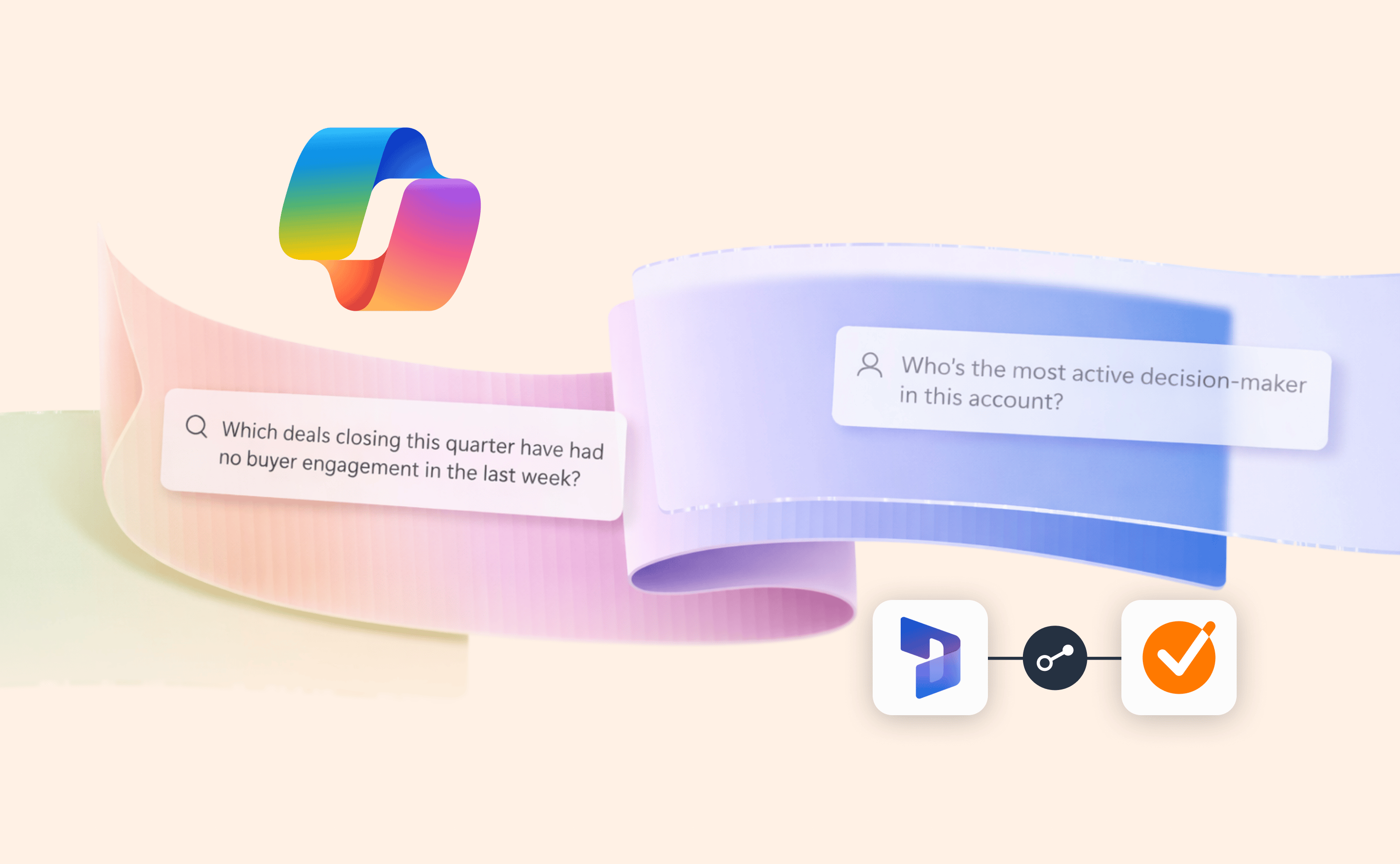
Microsoft Copilot and Power BI reports can now tap into buyer data from GetAccept

Microsoft Copilot and Power BI reports can now tap into buyer data from GetAccept

GetAccept can now push buyer engagement data – document views, Deal Room activity, comments, and signing events – directly into custom objects in Microsoft Dynamics 365, enriching Power BI dashboards and feeding Microsoft Copilot with live buyer signals for more accurate AI-powered insights.

Here’s what’s new:

  • Map GetAccept buyer engagement to any custom object in Dynamics 365

  • Build Power BI dashboards enriched with real buyer intent data from GetAccept

  • Feed Microsoft Copilot with live buyer signals for more accurate AI-powered forecasting

For teams using Copilot for Sales, this makes a real difference. Giving reports and AI access to buyer signals transforms good forecasts into reliable ones.

Read blog post

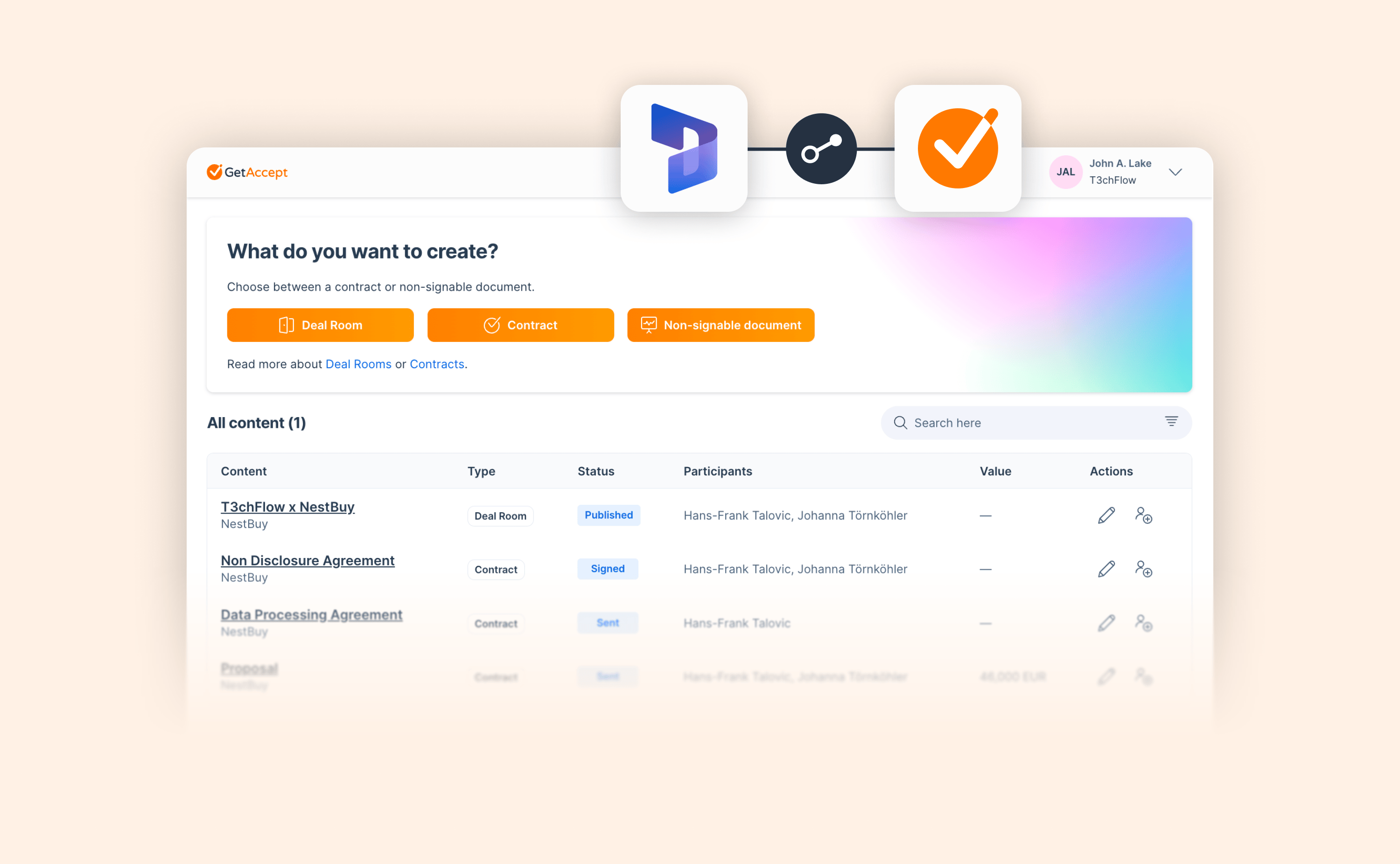
A cleaner view of your GetAccept content inside Microsoft Dynamics 365

A cleaner view of your GetAccept content inside Microsoft Dynamics 365

If you work with GetAccept from inside Microsoft Dynamics 365, you will notice the panel has a new look. We have replaced the old card-based layout with a clean list view, making it faster and easier to see your Deal Rooms and contracts without scrolling through stacked tiles.

Note: To access these features, please make sure you are running the latest version of the GetAccept integration. Ask your admin to check for the latest package version, or contact your Customer Success Manager if you need help.

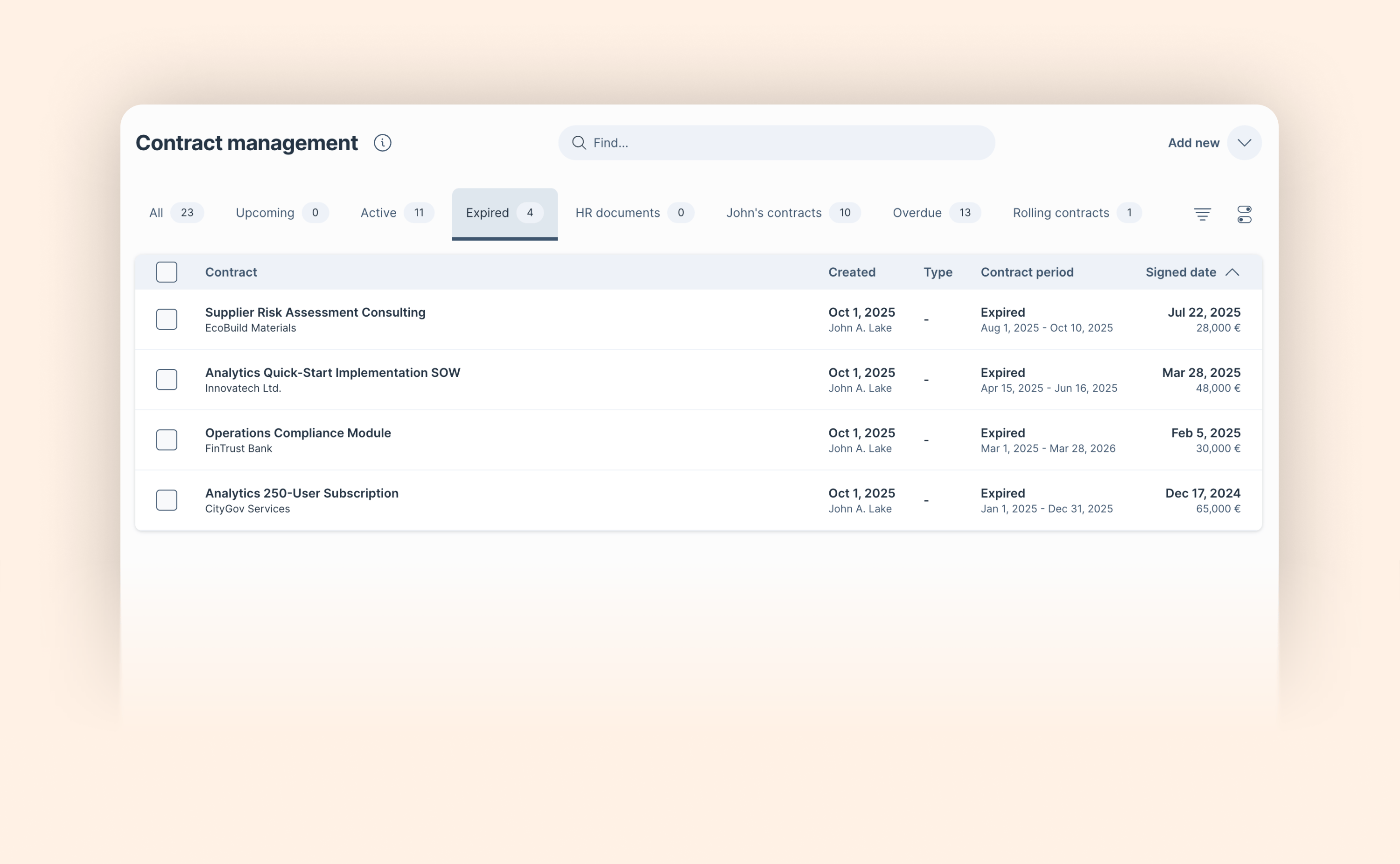
See instantly where every contract stands

See instantly where every contract stands

Managing a contract portfolio means constantly needing to know what's active, what's coming up, and what's already run its course. Until now, getting that answer cleanly required creating custom filter views. We've made it much simpler.

Two new default tabs (Upcoming and Expired) join the existing Active tab, each with a counter showing how many contracts are in that state before you even click in.

Whether you're managing renewals, tracking compliance deadlines, or simply keeping a handle on your contract portfolio, you now have the overview you need the moment you open AI Contract Management.

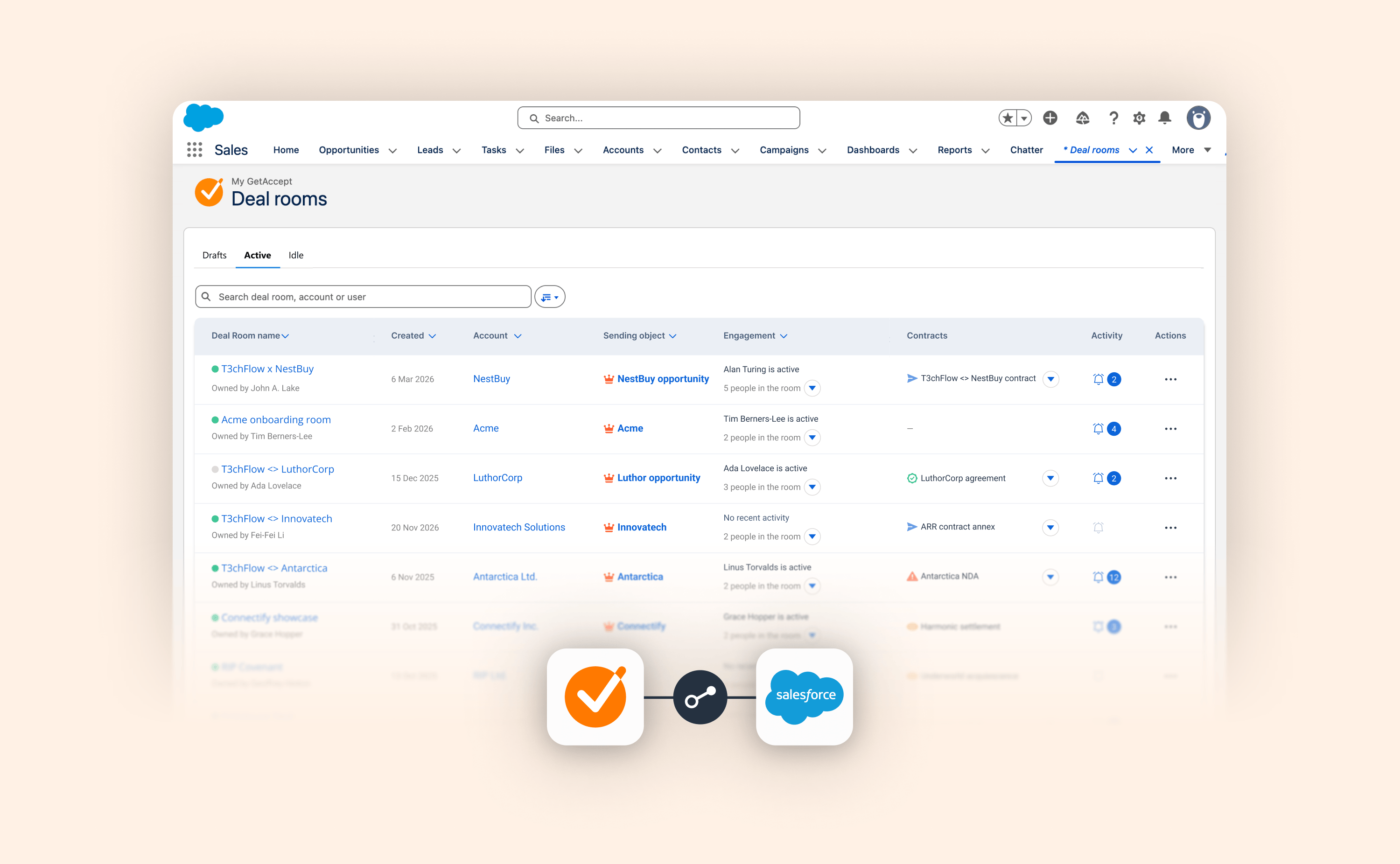
A clearer, more actionable Deal Room overview inside Salesforce

A clearer, more actionable Deal Room overview inside Salesforce

Until today, sales teams using Salesforce as their CRM who wanted to get a clear overview of their Deal Rooms had to hunt for answers.

We’ve redesigned the Salesforce Deal Room list view to close that gap, turning a static list into a live dashboard of your pipeline activity. Here’s everything that’s new:

  • New Drafts, Active, and Idle tabs replace the old Published/Unpublished split, mirroring the core GetAccept app experience and helping you instantly prioritize which deals need a nudge.

  • Instantly identify the last active person and their role, so you know exactly who is engaging with your content.

  • Contract status at a glance: No more drilling into individual rooms to check on a signature. The new Contracts column surfaces the status of connected documents immediately.

  • See the latest buyer actions and notifications per room at a glance. When a deal heats up, click directly through to the Activity tab to see the details.

This update is about more than a cleaner layout. It’s about giving you a genuinely actionable view of your deals where you already work, so you can spend less time toggling and more time closing.

March 2026

February 2026

January 2026

December 2025

November 2025

October 2025

September 2025

August 2025

July 2025

June 2025

May 2025

April 2025

March 2025

February 2025

January 2025

December 2024

November 2024

October 2024

September 2024

August 2024

July 2024

June 2024

May 2024

April 2024

March 2024

February 2024

January 2024

No updates match your filters.

Explore changelog

Try a feature, category, or keyword. Type at least 3 characters to start searching.

Categories

Recent updates