


Why dynamic content matters
Most teams want personalized contracts and proposals, but the reality often looks very different.
Instead of one clear system, you end up with dozens of templates:
- One for each region
- One for each industry
- Slightly different versions for product bundles, pilots, or enterprise deals
Every new scenario adds more templates to maintain. Every update requires manual checks. And every handoff between sales, ops, and legal increases the risk of something slipping through.
Dynamic content solves this problem at the root.
Rather than creating a new template for every variation, you let data decide what content appears. The contract adapts automatically, based on information that already lives in your CRM.
Merge fields: the foundation of personalization
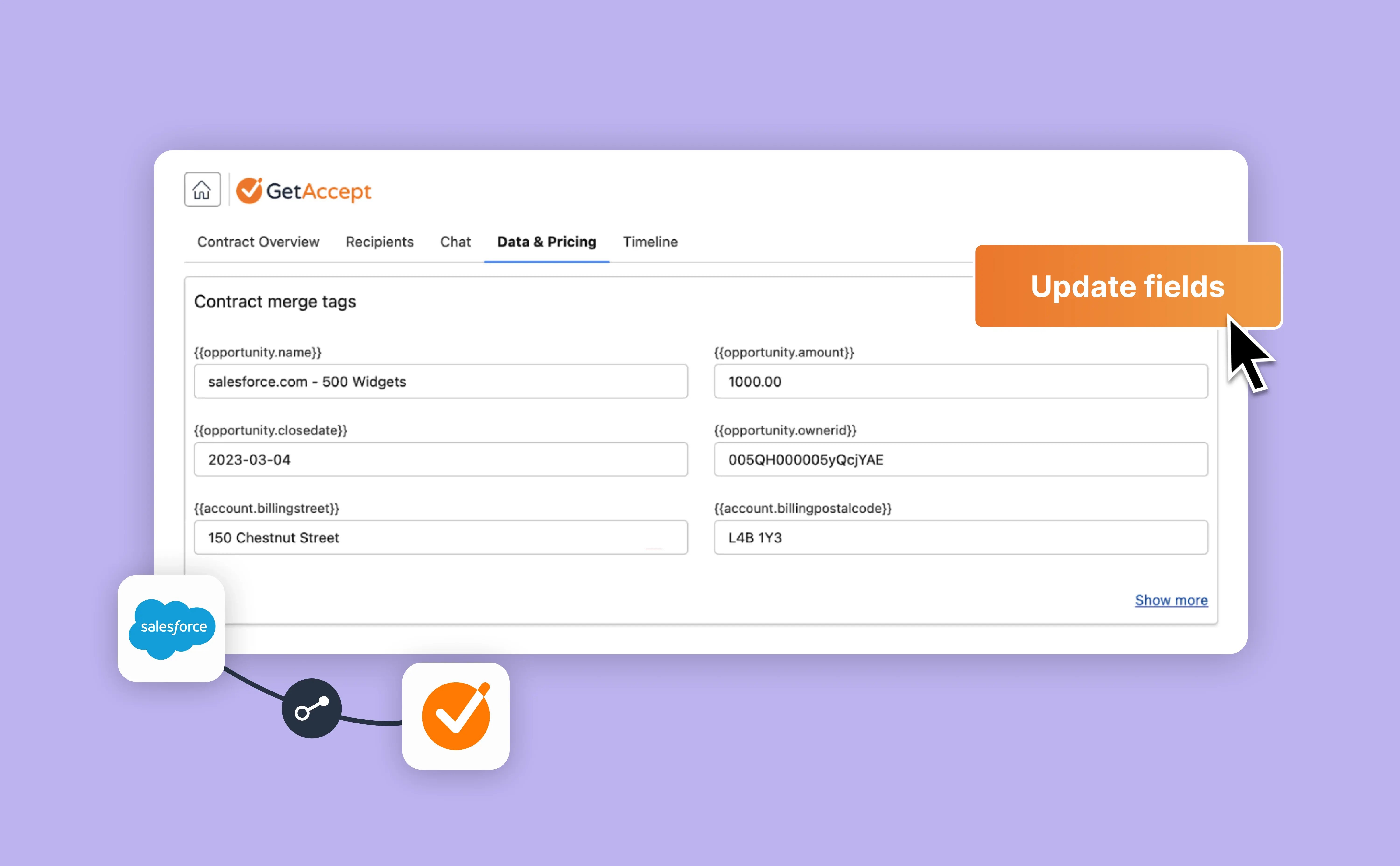
Merge fields are the simplest and most familiar way CRM data shows up in documents.
They act as placeholders in your templates that are filled with real values when a document is created. For example:
- Company name
- Deal value
- Close date
- Product line items
When the document is generated from the CRM, GetAccept pulls in that data automatically. This ensures consistency, reduces copy-paste errors, and saves reps time.
Merge fields are ideal when:
- You want to display CRM data directly in document text
- The information should always be visible
- The structure of the document stays the same
They are the building blocks that make large-scale personalization possible.
Conditional content: personalization that goes further
Merge fields answer the question “what should this say?”
Conditional content answers a different question: “should this be here at all?”
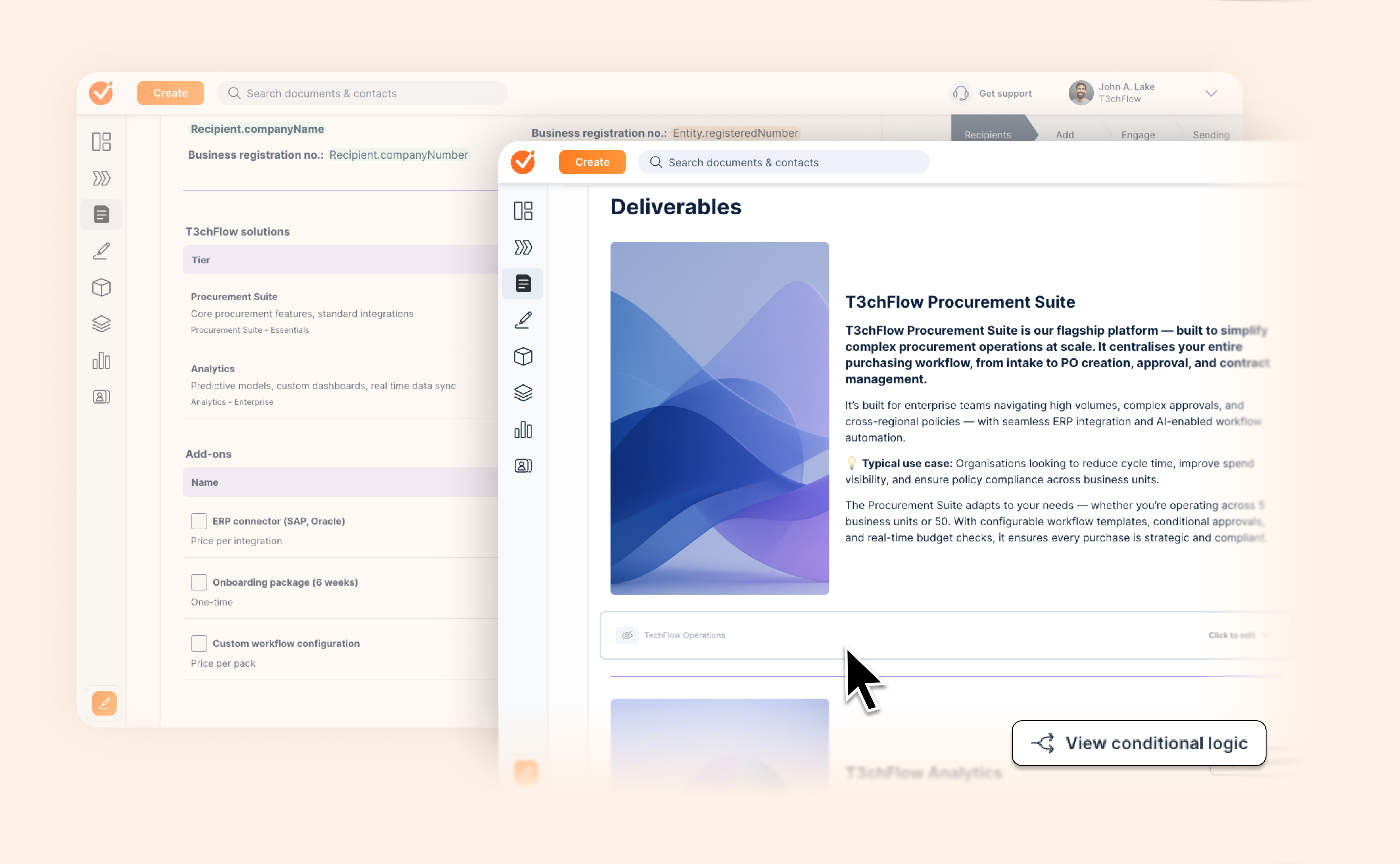
With conditional content, you can show or hide entire sections of a contract based on data values. That data can come from:
- Custom data fields defined in GetAccept
- Fields synced from your CRM
This allows one template to behave very differently depending on the deal context.
Instead of asking reps to choose the right template, the template chooses the right content on its own.
How CRM data drives conditional logic
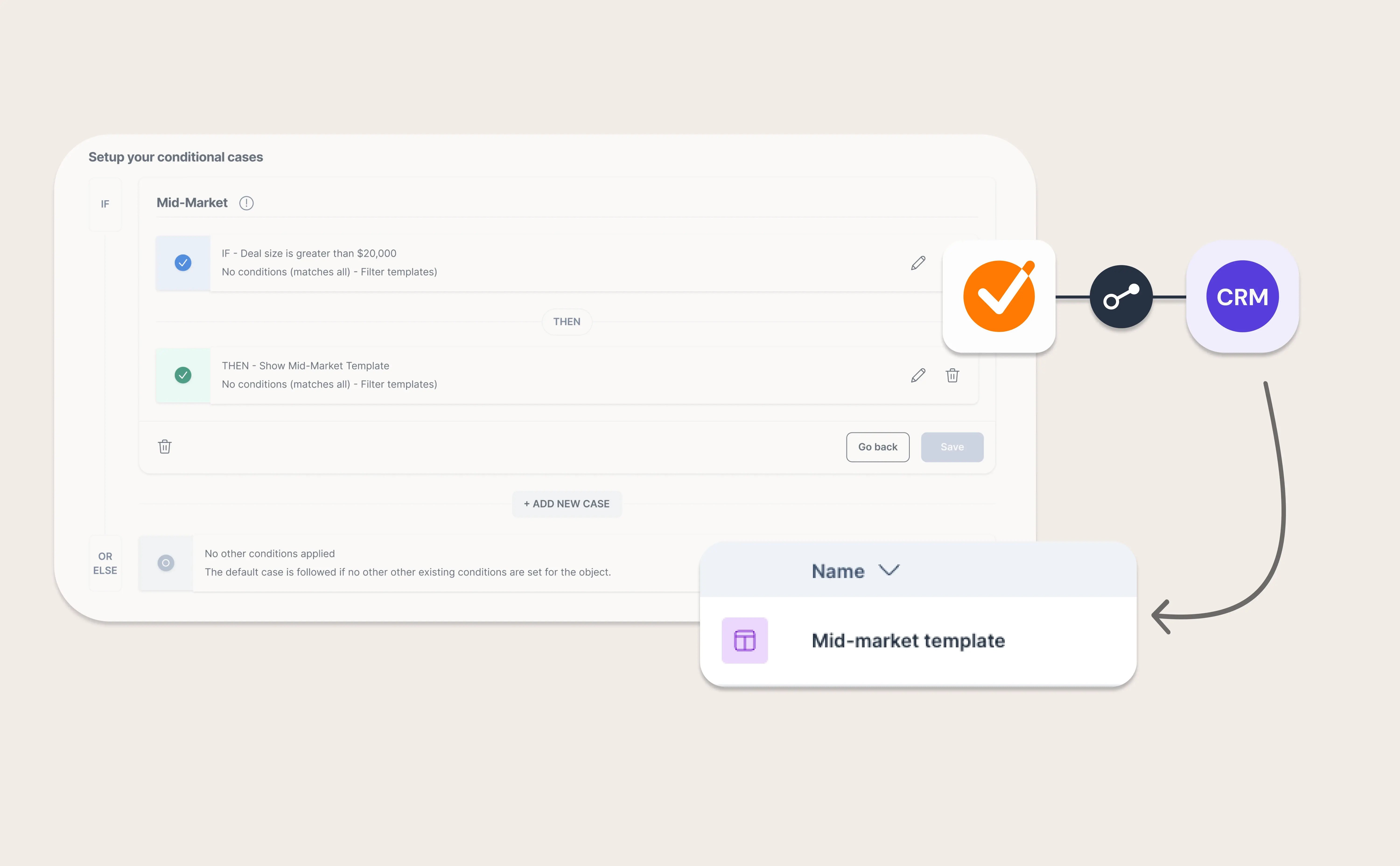
When your CRM is connected, any merge field available there can be used as a condition.
That means you can build rules like:
- Show region-specific terms based on billing state
- Include compliance clauses only for certain industries
- Display different warranty language depending on project or deal type
The logic runs automatically when the document is created. Reps don’t need to understand the rules. They just create the document, and the right content appears.
This is especially powerful for teams with:
- Regional or regulatory differences
- Industry-specific requirements
- Complex product or project structures
From many templates to one smart template
Before conditional content, most teams solved complexity with duplication.
They created:
- A California template
- A New York template
- A Healthcare template
- A Finance template
Over time, the library grew harder to manage, and confidence in “using the right one” dropped.
With CRM-driven conditional content, the model changes.
You build:
- One master template
- Clear rules tied to CRM data
- Sections that appear only when relevant
The result is fewer templates, less maintenance, and much lower risk.

Practical examples
Region-specific terms
A global company uses the billing state from the CRM to control which legal terms appear. Buyers in California automatically see the correct clauses, while buyers elsewhere never see content that doesn’t apply to them.
Industry compliance
An enterprise seller includes compliance sections only when the Industry field equals Healthcare or Financial Services. Other buyers get a shorter, cleaner contract without unnecessary complexity.
Project-based variations
A professional services team uses a Project ID or Deal Type field to hide onboarding sections for simple renewals, while showing them for full implementations.
In each case, the rep does nothing extra. The document adapts on its own.

Designing templates that scale
When setting this up, a few principles help keep things manageable:
- Keep CRM data clean and consistent. Conditional logic is only as reliable as the data behind it.
- Name conditions clearly so future admins understand what they control.
- Start with the highest-impact variations first, such as region or industry, before adding edge cases.
- Treat templates as long-term assets, not one-off solutions.
This approach shifts effort from ongoing manual work to thoughtful setup upfront.
What this means for sales, ops, and legal
For sales teams, dynamic content removes guesswork. Reps spend less time editing and more time moving deals forward.
For ops and enablement, it reduces template sprawl and keeps processes predictable.
For legal and compliance teams, it ensures the right terms are always included, without relying on human memory or manual checks.
Most importantly, buyers receive contracts that feel clear, relevant, and intentional.

Recap
By completing this lesson, you should now understand that:
- Merge fields pull CRM data directly into your documents
- Conditional content uses that data to control what appears
- One smart template can replace dozens of static ones
- CRM-driven personalization improves accuracy, speed, and buyer confidence
Dynamic documents aren’t about adding complexity. They’re about letting your systems do the work, so your teams don’t have to.