

Introduction
Your buyers are constantly giving you signals. They open a document. They review it. They sign it.
The challenge isn’t knowing what should happen next.
It’s making sure it actually happens – every time.
CRM workflows help you turn buyer activity in GetAccept into automatic next steps, directly inside the system your team already relies on. No reminders. No manual updates. No missed signals.
The problem CRM workflows help solve
Most sales teams already agree on the right next steps in a deal.
If a buyer reviews a proposal, follow up.
If they sign, move the deal forward.
If nothing happens, don’t let it stall.
What breaks down is execution. Follow-ups happen late. Deal stages aren’t updated. Reps move on to the next task and important signals get missed.
CRM workflows close that gap by making the response automatic, not optional.
What are CRM workflows and triggers?
CRM workflows are rule-based automations that run inside your CRM.
They usually follow a simple pattern:
- A specific event happens
- Conditions are checked
- One or more actions run automatically
When GetAccept is connected to your CRM, buyer activity – such as a document being viewed, reviewed or signed – can act as the trigger for those workflows.
The key difference from APIs or third-party automation tools is that everything is managed directly in the CRM, using its native workflow or flow builder.
How GetAccept connects to CRM workflows
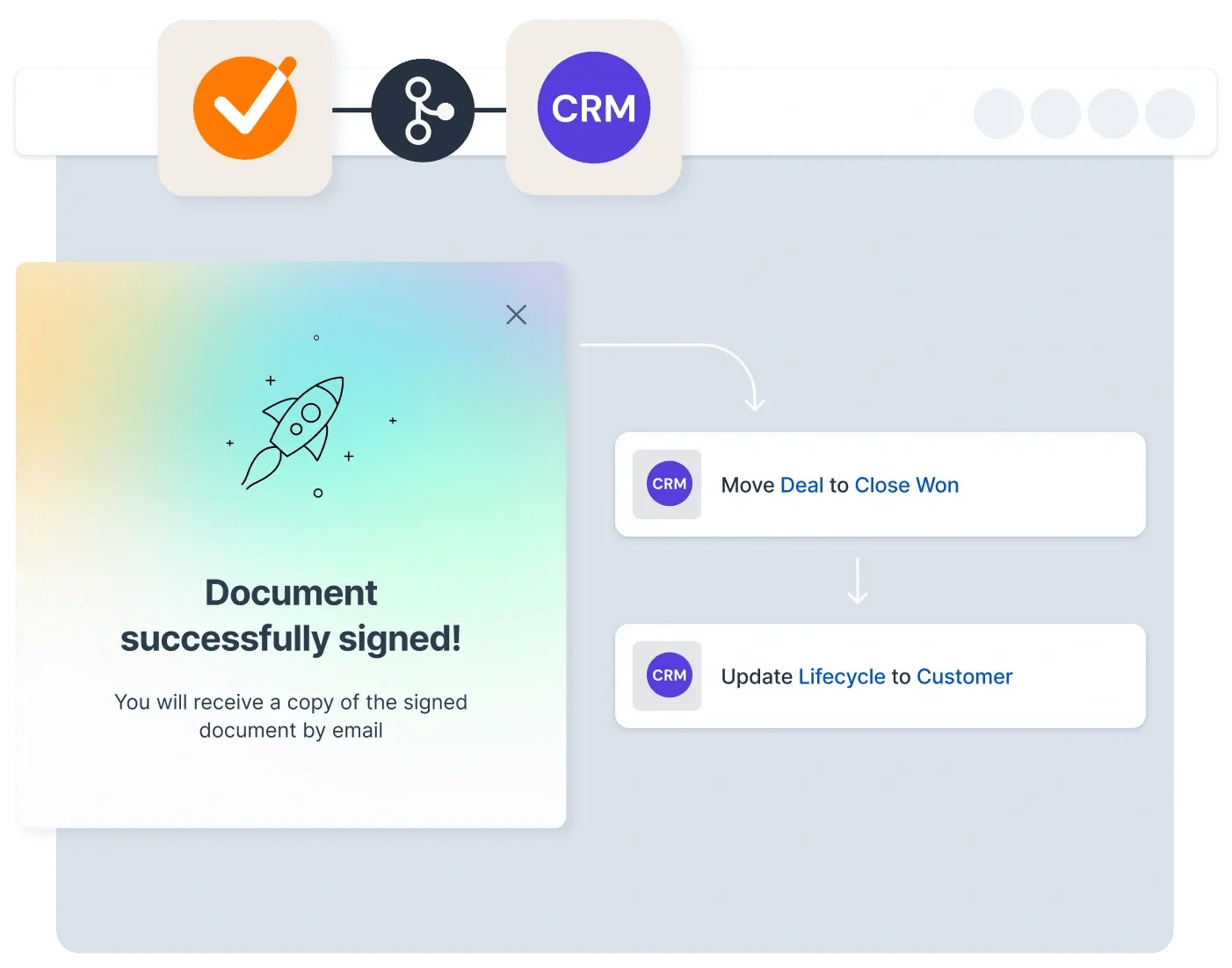
GetAccept sends detailed activity signals back to your CRM. Once GetAccept is connected to your CRM, document and Deal Room activity is automatically available as properties or events that workflows can use – no custom development required.
That means you can:
- Trigger workflows based on document status
- React to Deal Room activity
- Store buyer-filled data directly on CRM records
From there, your CRM decides what happens next – without reps needing to take action manually.
Common workflow examples in practice
CRM workflows connected to GetAccept are most valuable at moments where timing matters.
Common examples include:
- Updating the deal stage automatically when a document is signed
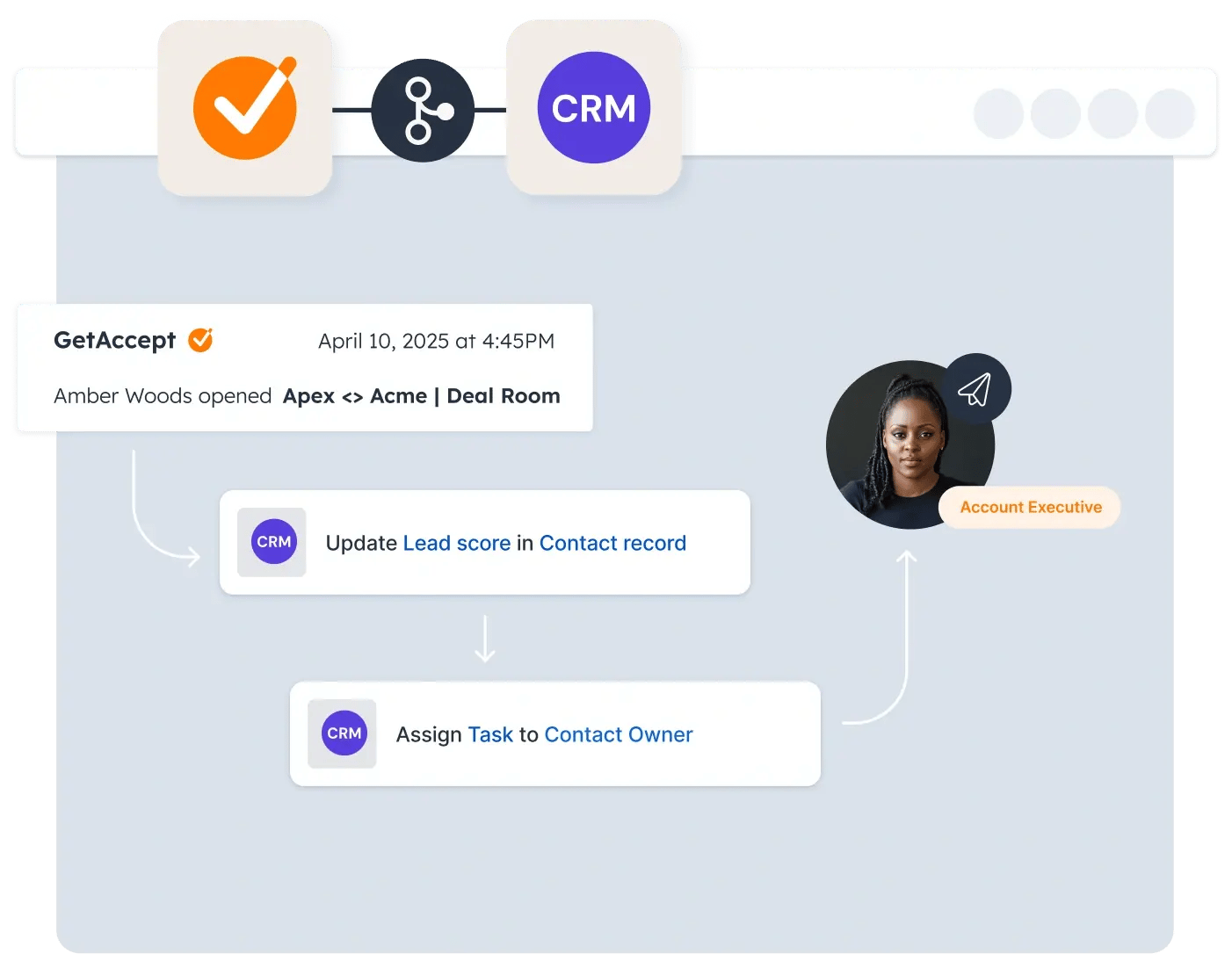
- Creating a follow-up task if a document is reviewed but not signed
- Notifying the deal owner when a Deal Room is shared or revisited
- Capturing recipient-filled data directly into CRM fields
These workflows ensure buyer intent always leads to action, even when reps are busy.
Real use cases
Different CRMs use different names, but the pattern stays the same.
In HubSpot, teams often:
- Trigger workflows from GetAccept document actions
- Automatically update deal stages when documents are signed
- Create Deal Rooms automatically when deals are moved into certain stages
In Salesforce, teams commonly:
- Use flows to create follow-up tasks when documents remain in review
- Capture recipient-filled data into Salesforce fields
- Add GetAccept flow templates to standardize automation
Even if you’re using a different CRM, the principle holds: buyer actions become workflow triggers inside your CRM.
Why this matters for sales teams
For sales reps, CRM workflows remove mental load.
You don’t need to:
- Watch document status constantly
- Remember when to follow up
- Manually update deal stages
The CRM handles the mechanics.
Reps focus on conversations.
For leaders and admins, this also means more consistent execution, fewer stalled deals and cleaner CRM data across the team.
Putting it together: a typical CRM-driven setup
In a common setup:
- GetAccept tracks buyer engagement and document activity
- That activity is synced into the CRM
- CRM workflows react automatically to those signals
For example:
- A proposal is reviewed → a follow-up task is created
- A contract is signed → the deal stage updates automatically
- Buyer input is captured → CRM records are updated
These workflows are usually designed by admins in collaboration with sales leadership, and often with guidance from GetAccept experts to ensure they reflect real selling behavior.
Recap
By now, you should be able to explain how CRM workflows turn GetAccept activity into automatic next steps, recognize which buyer actions are worth reacting to, and understand how this reduces manual effort for sales teams.
You don’t need more reminders.You need systems that respond when buyers do.