


Introduction
GetAccept already fits neatly into your sales process through powerful, pre-built integrations. For many teams, that foundation is enough to run proposals, track buyer activity and close deals efficiently.
APIs and automations build on top of that foundation. They allow GetAccept to interact with other platforms, including custom or in-house systems, and support more advanced or unique ways of working as organizations grow. They can also be used to shape what buyers see inside GetAccept, by dynamically populating Deal Rooms, proposals or contracts with deal-specific content.
Why look beyond standard workflows?
For many teams, GetAccept’s built-in features and integrations already cover day-to-day sales work. Deals are created, documents are sent and buyer engagement is tracked without friction.
But as organizations grow, their sales process often extends beyond one system. Custom internal platforms appear. Approval flows become more specialized. Reporting needs don’t always match standard templates.
In these situations, the challenge isn’t that GetAccept or its integrations aren’t powerful enough. It’s that the business now operates across more tools, each with its own rules. APIs and automations help connect those dots.
What are GetAccept automations?
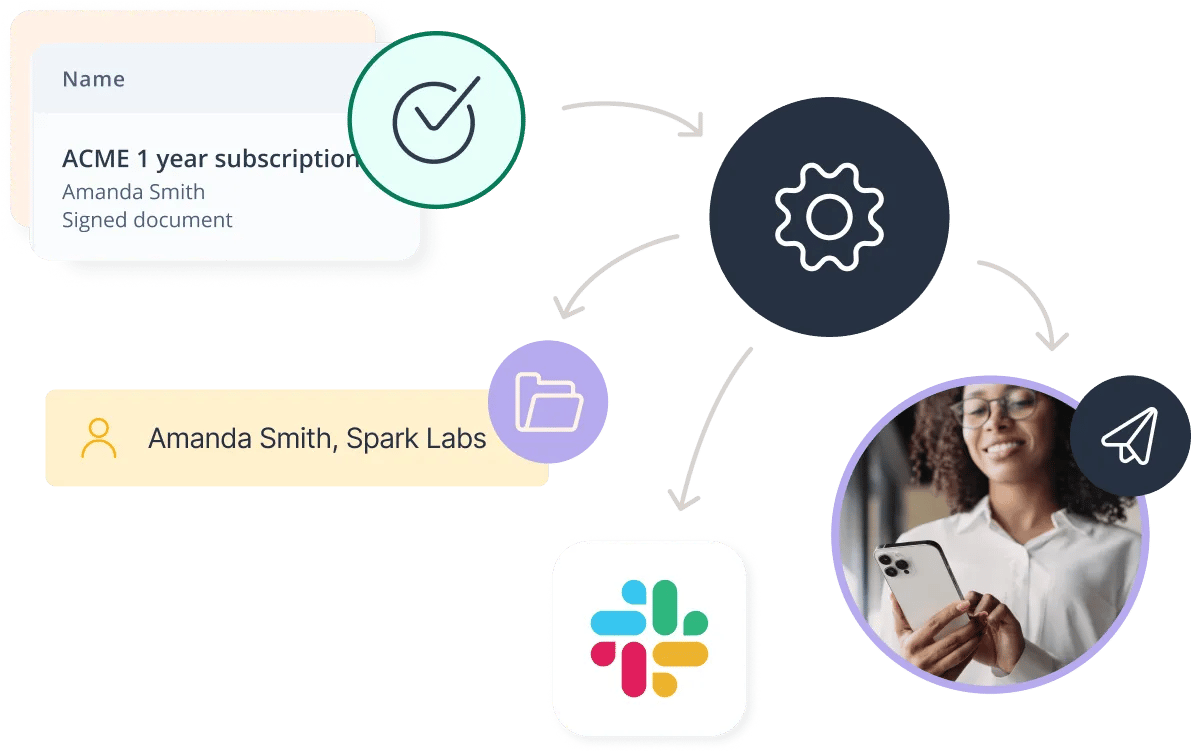
Automations are event-driven workflows that react to what’s happening in GetAccept, or which trigger actions in GetAccept based on activity elsewhere.
Instead of relying on people to notice changes and take action, automations handle that step automatically. When something happens in GetAccept, a related action can happen elsewhere without manual effort.
Typical uses include:
- Notifying internal teams when proposals are sent, viewed or signed
- Updating records in other tools automatically
- Creating tasks or reminders tied to deal progress
- Triggering sendouts from GetAccept templates when someone submits a business enquiry form
Automations help keep everyone aligned while letting sales reps focus on selling, not admin.
For more advanced or organization-wide automations, admins often work with GetAccept experts to design workflows that are reliable, scalable and easy to maintain.
What is the GetAccept API?
The GetAccept API allows other systems to interact directly with GetAccept in a controlled, flexible way.
It’s most often used when organizations work with custom or in-house platforms, or when business logic doesn’t follow standard patterns. The API makes it possible to decide exactly what data moves, where it goes and when.
Rather than replacing existing integrations, the API extends them. It fills the gaps where off-the-shelf connections can’t reflect how the business actually works.
In addition to syncing data between systems, the API can also be used to populate content directly inside GetAccept. This includes elements like pricing tables, images or structured deal information in Deal Rooms, proposals or contracts, based on data from other platforms.
Because API setups often connect to critical or custom systems, they’re usually planned and implemented by admins together with GetAccept experts who understand both the platform and best practice integrations. You can view our API documentation or speak to an expert here.

What kinds of problems does the API solve?
The API is typically used behind the scenes to support things like:
- Syncing document or contract status into internal systems
- Feeding GetAccept data into custom reporting or analytics tools
- Managing complex imports or updates at scale
- Supporting organization-specific compliance or data requirements
The API is also used when deal-specific content needs to be generated dynamically, such as:
-
Populating pricing tables based on product or quote data
-
Updating images or visuals based on deal context
-
Ensuring Deal Rooms and contracts always reflect the latest commercial details without manual edits
From a sales perspective, the benefit is simple. Less manual work. Fewer mismatches between systems. Clearer visibility into deal progress.
API and automations: how they work together
Automations and the API are often used side by side rather than separately.
Automations are great at reacting quickly to events, such as a proposal being signed. The API handles deeper data exchange and custom logic, such as updating internal systems that require specific formats or rules, or supplying structured data that is then rendered inside GetAccept documents or Deal Rooms.
Together, they allow GetAccept to respond in real time while still fitting into more complex technical environments – without changing how sales teams work day to day.
Putting it together: extending GetAccept in real organizations
In most organizations, GetAccept is part of a wider ecosystem. That often includes a CRM, internal reporting tools, finance or operations systems and sometimes custom-built applications. Admins work collaboratively with GetAccept experts to design the best implementation for their organization.
A common setup looks like this:
- A CRM integration keeps deals, contacts and document status up to date, making GetAccept visible and usable directly from the CRM
- Automations notify internal teams when key events happen, like proposals being sent or contracts being signed, or to trigger actions within GetAccept based on activity elsewhere
- The API passes structured data into internal systems that follow unique rules or data models. In some cases, the API is also used to populate Deal Room content, pricing tables or contract elements dynamically, ensuring buyers always see accurate and up-to-date information
For sales reps, the experience stays familiar. They work from the tools they already know.
Behind the scenes, systems stay aligned automatically.
Recap
By now, you should be able to explain how APIs and automations extend GetAccept’s capabilities, recognize when they’re useful for custom platforms or unique workflows, and discuss their value to your organization.
You don’t need to build these solutions yourself. You just need to know when they can take you further. To get started, view our API documentation or speak to an expert here.