


Why confidence wins deals
Most deals don’t fail because the product is wrong. They fail because buyers feel uncertain.
Uncertainty usually shows up in familiar ways. Buyers aren’t fully clear on…
- What problem the vendor is solving for them
- Who else needs to be involved in the decision
- What happens next
- Whether the vendor truly understands their situation
When those questions linger, progress slows down or stops entirely.
A well-designed Deal Room helps remove that uncertainty over time. It doesn’t try to explain everything at once. Instead, it gives buyers clarity in stages, so moving forward feels natural rather than risky.
Think of the Deal Room as:
- A central place where everything related to the deal lives
- A guided narrative that evolves as the conversation evolves, not a dumping ground for content
- A shared workspace where buying feels collaborative rather than reactive.
This lesson walks through that journey in three phases: setup, selling, and buying.
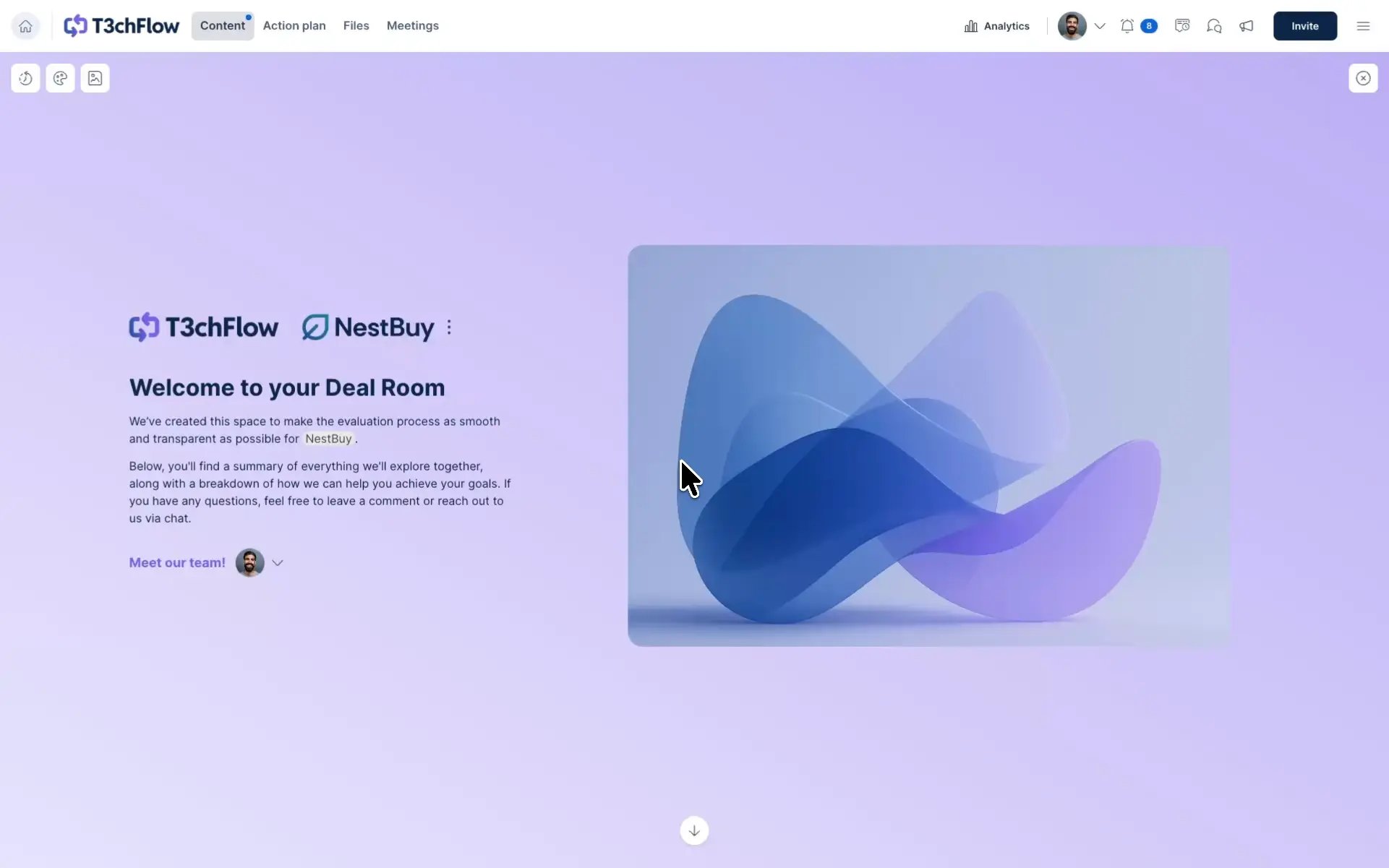
1) Setup: Design the experience before the deal starts
Confidence starts long before the first meeting. It starts with how you design your templates.
Build templates that reflect your sales process
Your Deal Room template should mirror how you sell, not just what you sell. A good template already answers the question, “What does a successful deal typically look like for us?”
Start by adding the content that should exist in every deal, such as:
- An introduction section and a welcome page that explains the purpose of the room
- A standardized discovery summary structure that can be populated as conversations progress
- A page reserved for the business case
- An executive summary structure for later-stage stakeholders
These elements give buyers a sense of direction. Even early on, they can see that there is a clear path forward.

Use merge tags and AI for instant personalization
Templates shouldn’t feel generic. Merge tags let you automatically pull in details like the buyer’s company name, the seller’s details, and key CRM data. That alone removes a lot of manual work and prevents small but damaging mistakes.
GetAccept AI builds on this by helping you tailor the actual content of the room. It can use meeting transcripts, buyer data, and company context to generate discovery summaries, business cases, and essentially any sales content that reflects what has actually been discussed. Instead of starting from a blank page, reps start from something that already sounds relevant to the deal.
The result is a room that feels purpose-built from the first visit, without requiring extra effort from the rep.
Separate what’s fixed from what’s flexible
Not all content belongs directly in a template.
Templates are best used for structure and process. Variable content should live in Content Resources. This includes things like:
- Different business case approaches for SMB versus enterprise deals
- Industry-specific customer stories or whitepapers
- Persona-focused sections for finance, IT, or operations
By adding placeholders for these resources inside your templates, reps can choose what fits the deal without breaking consistency or creating one-off versions of the same room.
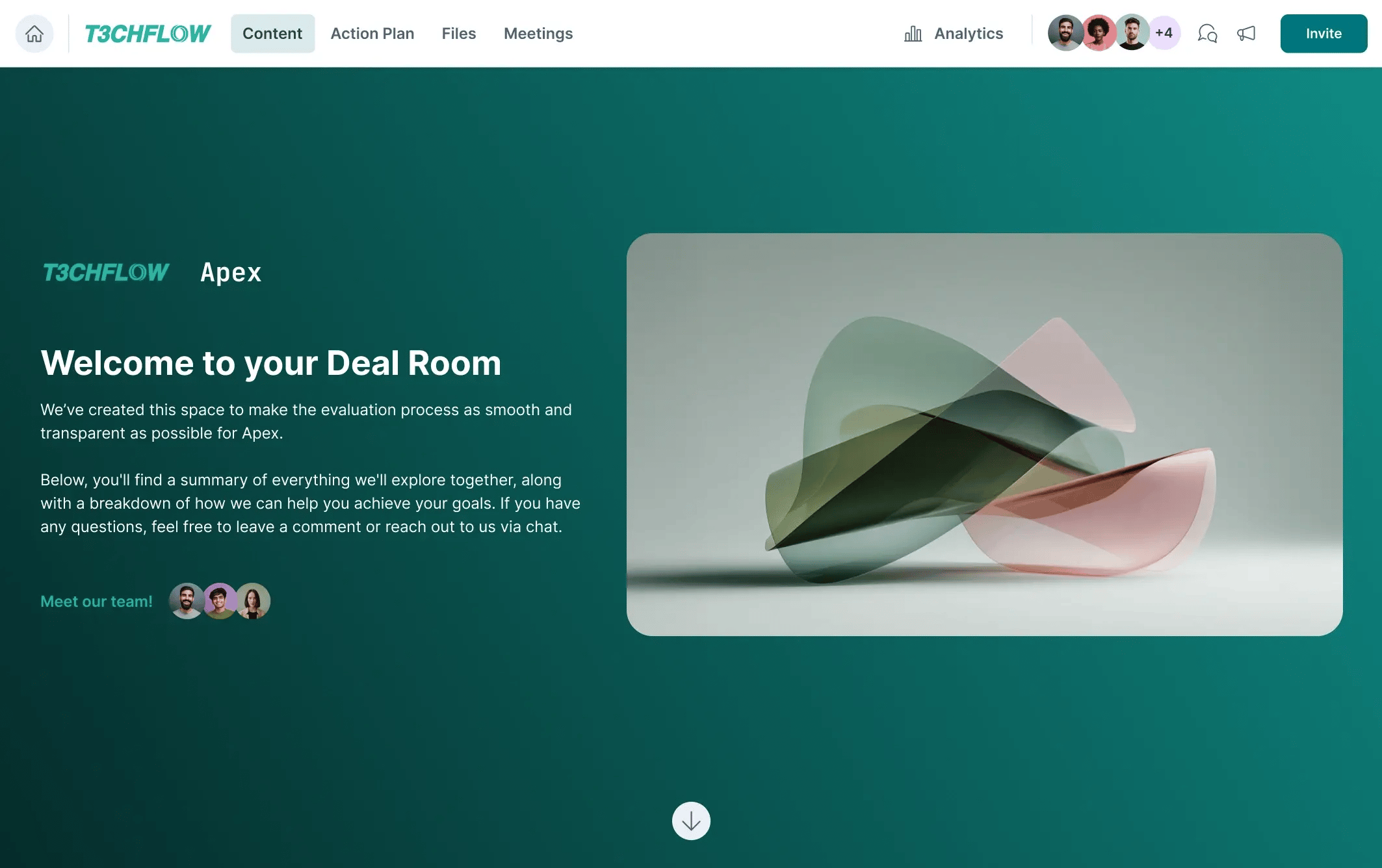
Reveal content gradually to guide the buyer
Confidence grows when buyers are not overwhelmed.
Use page visibility to control what’s visible early on, and what gets revealed later. Early-stage rooms should feel focused and lightweight. As the deal progresses, additional pages and sections can be uncovered to support deeper evaluation.
The same principle applies to features. Tools like Files, Meetings, and Contracts don’t have to be front and center on day one. Enable them when they add value for the current stage of the process.
Use Section Prompts to scale best practices
Section Prompts allow content managers to define how specific sections should be written, once, and reuse that logic across deals.
Section Prompts let content managers define how each section should be written – once.
For example, you might set up:
- Discovery sections that always pull key pains and priorities from meeting transcripts
- Business case sections that structure impact, value, and risks in a consistent way
- Executive summaries that automatically evolve as new information is added
With Section Prompts in place, reps don’t need to prompt AI or rewrite content.
They simply click Update with AI, and the room stays sharp, current, and aligned to best practices.
2) Selling: Use the Deal Room as your operating system
First contact: spark interest without overwhelming
After a lead is qualified, create and personalize the Deal Room using CRM data, then publish a concise first version. Invite the initial participants and keep the focus tight.
At this stage, the goal isn’t to explain everything. It’s to validate interest, trigger curiosity, and encourage early engagement. Use chat and comments to ask who else should be involved, collect early inputs, and start the discovery process even before the first meeting takes place.
First meeting: introduce the process, not just the product
Whenever possible, present directly from the Deal Room.
Pro tip 💡
When screen-sharing, open the Deal Room itself. Show where content will live, how meeting recaps will be added, and drop the room link in the chat so everyone can follow along and revisit it later.
Use the meeting to:
- Walk through the current state
- Introduce the Mutual Action Plan
- Agree on the first milestone and tasks together
This shifts the dynamic from presentation to collaboration.

Post-meeting: show momentum immediately
After the meeting:
- Upload the meeting recording and transcript to the room
- Generate and publish a meeting summary and next steps
- Notify participants through chat or by posting an update
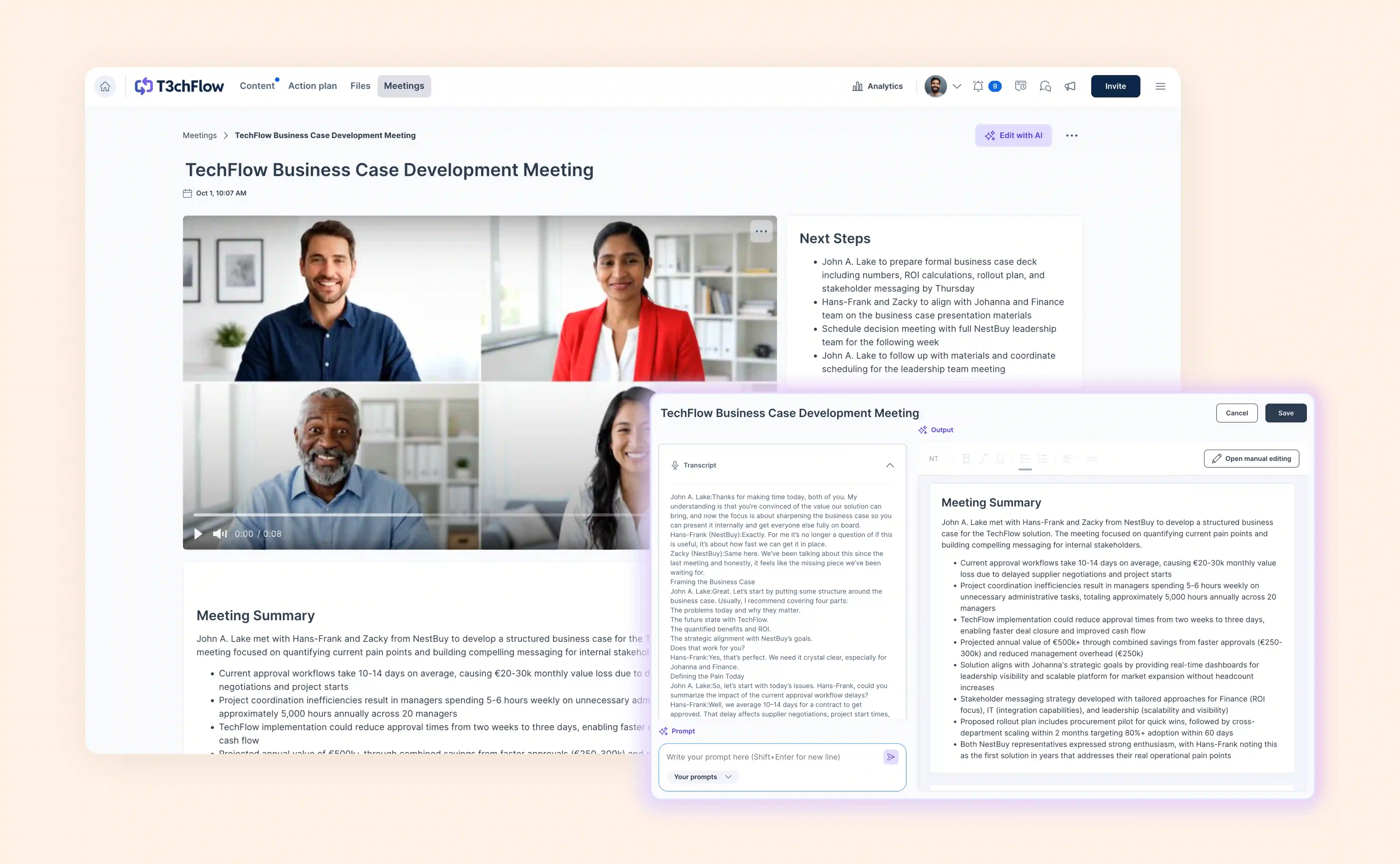
Discovery: co-create instead of interrogating
As discovery deepens, the room truly becomes a shared workspace.
- Add and refine content together with stakeholders
- Use comments and chat to clarify open points
- Build custom sections that reflect the buyer’s real challenges
This is where insight builds, and where confidence starts to compound.
Proposal: make complexity feel simple
When you move into proposal mode, the room should already tell a coherent story.
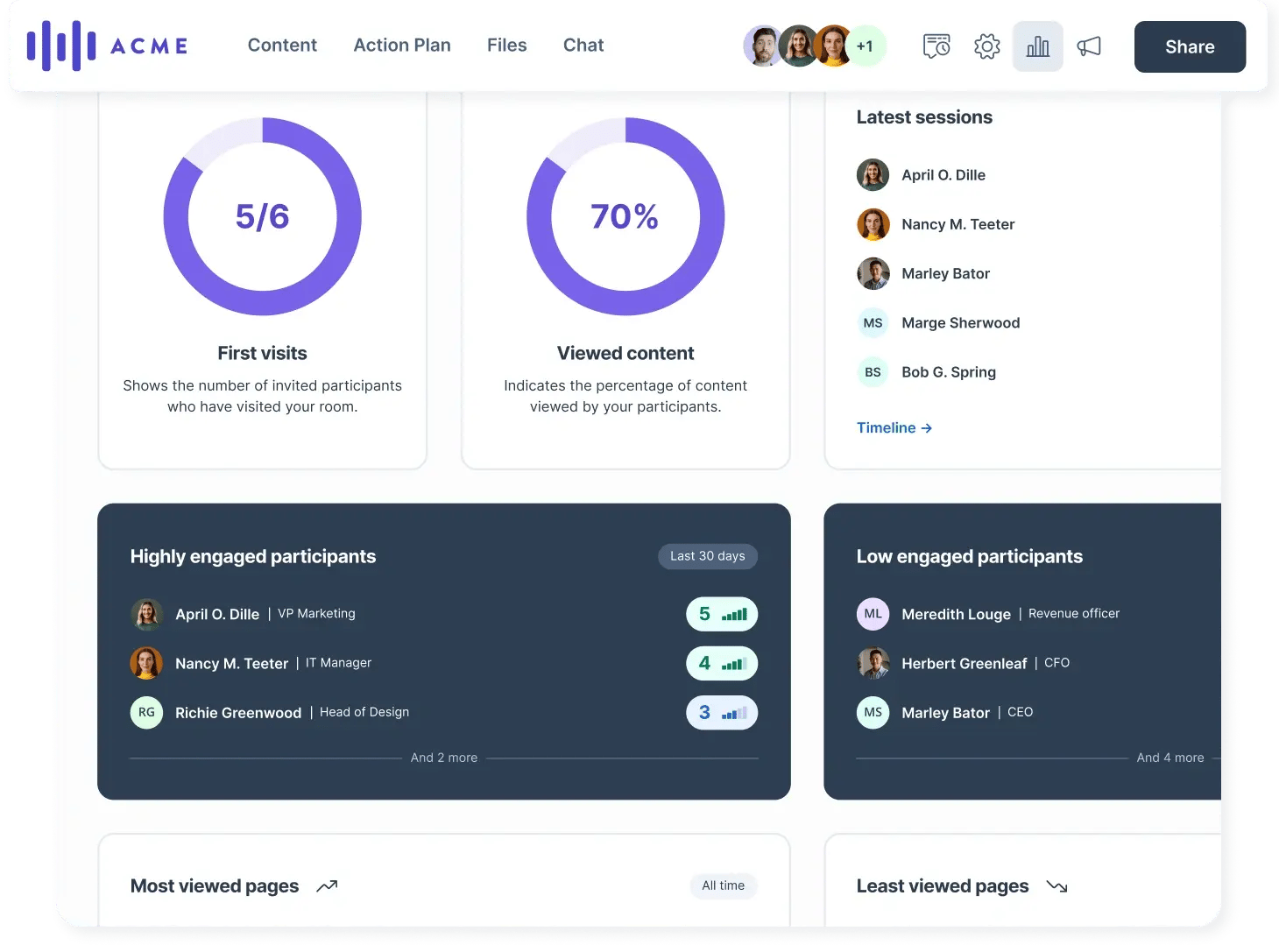
Summarize the discovery outcomes, present the business case, and involve the final stakeholders. Use analytics to understand who is engaging, who might be missing key content, and where follow-up is needed.
At this point, the Deal Room should feel complete and traceable, from the first problem discussed to the proposed solution.
Contract: make signing feel like a natural next step
By the time the contract is shared, most of the hard work should already be done.
- Stakeholders already understand the context and the “why”
- Decisions are aligned
- The contract feels like the final step, not a new hurdle
Sending documents like purchase contracts, NDAs, DPAs through GetAccept keeps everything in the same flow and reinforces continuity.
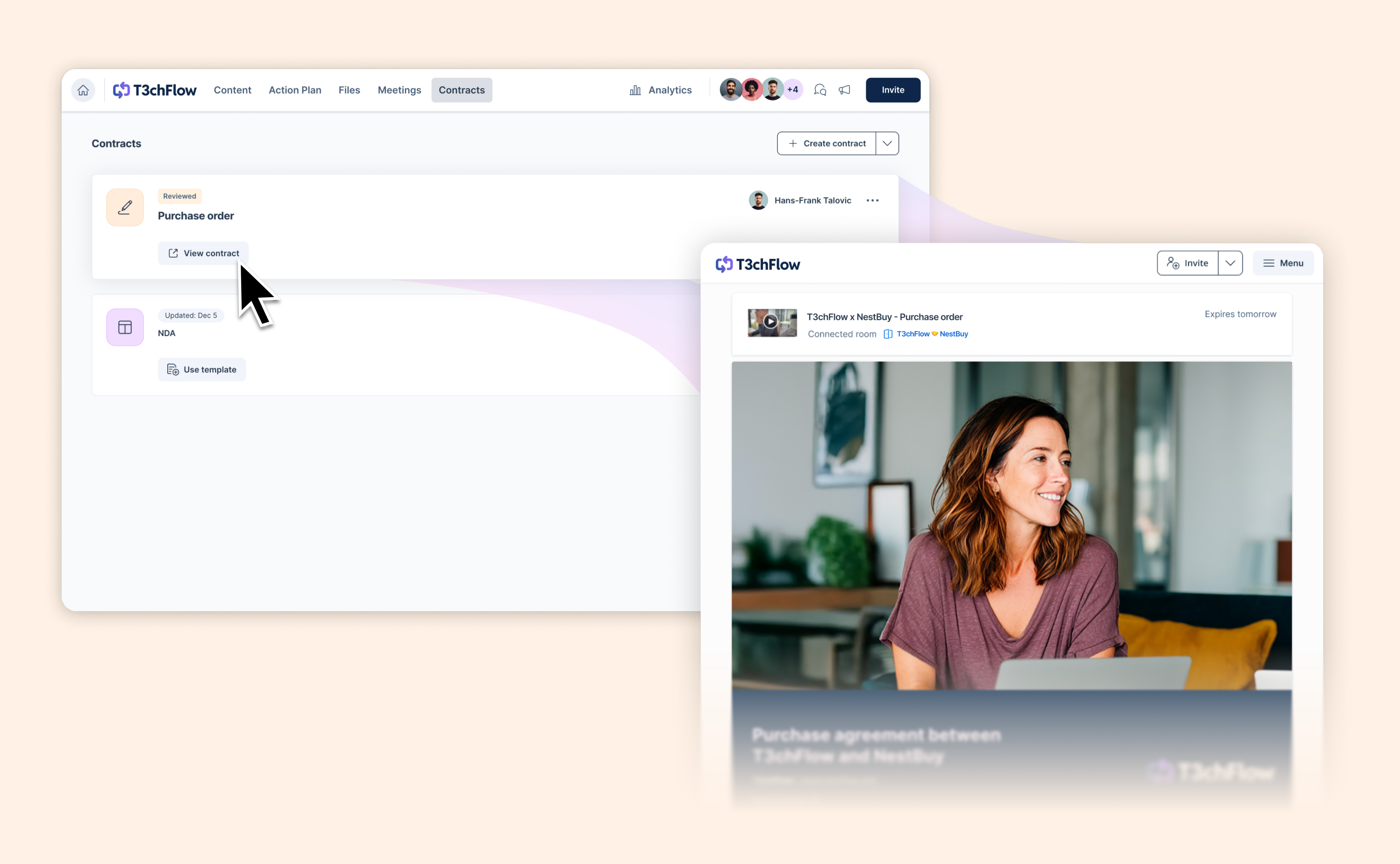
3) Buying: how confidence is created on the other side
Creating your champion
From the buyer’s perspective:
- The room feels modern, clear, and professional
- Content appears exactly when it’s needed
- Questions are answered seamlessly in context, rather than in new threads.
At some point, your champion starts inviting colleagues because the room makes it easy to bring others up to speed.
Creating confidence
Over time:
- The process feels structured and supportive
- Collaboration feels easy
- Complexity is broken down into clear steps
Buyers spend less time worrying about how to buy, and more time evaluating why this solution makes sense for them.

Stakeholder alignment and commitment
When decision-makers join:
- They see a clear executive narrative
- They can drill into details if needed
- Everything is centralized and easy to follow, which makes meetings more efficient and decisions easier to reach.
Signing feels straightforward. Often, the lasting impression is not just the product, but the quality of the process itself.
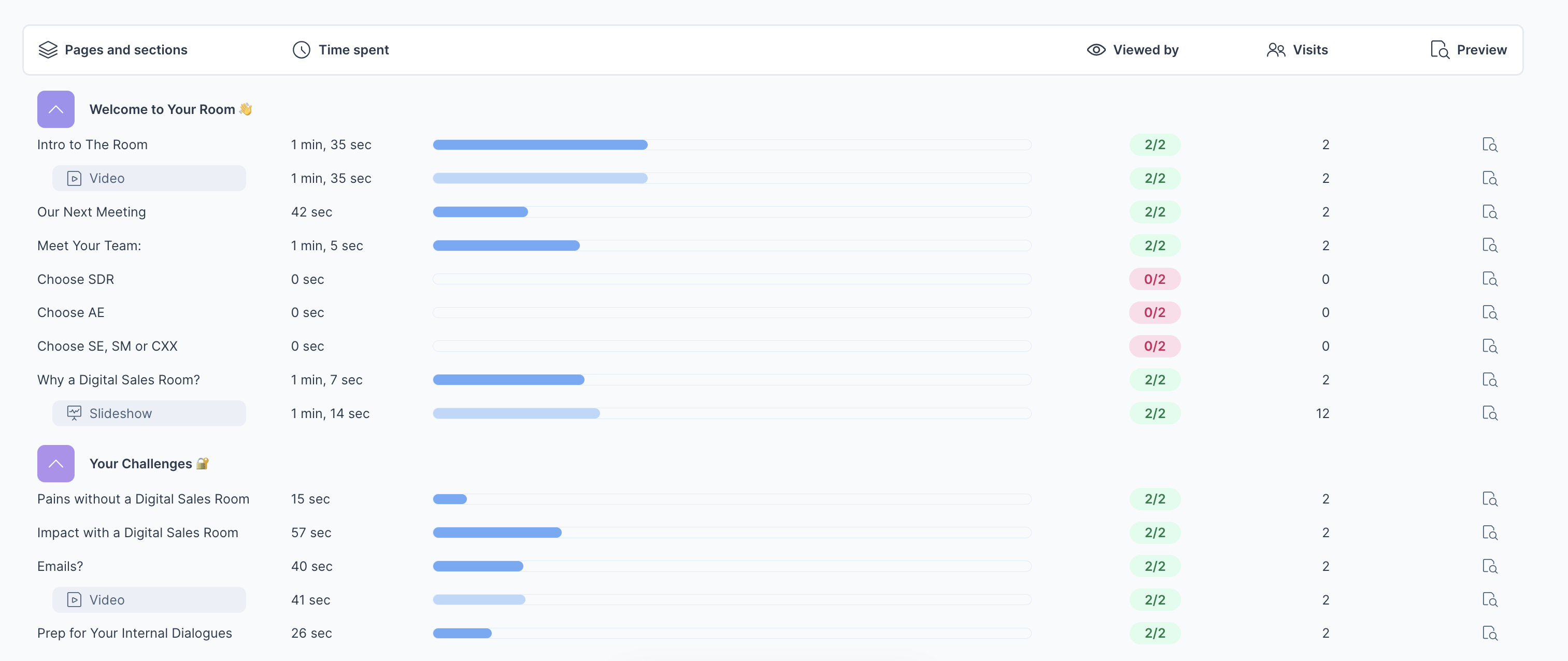
Use analytics to stay one step ahead
Throughout the deal:
- Use analytics to monitor what content is being viewed and when
- Track engagement signals in real time
- Follow up intelligently, not blindly
Reference room activity during meetings to reinforce alignment and momentum.
Recap: building confident buyers with Deal Rooms
Confident buyers are created when you:
- Design templates that reflect your sales process
- Deliver the right content at the right time
- Treat the Deal Room as a living workspace, not as a place to dump content
- Guide buyers with structure, clarity, and presence
- Keep everything centralized, visible, and easy to engage with
When done well, the Deal Room doesn’t just support the deal. It makes buying feel straightforward and safe.