What is proposal software?
Proposal software helps sales teams create, send, track, and manage business proposals. It is a specialized tool that improves the proposal-creation process with features not found in generic document editors. These features improve efficiency, ensure brand consistency, and increase win rates.
It typically covers three core functions:
-
Proposal creation: Build branded, customized documents using templates and a content library to ensure consistency.
- Proposal management: Track prospect activity, manage internal approvals, and close deals with legally binding e-signatures.
- Data integrations: Connect with your CRM and other tools to eliminate data silos and automate workflows.
The primary benefit is making your team more efficient while improving your close rate.
Here’s what one CEO said in one of our surveys:
|
"Before we adopted proposal software, creating proposals was hard and manual. It required hours of paperwork, spreadsheets, and word processing. A time-consuming, error-prone maze that was totally inefficient”.
Draven McConville, CEO and Co-founder of Klipboard |
.webp?width=165&height=165&name=DravenMcConville_CEOKlipboard-ezgif.com-png-to-webp-converter%20(1).webp)
How proposal software works
Proposal software turns a manual, multi-step process into a streamlined workflow. Here’s a breakdown of how it works in practice.
Create proposals with templates and content libraries
You start with pre-built templates instead of a blank page. Pull approved content like case studies and pricing from a central library to ensure consistency. A drag-and-drop editor makes it simple to personalize the document with custom text, branding, and video.
Send and track engagement
Share the proposal via a secure, mobile-responsive link. The software then tracks every interaction in real time, such as opens, views, and time spent on each section.
This gives you valuable insight into your prospect's priorities and allows for perfectly timed follow-ups.
Collaborate and get approvals
Internal stakeholders can review, comment, and approve the proposal directly within the platform. This eliminates confusing email chains and delays.
Buyers can also use the document to ask questions or negotiate terms, keeping all communication in one place.
Close with e-signature
Prospects sign the proposal directly in their browser with a legally binding e-signature. This removes the need to print, scan, or email documents.
The signed contract is automatically saved and can sync with your CRM to update the deal stage.
Who should use proposal software?
Proposal software delivers value to B2B companies of all sizes, across numerous industries and roles. It’s designed for any sales team that wants to scale its success.
By company size and industry
Company size has little impact on success rates, with close rates around 45% across enterprises, mid-market companies, and small companies. In fact, 40% of small companies achieve a positive ROI within 6 months.

|
“Once we started using proposal software, things changed. We slashed the time it took to make proposals by 40%, sending out a quarter more each month, while our win rate went up by 15%”.
Campbell Tourgis, CEO at Wainbee |
While nearly any B2B company can benefit, proposal software is particularly effective in industries like:
-
IT & Tech - Enabling digital-first proposal workflows in this fast-moving sector.
-
Telecoms & Media - Giving your prospects options to review and sign on mobile
-
Staffing & Recruitment - Spend more time on placements and less on proposals.
-
Consulting & Professional Services - Secure, streamlined, & professional client proposals.
By role and function
-
Account Executives - Incentivized to close deals, AEs need proposal software to reduce the time they spend producing proposals and to create personalized buyer experiences to close more deals.
-
Sales Leaders - Tasked with managing the sales team to boost revenue growth, sales leaders are interested in using proposal software to improve the overall close rate. Sales leaders also use the metrics provided by proposal software to analyze the gap between top performers and the rest of the team.
-
Revenue Operations - Focused on maximizing the efficiency and productivity of sales teams, sales ops professionals choose proposal software to help them generate 30% more revenue by leveraging sales automation and improved data integrity opportunities.
Essential proposal software features
The best proposal software combines creation, management, and analytics into one platform. Here are the essential features to look for.
| Feature | Best for |
|---|---|
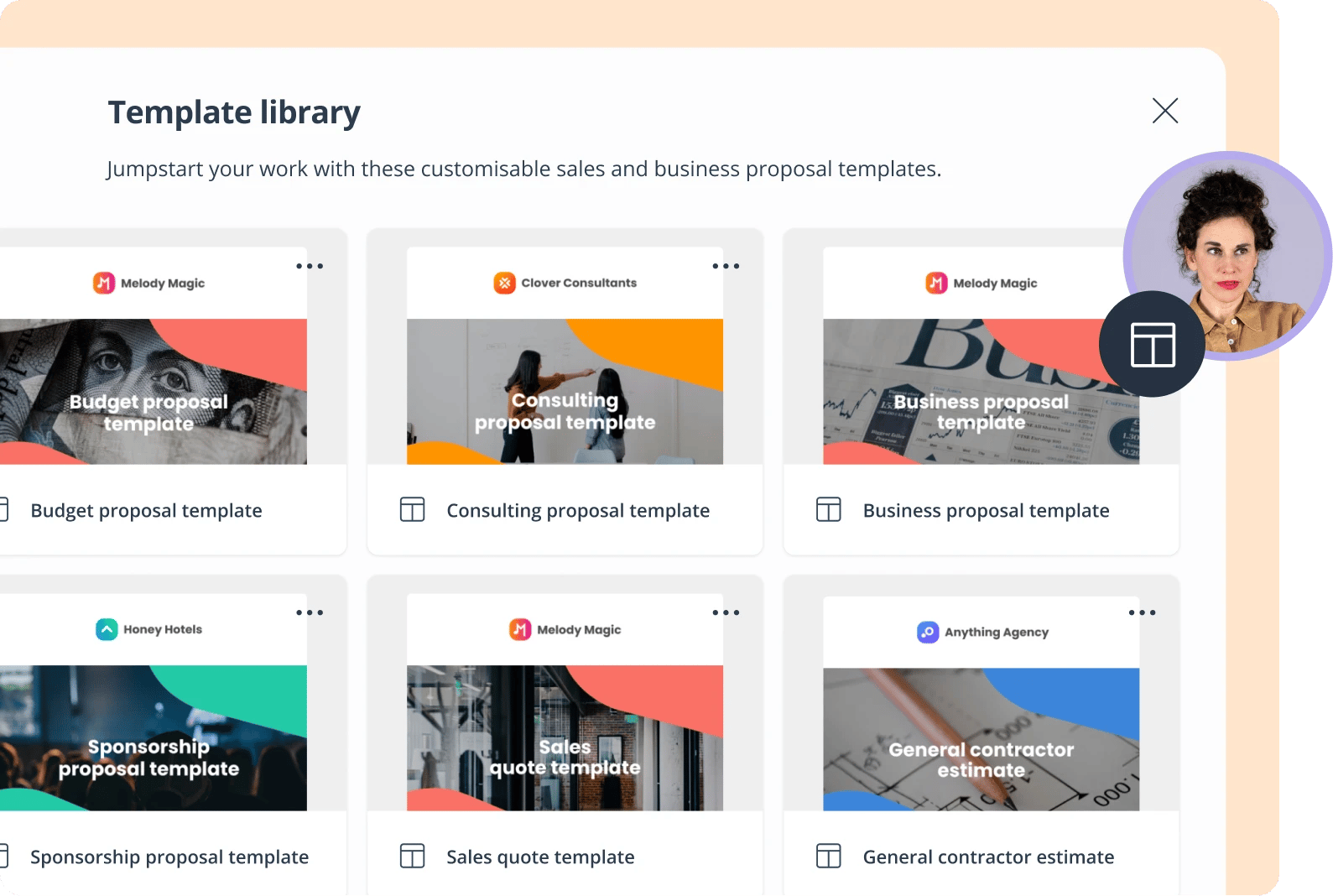
| Template & content library | A central hub for pre-built templates and reusable content to ensure brand consistency and speed up creation. |
| Branded proposal builder | A drag-and-drop editor to create stunning, mobile-responsive proposals with custom branding is cited as a favorite by 71% of users. |
| Collaboration & workflows | Tools for internal review, commenting, and automated approval routing to streamline the pre-send process. |
| E-signature capabilities |
Legally binding electronic signatures built directly into the proposal to close deals faster without printing or scanning. |
| Analytics & tracking |
Real-time insights into prospect engagement, showing who viewed the proposal, when, and for how long. |
| CRM & system integrations |
Native connections to your CRM (e.g., Salesforce, HubSpot) to eliminate manual data entry and sync deal data. |
| AI-powered features |
Emerging tools for smart content recommendations, predictive close probability, and AI-assisted proposal writing. |
Why use proposal software?
The benefits of proposal software translate directly into increased revenue and better sales performance. Here are the three core advantages.
Save time and increase productivity
-
Reduce proposal creation time by up to 70% (as our client Team Satchel did) using templates and content libraries.
-
Eliminate repetitive formatting and manual data entry.
-
Quickly adapt to customer change requests without starting over.
Boost win rates and revenue
-
A study from Sales Gravy found that companies using proposal software see up to 12% increase in sales.
-
Create personalized, professional buyer experiences that stand out.
-
Be the fastest vendor to respond with the most polished proposal.
Gain visibility and control
-
Track who viewed your proposal and what content they engaged with.
-
Understand prospect engagement in real-time to tailor your follow-up.
-
Set automatic reminders so no opportunity falls through the cracks.
How to choose the right proposal software
With many options on the market, selecting the right tool is key. Use this checklist to guide your evaluation.
| Evaluation criteria | Key questions to ask |
|---|---|
| Team needs assessment | What types of documents do we send (RFPs, quotes, contracts)? What are our biggest bottlenecks (speed, quality, tracking)? |
| Integration requirements | Does it offer native integration with our CRM? What other tools in our tech stack does it need to connect with? |
| Pricing and ROI |
What is the pricing model (per envelope, per user)? What is the expected ROI based on time saved and increased win rates? |
| Usability and support |
Is the platform intuitive for our sales reps? Does the vendor offer a free trial and responsive customer support? |
Always involve your end-users in the evaluation process. A free trial is the best way to test if a tool meets your team's real-world workflow requirements.
Best practices for proposal software adoption
To maximize your ROI, follow these best practices when implementing your new software.
Start with proposal templates
Don't build from scratch. Begin by customizing the software's proven templates to fit your brand and offerings.
Create different versions for your key buyer personas or industries to accelerate the creation process.
Build and maintain your content library
Centralize all your reusable content, including case studies, testimonials, and product specs. Keep the library up to date and tag content so your team can easily find and use it.
Automate repetitive tasks
Take full advantage of automation features. Set up approval workflows to speed up internal reviews and use CRM integrations to auto-populate client data.
Track metrics and optimize
Regularly review your proposal analytics to identify which content resonates most with buyers. Use this data to continuously test and iterate on your approach.
Getting started with proposal software
There's a reason 67% of sales teams use proposal software: it works. The results speak for themselves – 40% faster proposal creation, 15% higher win rates, and up to 12% annual revenue growth.
For the one-third of sales teams that haven't yet made the switch, this presents a clear competitive opportunity to get ahead.
GetAccept as a proposal software provider
If you want to see similar results in your organization, sign up for a free trial and start using GetAccept's proposal software today.
With GetAccept, you get access to:
-
A content library with templates for any business
-
A video-enabled proposal editor for ultimate personalization
-
Real-time insights into who's viewed and engaged with your proposal
-
500+ integrations to send proposals directly from your CRM
-
Built-in e-signature, analytics, and collaboration tools
Try GetAccept and start sending high-quality, personalized proposals at scale while ensuring a seamless experience that helps you turn more prospects into customers.
![5 Qwilr alternatives that win on speed, AI, and CRM integration [2026]](https://www.getaccept.com/hubfs/Qwilr%20alternatives.png)