


Why early setup decisions matter
Early in rollout, most teams focus on “getting things working.”
Later, they feel the consequences:
- too many templates
- inconsistent buyer experience
- contracts that are risky to edit
- reps creating their own workarounds
- unclear ownership when something breaks
Admins are the difference between “GetAccept is a tool we use” and “GetAccept is our way of working.”
This lesson is about making setup decisions that reduce friction now and make scaling easier later.
Start with your entity settings
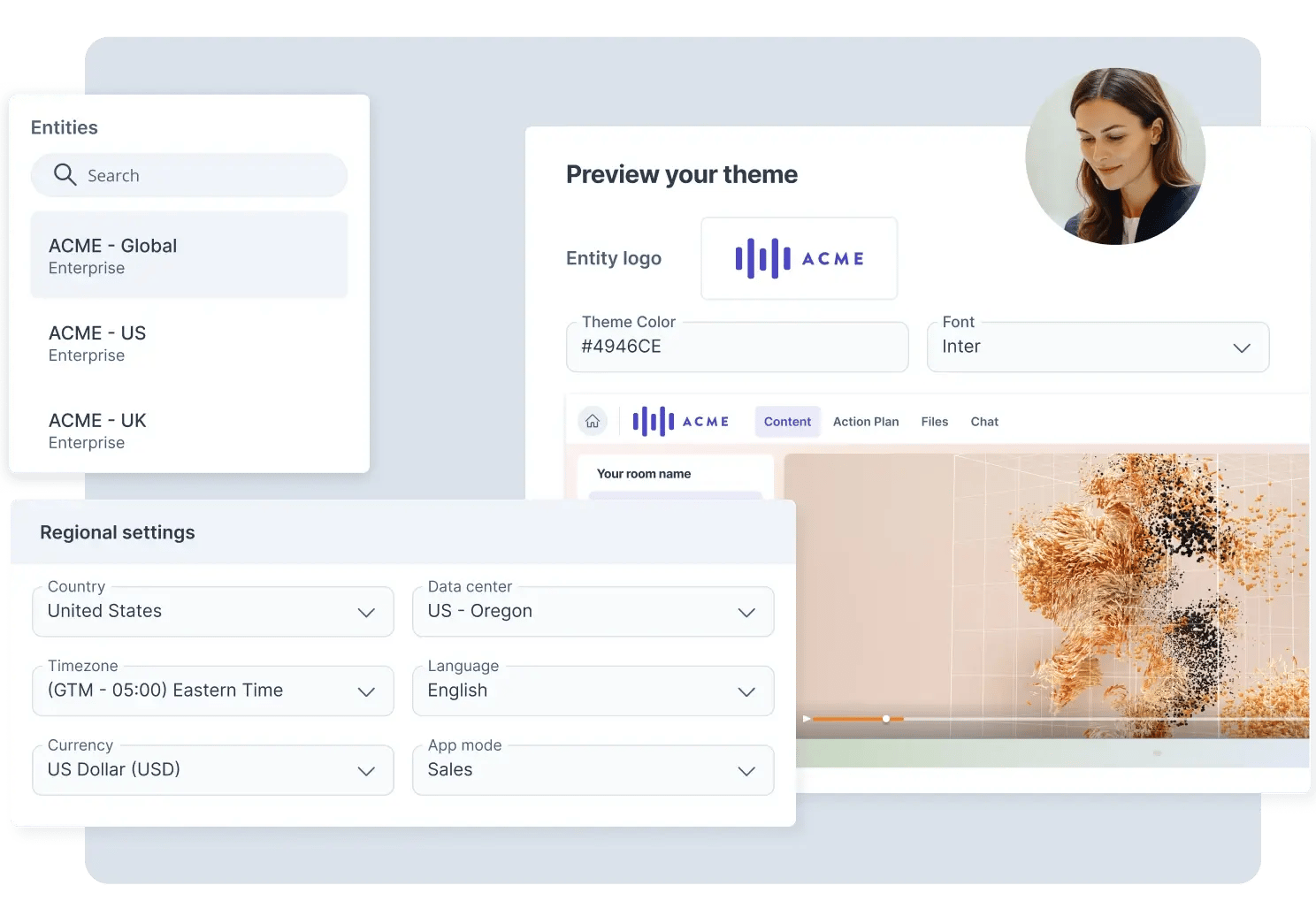
Entity settings are the foundation for consistency. They affect every email, every digital sales room, every contract, and every teammate.
Get the basics right once
Make sure your entity information is complete and accurate:
- company name, address, registration details
- website and contact email
- regional settings like currency, timezone, and language
Why it matters: these details appear in signatures, templates, and merged fields. If they’re wrong, reps manually rewrite them, and consistency disappears.
User setup is not admin work - it’s workflow design
Define roles with intent
GetAccept users can have one of three roles:
- Admin: manage settings, templates, and governance
- Manager: team visibility and oversight
- User: send content, personalize, and work deals
Best practice
- Keep template editing with a small admin group
- Use managers where you genuinely need team-level oversight
- Keep most sellers as users so they can’t unintentionally change shared assets

Use teams when your org needs boundaries
Teams help structure visibility and responsibility, especially if you have multiple regions, business units, or functions.
Practical examples
- You have Sales and CS in the same workspace. Teams help separate workflows while still sharing core templates.
- You have regional teams. Teams make it easier to keep localized templates and messaging organized.
Clean up access as you go
Deactivating users matters more than people think. It protects the system and keeps license usage under control.
What admins often miss:
- Deactivated users don’t take a license, but their documents remain accessible to admins
- Deleted users can remove documents, except signed documents
Practical example
If a rep leaves and keeps access, you risk inconsistent sends and data leakage. If you delete them without understanding the impact, you might remove drafts that the team still needs.

Security settings are a strategic decision, not a checkbox
A lot of teams treat security as “something we’ll deal with later.” Then procurement asks about it mid-deal.
Security and data protection settings let you decide how open or controlled your workspace should be.
Key settings to think through:
- restricting access to other users’ data
- two-factor authentication requirements
- rules around document link sharing
- consent before document access or tracking
- certificate privacy settings (masking IP, email, audit log options)
- document retention and removal rules
Practical examples
- If your team regularly shares links outside of GetAccept, disabling manual document link sharing can prevent risky behavior.
- If you sell into regulated industries, consent and certificate privacy settings can remove friction later with legal and compliance.
The goal is not “maximum restriction.” It’s choosing settings that match your sales reality and your compliance obligations.
Messaging is part of your product experience
Buyers experience your brand through your emails, reminders, and signed notifications. If those messages are inconsistent, it undermines trust.
You have two powerful tools here:
Communication templates (email, SMS, chat)
Admins can create communication templates that keep tone consistent across:
- send emails and SMS
- reminders
- signed notifications
- automated chat messages
These templates can also support different departments and languages.
Practical example
Your Sales team might need a more direct tone. Your CS team might need a more service-oriented tone. You can create templates for both without asking each user to rewrite messaging every time.
Email templates (Enterprise)
Email templates help standardize the email layout and defaults used for sends and notifications.
Important detail: if you hardcode content and remove key message tags, you can unintentionally override reminder and signed email messaging. Treat email templates as a framework, not a place to paste long messages.
The template strategy that keeps you sane later
This is where admins either set up a system that scales, or create a template graveyard.
Template permissions are your guardrails
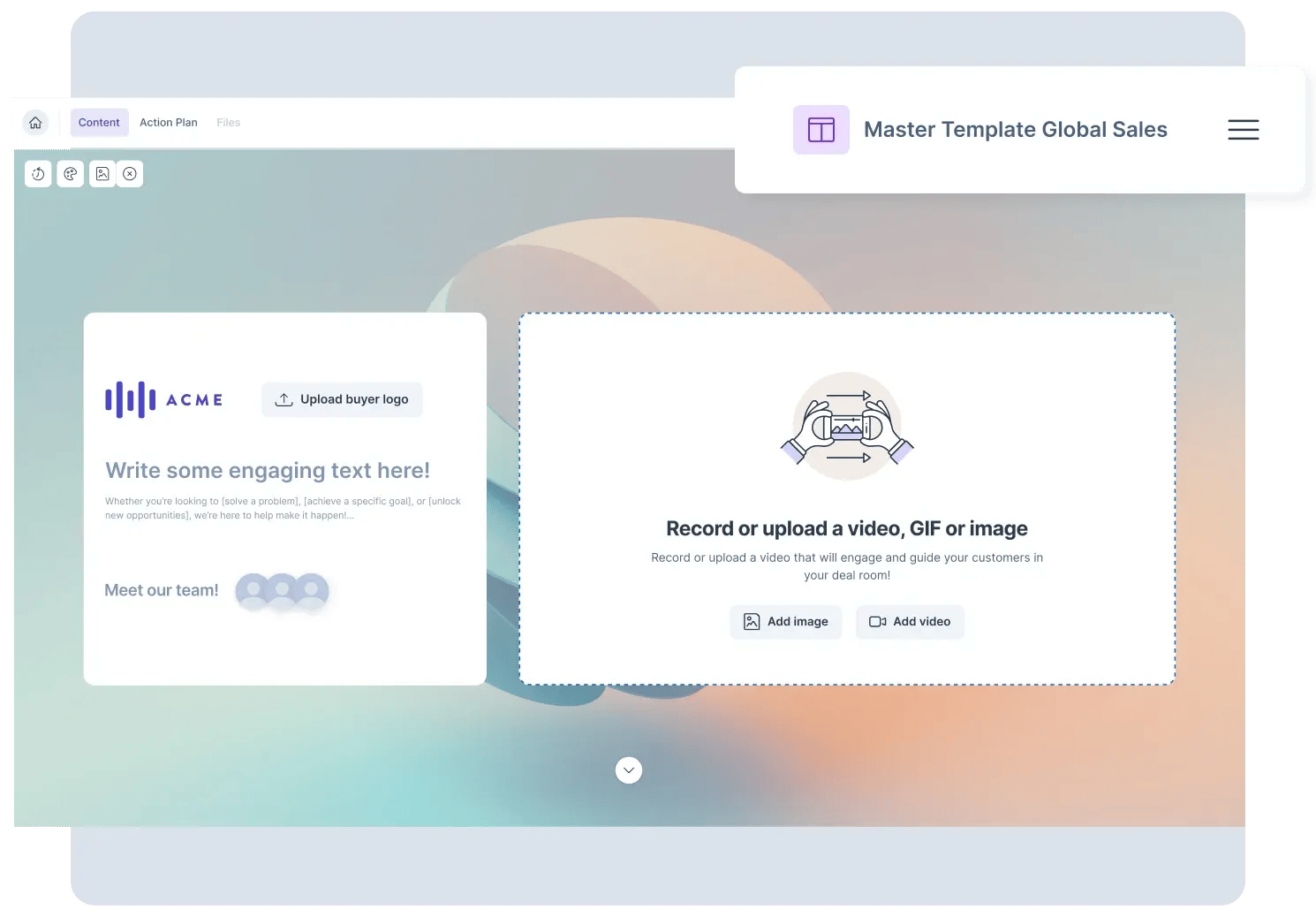
Only admins can edit document templates. Users can use templates to create documents.
In document drafts, users can personalize within what’s unlocked, but they can’t:
- change template roles
- rewrite locked clauses
- change the template structure
Strategy tip: lock what must never drift (legal language, compliance sections, standard workflow) and leave flexible what should vary (customer-specific context, pricing adjustments if allowed).
The “minimum template set” mindset
Aim for a small number of templates that reflect your sales motion.
A good starting point:
- new business proposal
- renewal / expansion
- order form or contract
- NDA / DPA (if relevant)
Then use controlled variation:
- reusable resources for Deal Rooms
- conditional logic in contracts (more on that below)
- communication templates for tone and language differences
Practical example
Instead of separate contract templates for every region, use one core template with custom data that drives conditional sections (regional clause, governing law, etc.).

Contracts scale best when you reduce variation safely
Deal Rooms are built for collaboration. Contracts are built for control.
Two admin tools help you scale contracts without creating dozens of templates:
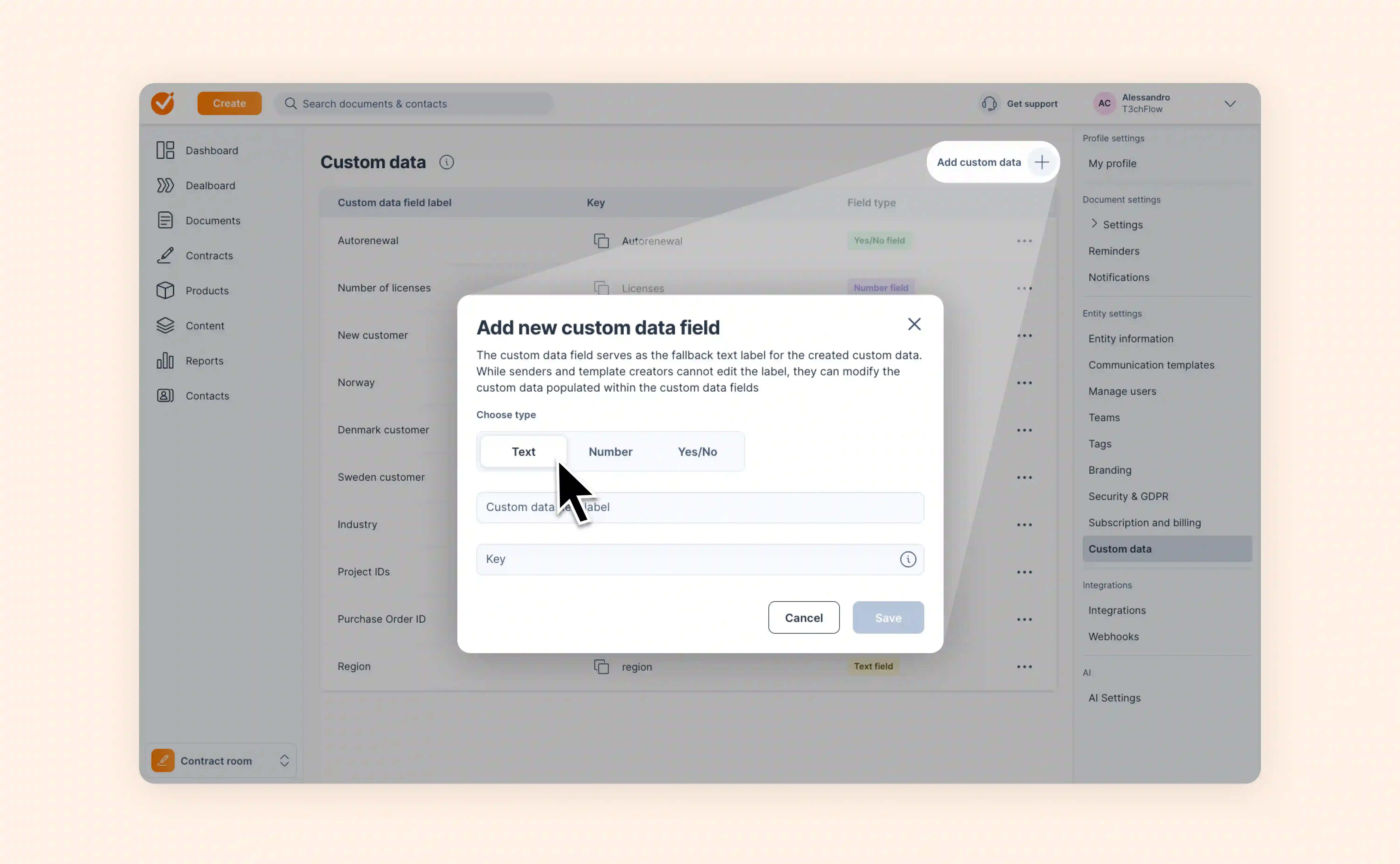
Custom data properties
Custom data lets you add your own fields beyond the defaults, such as:
- region
- project ID
- auto-renewal (yes/no)
- number of licenses (number)
These fields can be populated manually, via CRM, or via API.
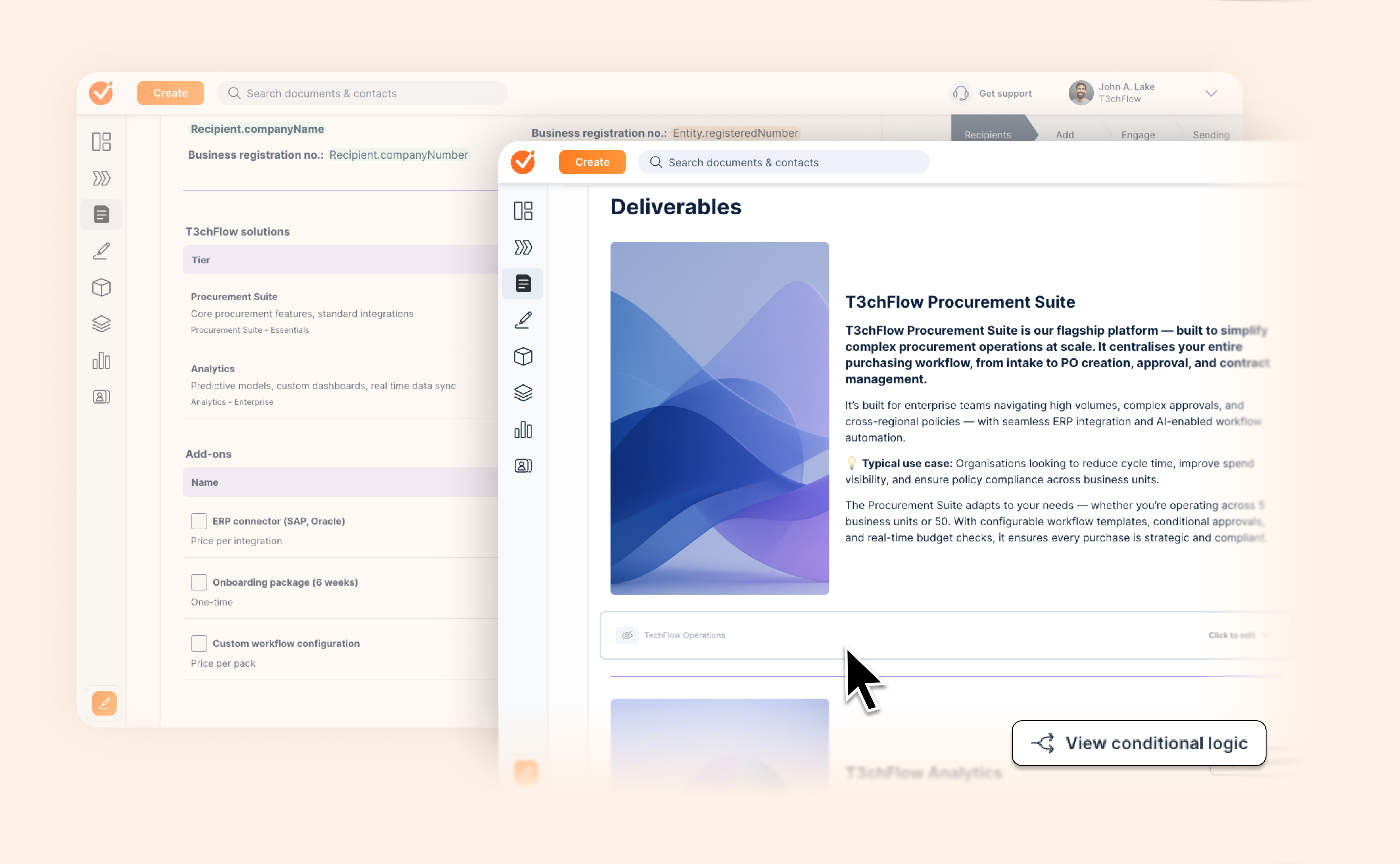
Conditional logic
Custom data can drive conditional logic, meaning you can show or hide content depending on deal data.
This is one of the best ways to reduce template sprawl.
Practical examples
- Auto-renewal clause appears only if auto-renewal is set to Yes
- A public sector clause appears only if Industry = Public sector
- A data processing section appears only if the buyer requires it
It’s cleaner for admins and safer for sellers, because the contract stays standardized while still adapting to the deal.
Put it all together as a simple operating system
If you want GetAccept to scale, think of your setup like an operating system:
- Entity settings create consistent defaults
- Users, roles, and teams decide who can do what
- Security settings define your risk posture and compliance readiness
- Communication templates make messaging feel intentional
- Template permissions and locking protect critical content
- Custom data + conditional logic reduce template sprawl and make workflows smarter
That combination is what allows reps to move quickly without breaking consistency.

Example in practice: T3chFlow
T3chFlow rolled out GetAccept quickly and saw early wins, but by month three the cracks showed.
Reps were sending inconsistent messaging. Contracts were being edited in risky ways. Enablement was maintaining too many templates, and nobody was sure which ones were current.
They reset with a simple strategy:
- They tightened roles: only a small admin group could edit templates
- They introduced teams and restricted cross-user visibility to reduce noise
- They standardized communication templates for Sales vs CS
- They locked contract sections that should never drift and used custom data + conditional logic for regional variation
- They reviewed entity settings and security so procurement questions didn’t derail late-stage deals
The result wasn’t just a cleaner workspace. It was a smoother sales motion: fewer mistakes, fewer one-off workflows, and less admin time spent policing templates.
Recap checklist
Use this checklist as a final pass before you scale to more teams or regions:
- Entity information is complete and correct (including regional settings like currency and timezone)
- Roles are intentional, and only a small group can edit templates
- Teams are set up where you need boundaries, and access restrictions match your org
- Offboarding is a process (deactivate vs delete is understood and used correctly)
- Security settings reflect your compliance needs and sales behavior
- Communication templates are standardized for your main workflows and languages
- Contract templates are locked where needed and use consistent roles
- Custom data properties exist for the fields you care about, and conditional logic reduces template sprawl
Set this up once, and GetAccept becomes easier to use as you grow, not harder.