Digital Sales Room

A digital sales room gives buyers and sellers a central, online location to communicate and collaborate throughout the sales cycle. This guide covers what they are, why they're essential, and how to use them effectively.

Digital Sales Room

A digital sales room gives buyers and sellers a central, online location to communicate and collaborate throughout the sales cycle. This guide covers what they are, why they're essential, and how to use them effectively.

TL;DR

What is a digital sales room?

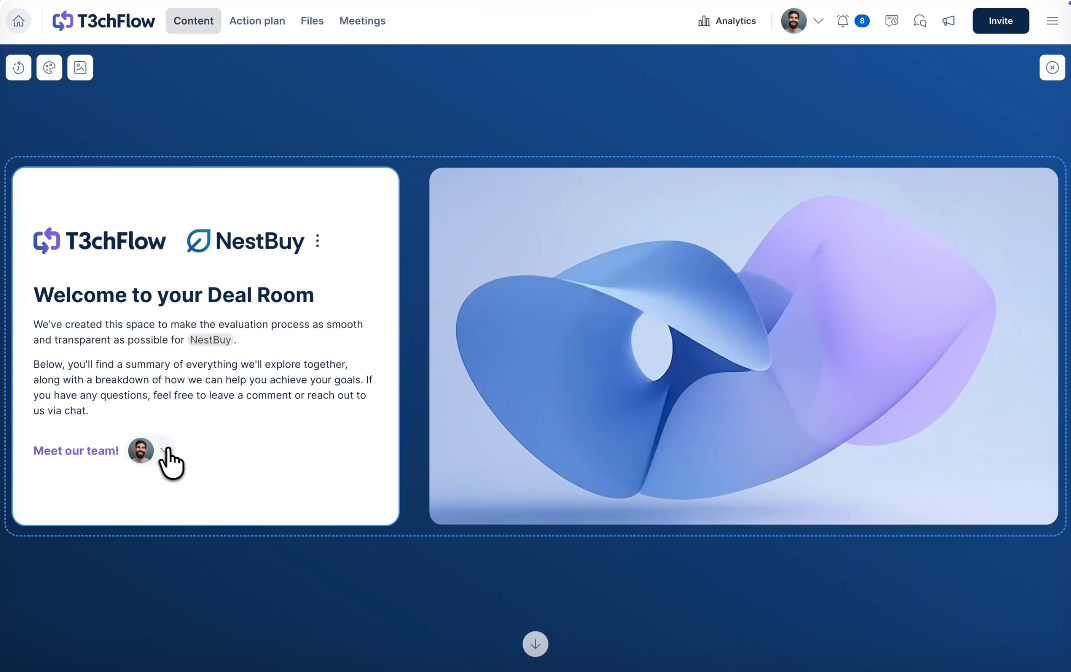
A digital sales room is a secure, shared space for sellers to inform, interact, and negotiate with buyers. Also known as a dealroom, it is a branded, living resource for interactive sales collateral: from proposals to case studies and testimonials, white papers, and even personalized introduction videos. With a digital sales room, buyers can access and engage with sellers' content via a single, shareable link.

Digital sales rooms provide buyers with a streamlined, convenient purchasing experience on a secure microsite or digital resource. DSRs also empower sales professionals by providing real-time insights into buyer behavior, including changes to proposals, additions of new stakeholders, and performance of sales collateral.

Why digital sales rooms are key in B2B sales in 2026

B2B buying has changed. Sales interactions are now overwhelmingly digital, buying groups keep increasing in size, and the way sellers and buyers interact is constantly evolving. For example:

It’s safe to say that B2B sales are more complex. The extra stakeholders, each with their own buying journey, create friction and slow down deals. Traditional methods like looong email threads and scattered attachments can’t deliver the buying experience expected in 2026. And they don’t help sales reps hit their quota.

Digital sales rooms are key because they solve these challenges. They provide a single, central hub for collaboration and give revenue teams the visibility they need to win more deals, close faster, and work smarter.

0 %

80% of all sales interactions predicted to take place in digital channels by 2025.

0

people from up to 4 different functions are involved in a buying process in 2026.

6 benefits of digital sales rooms

Buying has changed; sales needs to change as well. With 80% of all sales interactions happening in digital channels by 2025 (Gartner), sales and revenue teams need to align their sales process with ever-changing, increasingly complex buyer journeys. 

Shorter sales cycles

Digital Sales Rooms reduce sales cycles by providing buyers with a single destination for everything they need, eliminating delays caused by forwarding materials across email threads. Buyers can collaborate throughout the sales process in one place, bottlenecks become visible in real time, and reps can address obstacles the moment they appear, rather than waiting days for responses.

This consolidation cuts friction at every stage. When buyers can find what they need without waiting for your champion to forward it, deals move. When you can see exactly where bottlenecks are happening, you can address them immediately instead of guessing.

The result: One of GetAccept’s customers reduced the sales cycle length from 150 days to just 50 days in some cases. A 67% shorter sales cycle.

Increased win rates

Digital Sales Rooms increase win rates by letting you tailor content for each stakeholder in the buying committee. Finance sees business cases, technical reviewers get security documentation, and legal accesses contract terms. This personalization demonstrates you understand their specific needs, which differentiates you in competitive evaluations and influences buyer decisions in your favor.

A Gartner survey shows that tailoring content to buying group relevance increases consensus by 20%, helping members understand one another’s perspectives and validate the decision-making process.

Digital Sales Rooms let you tailor content for each stakeholder in the buying committee, as well as create a broader understanding on the buyer side of how each function can benefit from implementing your solution.

Get full buyer visibility

Digital Sales Rooms provide visibility by tracking which stakeholders view your content, how long they spend on each section, and when they're most active. This data shows you who's actually involved in the decision and what matters to them.

Instead of wondering if your champion shared the right material with the right stakeholder and if other members of the buying committee even looked at what you shared, you know right away when someone on the buyer side engages.

This visibility improves how you forecast. Instead of relying on your champion's optimistic updates or your rep's gut feeling, you have actual buyer behavior data. You know which deals are progressing and which ones are at risk - before the fact.

Deliver a great buyer experience

Digital Sales Rooms deliver a better buyer experience by providing buying committees with a single, organized destination where they can access all materials, collaborate with their team and the seller, and evaluate at their own pace.

Stakeholders find what they need without waiting on email forwards, new reviewers get caught up without scheduling calls, and the entire evaluation happens in a professional, centralized space.


This is extra important in 2026 when buyers are spending exceedingly little time with sales reps. According to Gartner, only 17% of the total purchase journey is spent in such interactions. Considering the average deal involves multiple suppliers, any given sales rep has roughly 5% of a customer's total purchase time.

You get 5% of your buyer's time. The other 95% is spent evaluating on their own, coordinating with their team, and comparing alternatives. If you're not making that 95% easy, you're making it easy for them to choose someone else.

How a digital sales room aligns with the sales cycle

  • Seller

    Create a personalized digital sales room and start adding content.

    Create a personalized digital sales room and start adding content.

    Buyer

    Get one link live for the full deal cycle.

    Get one link live for the full deal cycle.
    1

    Identify an opportunity

  • Seller

    Understand your prospects and identify all stakeholders.

    Understand your prospects and identify all stakeholders.

    Buyer

    Commit to moving the deal forward via a mutual action plan.

    Commit to moving the deal forward via a mutual action plan.
    2

    Follow up on the discovery

  • Seller

    Build a quote in minutes with CPQ and automate your reminders.

    Build a quote in minutes with CPQ and automate your reminders.

    Buyer

    Invite relevant stakeholders to the room to facilitate decision-making.

    Invite relevant stakeholders to the room to facilitate decision-making.
    3

    Build the proposal

  • Seller

    Edit the proposal after send to avoid emailing different versions.

    Edit the proposal after send to avoid emailing different versions.

    Buyer

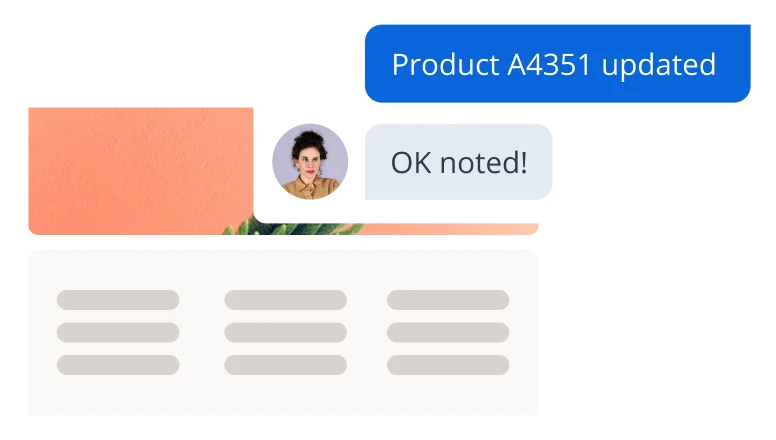
    Redline the proposal and chat with the seller to request changes.

    Redline the proposal and chat with the seller to request changes.
    4

    Negotiate the best price

  • Seller

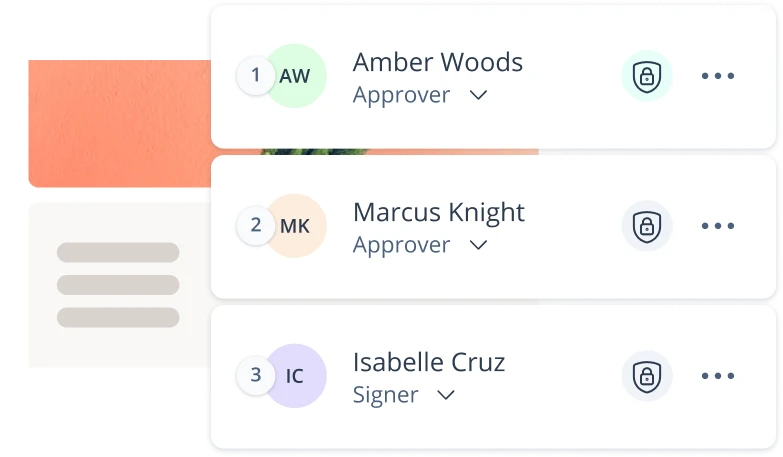
    Set a secure signing order for multiple approvers and signers.

    Set a secure signing order for multiple approvers and signers.

    Buyer

    Sign the contract from anywhere and at anytime, eIDAS-compliant.

    Sign the contract from anywhere and at anytime, eIDAS-compliant.
    5

    Close the deal

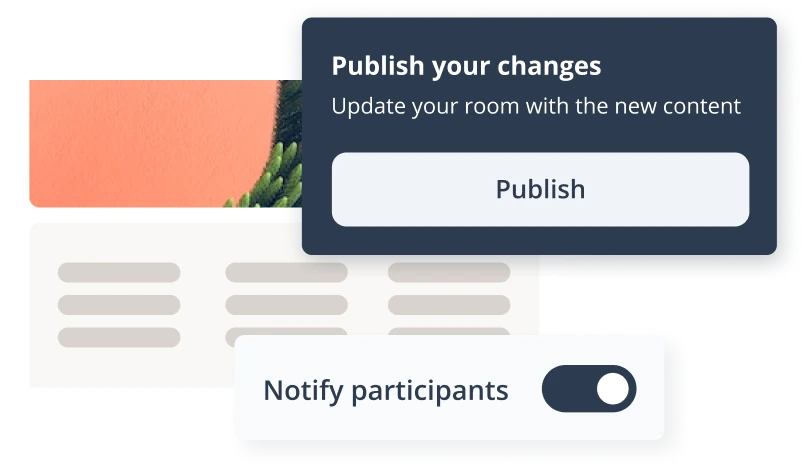
Using engagement features like video, chat, and automatic reminders increases win rates by 51%

Let’s stay in touch!

Subscribe to GetAccept’s monthly newsletter packed with sales trends and tips, product releases, invitations to special events and webinars — and more! Zero spam. Unsubscribe at any time.

Digital sales room use cases by role

For sales reps

Account Executives use Digital Sales Rooms to manage complex deals by seeing all stakeholders involved, personalizing content for each decision-maker, and tracking engagement to know when to follow up and what to discuss. Instead of relying on the champion's updates about who's involved and what they're thinking, AEs see actual buyer behavior and can build relationships across the entire buying committee.

Getting this level of control over each deal becomes increasingly important as AEs juggle multiple active deals in different stages of the pipeline.

Digital Sales Rooms not only give AE control back by showing exactly what happens in each process, but also save time by integrating with the CRM, and can hopefully aid the rep in creating great content and following up on time.

Like a Senior Account Executive at Dealfront said, “Since I started using GetAccept, my sales process and communication with my prospects are way more project and solution-oriented. They know where to find the content they need, and I can focus on providing solutions.”

For RevOps

RevOps teams use Digital Sales Rooms to enforce standardized processes, maintain clean CRM data, and gain visibility into what's actually working across deals. Every room created syncs automatically to the CRM, engagement data flows in without manual logging, and templates ensure reps follow approved messaging and pricing. This gives RevOps the governance they need without forcing reps into additional administrative work.

Instead of being the CRM cleanup crew, firefighting data issues, RevOps becomes the strategic operator who builds systems that leadership trusts.

For sales leaders

Sales leaders use Digital Sales Rooms to forecast accurately, coach effectively, and standardize execution across the team. Engagement data shows which deals are progressing and which are stalled, so forecasts are based on buyer behavior rather than rep intuition. Visibility into what content works and where deals typically slow down enables targeted coaching. And templates and workflows ensure every rep follows the same proven process.

Remi Morken, Senior Vice President of Sales and SalesScreen, said, "This is a way for you to control the narrative. To make sure your reps are sticking to the process, adopting the principles you’ve set, and helping your customers to experience value instead of just product pitching."

Digital sales room best practices

Start with qualified opportunities

Create rooms after the discovery call to focus your efforts on high-potential deals.

Use templates for consistency

Allow reps to create branded, consistent rooms in minutes, not hours.

Track engagement strategically

Use insights on who is viewing what to inform your follow-up strategy.

Let AI do the heavy lifting

Connect the Digital Sales Room to your CRM and conversational intelligence tool and let the room build out relevant content for you.

CRM integration and your tech stack

Native CRM integrations

A native CRM integration between the Digital Sales Room and your CRM saves a lot of time and effort. What happens in the DSR is mirrored in Salesforce or HubSpot, syncs all buyer engagement activity back to the CRM in real time, and keeps contact information up to date across both systems.

If your Digital Sales Room doesn't integrate with your CRM, it's likely to become another tool reps won't use. They're not going to create a room in one system, then manually copy opportunity details, contact information, and engagement activity into Salesforce. They'll either skip the DSR entirely or use it without logging anything, leaving your CRM data incomplete and your forecasts unreliable.

Make sure to thoroughly pressure-test the CRM integrations when evaluating Digital Sales Rooms.

Conversational intelligence

Digital Sales Rooms should integrate with conversational intelligence platforms to use insights from sales calls directly in your deal rooms. This integration connects what happens in live conversations with what buyers need to evaluate asynchronously. Your call transcripts identify stakeholder concerns, objections, and requirements. Your Digital Sales Room addresses those points with targeted content, so buyers get answers even when you're not on a call with them.

Frequently asked questions

A digital sales room is a shared online space where buyers and sellers collaborate throughout the entire sales cycle via a single shareable link. It centralizes all deal-related content, communication, and negotiations on a single branded microsite, replacing scattered email threads with interactive sales materials that can be tracked in real time.

Digital sales rooms replace the chaos of email threads, version control issues, and lost documents with a single destination that buyers can bookmark and return to throughout the sales process. They're particularly valuable for B2B deals involving multiple stakeholders who need access to proposals, contracts, case studies, and implementation timelines.

Sales reps get better visibility. Buyers get a better experience. And RevOps gets clean CRM data without having to chase anyone for manual updates.

Digital sales rooms reduce the sales cycle length because all buyer communication and content are shared in one space. Forecast accuracy improves thanks to stakeholder tracking that eliminates gut feeling and guesswork from the pipeline.

Why deals close faster:

  • Mutual Action Plans keep buyers accountable (no more "we'll circle back”)
  • Templates mean reps stop rebuilding the same proposal 47 times
  • Real-time chat and commenting reduce back-and-forth email cycles
  • You pull decision-makers in early


Why the forecast becomes more reliable:
  • Deal room activity shows who's actually engaged vs. who's going cold
  • Engagement tracking separates “commit” from “best case” before your forecast call
  • Business case collaboration reveals if buyers are serious or just kicking tires

There are many. One of the biggest will the analytics on your prospects’ engagement with your content, as you will be able to determine which of your sales collateral grabs the most attention, which part of your proposal is too complicated and in short - which piece of sales content sells and which doesn’t, to help you become a top performer. A digital sales room will also allow you to gather all the relevant stakeholders needed to close a deal, in a single virtual space, as well as identify new ones added to the digital sales room by your champion directly. Being an easily accessible (but secure) repository of all the information needed by your prospects, it will also make the customer experience much greater than fragmented communication through email chains.

Creating and maintaining a digital sales room takes minutes. With built-in templates, automatically fetched CRM data, and AI, it’s possible to set up a high-quality Digital Sales Room in just a few clicks. Ongoing updates are automated primarily through AI and real-time syncing with existing sales tools, such as conversational intelligence tools.

Time breakdown:

  • Sales Enablement or RevOps: Set up templates once
  • Reps: 2-5 minutes to spin up a room
  • Updates: 5-10 minutes after big meetings. AI does the rest

Get buyers actually using the room by recording a quick video intro so they know you're a real person. And create interaction by using chat to answer questions directly and by creating Mutual Action Plans with actual deadlines, so "let's reconnect next month" stops killing your deals.

What gets buyers engaged:

  • Video intro: 30 seconds on camera beats a wall of text because buyers see who they're working with
  • Live chat: Answer questions the moment they pop up
  • Mutual Action Plan: Assign tasks with dates. It’s more difficult for buyers to vanish when they've committed to deliverables
  • Auto-reminders: Keep deals moving without you having to chase everyone down


How to make sure they actually see it:
  • Drop the link everywhere → email, LinkedIn, SMS
  • Watch what content they're consuming so you know what matters (and what to skip next time)
  • Let buyers invite their CFO, legal, whoever. It’s easier than forwarding a 47-email thread and helps you stay in control

Introduce the digital sales room right after qualifying the deal. Don't waste time building rooms for tire-kickers. That way, you make sure you invest the time only in deals where it makes sense. Getting it in early means buyers actually use it, and you set expectations for how you'll work together (no more email chaos from day one).

Why timing matters:

  • Early stage: You look put together while competitors are still sending email attachments
  • Proposal stage: Edit terms in real-time with everyone watching, making sure everyone is aligned
  • Negotiation stage: Legal and procurement get all the context they need in one place instead of asking your champion to explain everything