


Why analytics matter
Engagement data is not a scoreboard. It’s a navigation tool.
Used well, it helps you:
- confirm whether the right stakeholders are actually involved
- see what buyers care about (and what they ignore)
- follow up with context instead of guessing
- catch risk early when deals go quiet
Used badly, it creates noise. A buyer opening a room 10 times doesn’t automatically mean “they’re ready.” It means “something is happening.” Your job is to interpret what.
This lesson walks through the analytics in the same order your deal usually unfolds.
Room analytics: start with the big picture
When a Deal Room is the hub for your deal, this is the first place to check momentum.
Analytics overview: what to look at first
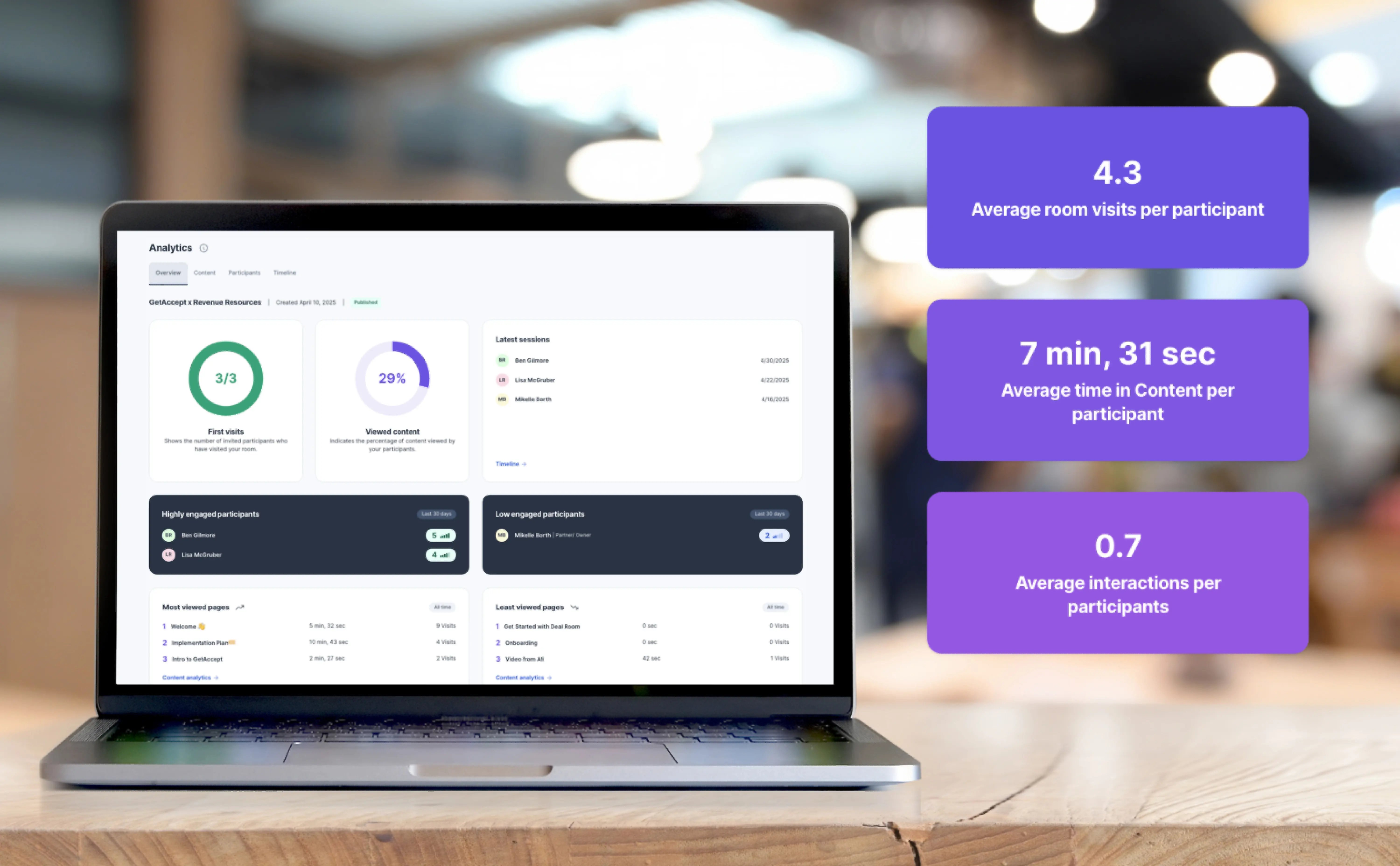
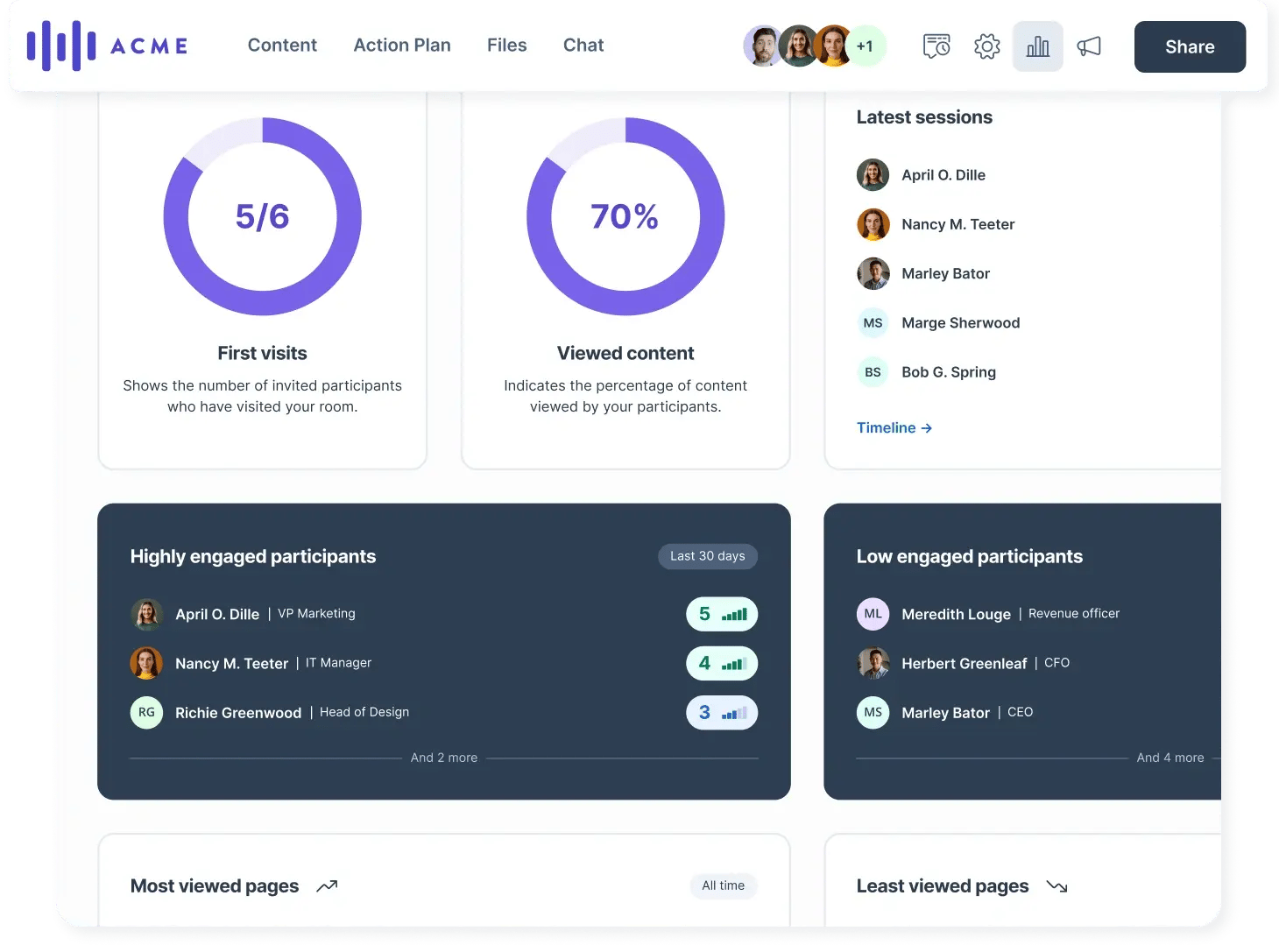
Open your Deal Room, click Analytics, and start with the Overview tab. It’s designed to answer the basic questions quickly:
Have the right people visited?
- First visits shows how many invited participants have entered the room.
Are they actually reviewing what matters?
- Viewed content shows how much of the room content has been reviewed.
Is this deal active right now?
- Latest sessions shows recent activity and links you to the Timeline.
Who is leaning in, and who is missing?
- Highly engaged participants and Low engaged participants highlight where you have traction and where you have a gap. This is based on the Participant Engagement Score (PES) which reflects recent activity signals.
Example: interpreting a common pattern
You invited three stakeholders: a champion, a manager, and a representative from procurement. The Overview shows:
- the champion has visited multiple times with a high engagement score
- the manager hasn’t visited yet
- procurement visited once with low engagement
That usually means you have interest, but not alignment. Your next step is not “send more content.” It’s to get the manager into the room and give them a clear reason to review one specific section.
Content analytics: what’s working and what’s being missed
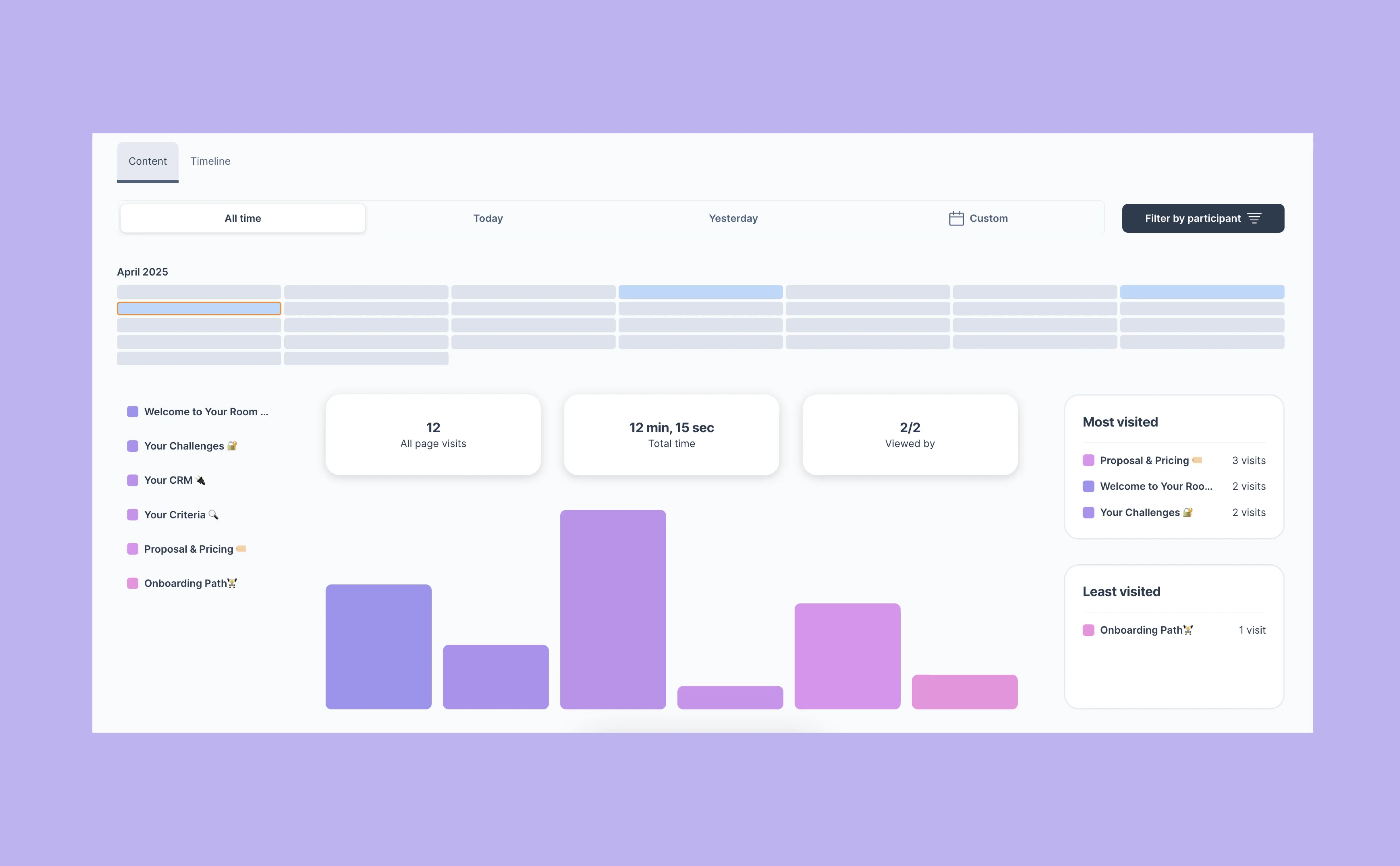
Once you’ve checked the Overview, move to the Content tab. This is where you learn what buyers actually spent time on.
You’ll see page-by-page and section-level detail, including:
- time spent (how long people stayed on a page)
- viewed by (how many participants saw it)
- visits (how often they came back)
Use this to answer practical questions:
- Did they look at pricing or skim it?
- Are they returning to the implementation section repeatedly?
- Did anyone actually view the security page you added?
Best practice: focus on “missed essentials,” not vanity engagement
A page with lots of time spent is interesting. A page with zero views can be a blocker.
If something important isn’t being viewed (terms, timeline, security, pricing), your best move is to point the buyer to it directly and explain why it matters.
Example: a smarter follow-up
Instead of: “Just checking in.”
Try: “I noticed the implementation plan hasn’t been reviewed yet. That section usually answers the ‘how do we roll this out’ questions. Do you want me to walk you through it, or should I tailor it to your timeline?”
Use the Timeline when you need context
The Timeline shows actions in chronological order, like visits, comments, and downloads. It helps you understand what happened around an engagement spike.
Example: Someone visited the room twice, then downloaded a file, then another stakeholder joined the next day. That’s often internal sharing. It’s a good moment to ask who else needs to be involved.
Meeting analytics: confirm alignment after key conversations
Meetings move deals forward, but only if stakeholders stay aligned afterward.
If you publish a meeting in a Deal Room, Meeting Analytics helps you see who engaged with it and who missed it.
You’ll see metrics like:
- total views
- unique viewers
- average time spent
- a viewer breakdown showing who viewed and how long they spent on it
This fills a common visibility gap: “Did they actually read the summary?”
Best practice: use meeting analytics to spot silent stakeholders early
If a key stakeholder didn’t attend the call, the meeting page is often their fastest way to catch up. If they haven’t viewed it, don’t assume they’re aligned.
Example: what to do with a missed meeting
You shared a meeting summary and next steps. Two people viewed it, but the decision-maker didn’t. That’s your cue to:
- send a short message pointing them to the meeting page
- highlight the one decision that was made and the one open question
Keep it specific. The goal is alignment, not more information.

File analytics: treat downloads as intent signals
Files are different from pages.
A buyer downloading a file often means they want to:
- share it internally
- mark it up offline
- send it to procurement, legal, or finance
In the Files tab, you can see a download count for each file. When you click a file, you can also see:
- who downloaded it
- how many times
- when it happened
Downloads also appear in the Analytics Timeline.
Important note: file analytics track downloads, not previews or opens.
Best practice: pair file downloads with “who” and “when”
A single download by procurement right after a pricing update means something very different than five downloads by a champion over a month.
Example: a high-signal download pattern
- Your champion downloads the pricing appendix twice in one day
- Procurement downloads it once the next morning
That often means internal review has started. A good next step is to ask if procurement wants a short call to confirm terms or process, instead of waiting for a late-stage surprise.
Document analytics: get page-level clarity when it matters most
When you send a document (NDA, order form, contract, etc.), document analytics help you understand how it’s being reviewed.
On the document summary page, under Engagement, you can see real-time data such as:
- number of opens
- total time spent
- unique viewers
- time spent per page
Page-level time is one of the most useful signals because it shows where attention concentrates.
Best practice: look for “stalls,” not just opens
A document being opened is not the goal. Progress is the goal.
Pay attention to:
- repeated time spent on the same page (often pricing or terms)
- pages with unusually long review time (often legal sections)
- a long gap after first open (often waiting on internal approval)
Example: interpreting page-level time
Your proposal has eight pages. The buyer spends most of their time on:
- the pricing page
- the implementation timeline
- the terms page
That’s your follow-up agenda. It tells you what questions are likely coming, and where to proactively clarify.
If the buyer spends almost no time on the value section but a lot of time on terms, the deal may be in a “risk and approval” phase rather than a “do we want this?” phase. Your tone and next step should match that.
Putting it together: a simple analytics routine
Here’s a practical way to use analytics without getting lost in it:
- Before a follow-up: check Deal Room Overview and Latest Sessions
- Before a meeting: check Content analytics for what they reviewed and what they skipped
- After a key meeting: check Meeting analytics to confirm who caught up
- During negotiation: watch File downloads and Document page time for intent and blockers
- When a deal goes quiet: use the Timeline to understand the last real buyer action
This keeps your actions grounded in signals, not guesses.

Recap
By completing this lesson, you should now understand how to read analytics in the natural flow of a deal:
- Deal Room analytics show overall momentum, stakeholder coverage, and what content is landing
- Meeting analytics help you confirm alignment after conversations
- File analytics highlight sharing and internal review behavior
- Document analytics provide page-level insight into what’s being evaluated and where deals can stall
The best analytics are the ones you use to take one clear next step.