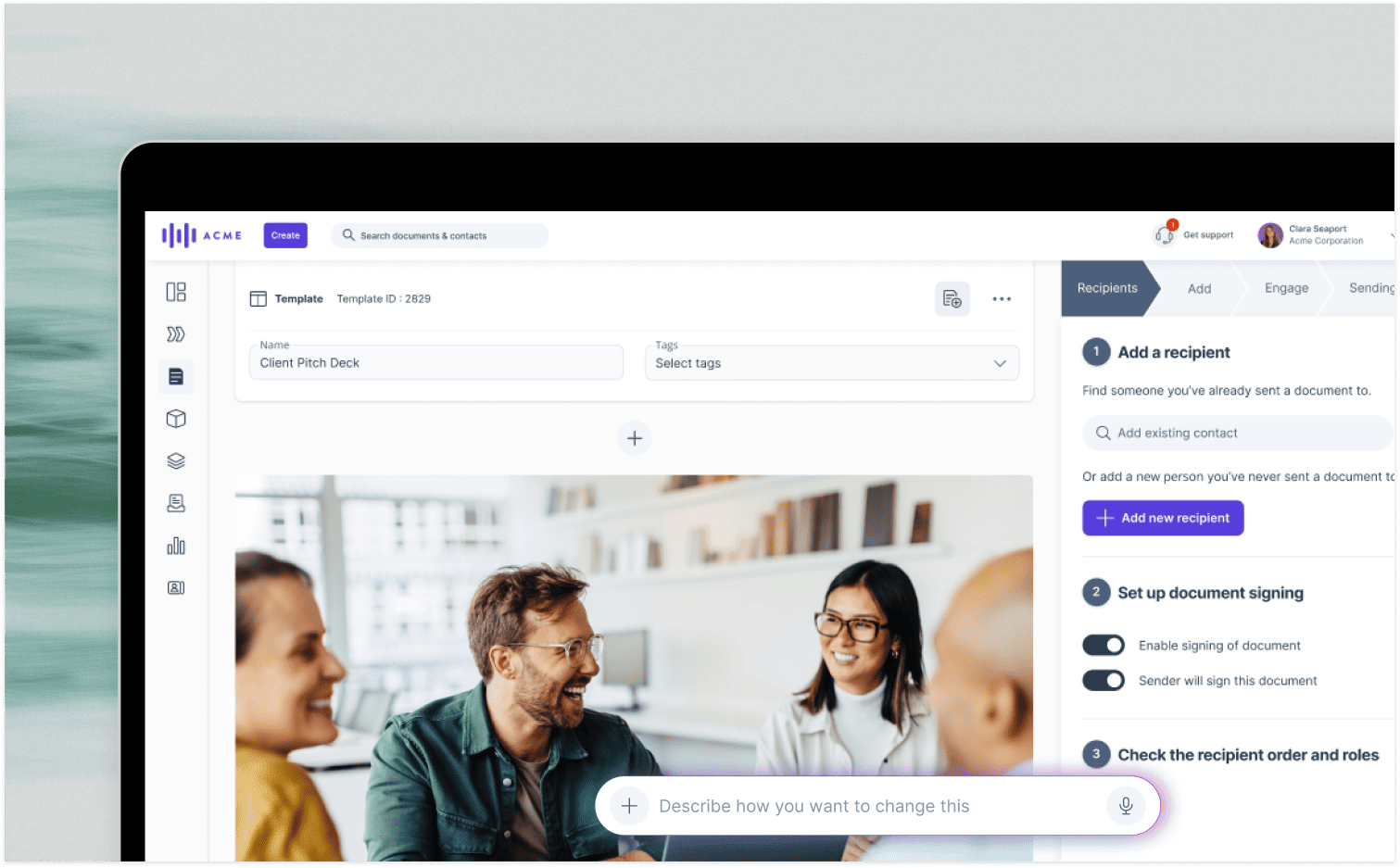
Digital signatures has replaced the slow process of printing, signing, and scanning documents. With e-signatures, proposals can be signed in minutes, not days, directly from any web browser or mobile device.
This guide covers everything from the legal validity of e-signatures to a step-by-step process for vendors. Learn how to close deals faster and create a frictionless experience for your customers.
What does it mean to sign a proposal online?
Signing a proposal online, or e-signing, means using software to add a legally binding signature to a document via a web browser or mobile device. This process eliminates the need to print, scan, or mail physical papers.
Recipients simply click a link to review the proposal on their screen. They can add their signature using a mouse, trackpad, or finger.
Key benefits include:
-
Speed: The entire process takes seconds, not days.
-
Accessibility: Buyers can sign from anywhere, on any device, without friction.
-
Automation: Signed documents are automatically saved and distributed, and sellers get instant notifications.
Why should you sign a proposal online?
Signing a proposal online has many advantages for vendors and their customers compared to traditional paper-based processes. Let's take a look at the benefits for vendors.
6 benefits of signing proposals online for vendors
-
Speed: Instead of waiting for documents to be printed, reviewed, signed, and scanned, you can collect signatures in real-time, with 44% of proposals signed within 60 minutes.
-
Increase win rate: Signing a proposal online is faster and simpler than ever, and this reduction in friction can lead to a higher win rate for sales teams.
-
Signing order: Depending on the scale of the proposal, you may require multiple signatories. Signing online makes it easy to manage with signing order functionality.
-
Tracking: Signing online also means that you can track who has and hasn't signed the proposal and send automated reminders to anyone who hasn't opened or signed the proposal.
-
Reduced admin costs: It's estimated that signing a proposal online vs. traditional paper-based methods could save as much as $20 per document in administrative costs.
-
E-signatures legally binding: Using an online signature for proposals is just as legally binding as a handwritten signature. There are specific laws that govern them, including eIDAS in the EU and ESIGN in the US.
There are also numerous benefits for your customers, too.
5 benefits of signing proposals online for customers
-
Security: Only authorized signatories can sign off proposals online, with mechanisms like SMS authentication codes and BankID checks built into the best tools.
-
Simplicity: Because there is no need for printing, signing, scanning, or posting, signing off on your proposal can be done in seconds. This will significantly boost the speed of the B2B sales process. Buyers want to engage on their own terms, too - 67% of B2B buyers state that they prefer a rep-free experience [Gartner, 2026].
-
Paperless: These days, organizations like to be as sustainable as possible and reduce their carbon footprint. Making your proposals paperless supports this for you and your customers.
-
Quick edits: Because proposals are being signed with specialist software, your client can suggest edits in real time and directly in the document.
-
Immediate: Online signatures mean your customer can immediately sign and get access to your products without waiting for printing, posting, or any other traditionally slow process.
|
Benefits for vendors |
Benefits for customers |
|---|---|
|
✅ Speed |
✅ Secure |
|
✅ Increased win rate |
✅ Simple |
|
✅ Signing order |
✅ Sustainable |
|
✅ Tracking |
✅ Quick to edit |
|
✅ Reduced admin costs |
✅ Immediate response |
|
✅ Legally valid |
|
Are online proposal signatures secure and legally binding?
Yes. Leading e-signature platforms provide robust security and are recognized as legally valid worldwide.
Security Features: Platforms ensure document integrity with bank-level encryption and multi-factor authentication (MFA) options like SMS codes or BankID. Comprehensive audit trails record every action, including who signed, when, and from which IP address.
GetAccept's solution includes tamper-proof audit logs and complies with SOC 2 standards for defensible security.
Legal Validity: E-signatures are legally binding under key global frameworks. As long as the platform proves signer intent and maintains authentication records, online signatures hold up in court.
-
United States: The ESIGN Act and UETA give e-signatures the same legal status as handwritten ones. The ESIGN Act (2000) and UETA grant electronic signatures the same legal status as handwritten signatures for most business transactions in the US, provided they demonstrate signer intent and consent [U.S. Electronic Code of Federal Regulations, 2024].
-
European Union: The eIDAS regulation provides a consistent legal framework for e-signatures across the EU. eIDAS Regulation (EU) No 910/2014 classifies electronic signatures into three types — SES, AES, QES — with all legally binding across EU member states if basic requirements for authenticity are met [European Commission eIDAS, 2023].
-
Global: Most countries follow the UNCITRAL Model Law on Electronic Signatures, creating international consistency.
How to sign a proposal online in 5 steps
For a prospect, signing is simple: click a link, review the document, and add a signature. For you as the vendor, these five steps ensure that process is seamless.
1. Prepare your proposal document
A well-prepared document is the foundation for a quick signature. Focus on these areas:
-
Content: Write a clear proposal that addresses the buyer's needs. Use GetAccept's sales proposal templates if you need a starting point.
-
Formatting: Use a professional design that reflects your brand. Proposal software helps create branded, interactive proposals.
-
Review: Have colleagues peer-review the document to catch errors before it reaches your prospect.
-
Software: Choose a platform with built-in e-signatures to avoid juggling separate tools.
2. Upload the document and add signing fields
Upload your document to your sales platform to begin the e-signature process. You can create a document from scratch or upload a prepared PDF.
Next, add fields for signature, initials, date, and name. With GetAccept, you can drag and drop these fields and assign them to specific signers.
Pro tip: The more fields a prospect must fill, the more friction you create. Only require what is legally or commercially necessary—usually just a signature, name, and date.
3. Configure signing order workflow
Complex B2B deals often require multiple stakeholders to sign. A signing order workflow ensures you collect signatures from the right people in the right sequence.
Why signing order matters: Modern B2B purchases involve 6-10 stakeholders. A structured workflow prevents proposals from getting stuck in email chains or signed out of order, which can cause compliance issues.
GetAccept allows you to configure these workflows with parallel signing or sequential routing to the next signer.
4. Set up notifications and send the proposal
Before sending, set up smart notifications to boost response rates. GetAccept allows automated video, email, and SMS reminders.
The impact of reminders: Based on GetAccept's data, proposals with automated notifications achieve a 76% win rate. Smart notifications ensure your proposal isn't buried in a busy executive's inbox.
5. Track signatures and manage signed documents
Online signing provides real-time visibility into the signature process. With proposal tracking, you can see who has viewed, signed, and even how far they read.
Actionable Insight: This visibility helps you identify blockers. If the CFO viewed the proposal three times but hasn't signed, you can proactively reach out to address potential concerns.
Once signed, GetAccept automatically stores the document and syncs the deal status to your CRM through native integrations.
Common mistakes when switching to online proposal signing
Even with the right software, teams often overlook e-signature best practices and make these avoidable mistakes.
-
Requiring too many signature fields. Every extra field adds friction. Only require what is legally necessary—usually a signature, name, and date.
-
Sending proposals without context. Always include a brief message explaining what the recipient needs to do and why it matters to their business.
-
Not testing the signing experience. Test the process yourself on mobile and desktop to ensure it's clear and smooth for your buyer.
-
Forgetting to set up reminders. Buyers are busy. Automated reminders prevent your proposal from getting buried in an inbox.
-
Losing signed documents. Use a platform that automatically stores signed documents and syncs them to your CRM to avoid manual tracking.
What to look for in e-signature software
Not all e-signature platforms are built for B2B sales. While basic tools capture a signature, a comprehensive platform drives the entire deal forward.
|
Feature |
Basic e-signature Tool |
GetAccept's Digital Sales Room |
|---|---|---|
|
Core Function |
Captures a signature on a static document. |
Manages the entire deal from proposal to close. |
|
Buyer Experience |
Receives a flat PDF for signing. |
Engages with an interactive, branded proposal. |
|
Engagement Tracking |
Limited to open and sign notifications. |
Real-time tracking of views, time spent, and content engagement. |
|
CRM Integration |
Often basic or requires third-party connectors. |
Deep, native integration with Salesforce, HubSpot, and more. |
|
Workflow |
Simple signing order. |
Advanced workflows, stakeholder collaboration, and content management. |
Instead of juggling multiple tools, GetAccept handles your entire deal flow from first proposal to signed contract in one platform.
Sign proposals online with GetAccept
Switching to online proposal signing with GetAccept helps you close deals faster. Our platform delivers measurable results:
-
Boost win rates by 51% with friction-free signing experiences.
-
Get 44% of proposals signed within 60 minutes instead of days.
-
Achieve 76% win rates on proposals that use automated reminders.
-
See exactly who's engaged with real-time buyer analytics.
GetAccept's Digital Sales Room is more than an e-signature tool. It is a complete platform for proposals, contracts, and buyer collaboration.
Everything your buyers need to evaluate and sign lives in one branded destination. This gives you complete visibility to close deals faster.
Ready to modernize your proposal process? Start your free GetAccept trial and see how fast your deals move when friction disappears.
Frequently asked questions
-
Click the link in your email, review the document in your browser, and add your signature. Most platforms like GetAccept allow signing in seconds on any device, with no downloads required.
-
Some platforms offer limited free plans for basic use. GetAccept offers a free trial to test the full platform, with paid plans for unlimited signatures.
-
Google Workspace does not have a native e-signature function but integrates with third-party tools. For a complete proposal-to-signature solution, a dedicated platform offers stronger capabilities.
-
Yes, e-signatures are legally binding in most countries under frameworks like ESIGN (US) and eIDAS (EU). GetAccept's signatures are fully compliant and include audit trails for legal defensibility.
-
As a recipient, you only need a web browser. As the sender, you don't technically need software, but having something like GetAccept to create and send signable proposals sure helps.
-
Once signed, the platform automatically stores the executed document, sends copies to all parties, and can update your CRM deal stage.
About the author
GetAcceptGetAccept is a Digital Sales Room platform trusted by more than 5000 revenue teams to help reps spend more time selling and less time on admin. We bring static sales content and scattered communication into one shared space where every stakeholder can access the latest content, timelines, and context throughout the whole sales cycle. And with purpose-built AI that truly understands the context of your deals, creating and updating personalized content takes minutes. Native integrations with popular CRMs let reps work with their existing tools, while making sure activity is automatically synced and updated everywhere it matters. In short – we help sales teams work smart, close faster, and win more.