


Why CRM AI changes once GetAccept data is in the loop
CRM AI is only as useful as the data it can reason over.
A CRM is great at describing your pipeline: stages, contacts, close dates, and internal activity. But it usually can’t answer the questions that matter most between meetings:
- Did anyone actually review what we sent?
- Which stakeholder is engaged, and who’s silent?
- Did legal download the contract?
- Are we moving forward or are we drifting?
GetAccept fills that gap by capturing buyer-side engagement in Deal Rooms and Contracts. When that data is accessible inside your CRM, tools like Agentforce and Breeze can help you:
- Get deal answers quickly without clicking through multiple tools
- Trigger next steps based on buyer activity (or inactivity)
- Standardize how contracts are created using admin-approved logic
- Keep reporting and forecasting grounded in what buyers are doing, not just what sellers log
Two common models: “AI answers” vs. “AI acts”
When teams talk about “using AI in the CRM,” they often mix two very different things.
1) AI for answers (insights and summaries)
This is when you ask questions like:
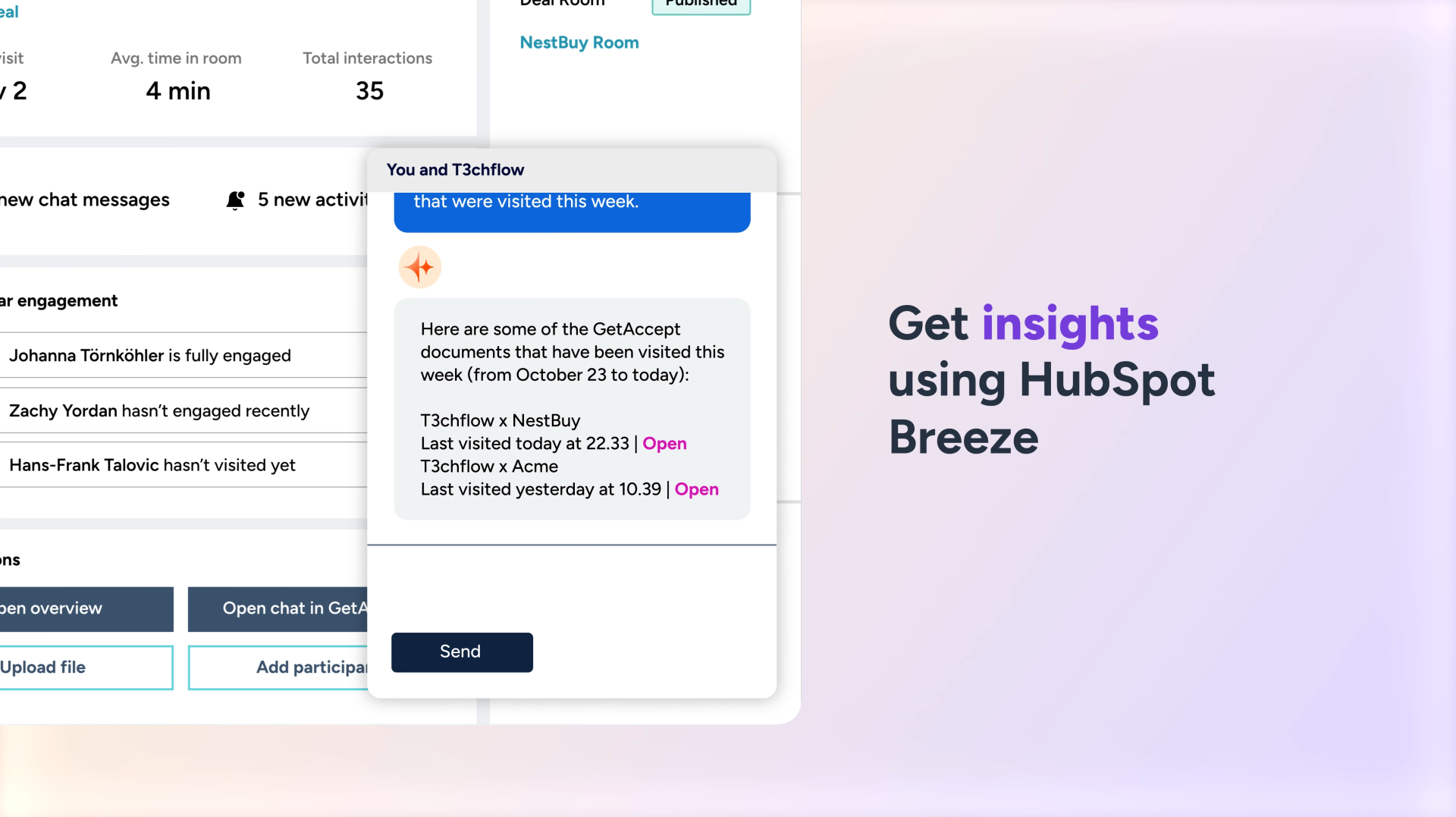
- “Which deals closing soon had buyer activity this week?”
- “Who is the most engaged stakeholder?”
- “Which contracts are still unopened?”
This model is usually easier to roll out and safer for early adoption.
2) AI for actions (creating and updating work)
This is when you ask the AI to do something:
- “Create a contract for this opportunity”
- “Generate the right contract template based on deal data”
- “Prepare a follow-up based on buyer engagement”
This model is where you’ll see the biggest time savings, but it needs more governance, because actions can create real downstream consequences.
.png?width=1503&height=928&name=Agentforce%20featured%20image%20(1).png)
Salesforce Agentforce: using GetAccept actions and data in an agent workflow
What Agentforce enables (in plain terms)
Agentforce is Salesforce’s conversational workspace for interacting with Salesforce and connected systems. With GetAccept capabilities available in Agentforce, users can query GetAccept data and perform GetAccept actions directly from Salesforce.
Importantly, this isn’t “a chatbot that guesses.” The GetAccept experience in Agentforce is designed to be guided, using interactive UI components (like dropdowns, fields, and previews) so users can review what they’re about to do.
What you can do with GetAccept in Agentforce
Examples include:
- List GetAccept contracts and Deal Rooms by timeframe, status, or owner
- Create a GetAccept contract or Deal Room for the current opportunity
- Summarize existing Deal Rooms and get an overview of engagement, participants and Mutual Action Plan progress
- Use admin-defined rules (like conditional template selection) as part of contract generation
- Review key details through UI elements before proceeding
HubSpot Breeze: using GetAccept engagement data for better CRM intelligence
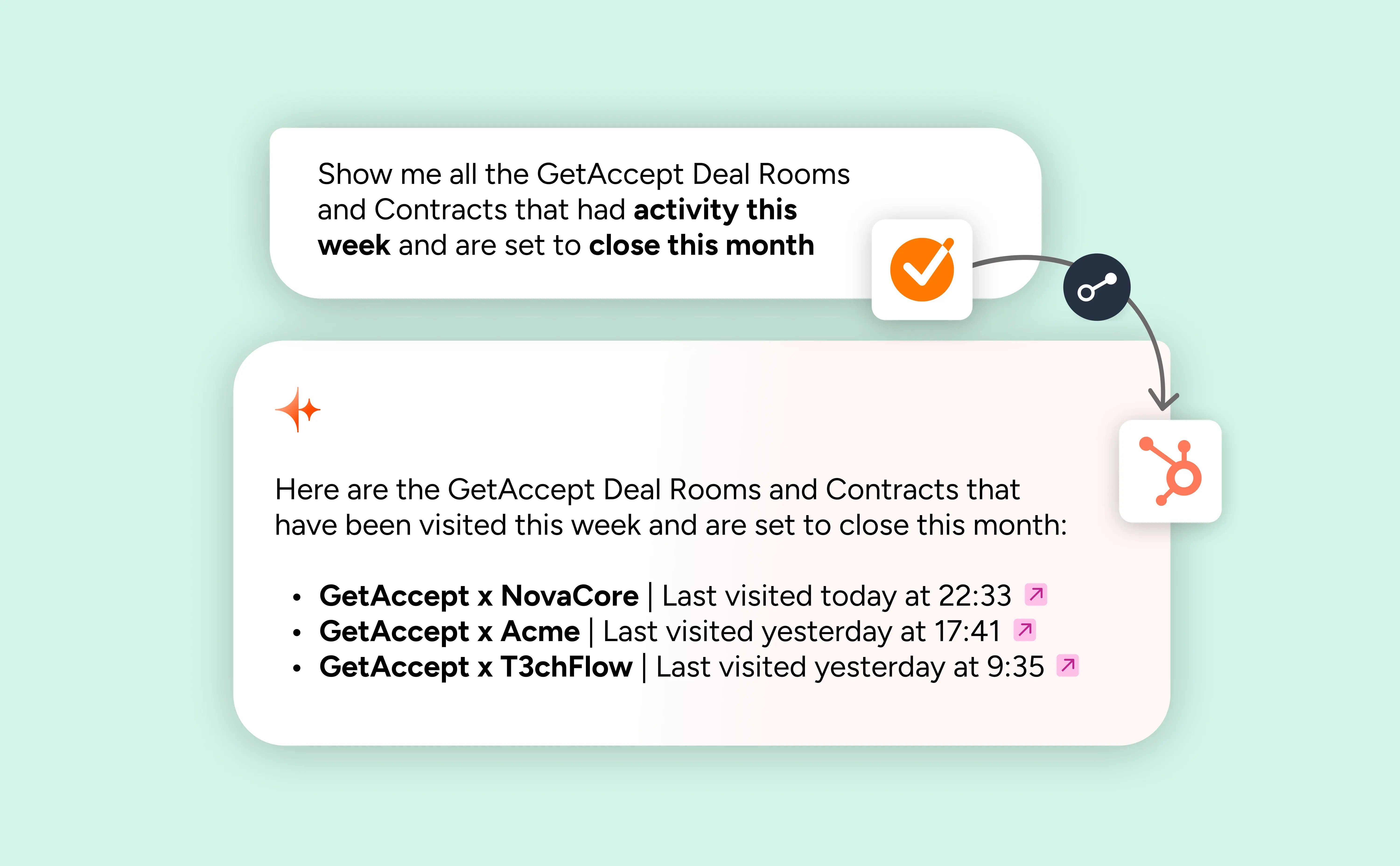
HubSpot Breeze Copilot becomes significantly more useful when it can reference Deal Room and Contract activity synced into HubSpot (often via custom objects, depending on setup).
That changes what you can ask.
Instead of “What are my deals closing this month?”, you can ask questions that combine pipeline context with buyer reality, like:
- “Show deals closing this month where the buyer hasn’t engaged with the Deal Room recently.”
- “Which deals have high activity but are stuck in an early stage?”
- “Who are the most active stakeholders across my enterprise pipeline?”
This is where CRM AI becomes less about generic summaries and more about decision support.

The strategic part: how to set this up so it scales safely
Advanced CRM AI work succeeds when three things are true:
1) The CRM stays the source of truth
The opportunity record should remain the system of record for:
- Stage, forecast category, close date
- core account and contact data
- pipeline reporting
GetAccept adds the buyer engagement layer that CRMs traditionally miss.
2) Admin rules must apply automatically
AI actions should never bypass governance.
If your organization uses:
- template permissions
- conditional template selection
- standardized content blocks and clauses
- approval workflows
…then your AI layer must respect those rules, every time. That’s why “guided UI + admin logic” matters so much when AI is involved in contract workflows.
3) Permissions matter more than prompts
If a user isn’t allowed to do something in GetAccept, the agent shouldn’t allow it either. This is especially important when admins and reps are using the same CRM AI interface.
A simple best practice:
- Define “safe” actions for most users (e.g., list contracts, surface engagement)
- Restrict “risky” actions (e.g., generating contracts from certain templates) to roles or groups until you’re confident
Prompt patterns that actually work in the real world
Below are examples you can adapt across Agentforce and Breeze. The wording will vary, but the structure holds up.
1) Pipeline + engagement prioritization
- “Show opportunities closing this month with no Deal Room activity in the last 7 days.”
- “Which deals have strong Deal Room engagement but haven’t progressed stage in 14 days?”
- “List accounts where the champion is active but economic buyer has not viewed content.”
When to use: weekly deal review, forecasting, manager 1:1s.
2) Stakeholder alignment
- “For this opportunity, who has engaged most with the Deal Room?”
- “Which stakeholders have not viewed the latest proposal content?”
- “Summarize buyer engagement by role: champion vs legal vs finance.”
When to use: before a proposal review, before sending a contract, or when a deal feels stalled.
3) Contract readiness and risk signals
- “List contracts sent this quarter that are still unopened.”
- “For this opportunity, show the latest contract status and any recipient activity.”
- “Which deals have contract activity but no recent stakeholder engagement in the room?”
When to use: late-stage pipeline inspection and clean follow-up sequencing.
4) Action prompts (Agentforce-leaning)
- “Create a GetAccept contract for this opportunity.”
- “Update the contract for this opportunity.”
- “Show me the contract preview and recipients before sending.”
Example in practice: T3chFlow
T3chFlow’s RevOps team noticed a pattern: reps were spending time chasing updates that already existed, just not in a place managers could see, and not in a format AI could use.
They introduced two AI entry points:
- Agentforce became the “deal health lens” for managers. In pipeline reviews, managers could ask for deals with low engagement, identify silent stakeholders, and spot risks early, without relying on rep-written notes.
- Agentforce also became the “execution shortcut” for reps. For late-stage opportunities, reps used it to create contracts directly from the opportunity, with template selection guided by the rules enablement had already set.
The result wasn’t that AI replaced their process; it made their existing process easier to run consistently. Managers had clearer visibility, reps had fewer clicks, and buyer engagement signals stopped being trapped inside yet another tool.
Recap: an advanced checklist for “AI in your CRM” with GetAccept
Use this as a final gut-check before you scale usage:
- GetAccept data is available in the CRM in a way AI tools can reference
- The CRM remains the source of truth for pipeline and reporting
- Admins have defined template rules (permissions, selection logic, required fields)
- Users can safely start with “AI answers” before expanding to “AI actions”
- High-impact prompts are documented for reps and managers (deal review, stakeholder alignment, contract readiness)
- Action prompts include preview steps to keep humans in control
When you get this right, CRM AI stops being a novelty. It becomes a practical way to run deals with better visibility, better timing, and fewer gaps between what the buyer is doing and what the seller thinks is happening.