


Introduction
Prompts are how you steer AI toward useful output. In GetAccept, they help you shape, adapt, and clarify content that’s already grounded in your deal – without starting from scratch. While GetAccept already provides smart content and automatic AI output, prompts allow you to fine-tune, standardize, and personalize that output – especially in complex B2B Deal Rooms.
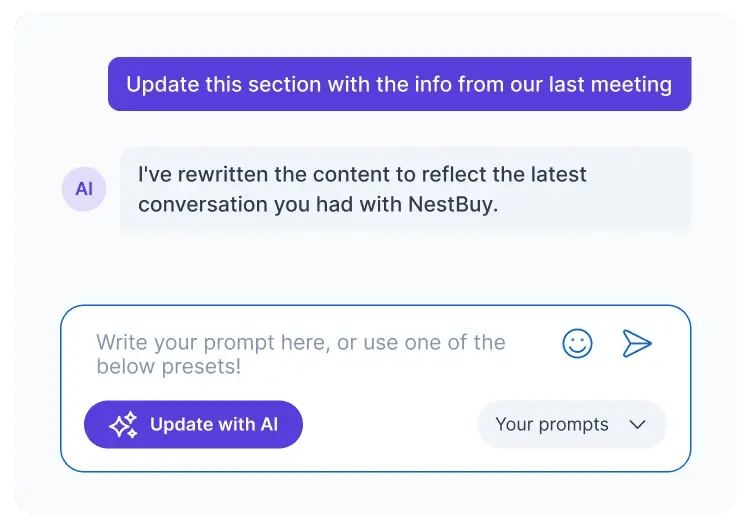
How GetAccept AI uses context
By default, GetAccept AI already understands a lot about your deal.
It automatically uses:
- Existing Deal Room content
- Meeting transcripts added to the room
- Your company’s Knowledge Base, including tone of voice, USPs, and positioning
When generating content, the AI combines this context with your prompt. Prompts are not about starting from scratchThey guide, refine, or differentiate the output GetAccept AI already creates – and they’re also the place to add anything important the AI wouldn’t otherwise know.
What AI prompting really means in GetAccept
AI prompting is the instruction you give the AI so it knows what kind of change you want it to make.
When you use AI in GetAccept, a prompt is always required. That’s how you tell the AI whether you want to summarize, rewrite, reformat, shorten, expand, or refocus existing content.
The key difference from generic AI tools like ChatGPT is that you don’t need to explain the whole deal. The building blocks are already there through Deal Room content, meetings, and the Knowledge Base.
Your prompt can focus on instructions and on any extra context that isn’t already available – for example, a special buyer concern, a one-off situation, or a shift in priorities that hasn’t been documented yet.
What makes a good prompt in GetAccept
A strong prompt combines instructions with direction.
Good prompts usually include:
- Instruction – What should the AI do to the content?
- Output format – How should the result be structured?
- Emphasis – What should matter most in this version?
- Extra context – Anything important that isn’t already in the Deal Room, meetings, or Knowledge Base
Because GetAccept already supplies rich deal context, the best prompts don’t repeat information. They tell the AI how to shape the output and what’s different this time.
Using prompts in the AI editor
When you edit content with AI, the prompt tells the AI what kind of change you want.
The AI already understands the deal through Deal Room content, meeting transcripts, and the Knowledge Base. Your prompt focuses on instructions and nuance.
Example prompt: tailoring content to a technical buyer
Rewrite this section for a technical buyer involved in evaluation.
Use concise bullet points grouped by theme.
Emphasize integration, security, and operational fit.
Avoid commercial language and focus on practical implications.
This helps you adapt content to different stakeholders without starting from scratch.
Prompt templates for meetings and summaries
When transcripts are added, GetAccept automatically generates meeting summaries and next steps. Prompt templates let you control how that output is structured and what it emphasizes.
You can either:
- Select a pre-created meeting prompt when adding a meeting, or
- Rely on your company’s default meeting prompt, if one has been set by an admin
If no default prompt is set, GetAccept uses its standard summary format. You can always edit the output or switch prompts afterwards.
Example prompt: structured next steps
Reformat the automatically generated next steps from the latest meeting.
Present them as a numbered list with: action, owner, and target date.
Emphasize buyer-owned actions over internal tasks.
Use clear, direct language that can be shared with the customer as-is.
This ensures every meeting ends with clear ownership and momentum – without reps rewriting content.
Section prompts inside Deal Rooms
Section prompts are most useful for additional custom sections that reflect how your team runs deals.
Example prompt: “Current status” section
Summarize the current status of the deal based on the most recent meetings.
Structure the output as:
H2: Progress so far – 3–4 concise bullet pointsH2: Open questions – short bullets, grouped by themeH2: Upcoming decisions – bullets with decision owner in bold
Emphasize what has changed since the last update and any risks to momentum.
Write this for both internal and buyer stakeholders.
Reps can update this section with one click using “Update with AI”, while the structure stays consistent across Deal Rooms.
Putting it all together
AI prompts work best when you use them deliberately, not everywhere at once.
Start with what GetAccept already gives you. Use smart content for core sections and let the platform generate meeting summaries and next steps by default.
Then layer prompts where they add the most value:
-
Use meeting prompts to make summaries and next steps follow a format your buyers and team recognize
-
Use AI editor prompts when you need to adapt tone, length, or focus for a specific stakeholder
-
Use section prompts for custom Deal Room sections that need regular updates and a clear structure
Think of prompts as guardrails, not replacements. They help the AI stay on track, keep Deal Rooms consistent, and ensure updates reflect how you actually sell.
When prompts are set up well, reps spend less time rewriting content – and buyers spend less time figuring out what’s changed.
Recap
By now, you should be able to:
- Explain how GetAccept AI uses context and prompts together
- Improve AI output by guiding format, focus, and tone
- Use prompt templates and section prompts to scale high-quality Deal Rooms
Used well, prompts don’t replace GetAccept’s smart content – they enhance it.