



Why Action Plans matter in modern deals
Most deals don’t stall because of pricing or product fit. They stall because next steps are unclear.
Someone is waiting on legal. Someone else hasn’t reviewed security docs. No one is sure what needs to happen before a decision can be made.
A Mutual Action Plan turns “we’ll follow up” into a visible, shared plan. It gives both sides a clear path forward, with ownership, deadlines, and progress tracking in one place.
Thus, instead of chasing updates or managing timelines in spreadsheets or Gantt charts, the Digital Sales Room becomes the single source of truth for what happens next.
What a Mutual Action Plan (MAP) is
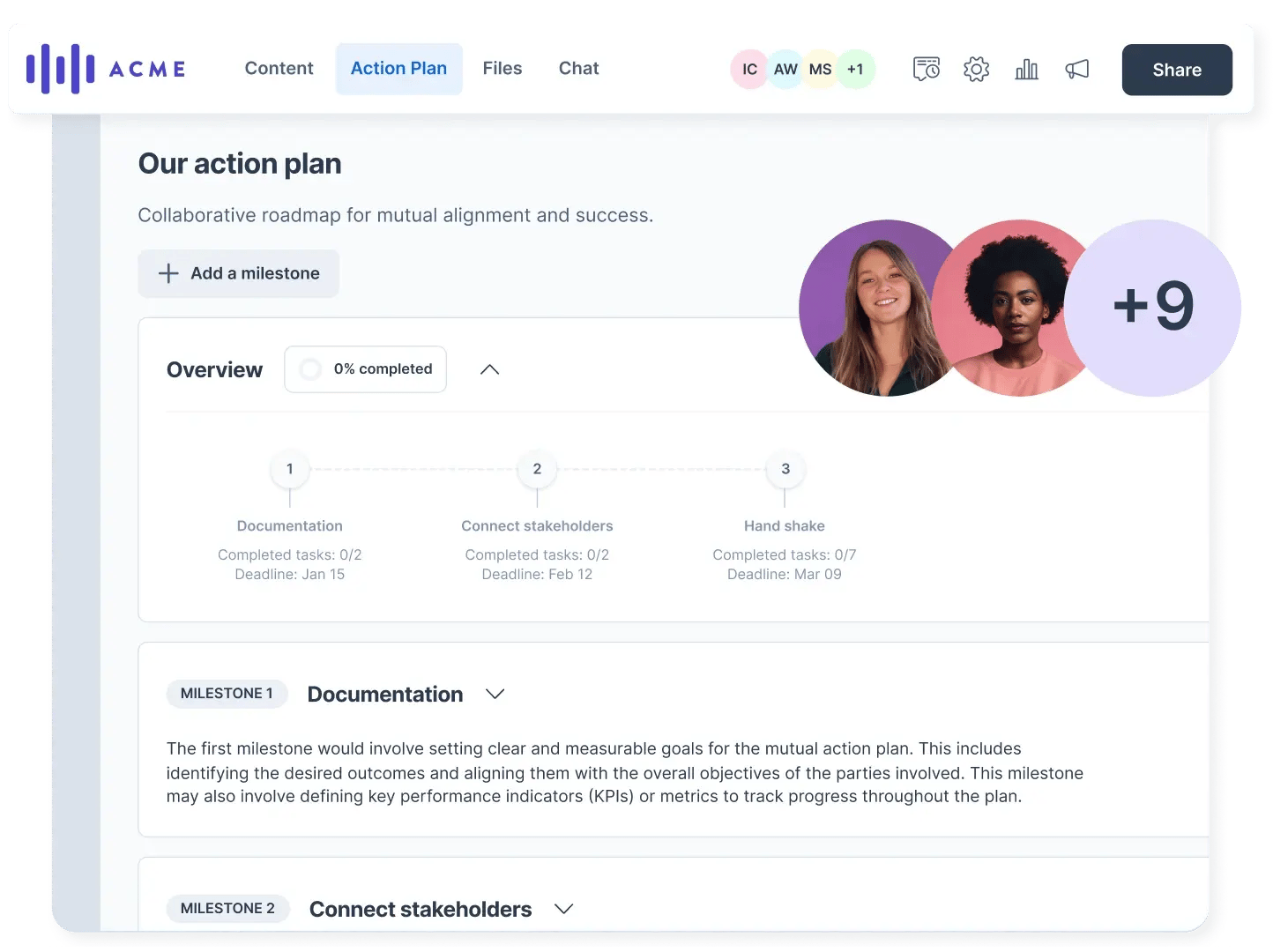
The Mutual Action Plan is a shared timeline inside your Digital Sales Room. It shows:
- Milestones that represent phases of the deal or project
- Tasks within each milestone that move things forward
- Owners on both the buyer and seller side
- Deadlines and status so progress is visible at all times
It’s called mutual because it’s not just your to-do list. Buyers can see it, interact with it, and complete tasks directly in the room.
How MAPs work in practice
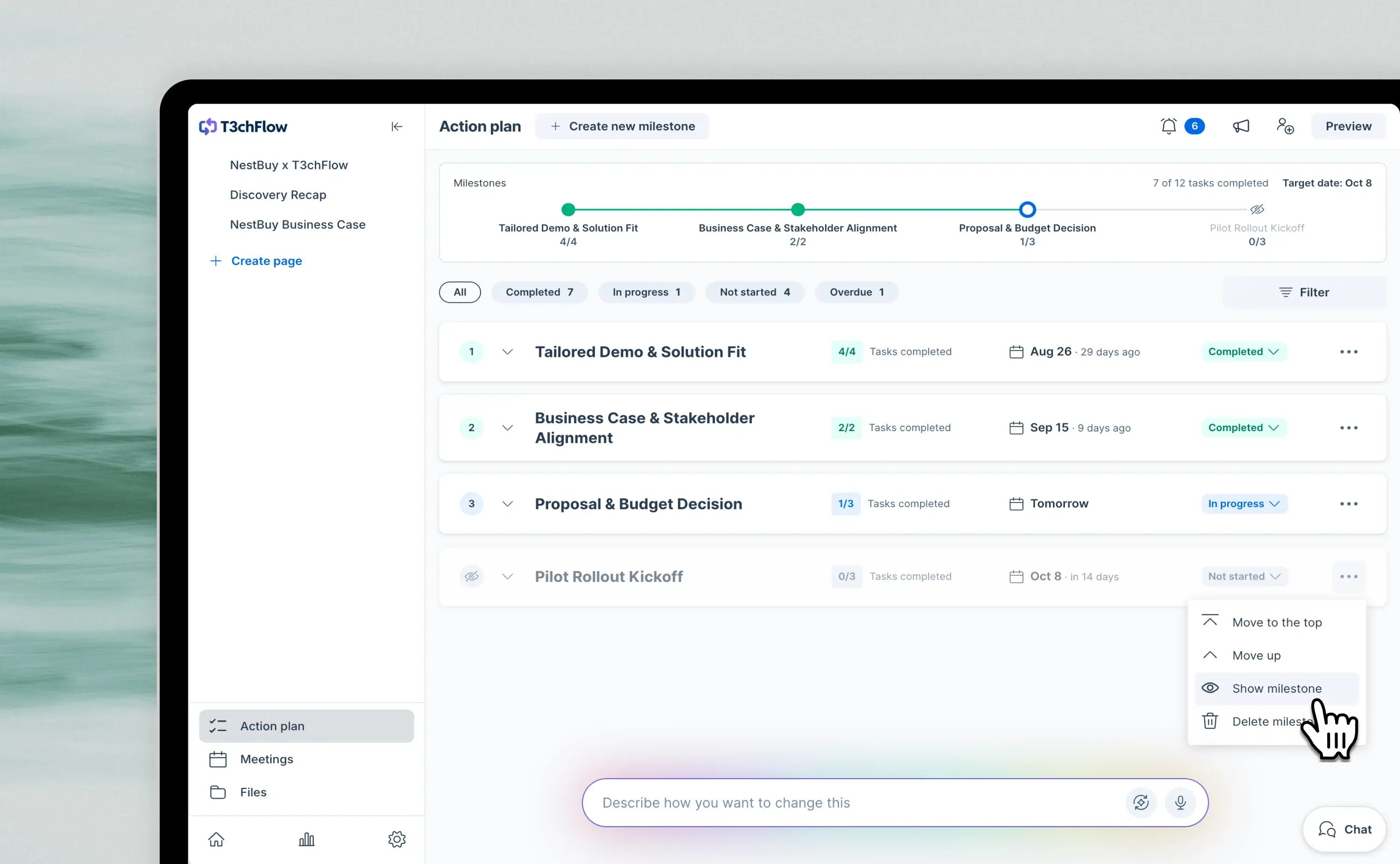
The MAP opens with a milestone timeline: a horizontal bar across the top of the plan with every milestone shown as a dot. Each dot shows the milestone name and how many tasks are completed (for example 4/4 or 1/3). The plan's target date appears at the top right. This gives a complete read on where the deal stands before you open any milestone or task. Below the timeline, tasks are collapsed inside each milestone by default – expand one to see and edit the tasks inside.
Milestones: the big picture
Milestones represent major phases in your sales process, such as:
- Discovery
- Security review
- Legal review
- Procurement
- Kickoff
- Go-live
Milestones help buyers understand the journey ahead, not just the next task.
You can:
- Set milestone deadlines
- Mark milestones as Not started, In progress, or Completed
- Let milestone status update automatically based on task progress
This flexibility is especially useful in real-world deals where progress isn’t always perfectly linear.
Tasks: the actions that move things forward
Tasks live inside milestones and represent concrete steps, for example:
- “Share security documentation”
- “Review and comment on contract”
- “Confirm pricing approval internally”
- “Schedule kickoff meeting”
Each task can have:
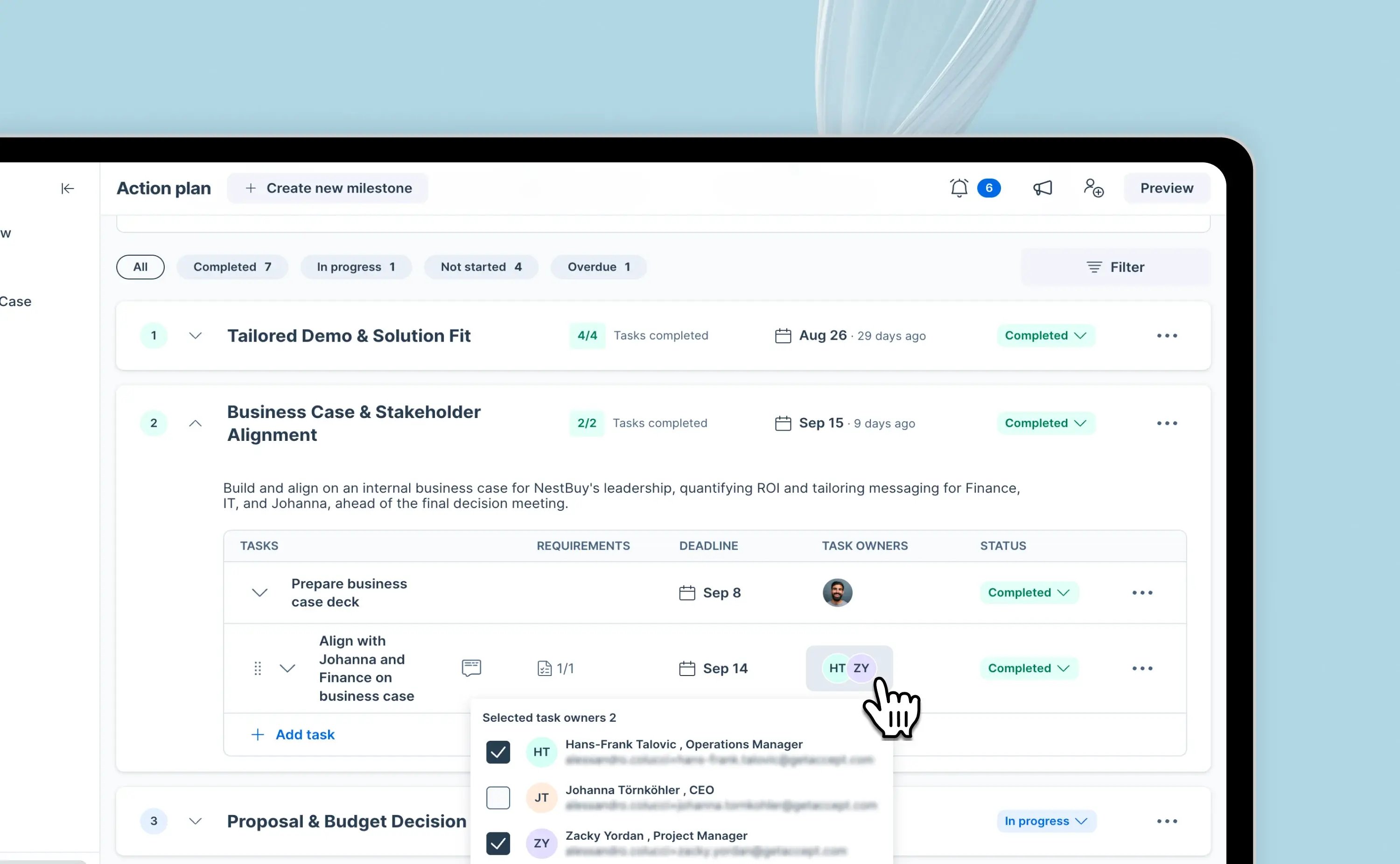
- A clear owner (buyer or seller)
- A due date
- A status: Not started, In progress, or Completed
The In progress state is especially helpful for longer or more complex deals, where work happens over time and shouldn’t feel blocked just because it isn’t finished yet.
You can edit task properties (owner, due date and status) directly in the plan.
Collect information where the action happens
Task requirements let you attach conditions to tasks that buyers must complete before marking them done. Five types are available: file upload, free text, date picker, number, and dropdown. Each requirement needs a label – for example "Signed NDA" or "Target go-live date" – so the assignee knows exactly what's expected.
As a best practice, use task requirements when the information or file is tied to a specific step that needs to happen before the deal can move forward. This keeps the action plan as the place where buyers act — not just where they read. Form fields on content pages still work well for general context that isn't tied to a specific step, such as a discovery intake at the start of a deal. But for anything that needs to happen before a milestone can close, a task requirement is the cleaner approach: the buyer sees the request in context, and the task stays open until it's done.
You can ask AI to suggest and add requirements when building your MAP, for example: "Add a file upload requirement to the legal review task and assign it to the buyer contact."
How buyers experience the Action Plan
From the buyer’s perspective, the MAP feels like a guided project plan.
Buyers can:
- See exactly what’s required to move forward
- Understand internal steps like legal or procurement early
- Complete tasks and mark progress themselves
- Comment or upload files where needed
This reduces uncertainty and builds trust. Instead of wondering what comes next, buyers always know where they stand.
How sellers and teams benefit
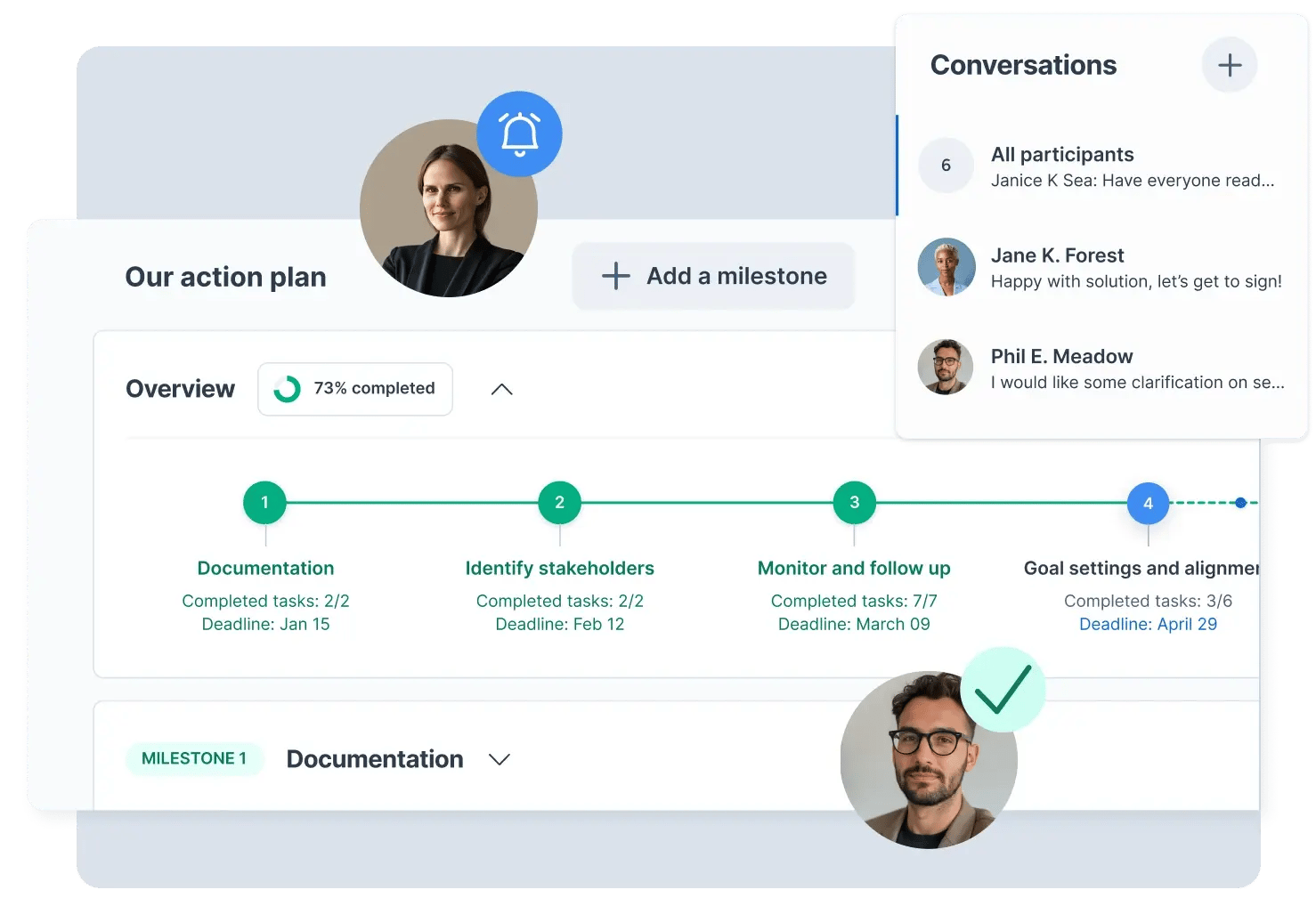
For sellers and internal teams, the MAP becomes a momentum tool.
You can:
- Share ownership instead of carrying the entire process yourself
- Spot blockers early when tasks don’t move
- Manage multi-stakeholder deals without chasing emails
- Use MAP progress as a signal in Analytics
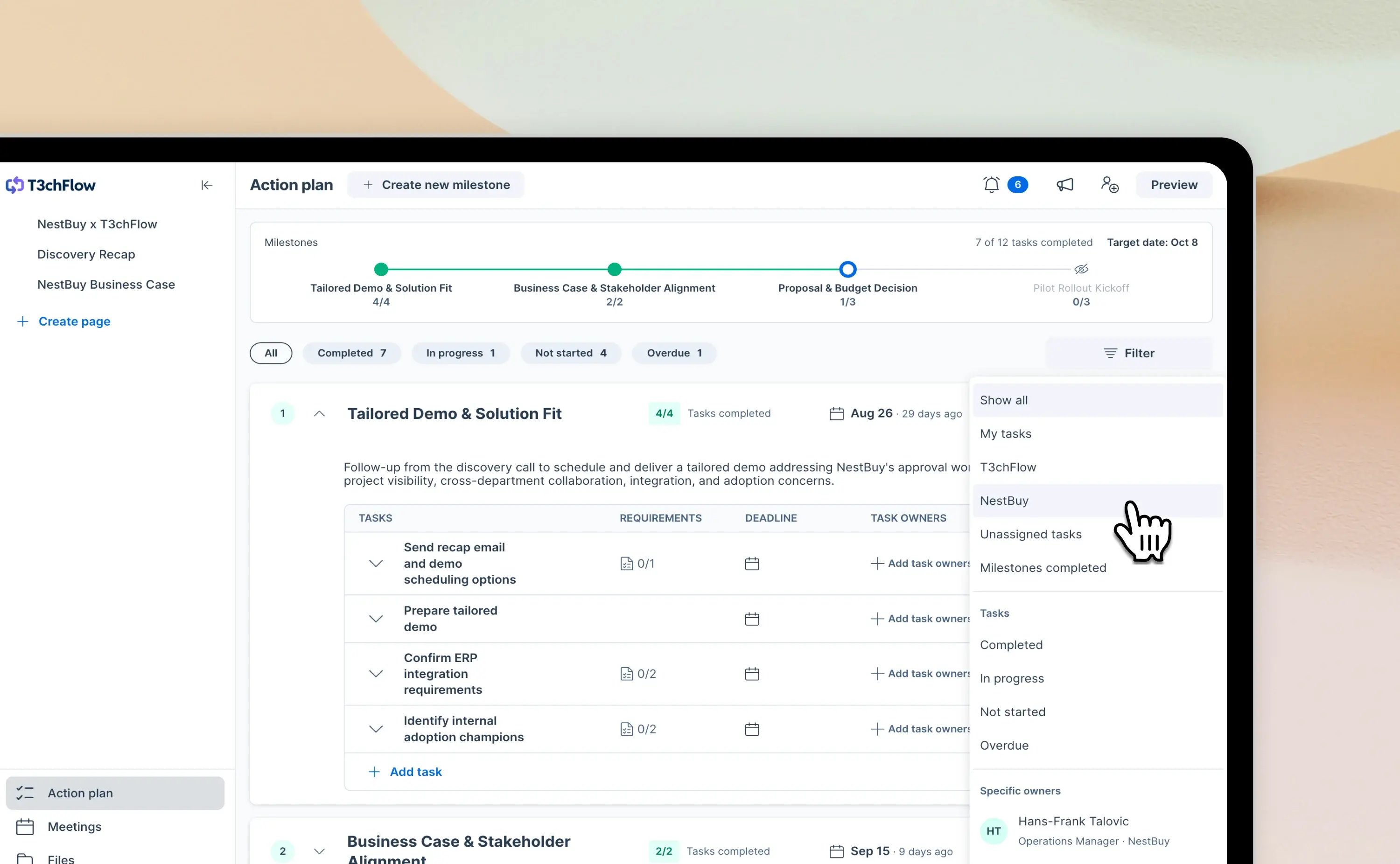
Smart filters let you narrow the plan view instantly. Filter by overdue tasks, tasks assigned to you, or tasks by company (seller or buyer side) or by individual. Useful when you need to quickly find what needs attention without scrolling the full plan.
The MAP Summary in Analytics gives you a quick snapshot of:
- Completed tasks
- Upcoming steps
- Ownership across participants
It’s an easy way to prepare for meetings or identify stalled deals.
When to enable the Action Plan
MAPs are especially powerful when:
- The deal involves multiple stakeholders
- Legal, security, or procurement steps are required
- Sales cycles are longer than a few weeks
- You’re transitioning from sales to onboarding or implementation
They’re just as useful after signing, when the room becomes an onboarding or delivery space rather than a sales one.
Let AI keep the plan current
The hardest part of a MAP isn't building it. It's keeping it current as the deal moves forward. You can ask AI to create a MAP from scratch based on the deal context. As you add new meetings, AI can review what was discussed and suggest new tasks, updated milestones or ownership changes. You review the suggestions and decide what goes in. The plan stays accurate without anyone having to remember to update it after every call.
Best practices for Mutual Action Plans
Include MAPs in room templates
If MAPs are part of your standard process, add them directly to your room templates. This ensures every new room starts with a clear structure instead of relying on reps to set it up manually.
Start simple
You don’t need a perfect plan upfront. A few clear milestones with meaningful tasks are better than a long, overwhelming checklist.
Use hide/show to tailor the view for each stage of the deal. Milestones and tasks can be hidden or shown at any point. Keep the implementation timeline out of view until the contract is signed, or hide earlier milestones when new stakeholders join so they see a clean plan that starts where they are.
Assign ownership early
Tasks without owners rarely get done. Assign responsibility on both sides from the start to reinforce shared accountability.
Use MAPs as a conversation tool
Review the Action Plan together during calls. Updating status live builds alignment and reinforces momentum.
Example in practice: T3chFlow
T3chFlow used to manage next steps through follow-up emails and internal notes. Deals often slowed down when new stakeholders joined or when responsibilities weren’t clear.
They introduced Mutual Action Plans in their DSR templates, with milestones for discovery, legal review, and kickoff.
During each call, reps reviewed the Action Plan with the buyer and updated tasks together. Buyers appreciated knowing exactly what was required on their side, and internal teams could see progress without chasing updates.
The result was fewer stalled deals, clearer ownership, and smoother transitions from sales to onboarding.
Recap
By completing this lesson, you should now understand that:
- Mutual Action Plans create clarity and shared accountability
- Milestones show the path forward, tasks keep progress moving
- Buyers and sellers work from the same plan inside the Digital Sales Room
- MAPs can replace spreadsheets and Gantt charts for deal coordination
- Including MAPs in templates helps every deal start with momentum
Clear next steps don’t just organize work. They move deals forward.