DocuSign might be the industry giant in e-signatures, but that doesn’t mean it’s the best fit for every team in 2026.
Whether you’ve hit limitations on pricing, customization, CRM integration, or post-signature workflows - many modern businesses are reevaluating their tools and looking for platforms that do more than just capture a signature.
From sales teams needing deeper buyer insights, to legal and ops teams demanding better workflow control, today’s alternatives to DocuSign offer stronger integrations, more flexibility, and built-in collaboration.
In this guide, we break down 7 top DocuSign alternatives - tested across real use cases, and ranked by what they actually help you do better:
- Automate document creation
- Streamline approvals and renewals
- Ensure compliance in every region
- Track engagement after send
- Accelerate every stage of your agreement workflows
Whether you’re a fast-growing SaaS team or a compliance-heavy enterprise, there’s a better fit out there. Let’s find it.
Why companies switch from DocuSign
Companies switch from DocuSign mainly over workflow rigidity, limited post-send engagement, price at scale, missing sales tools and admin complexity.
Here’s where DocuSign often falls short (and why businesses are exploring alternatives):
1. Limited workflow flexibility
DocuSign handles signatures well, but building custom workflows around those signatures - especially for multi-step approvals, renewals, or upsells - can be rigid without expensive add-ons.
2. Minimal post-send engagement
DocuSign is built around the signature, so engagement tracking and deal guidance sit outside the platform. GetAccept gives you stakeholder-level engagement insights on every document you send.
3. Price vs. value
DocuSign Standard costs $25 per user per month and includes 100 envelopes per user per year, with pay-as-you-go overage. GetAccept eSign costs $25 per user per month with unlimited signatures. For teams that only use a portion of the platform’s features - or need broader functionality (like CPQ, proposal tracking, or renewal workflows) - the ROI becomes harder to justify.
4. Lack of sales enablement tools
DocuSign’s core buyers are legal and procurement teams. Its IAM for Sales product embeds agreements in the CRM but has no digital sales rooms, CPQ, buyer chat, video or mutual action plans.
5. Complex admin for scaling teams
For growing companies managing hundreds of users, DocuSign’s admin controls and user management can feel clunky - especially when dealing with multiple departments or business units.
8 DocuSign alternatives compared by use case
DocuSign alternatives fall into two groups: all-in-one contract and sales platforms, and dedicated e-signature tools.
GetAccept and PandaDoc are all-in-one platforms, while the other six tools below focus on e-signatures.
1. GetAccept
Best for sales teams that need document creation, quoting, signing and buyer tracking in one platform.
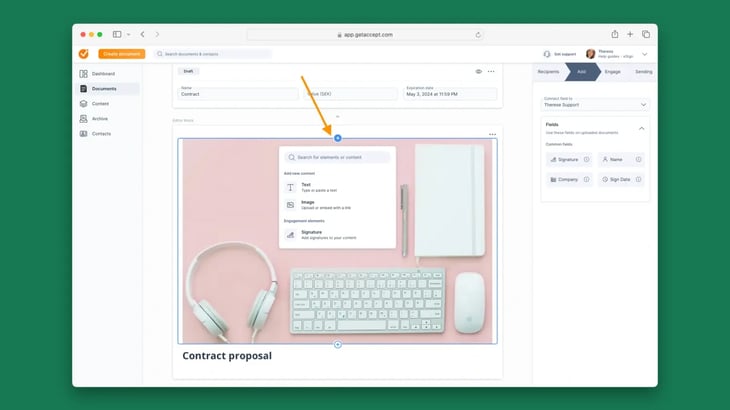
GetAccept is the Digital Sales Room platform that gives sales teams document creation, buyer tracking, legally binding e-signatures and CRM integrations in one place.
For sales teams that want to close deals faster and improve the buying experience, GetAccept is the DocuSign alternative built for that.
Why teams choose GetAccept over DocuSign:
- CRM-native workflows: Deep integration with Salesforce, HubSpot, and others lets you send, track, and automate documents directly within your CRM.
- Real-time buyer engagement: Track opens, views, shares, comments, and even add video or chat to your proposals.
- Flexible approvals & workflows: Route documents based on logic, roles, or deal stage - without custom dev or third-party tools.
- Subscription & renewal support: Built-in tools to manage co-terming, upsells, and renewal reminders.
- Digital Sales Rooms: Create a central workspace for all stakeholders - no more attachments or lost control.
Potential drawbacks:
- May be feature-rich for teams that just need basic signatures.
- Requires onboarding to get full value from sales enablement features.
GetAccept fits sales-led teams, where proposals, signatures and buyer engagement run in one workflow.
Best for: Sales-led organizations (especially SaaS, tech, or B2B services) that want to drive engagement, speed up deals, and gain full pipeline visibility from first touch to renewal.
2. Adobe Acrobat Sign
Good for enterprise teams standardized on the Microsoft ecosystem.
Adobe Acrobat Sign is an e-signature platform that integrates with Microsoft 365 and Adobe tools, built for enterprises standardized on the Microsoft stack.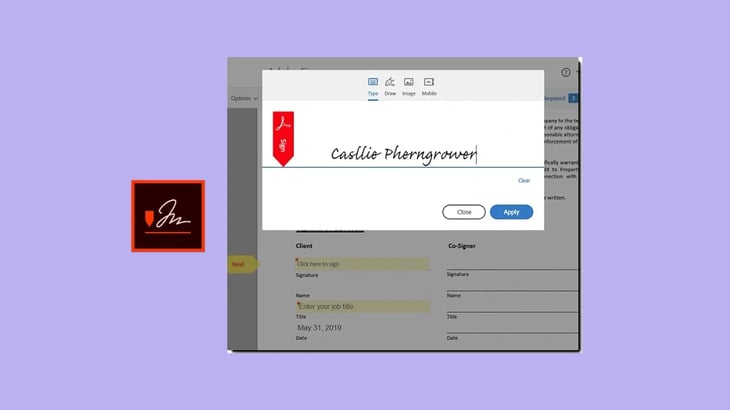
What Adobe Acrobat Sign includes:
- Deep Microsoft integrations: Native functionality with Word, Outlook, Teams, SharePoint, and Dynamics.
- Enterprise-grade compliance: Meets requirements like eIDAS (QES optional), HIPAA, FedRAMP, and ISO 27001.
- Custom workflows: Automate multi-stage approvals and document routing across departments.
- Audit trails & identity verification: Built-in tools for secure, compliant signing at scale.
- Adobe ecosystem compatibility: Works seamlessly with Acrobat and other Adobe tools for PDF creation, editing, and storage.
Potential drawbacks:
- UI can feel dated compared to newer platforms.
- Less focused on sales or customer-facing workflows.
- Complex features may require IT support for setup and management.
Primary focus: Enterprises that need secure, compliant document workflows and already rely on Microsoft or Adobe infrastructure.
3. Dropbox Sign
Good for teams that already store documents in Dropbox
Dropbox Sign is an e-signature solution with native Dropbox integration, built for startups and small teams that don’t need deep enterprise features.
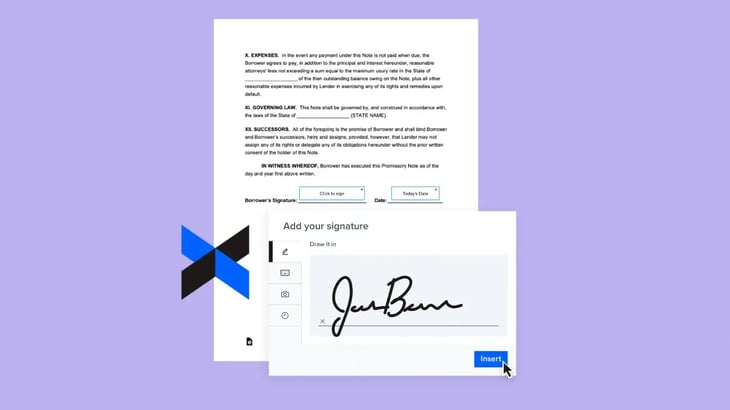
What Dropbox Sign includes:
- Clean, user-friendly interface: Easy to onboard teams without heavy training or IT support.
- Dropbox integration: Works seamlessly for teams already using Dropbox to store and share documents.
- API access: Developer-friendly for embedding signatures into custom apps or platforms.
Potential drawbacks:
- Lacks advanced compliance features like QES for heavily regulated industries.
- Limited automation and workflow customization compared to enterprise tools.
- Not built for complex multi-stakeholder deals or contract lifecycle management.
Primary focus: SMBs and scaling teams that prioritize ease of use and affordability over advanced features.
4. Scrive
Good for compliance-driven teams operating in Europe.
Scrive is an e-signature solution with support for eIDAS-compliant Qualified Electronic Signatures (QES), built for teams in regulated industries or across EU borders.
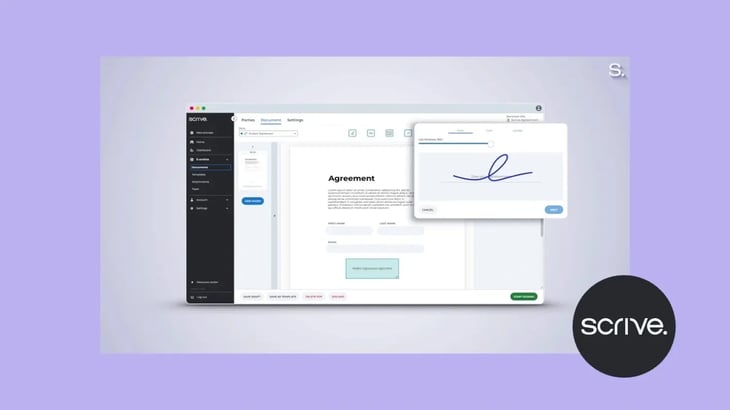
What Scrive includes:
- Strong QES support: Fully supports eIDAS requirements for Qualified Electronic Signatures - critical for legal, healthcare, and financial sectors in Europe.
- Identity verification: BankID, SMS verification, and biometric options available for signer authentication.
- Data residency & security: ISO 27001 certified, with European data centers and detailed audit trails.
- CRM integrations: Works with Salesforce, Microsoft Dynamics, and others to streamline workflows.
Potential drawbacks:
- Interface is more functional than modern - may feel dated compared to newer platforms.
- Lacks advanced buyer engagement features like video, live chat, or interactive proposal elements.
- More focused on compliance than sales enablement.
Primary focus: Organizations in Europe (or selling into Europe) that need secure, legally binding signatures with ironclad compliance.
5. SignWell
Good for small teams that need basic, compliant signing.
SignWell is an e-signature tool for startups, agencies and internal teams that need legally binding signatures, templates, reminders and audit trails.
What SignWell includes:
- Clean, simple UI: Easy for both senders and recipients to use - minimal learning curve.
- Legally compliant: Supports UETA, ESIGN, and GDPR compliance, with downloadable audit trails and tamper-proof documents.
- Templates & reminders: Built-in tools for recurring documents and automatic follow-ups.
Potential drawbacks:
- Limited enterprise features - no CPQ, CRM-native workflows, or complex role-based routing.
- No native support for QES or advanced authentication methods.
- Lacks integrations and automation compared to more robust platforms.
Primary focus: Lean teams or startups that want fast, reliable, compliant signatures - without enterprise bells and whistles.
6. Xodo sign
>Good for teams that need an e-signature API.
Xodo sign (formerly Eversign) isan e-signature tool with templates and API access, built for small and mid-sized businesses and developers.
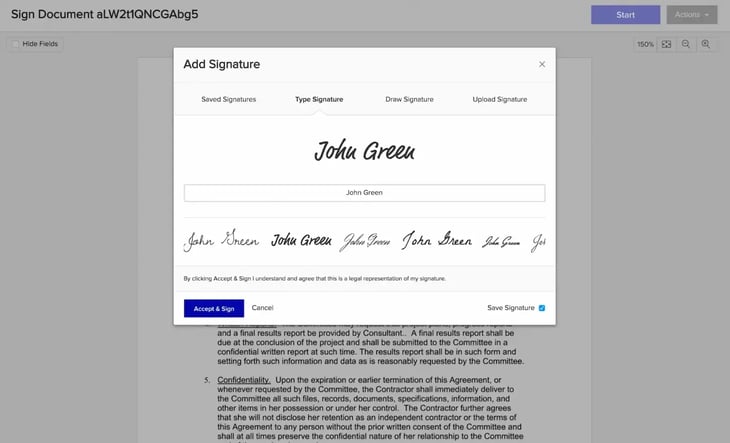
What Xodo Sign includes:
- Robust API at low cost: Ideal for SaaS products or internal tools needing integrated e-sign.
- Document automation: Supports templates, audit trails, in-person signing, and reminders.
- Secure & compliant: Meets ESIGN and UETA requirements, with encryption and detailed audit logs.
Potential drawbacks:
- The UI is a bit dated compared to modern tools.
- Limited integrations - fewer out-of-the-box CRM or billing platform connections.
- Lacks native support for QES or advanced buyer engagement tools.
Primary focus: SMBs, startups, or dev teams building e-signature flows into their own platforms without blowing the budget.
7. Zoho Sign
Good for teams already using the Zoho ecosystem
Good for teams already using the Zoho ecosystem.
Zoho Sign is the e-signature tool in the Zoho suite, built for businesses that already use Zoho CRM, Zoho Books or Zoho Projects.
What Zoho Sign includes:
- Seamless integration with Zoho apps (CRM, Mail, Books, etc.)
- eIDAS, ESIGN, and UETA compliant - suitable for global use
- Workflow automation and API support for custom scenarios
Potential drawbacks:
- Not ideal for teams outside the Zoho ecosystem
- Lacks deep buyer engagement or sales-specific features
- Fewer third-party integrations than DocuSign or GetAccept
Primary focus: Startups or mid-market teams already using Zoho products that want a native e-signature solution without overpaying for unused enterprise features.
8. PandaDoc
PandaDoc is a document workflow platform for proposals, contracts, quotes and e-signatures. It has a free plan, and paid plans start at $19 per user per month.
What PandaDoc includes:
- Document creation: Templates for proposals, contracts and quotes.
- E-signatures: Built-in signing inside the document workflow.
- Plans: Free, Starter at $19, Business at $49 and Enterprise with custom pricing, per user per month.
Potential drawbacks:
- No shared deal room for buyers and sellers, so collaboration stays inside the document.
- Engagement insights are lighter than the stakeholder-level tracking GetAccept offers.
Primary focus: Smaller sales teams and transactional sales that want proposals, contracts and signing in one document workflow.
DocuSign Alternatives at a glance
Here's a side-by-side comparison of the eight DocuSign alternatives we reviewed - with a focus on what matters most for growing teams: CRM integration, compliance, engagement, and ease of scaling.
| Platform | CRM integration | Compliance | Engagement tools | Primary focus |
| GetAccept | Salesforce, HubSpot, Dynamics... | SOC 2, eIDAS, QES | Live chat, video, analytics | Sales teams needing full-cycle deal acceleration |
| Adobe Acrobat Sign | Microsoft 365, Salesforce... | HIPAA, FedRAMP, eIDAS | Basic tracking | Enterprises on the Microsoft stack |
| Dropbox Sign | HubSpot, Salesforce, Zapier... | SOC 2, eIDAS | Basic open/view tracking | SMBs seeking lightweight DocuSign alternatives |
| Scrive | Salesforce, Dynamics... | QES, BankID, ISO 27001 | Compliance-first, no chat/video | Regulated industries across Europe |
| SignWell | Zapier, API... | UETA, ESIGN | Status updates, audit trails | Freelancers and lean teams |
| Eversign | Google Drive, Dropbox, API... | GDPR, eIDAS, ESIGN | Templates, basic tracking | Small to mid-sized teams wanting ease of use |
| Zoho Sign | Zoho CRM, API... | ESIGN, UETA, eIDAS | Status notifications | Businesses using Zoho tools looking for built-in e-signature |
| PandaDoc | HubSpot, Salesforce, Monday... | SOC 2, ISO 27001, FedRAMP | Document-level tracking | Smaller sales teams wanting document creation and e-signature in one workflow |
As you can see, while all eight platforms offer legally binding electronic signatures, they vary widely in how they support CRM workflows, buyer engagement, and regulatory compliance.
GetAccept is the best fit for sales teams that need CRM workflows, buyer engagement and compliance in one platform.
DocuSign sits in the e-signature category, but the "alternatives" question often extends further into the sales stack. If you're also re-evaluating your enablement platform - particularly for Highspot alternatives in the wake of the Seismic-Highspot merger - the same shortlisting logic applies: match the tool to the actual use case, not the category label.
Choosing a DocuSign alternative for sales teams
GetAccept is the best fit for sales teams that need proposals, signatures and buyer engagement in one platform. As sales processes evolve, security expectations rise, and engagement becomes mission-critical, more businesses are looking for tools that do more than just collect a signature.
Whether you’re a fast-moving SaaS team, a compliance-heavy enterprise, or a startup looking for simplicity, there’s now a range of purpose-built alternatives that offer stronger CRM integration, smarter engagement insights, and pricing that scales with your needs.
And if you’re ready to streamline more than just signing - from proposal to renewal - one platform stands out.
Power your revenue motion with GetAccept
GetAccept combines proposals, contracts, e-signatures, and buyer engagement - all in one connected platform.
- 75% faster proposal turnaround
- Full CRM integration
- Built-in renewal workflows
- Real-time visibility into buyer activity